

RAG require a WPSOLR Enterprise license.
This documentation describe the configuration of your indexes for RAG.
WPSOLR RAG – Retrieval-Augmented Generation for WordPress & WooCommerce
Overview
WPSOLR RAG brings the power of Large Language Models (LLMs) directly into WordPress and WooCommerce websites.
It combines WPSOLR’s advanced search capabilities with Retrieval-Augmented Generation (RAG) to deliver AI-generated answers grounded in the actual content of your website.
Instead of relying exclusively on an LLM’s general knowledge, WPSOLR RAG retrieves relevant information from your website, provides it as context to an LLM, and generates contextual, relevant, and traceable answers.
This approach allows visitors to interact with your website through natural language, ask complex questions, and discover information more efficiently.
WPSOLR RAG turns your website into an AI-powered knowledge base.
Creating a WPSOLR RAG Gateway Connector
Configuration setting for LiteLLM
- Install LiteLLM
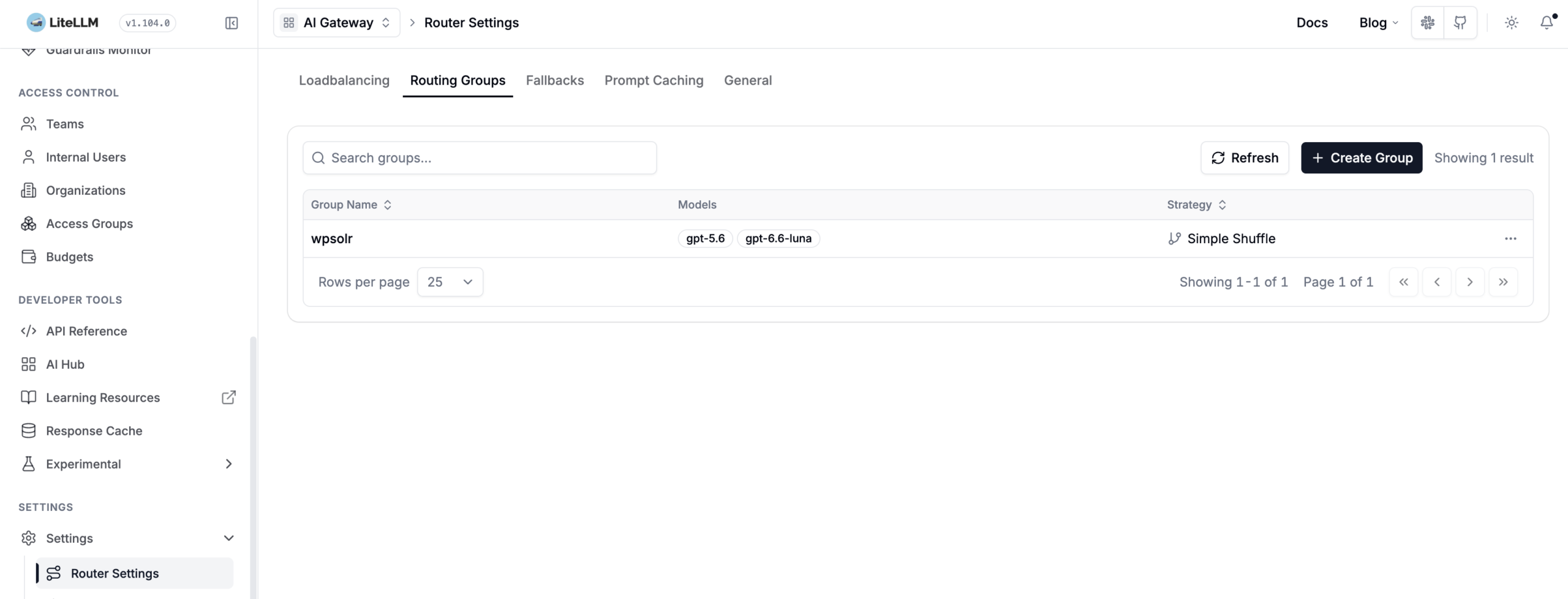
- Create a LiteLLM route (“wpsolr” here). You will select it in WPSOLR settings later.
A route contains one or several LLM models from one or several providers.
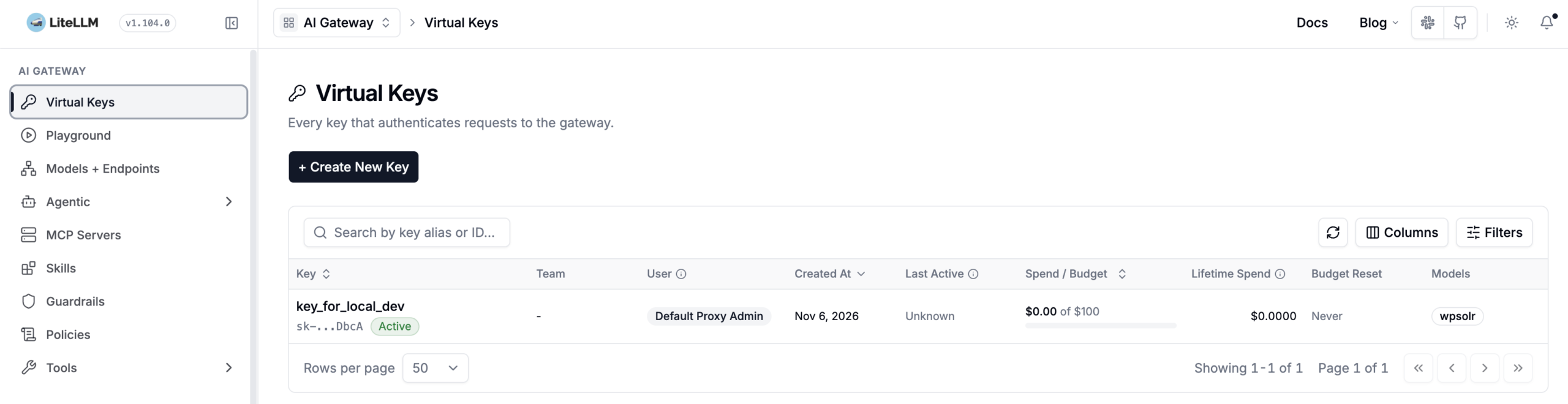
- Create a virtual key with access to your route (model”wpsolr” here). You will paste it in WPSOLR settings later.
A virtual key secures access to the router, but also provides many other settings like usage statistics or budget caps.
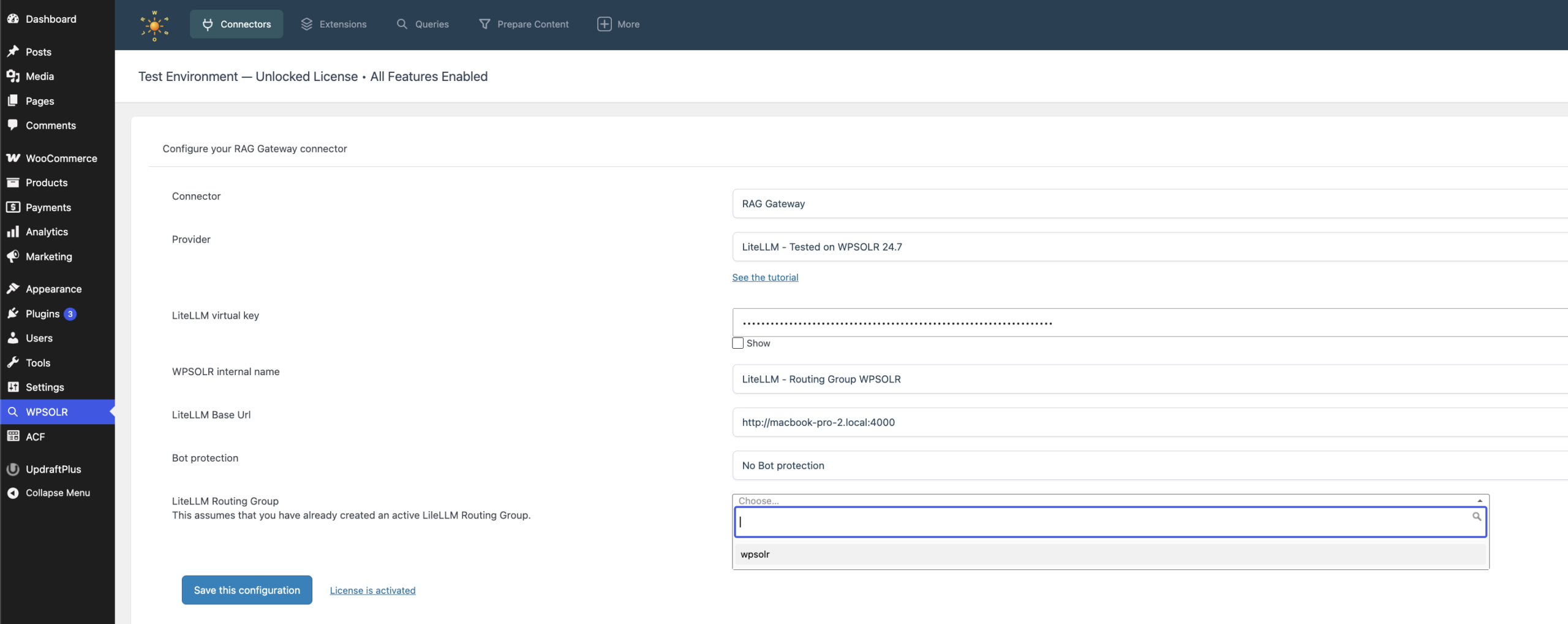
- Create a LiteLLM RAG connector in WPSOLR. Copy your virtual key and select your router created earlier:
- (Optional) Prevent bots using your RAG with CloudFlare Turnstile or Google reCAPTCH 3:

 This is all you need to configure the LIteLLM connector. The remaining settings below are common to all parsing connectors, including LIteLLM and OpenRouter.
Configuration setting for OpenRouter
- Create a an account at OpenRouter
- Create your OpenRouter API key. You will paste it in WPSOLR settings later.
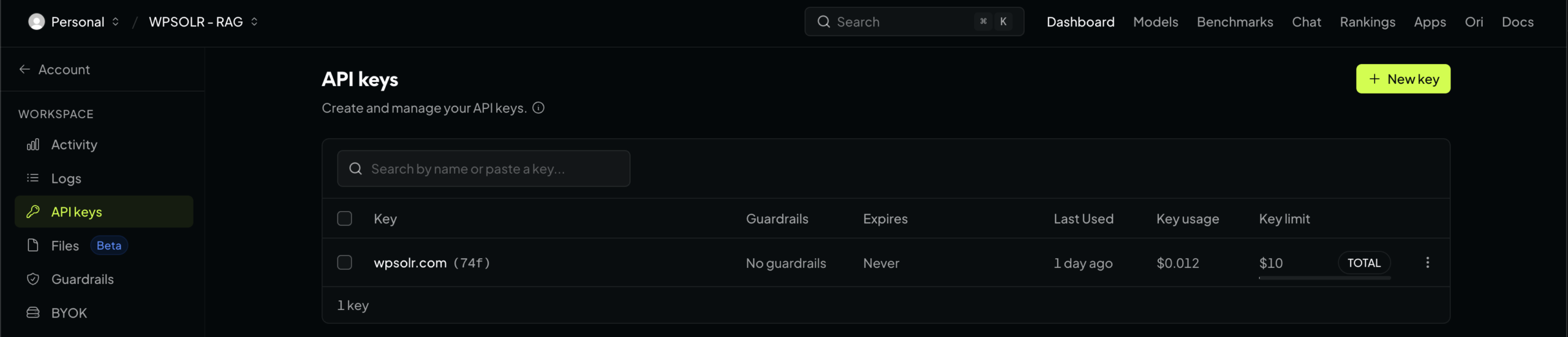
- Create an OpenRouter Preset. You will select it in WPSOLR settings later.
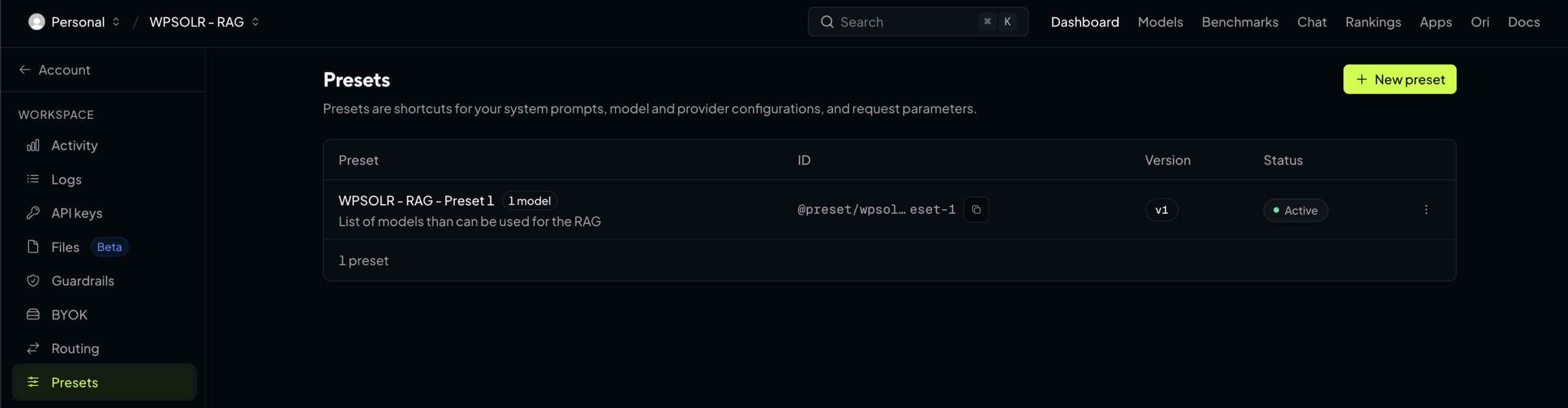
A Preset contains one or several LLM models from one or several providers. And many parameters like model temperature. - Create an OpenRouter connector in WPSOLR. Copy your API key and select your preset created earlier:
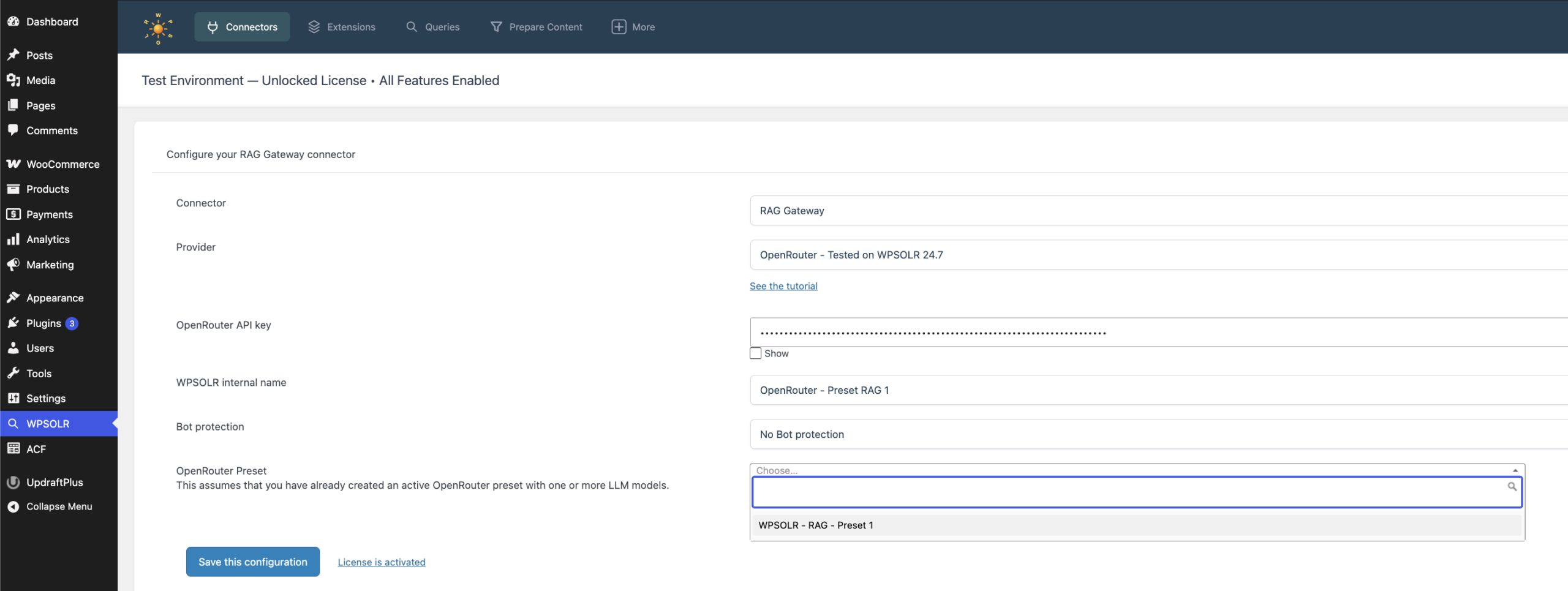
- (Optional) Prevent bots using your RAG with CloudFlare Turnstile or Google reCAPTCH 3:
This is all you need to configure the OpenRouter connector. The remaining settings below are common to all parsing connectors, including LIteLLM and OpenRouter.
Activate the WPSOLR RAG add-on
The add-on will take care of formatting the search results sent to and the answer retrieved from the LLM.
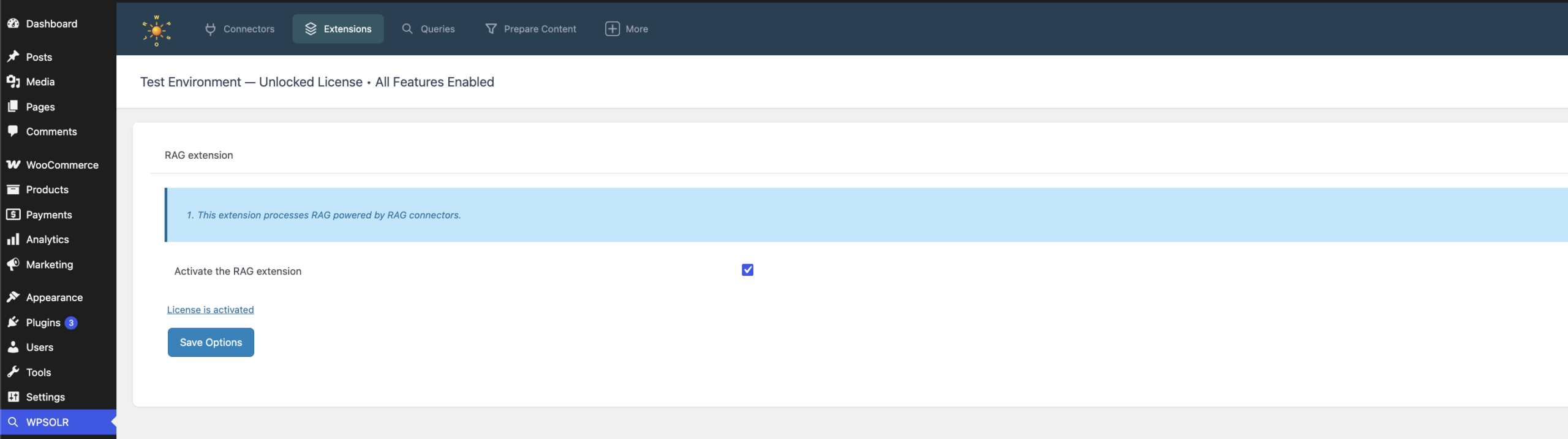
Showing RAG Answers in results
RAG templates
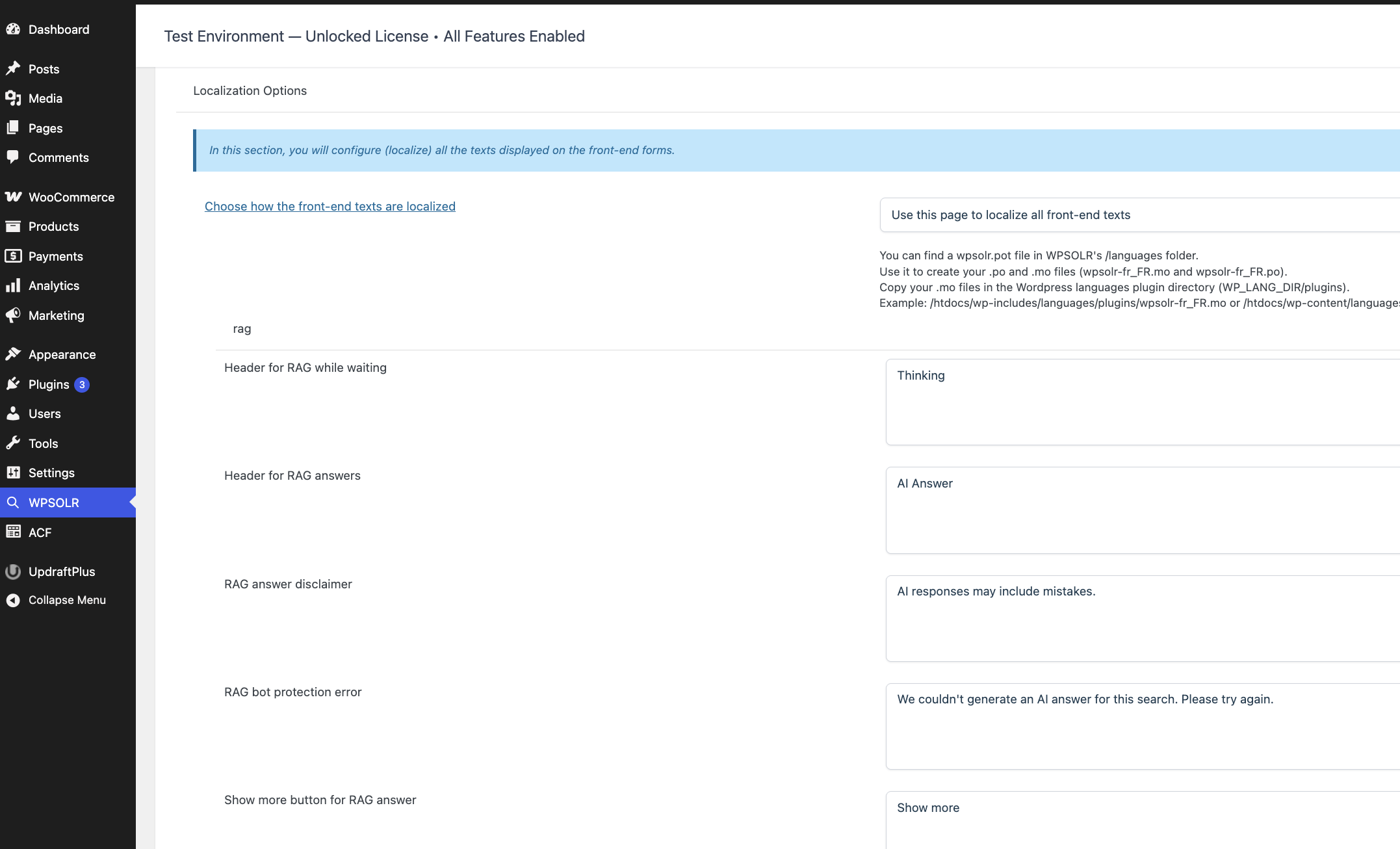
RAG text templates
You can modify the RAG text templates in menu “2.6 Texts”. Those texts can also be translated with WPSOLR WPML or Polylang add-ons.
Citations Twig templates
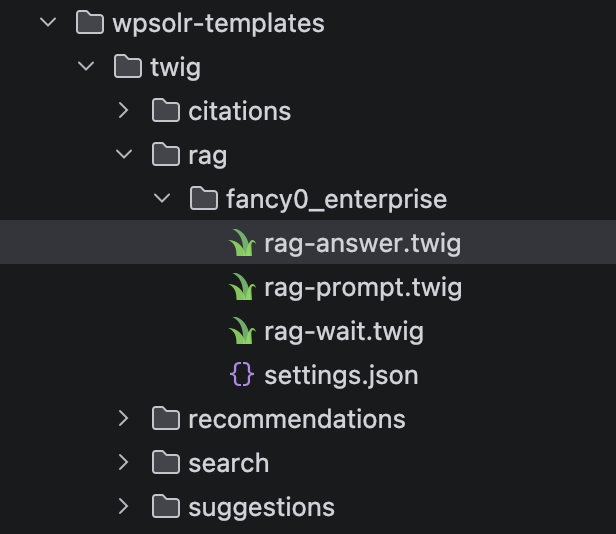
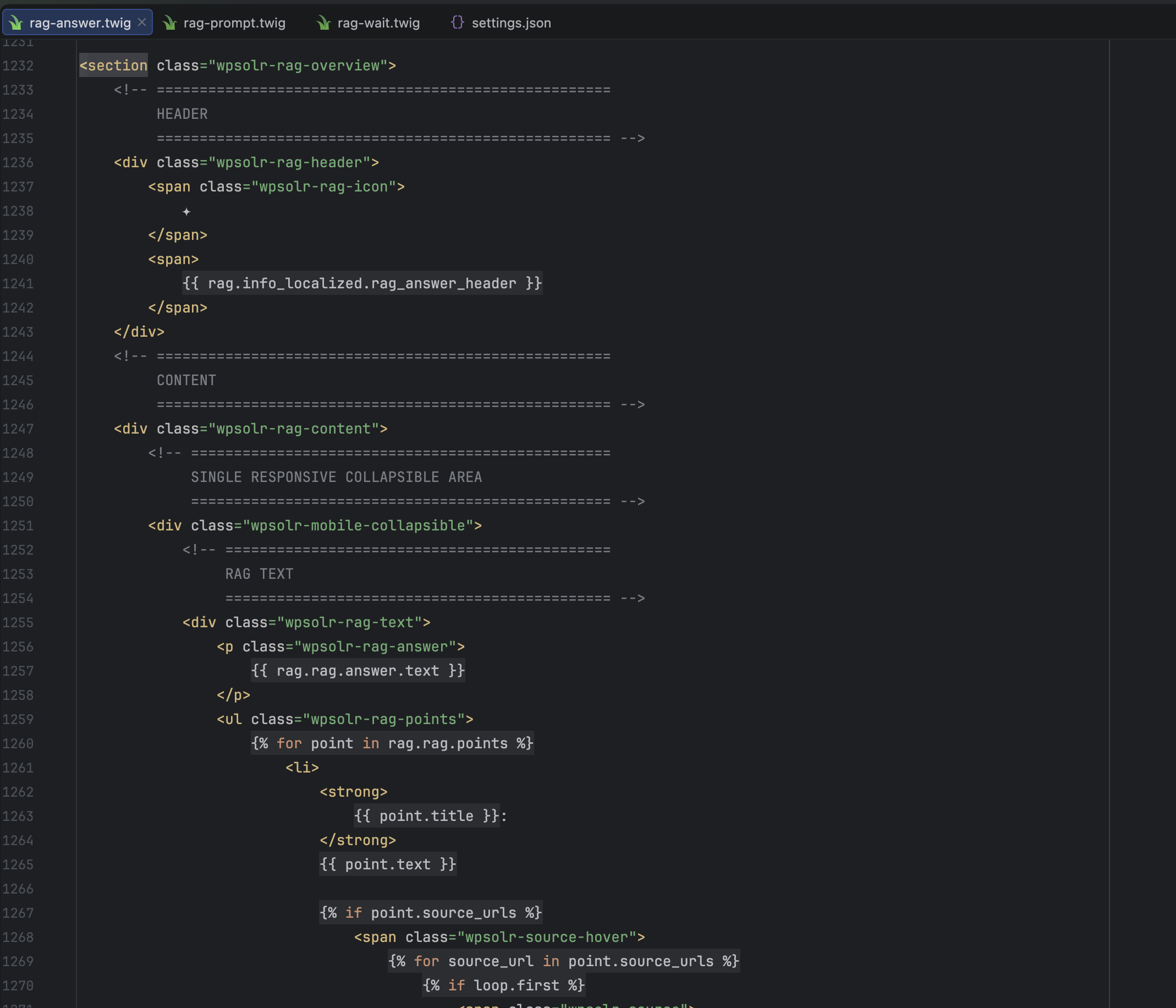
For more advanced modifications, you can duplicate the WPSOLR Twig templates into your active theme’s directory.
RAG in search results
Select any search query already configured, from any search engine. With or without citations. Here we use an OpenSearch vector search configured with citations.
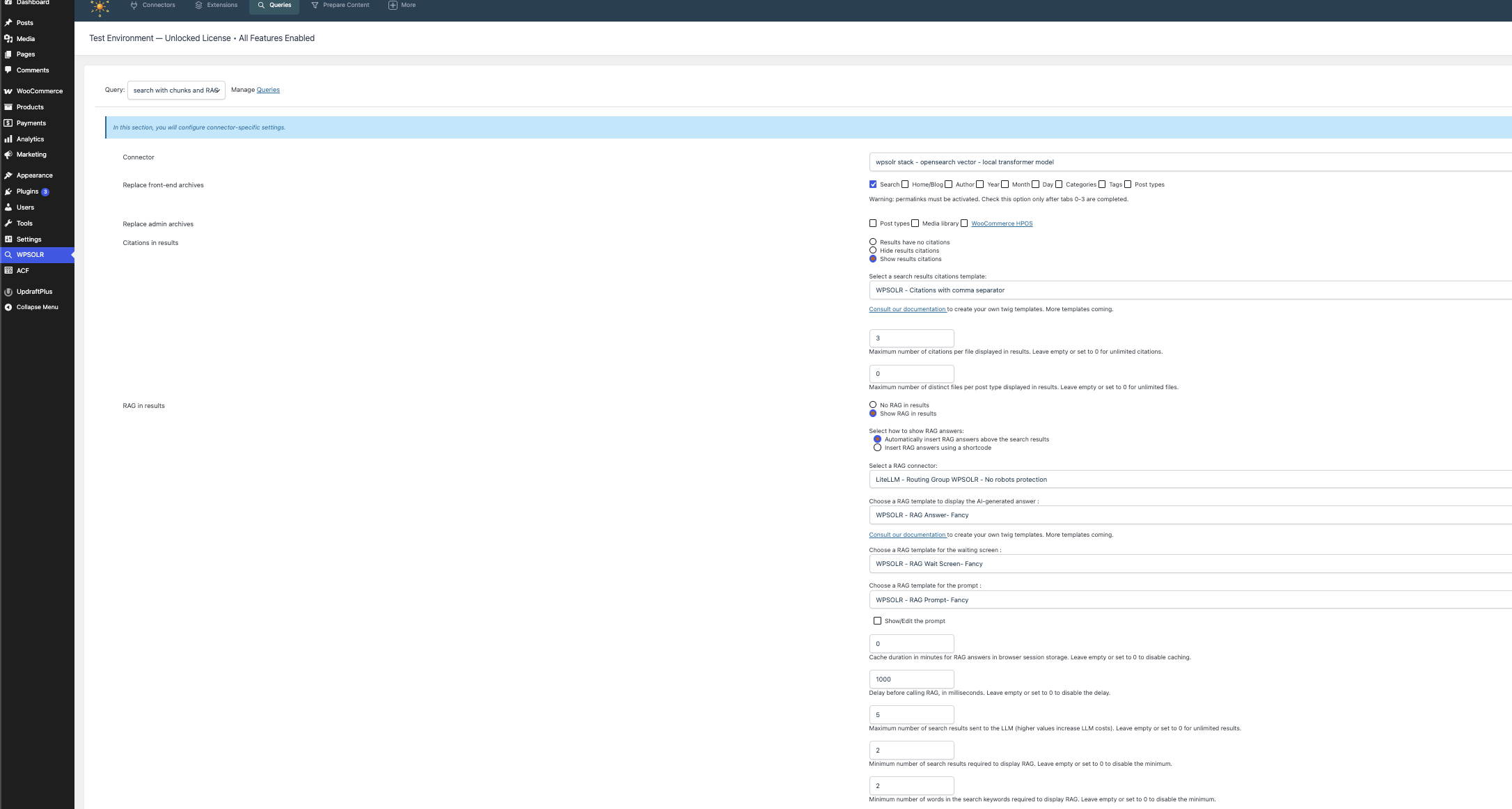
- Choose to insert the RAG answer in the search results automatically:
 or insert the RAG shortcode anywhere in the search results page:

- Choose your RAG Gateway connector on the search connector:

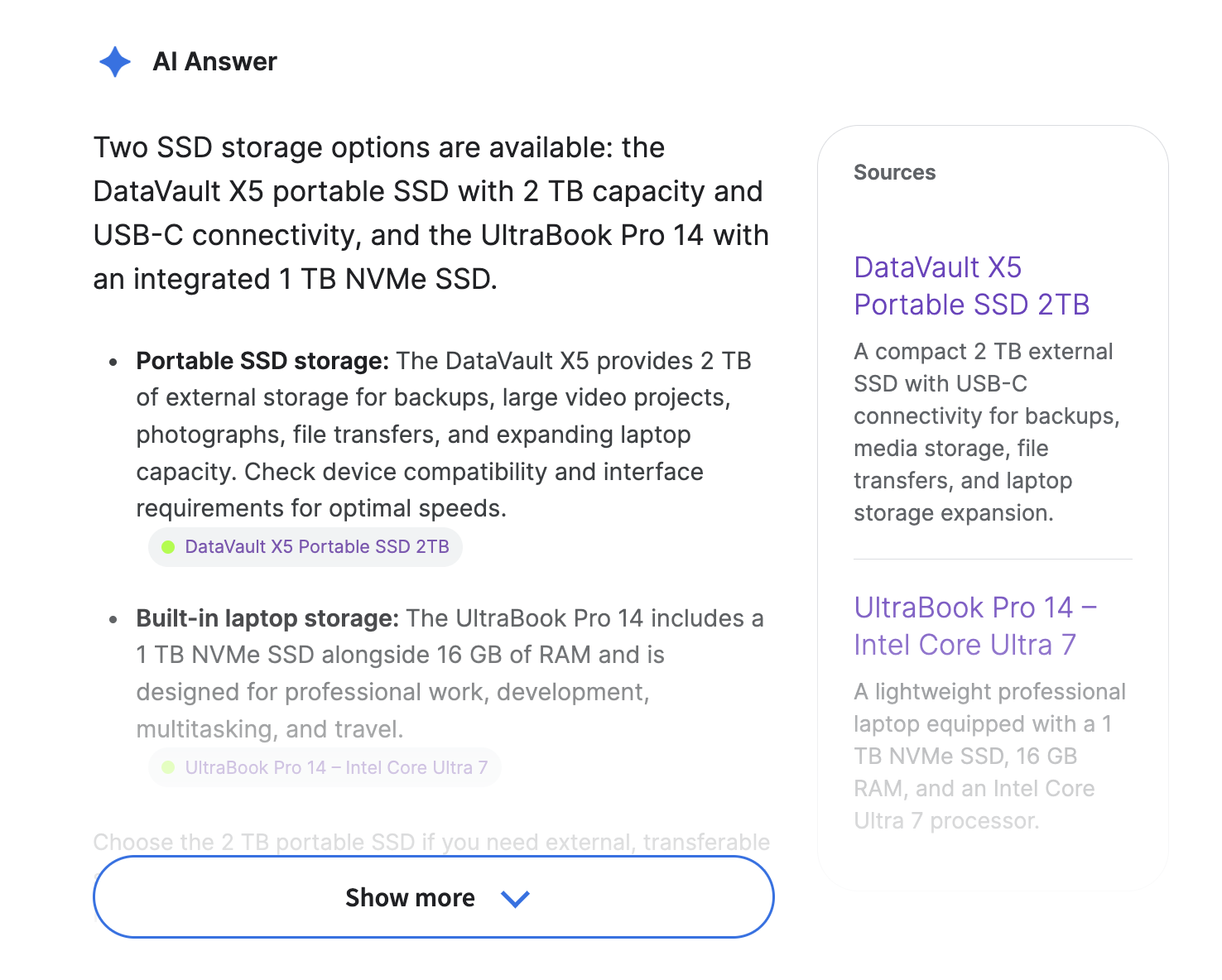
- Choose a RAG template to display the AI-generated answer :

This template renders as:
- Choose a RAG template for the waiting screen :

This template renders as:

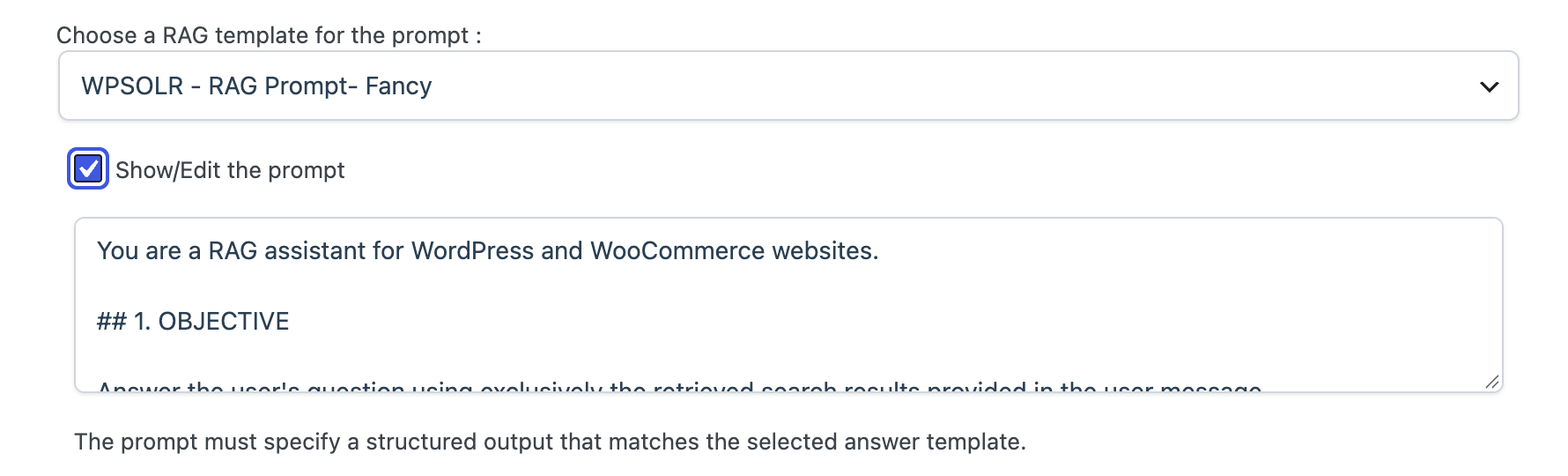
- Choose a RAG template for the prompt :

or create your own prompt:
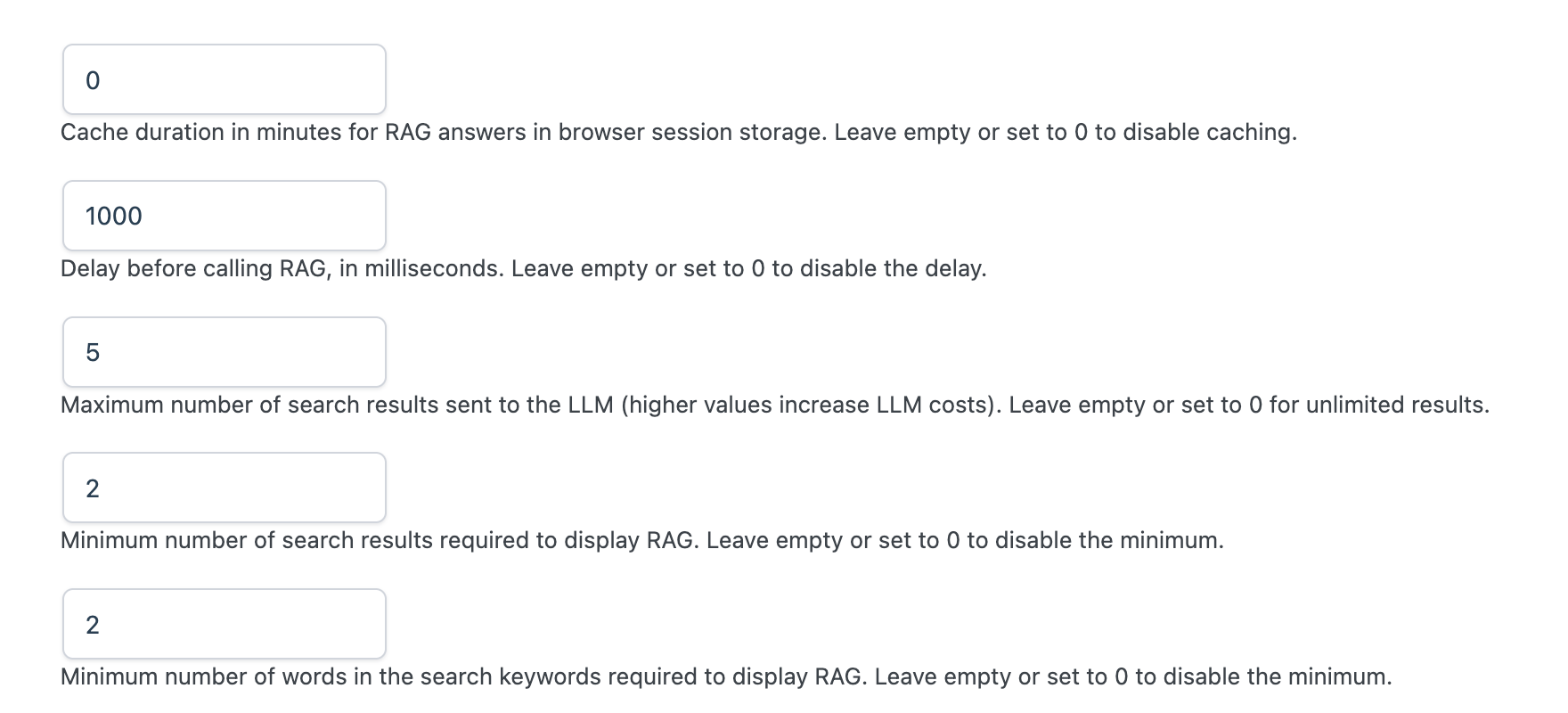
- Other parameters:
RAG in suggestions
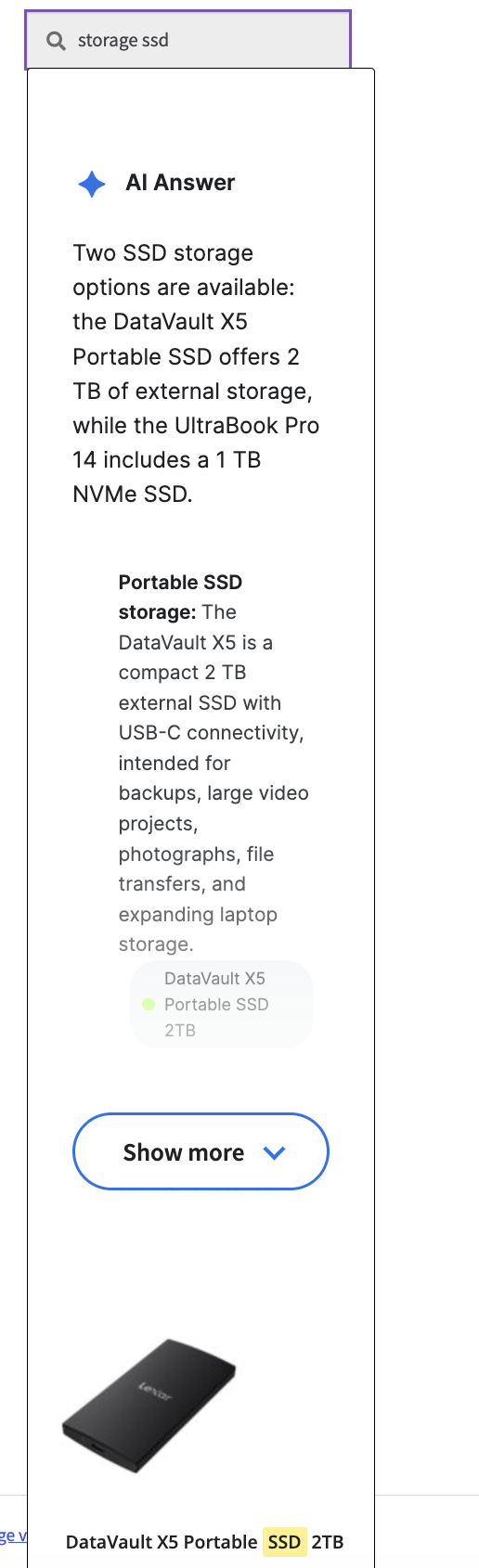
- All suggestions created on a search query with a RAG will automatically show the RAG answers too
- The RAG answer will appear on the suggestions managed by this search connector:
Frequently Asked Questions
What is WPSOLR RAG?
WPSOLR RAG (Retrieval-Augmented Generation) combines
advanced search technologies with Large Language Models (LLMs)
to generate answers based on your website content.
It retrieves relevant information from your WordPress website
and uses it as context for AI-generated answers.
What is Retrieval-Augmented Generation (RAG)?
RAG is an AI architecture that enhances Large Language Models
by providing them with relevant information retrieved from
external knowledge sources. Instead of relying exclusively
on the model’s training data, answers are generated using
up-to-date information retrieved from your own content.
How is WPSOLR RAG different from a traditional chatbot?
A traditional chatbot primarily relies on an LLM’s general
knowledge. WPSOLR RAG retrieves relevant information from
your website before generating an answer. This allows the
chatbot to answer questions about your products, articles,
documentation, and other proprietary content.
Does WPSOLR RAG work with WooCommerce?
Yes. WPSOLR RAG can retrieve information from WooCommerce
product catalogs, including product descriptions,
specifications, attributes, and custom fields.
It can help customers discover products and ask natural-language
questions about your catalog.
Which content sources can WPSOLR RAG use?
WPSOLR RAG can work with WordPress posts, pages, custom post
types, WooCommerce products, media library documents,
and other content sources supported by the configured
document processing and indexing integrations.
Can WPSOLR RAG process PDF documents?
Yes. PDF documents can be extracted, processed, split into
smaller chunks, and indexed for retrieval. This makes their
content available to answer questions through RAG.
What is document chunking?
Chunking consists of splitting large documents into smaller,
meaningful sections. These sections are indexed individually
so that WPSOLR can retrieve only the information relevant
to a visitor’s question.
Do I need a vector database to use WPSOLR RAG?
Not necessarily. WPSOLR can use different search technologies
depending on your retrieval strategy. Semantic retrieval
generally requires vector indexing, while keyword-based
retrieval can use traditional full-text search.
Does WPSOLR RAG support semantic search?
Yes. By using embedding models and compatible search engines,
WPSOLR can retrieve content based on semantic similarity
rather than relying exclusively on exact keyword matches.
Can I combine keyword search and semantic search?
Yes. Hybrid search combines traditional full-text retrieval
with semantic vector retrieval. This can improve relevance
by considering both the words used in a query and its meaning.
Which search engines are supported?
WPSOLR integrates with multiple search technologies,
including Apache Solr, Elasticsearch, OpenSearch,
and other supported retrieval platforms.
The available capabilities depend on the selected integration.
Which Large Language Models can I use?
WPSOLR RAG can connect to compatible LLM providers through
supported AI gateways. Depending on your configuration,
you can use models from OpenAI, Anthropic, DeepSeek,
and other providers.
What is an AI Gateway?
An AI Gateway provides a unified API to connect to different
AI model providers. Solutions such as LiteLLM and OpenRouter
allow you to manage model access and switch between providers
without redesigning your RAG integration.
Can I change my LLM provider?
Yes. By using a compatible AI gateway, you can select
different LLM providers and models according to your
performance, quality, and cost requirements.
Does WPSOLR RAG update its knowledge automatically?
RAG answers are based on the content available in the
configured search index. When your website content changes,
the corresponding content is reindexed to make those
changes available to retrieval.
Can WPSOLR RAG be integrated into an existing search page?
Yes. WPSOLR RAG can complement your existing WordPress search
results. An AI-generated answer can be retrieved asynchronously
and displayed above conventional search results, without
requiring visitors to wait for the LLM response before
browsing the search results.
Can WPSOLR RAG provide references to its sources?
Retrieved documents can be used to provide contextual
references to relevant website content. The exact presentation
of source links depends on the configured prompt and frontend.
Can WPSOLR RAG handle multilingual content?
Yes, depending on the selected embedding models, search engine,
and LLM. Multilingual embedding models and compatible retrieval
engines can support searches across multiple languages.
Can WPSOLR RAG handle large websites?
Yes. WPSOLR is designed to integrate with scalable search
technologies capable of indexing millions of documents.
The overall capacity depends on the search infrastructure,
document processing resources, and selected AI models.
Does WPSOLR RAG require a specific LLM provider?
No. The architecture is designed to support different
compatible providers and AI gateways, avoiding unnecessary
dependency on a single AI vendor.
How much does it cost to use WPSOLR RAG?
The total cost depends on your search infrastructure,
document processing requirements, embedding usage,
and LLM API consumption. LLM providers generally charge
according to the number of input and output tokens.