WPSolr logo
  • Brands & Agencies 💛
  • Products
    • Parsing & Chunking
    • Search
      • Algolia  Search
      • Apache Solr  Search
      • Elasticsearch  Search
      • Google AI Commerce  Search
      • OpenSearch  Search
      • OpenSolr  Search
    • AI Search
      • OpenSearch  AI Search
      • PostgreSQL  AI Search
      • Vespa  AI Search
      • Weaviate  AI Search
    • AI Recommendations
      • Amazon Personalize  AI Recommendations
      • Recombee  AI Recommendations
    • AI Personalized Search & Recommendations
      • Algolia  AI Personalized Search & Recommendations
      • Google AI Commerce  AI Personalized Search & Recommendations
  • Learn
    • Documentation & Guides – Everything to get started fast
    • Youtube – 100 practical videos from setup to live site demos
    • Forums – Direct support from our team
    • Blog
  • Pricing
  • My licenses
  • Meet
  • 📞  Call
    • 📞  US : (951) 612-8259
    • 📞  France : 01 62 04 55 85
  • Brands & Agencies 💛
  • Products
    • Parsing & Chunking
    • Search
      • Algolia  Search
      • Apache Solr  Search
      • Elasticsearch  Search
      • Google AI Commerce  Search
      • OpenSearch  Search
      • OpenSolr  Search
    • AI Search
      • OpenSearch  AI Search
      • PostgreSQL  AI Search
      • Vespa  AI Search
      • Weaviate  AI Search
    • AI Recommendations
      • Amazon Personalize  AI Recommendations
      • Recombee  AI Recommendations
    • AI Personalized Search & Recommendations
      • Algolia  AI Personalized Search & Recommendations
      • Google AI Commerce  AI Personalized Search & Recommendations
  • Learn
    • Documentation & Guides – Everything to get started fast
    • Youtube – 100 practical videos from setup to live site demos
    • Forums – Direct support from our team
    • Blog
  • Pricing
  • My licenses
  • Meet
  • 📞  Call
    • 📞  US : (951) 612-8259
    • 📞  France : 01 62 04 55 85
  • Brands & Agencies 💛
  • Products
    • Parsing & Chunking
    • Search
      • Algolia  Search
      • Apache Solr  Search
      • Elasticsearch  Search
      • Google AI Commerce  Search
      • OpenSearch  Search
      • OpenSolr  Search
    • AI Search
      • OpenSearch  AI Search
      • PostgreSQL  AI Search
      • Vespa  AI Search
      • Weaviate  AI Search
    • AI Recommendations
      • Amazon Personalize  AI Recommendations
      • Recombee  AI Recommendations
    • AI Personalized Search & Recommendations
      • Algolia  AI Personalized Search & Recommendations
      • Google AI Commerce  AI Personalized Search & Recommendations
  • Learn
    • Documentation & Guides – Everything to get started fast
    • Youtube – 100 practical videos from setup to live site demos
    • Forums – Direct support from our team
    • Blog
  • Pricing
  • My licenses
  • Meet
  • 📞  Call
    • 📞  US : (951) 612-8259
    • 📞  France : 01 62 04 55 85
Expand All Collapse All
  • What is WPSOLR ?
    • The standard WordPress SQL search
    • The WPSOLR search with Elasticsearch, Apache Solr, or Algolia
  • Your configuration journey, step by step
    • Install Apache Solr
    • Hosted Apache Solr and SolrCloud Services
    • Install Weaviate
    • Install Opensearch
    • Install Elasticsearch
    • Elasticsearch Hosting
    • Configure search
      • Getting started with search
      • Getting started with Ajax (live) search
      • Getting started with facets
      • 0. Connect your indexes
        • Create a Google Retail search index
        • Create an Elasticsearch index
          • Generate a test Elasticsearch index
          • Create an Elastic Elasticsearch index
          • Create an Elasticsearch index
          • Create a Qbox Elasticsearch index
          • Create an ElasticPress Elasticsearch index
          • Create an Aiven Elasticsearch or OpenSearch index
          • Create a Bonsai Elasticsearch index
          • Create an Amazon AWS Elasticsearch index
          • Create an ObjectRocket Elasticsearch index
          • Create a Cloudways Elasticsearch or Opensearch index
          • Create an Alibaba Cloud Elasticsearch index
          • Create a Compose Elasticsearch index
          • Connect to an Elasticsearch index
        • Create an Apache Solr index
          • Generate a test Apache Solr index
          • Create an Apache Solr index
          • Create a SearchStax SolrCloud index
          • Create an Opensolr Solr index
          • Connect to an Apache Solr index
        • Create an Opensearch index
          • Create a WPSOLR Hosting OpenSearch index
          • Create an Amazon AWS OpenSearch index
        • Create a Weaviate index
          • Weaviate with Google PaLM API
          • Weaviate with GPT4All
          • Weaviate with sentence transformers
          • Weaviate with CLIP text-to-image
          • Weaviate with HuggingFace Endpoints API
          • Weaviate with OpenAI GPT API
          • Weaviate with Cohere Multilingual API
          • Weaviate with Question Answering transformers
          • Weaviate with Hybrid search
          • Weaviate with Reranker - Cohere
          • Weaviate with Reranker - Transformers (cross-encoders)
        • Create an Algolia index
      • 1. Activate extensions (Add-ons)
        • bbPress add-on
        • YITH WooCommerce Ajax Search add-on
        • SEO add-ons
          • Yoast SEO add-on
          • All in One SEO add-on
        • Listable add-on
        • ACF add-on
        • Advanced Scoring add-on
        • Cron Scheduling add-on
        • Theme add-on
          • Filters layouts
            • Radiobox & Checkbox Layout
            • Numeric Range Layout
            • Colour Picker Layout
            • Date Picker (Flatpickr) Layout
            • Range Slider Layout
          • Add Ajax to the current Theme
          • Collapse taxonomy hierarchies
          • Custom Facets CSS
        • WPML add-on
        • Premium add-on
          • Manage more than one Elasticsearch or Solr index
        • PDF Embedder add-on
        • Geolocation add-on
        • AI Natural Language APIs add-on
          • Amazon Comprehend
          • Google Natural Language
          • Aylien Text Analysis
          • MeaningCloud
          • Qwam Text Analytics
        • Toolset Types add-on
        • AI Image and OCR APIs add-on
          • Google Vision
          • Amazon Rekognition
        • Embed Any Document add-on
        • MyListing add-on
        • Polylang add-on
        • WooCommerce add-on
        • Cross-domain federated search add-on
        • Directory+ add-on
        • Toolset Views add-on
        • Listify add-on
        • Jobify add-on
        • Query Monitor add-on
      • 2. Define your search
        • 2.3 Boosts
        • 2.3 Suggestions (Ajax search)
        • 2.1 Search
        • 2.2 Data
      • 3. Index your data
    • Configure recommendations
      • Algolia - Recommend and Personalized search
      • Recombee - Recommendations
      • Google Retail - AI Recommendations and Personalized search
      • Amazon Personalize
    • Configure WPSOLR Parsing and Chunking
    • Create your Custom Templates for Citations, Suggestions, Related Posts & Recommendations
  • Quick start

Configure recommendations

3105 views 3 December 4, 2023 Updated on December 5, 2023

Recommendations and personalized search require a WPSOLR Enterprise license.

This documentation describe the configuration of your indexes for recommendation and personalized search.


Table of Contents

Toggle
  • General ideas
  • Engines available
    • Algolia Recommend and Personalize
    • Recombee Recommendations
    • Google Retail AI Recommendations and Search Personalization
    • Amazon Personalize (soon)
  • User Events
  • Sessions and cookies
  • AI models
  • Recommendations
  • Personalized search
    • Algolia Recommend and Personalize
    • Google Retail AI Recommendations and Search Personalization
  • Personalized query suggestions
    • Algolia Recommend and Personalize
    • Google Retail AI Recommendations and Search Personalization

General ideas

WPSOLR Enterprise’s main goal is to ease the access to world-class recommendation and search personalization engines for middle-size WordPress and WooCommerce websites.

Those engines and technologies are currently the prerogative of fortune-500 companies, only which can afford the design and development of such integrations for hundred of thousand or even millions of dollars.

We are proud to say to say that WPSOLR Enterprise is the only solution on the market to provide, ready-to-use, multiple integration to the top providers of scalable recommendations.

You can check by yourself some astonishing increase in conversion rates from Recombee case studies, up to 200%.

To build our easy to use solution, we have spent two years studying the best tools available on the market, to make the best decisions. No rush, just a slow and patient gathering of best practices.

The results is shown in the picture below:

  • Components organized in stacks to isolate the necessary from the un-necessary
  • In-house management of cookies and sessions to simplify and secure the collection of  informations
  • In-house javascript to call external engines events APIs
  • Selection of the best recommendation engines available
  • Drag&drop configuration when it’s possible
  • Extension to WordPress plugins like WooCommerce with specific events like add to cart, star rating or purchase orders
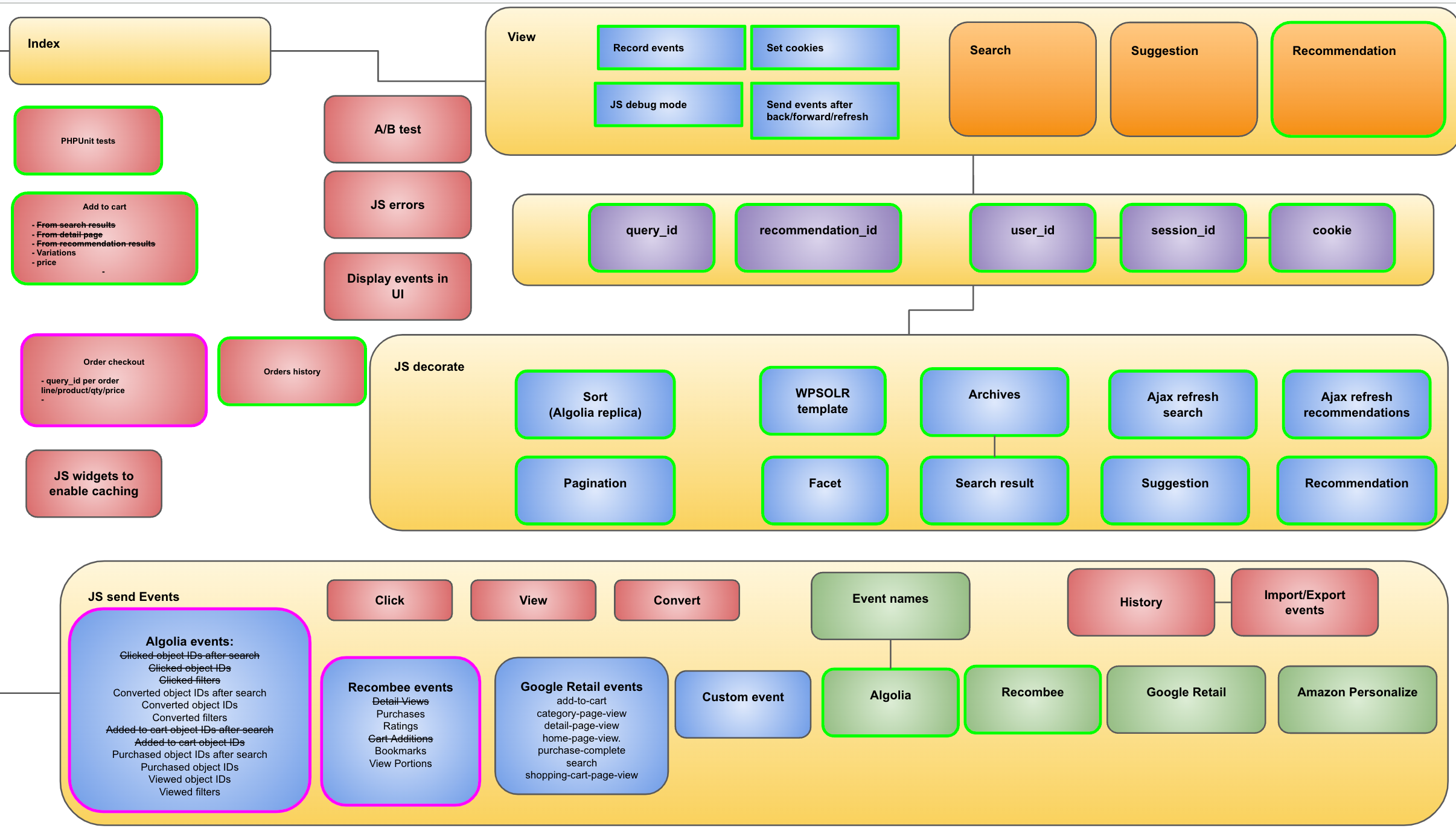
 

Image wpsolr-events-architecture.png of Configure recommendations
wpsolr events architecture


Engines available

The current supported engines are the fruit of a careful selection process. Both features and cost-effectiveness have been used to narrowing down the following list.

Algolia Recommend and Personalize

Recombee Recommendations

Google Retail AI Recommendations and Search Personalization

Amazon Personalize (soon)


User Events

User events are the cornerstone of personalization technologies like recommendations and search personalization. Only by gathering informations like clicks, add to basket, purchases, or views, can sophisticated optimizations based on AI models target the visitors intentions.
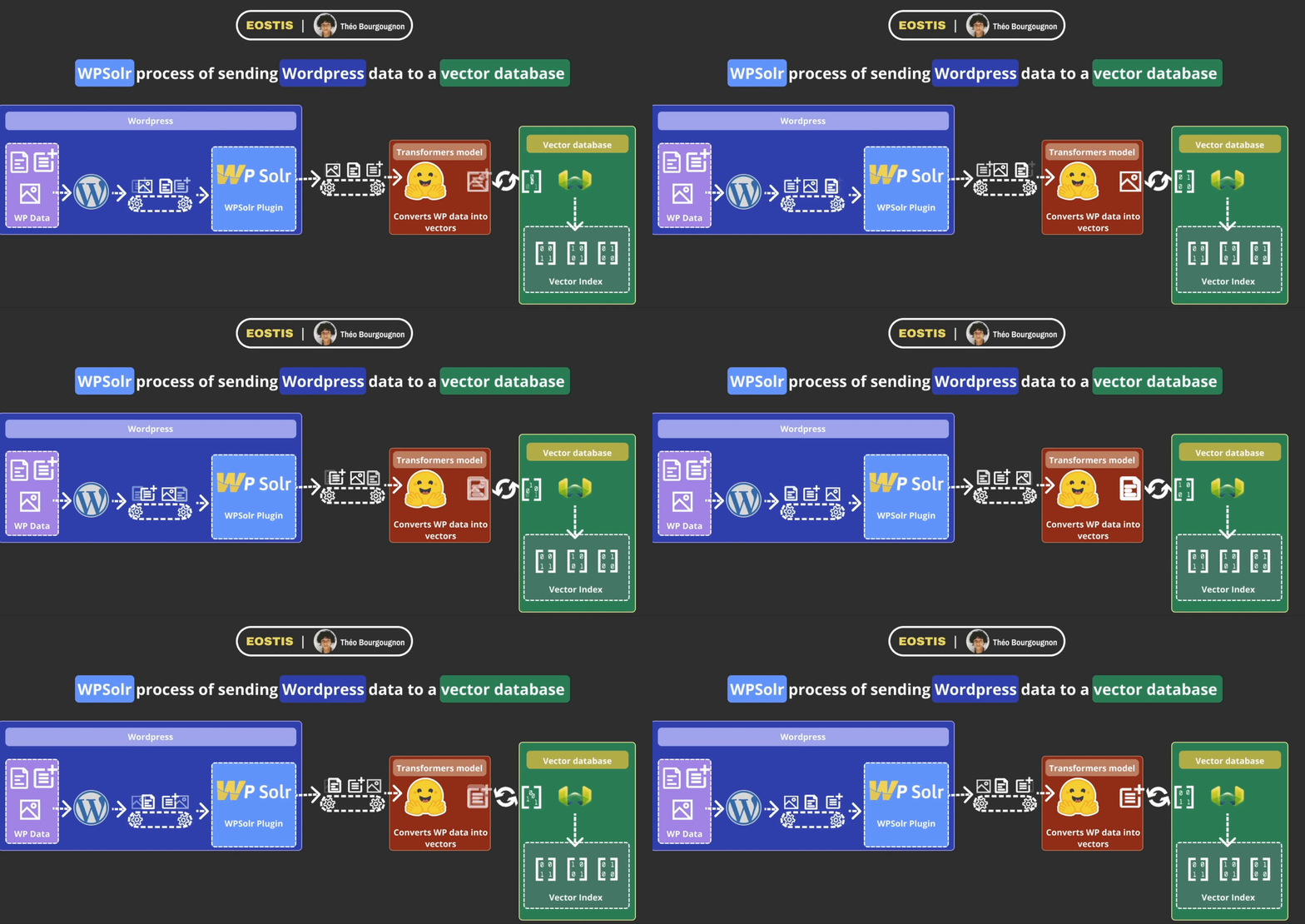
Image diagram_wpsolr_send_data_to_vector_se-resized.gif of Configure recommendations

Remember, there are no “good” or “bad” search results in the absolute. There are only visitors clicking or not clicking on results, adding or not adding products to the basket, purchasing or not purchasing products, and reading or not reading on blog posts.

User events help AI models to adapt search results and recommendations to what visitors are really looking for. Which means search results and recommendations must show each and every visitor different contents, based on their history and the history of other visitors.

WPSOLR Enterprise takes care of sending events on your behalf, without any external integration required. To do that, WPSOLR Enterprise bring its own javascript code, which greatly simplifies the setup usually required with tools like Google Analytics or Google Tags.


Sessions and cookies

WPSOLR Enterprise also bring its own session and first-party cookie management. Legal issues storing data with external tools like Google Analytics are no more thanks to our plugin’s in-house sessions management capabilities.

First-party cookie

As you know, third-party cookies are getting forbidden in more and more areas of the world, especially in EU.

This is why WPSOLR Enterprise generates its own visitor cookie to remember the user across multiple visits. The cookie’s name is “wpsolr_anonymous_session”. It is a compliant first party cookie sending no private user information.

The visitor id is an anonymous identifier generated by WPSOLR, like “e79f89b1-ae80-4518-aeb5-0fc1b1e24471”. It is independant from WP or WooCommerce login cookies.

The cookie is also stored in the user’s custom field “wpsolr_anonymous_session” for cross-channel campaigns like personalized emails, and to recognize an anonymous visitor who becomes a buyer and logs in.


AI models

AI models are the secret sauce that makes recommendations efficient, or not. They are generally based on content similarity and user events. Content similarity is used to start recommending content as soon as a new visitor arrives on your website, despite not getting any information about him.

Image DALL·E-2023-01-02-16.05.03-a-crystal-bowl-containing-a-superheroe-digital-art-no-bckground.png of Configure recommendations

As soon as enough events are collected on a visitor, which can be as low as one event, the AI model starts to deliver more accurate results.

Each recommendation engine provides its own set of AI models, each one is described on the engine detailed documentation (links above).

AI models needs to be trained and retrained periodically to prevent drifting from real-time context. For instance, close to Christmas, a surge of new buyers for certain products can occur, that must be dealt accordingly by the AI model. After Chritmas, the AI model must come back to its previous trending.


Recommendations

Recommendations are widgets presenting some contents from an AI model to visitors, according to their past behaviour, or collective trending (Christmas presents, promotion, …).
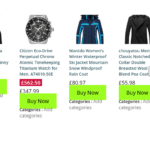
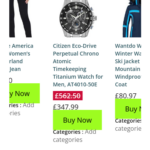
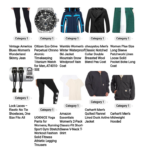
Slider 1 recommendation template
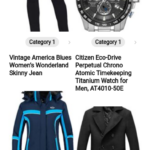
Slider 1 recommendation template (Mobile)
Masonry media gallery 1 recommendation template
Masonry media gallery 1 recommendation template (mobile)
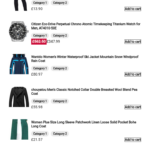
Vertical list 1 recommendation template
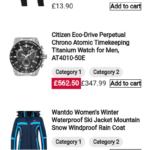
Vertical list 1 recommendation template (mobile)
Slider 2 recommendation template
Slider 2 recommendation template (mobile)
Slider 3 recommendation template (mobile)
Slider 3 recommendation template
Single-column media gallery 1 recommendation template
Single-column media gallery 1 recommendation template (mobile)

No action is required from the visitor, as opposed to personalized search where the visitor has to start typing keywords. A perfect place to add recommendations to is the home page and the page detail.

On the home page one can add frequently bought products or frequently read articles.

On a page detail, one can add recommendations like similar products or frequently bought together.

With WPSOLR Enterprise, you can configure several recommendations and add them anywhere you prefer: with WordPress widgets in sidebars, or shortcodes anywhere in a page content.

Even better, you can mix and match recommendation with different engines, different AI models, and different settings like filters and boosts.

Algolia Recommend’s “Bought together” products in a widget and Recombee’s blog posts with a boost on recently published? No problem, you can. And much more.


Personalized search

Personalized search refers to the customization of search engine results based on an individual user’s preferences, search history, behavior, and other relevant data. The goal of personalized search is to provide users with more relevant and tailored search results, improving the overall search experience.

Currently, the two following engines support personalized search are:

Algolia Recommend and Personalize

Google Retail AI Recommendations and Search Personalization


Here are some key components of personalized search (not all supported by WPSOLR Enterprise):

1. Search History: Personalized search engines take into account a user’s past search queries and interactions. This information helps the search engine understand the user’s interests and preferences.

2. User Behavior: The way a user interacts with search results, such as clicking on specific links or spending more time on certain pages, can be used to infer their preferences. Personalized search algorithms may prioritize results that are more likely to be relevant based on these interactions.

3. Location: Some personalized search results are influenced by the user’s location. Localized information, such as nearby businesses or events, may be given higher priority.

4. Device and Context: Personalized search takes into consideration the device used for searching (e.g., desktop, mobile) and the context of the search (e.g., time of day, recent activities). This helps tailor results to the user’s current situation.

5. Demographics and User Profile: Additional information about a user, such as age, gender, and interests, can be used to personalize search results further. Some search engines allow users to create profiles or provide preferences explicitly.

6. Social Signals: Personalized search engines may consider social media connections and activities to refine results. For example, if a user’s friends or contacts have shared or interacted with specific content, it might be considered more relevant for that user.

While personalized search can enhance the user experience by delivering more relevant results, it also raises privacy concerns. Users should be aware of how their data is used and have the option to control or opt-out of personalized features if they wish. Search engines often provide settings to manage privacy and personalization preferences.

Personalized query suggestions

Personalized query suggestions, also known as autocomplete or search suggestions, are recommendations provided by search engines as users type their queries into the search bar. These suggestions are based on various factors such as the user’s search history, location, and popular trends. The goal is to assist users in refining their search queries and help them find relevant information more quickly.

Currently, the two following engines support personalized query suggestions are:

Algolia Recommend and Personalize

Google Retail AI Recommendations and Search Personalization


Key features of personalized query suggestions include (not all supported by WPSOLR Enterprise):

  1. Search History: The search engine takes into account the user’s past search queries and interactions. If a user frequently searches for specific topics or uses certain keywords, the autocomplete feature may suggest similar queries based on that history.
  2. Location: Some personalized query suggestions may be influenced by the user’s geographical location. Localized information or popular local queries might be prioritized.
  3. Popular Trends: Search engines analyze trends and popular searches to offer relevant suggestions. This helps users discover current and trending topics.
  4. User Behavior: The way a user interacts with search suggestions can influence future recommendations. For example, if a user often clicks on specific suggestions, the search engine may prioritize similar suggestions in the future.
  5. Language and Context: The autocomplete feature considers the language preferences of the user and the context of the search. Suggestions are generated to match the user’s language and the specific context of their search.
  6. Personal Preferences: In some cases, users may have the option to create profiles or indicate preferences, allowing the search engine to offer more personalized suggestions based on their specified interests.

Autocomplete suggestions aim to make the search process more efficient by predicting and completing queries as users type. This can save time, reduce typing errors, and guide users toward more accurate search results. However, users should be aware that these suggestions are based on their data and search history, and privacy considerations may come into play. Most search engines provide settings that allow users to manage or disable personalized suggestions if they prefer a more generic or private search experience.


Was this helpful?

3 Yes  No
Related Articles
  • Configure WPSOLR Parsing and Chunking
  • Create a WPSOLR Hosting OpenSearch index
  • Create your Custom Templates for Citations, Suggestions, Related Posts & Recommendations
  • Getting started with facets
  • Getting started with Ajax (live) search
  • Getting started with search

Didn't find your answer? Contact Us

Previously
3. Index your data
Up Next
Algolia – Recommend and Personalized search

Built for brands and agencies worldwide

Adobe
Software Development
10K+ employees
Harvard University
Higher Education
798K alumni
University of Essex
Higher Education
101K alumni
Tally
Software development
501-1K employees
WebFX
Advertising Services
501-1K employees
DEFINITION 6
Advertising Services
1K-5K employees
Proto Thema
Newspaper Publishing
51-200 employees
The Fold London
Retail Apparel and Fashion
11-50 employees
Georgia-Pacific LLC
Paper and Forest Product Manufacturing
10K+ employees
Agencies, Software, Universities, Media, Newspapers, Publishers, Retails, Manufacturing, E-Commerce. And many more »

Recommended content

Powered by WPSOLR Enterprise with Recombee

Understand Where Your Store Is Losing Sales
Join our Affiliate Program!
Features
Search Hosting for WordPress
File Parsing and Chunking
Integration Hub
Search
Facets (Filters)
Search Add-ons
Recommendations
Keyword search engines
Comparison grid
Apache Solr & Solr Cloud
Elasticsearch
OpenSearch
Algolia
AI search engines
Comparison grid
PostgreSQL pgvector
Weaviate
Google Retail
Vespa.ai
OpenSearch vector
AI recommendation engines
Comparison grid
Recombee
Amazon Personalize
AI personalization engines
Comparison grid
Google Retail
Algolia
Buy and Learn
Pricing
Privacy policy
Terms and Conditions
© 2026 Eostis SARL. All Rights Reserved.
More
My licenses
Support
Documentation
Blog
Recommendations powered for you by WPSolr
Manage Consent
To provide the best experiences, we use technologies like cookies to store and/or access device information. Consenting to these technologies will allow us to process data such as browsing behavior or unique IDs on this site. Not consenting or withdrawing consent, may adversely affect certain features and functions.
Functional Always active
The technical storage or access is strictly necessary for the legitimate purpose of enabling the use of a specific service explicitly requested by the subscriber or user, or for the sole purpose of carrying out the transmission of a communication over an electronic communications network.
Preferences
The technical storage or access is necessary for the legitimate purpose of storing preferences that are not requested by the subscriber or user.
Statistics
The technical storage or access that is used exclusively for statistical purposes. The technical storage or access that is used exclusively for anonymous statistical purposes. Without a subpoena, voluntary compliance on the part of your Internet Service Provider, or additional records from a third party, information stored or retrieved for this purpose alone cannot usually be used to identify you.
Marketing
The technical storage or access is required to create user profiles to send advertising, or to track the user on a website or across several websites for similar marketing purposes.
  • Manage options
  • Manage services
  • Manage {vendor_count} vendors
  • Read more about these purposes
View preferences
  • {title}
  • {title}
  • {title}