Turn your WordPress and WooCommerce content into accurate, AI-powered answers.
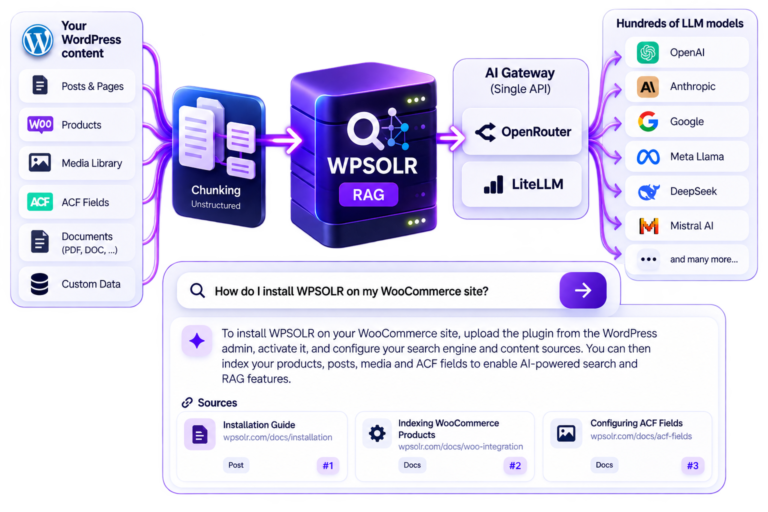
WPSOLR RAG retrieves the most relevant content from your website, sends it to your chosen AI model, and generates answers grounded in your own data.
No need to rebuild your website. No need to move your content to another platform.
No need to build a RAG infrastructure from scratch.
WPSOLR takes care of the connection between your WordPress content, retrieval engine and AI model.
No need for a designer or developer. Choose one of our ready-made templates that need little to no customization. Or make your own.
Your visitors don’t always know what to search for.
Instead of asking them to find the right keywords, let them ask questions in their own words.
WPSOLR retrieves the relevant information from your WordPress or WooCommerce website and uses RAG to generate a direct answer.
From product questions to technical documentation, customer support and complex content discovery, your visitors get answers based on the information you actually publish.
Visitors can ask questions that would be difficult to answer with traditional keyword search.
For example:
“Which waterproof hiking shoes are suitable for winter conditions and available in size 42?”
“Which products are compatible with this camera?”
“What is your return policy for international orders?”
“Which articles explain how to configure product personalization?”
WPSOLR retrieves the relevant content and gives the AI the context it needs to answer.
No need to build a RAG infrastructure from scratch.
WPSOLR takes care of the connection between your WordPress content, retrieval engine and AI model.
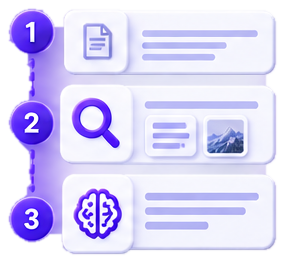
1. Index your content
Connect your WordPress or WooCommerce content, media library, custom fields and other data sources.
2. Retrieve the right information
WPSOLR searches your content and retrieves the most relevant passages, products, documents or media.
3. Generate the answer
Send the retrieved context to your chosen LLM and display an AI-generated answer directly in your website.
Generic AI models don’t know your latest products, documentation, policies or private content.
RAG changes that.
Instead of asking an LLM to answer from its training data alone, WPSOLR first retrieves information from your website and uses it as context for the answer.
This makes your AI experience more relevant, more up-to-date and better grounded in your own content.
Use your existing WordPress content as the knowledge base for AI answers.
Posts
Pages
Custom Post Types
ACF fields
Taxonomies
Custom fields
Metadata
Turn your product catalog into an AI-powered product knowledge base.
Products
Product descriptions
Attributes
Categories
Variations
Custom fields
Product metadata
Your knowledge base doesn’t have to be text only.
WPSOLR can process and retrieve information from different types of content, including documents, images, audio and video.
Don’t just give visitors an AI-generated answer.
Show them where the answer comes from.
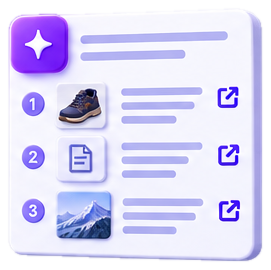
WPSOLR can return the relevant sources alongside the generated answer, allowing visitors to open the original WordPress page, product or document.
AI answers become searchable, traceable and useful.
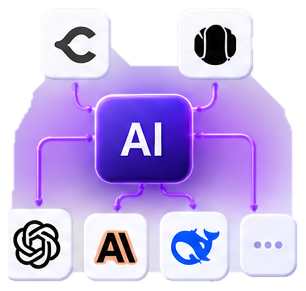
WPSOLR doesn’t force you to use a single AI provider.
Connect your RAG workflow to the models and AI infrastructure you already use.
Use an AI gateway such as OpenRouter or LiteLLM to connect WPSOLR RAG to multiple LLM providers through a single API.
Choose the model that fits your requirements for quality, speed, cost or privacy.
One RAG workflow. Multiple AI models.
WPSOLR separates retrieval from generation.
That means you can choose the retrieval technology that makes sense for your project, rather than being locked into a single AI stack.
Use vector search, keyword search or hybrid retrieval depending on your content and use case.
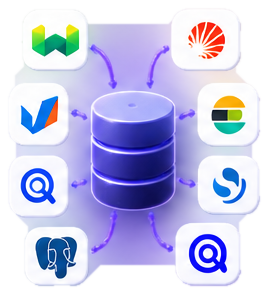
WPSOLR supports AI retrieval engines including:
Weaviate
Vespa.ai
OpenSearch
PostgreSQL / pgvector
And traditional search engines including:
Apache Solr
Elasticsearch
OpenSearch
Algolia
Your existing WPSOLR search infrastructure can become the retrieval layer for AI.
Instead of:
Query → Search results
you can build:
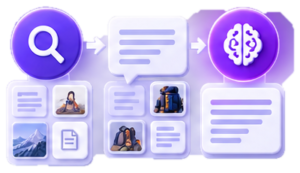
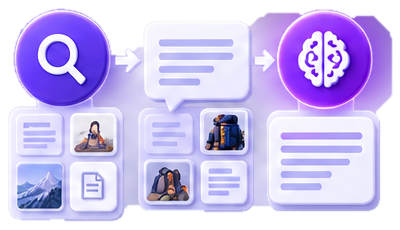
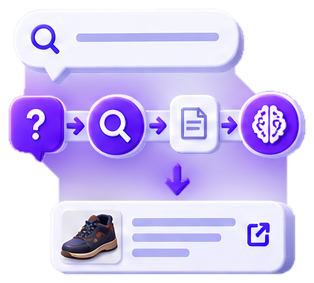
Question → Retrieval → Relevant content → LLM → AI answer + sources
This makes RAG a natural extension of WordPress search rather than a completely separate system.
WPSOLR is built specifically around WordPress content and WooCommerce data.
That means your AI doesn’t need a separate copy of your website manually maintained somewhere else.
Your WordPress website remains the source of truth.
WPSOLR handles the retrieval layer.
Your preferred AI model generates the answer.