Uncategorized guides for WordPress & WooCommerce

Choosing the Right WooCommerce Fields for Vespa

Start with a search contract A WooCommerce product object contains far more information than most search experiences need. Before creating a Vespa schema, define which fields support each user-facing capability: Search: product names, descriptions, SKUs, brands, and relevant attributes. Filtering: categories, stock status, price, rating, brand, size, colour, and other faceted values. Ranking: popularity, sales volume, rating, recency, margin, and inventory signals. Display: the product title, URL, image, prices, availability, and selected merchandising data. This separation prevents a common implementation problem: treating every WooCommerce property as both searchable text and a filterable field. In Vespa, field type and indexing mode affect memory usage, query behavior, ranking, and update cost. Separate searchable text from exact-match data Fields intended for natural-language queries should generally be indexed as
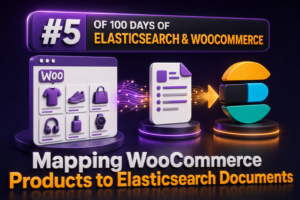
Mapping WooCommerce Products to Elasticsearch Documents

Why the WooCommerce-to-Elasticsearch mapping matters A WooCommerce product contains much more than a name and price. It may include SKUs, descriptions, taxonomies, attributes, stock state, sale dates, images, custom fields, and multiple variations. Elasticsearch can search and filter this data efficiently, but only when the document structure reflects how customers use the catalogue. For agencies, the mapping should be designed before indexing the first product. A reliable design prevents common problems such as prices being indexed as text, category filters behaving inconsistently, and variation attributes being matched across different variants. Start with a stable product document Each Elasticsearch document should represent one searchable WooCommerce product unless the project specifically requires one document per variation. Include a stable identifier that connects the document to the WooCommerce
Why Naive Text Splitting Often Fails

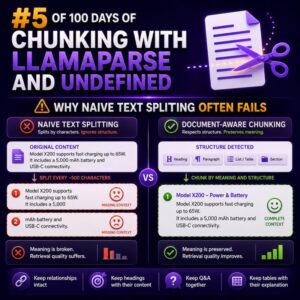
Why Naive Text Splitting Often Fails Text chunking is easy to underestimate. A WooCommerce agency may take product descriptions, documentation, support articles, and store policies, split them into fixed-size blocks, and assume the resulting content is ready for search, retrieval, or downstream processing. In practice, naive splitting often separates the information customers need from the context that makes it useful. What Naive Splitting Looks Like The simplest approach divides text every 500 characters or 1,000 tokens, sometimes with a fixed overlap: chunk_size = 1000 chunk_overlap = 100</n This method is predictable, but it knows nothing about headings, paragraphs, product fields, HTML elements, tables, or WooCommerce shortcodes. A split can occur in the middle of a sentence, list item, price rule, or code example. How Context

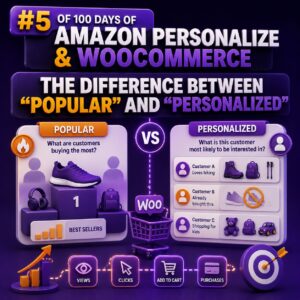
The Difference Between “Popular” and “Personalized”

Why the Distinction Matters “Popular” and “personalized” recommendations can look similar in a WooCommerce storefront, but they answer different questions. Popular: Which products are receiving the most attention or purchases across a defined audience and time period? Personalized: Which products is this particular shopper most likely to engage with, based on their behavior and the behavior of similar shoppers? That difference affects the Amazon Personalize recipe you choose, the data your agency must collect, the placement of recommendation widgets, and the way success should be measured. What a “Popular” Recommendation Does A popular-products widget applies the same ranking logic to many or all visitors. In Amazon Personalize, the Popularity-Count recipe is designed for this type of use case. It ranks items according to interaction frequency,

Searchable Attributes: The Most Important Setting You’ll Configure

Why searchable attributes matter searchableAttributes determines which indexed product fields Algolia examines when a shopper enters a query. In a WooCommerce store, this setting has a direct effect on whether customers find the right product quickly—or receive results dominated by irrelevant descriptions, internal data, or low-value matches. This is not a list of fields that should merely exist in your product records. It is a deliberate ranking strategy. The order of the attributes determines which matches are considered more important when Algolia ranks results. For example, a search for blue running shoes should normally prioritize: A product title containing the phrase A brand or product type match A category match Relevant descriptive copy Supporting fields such as SKU or model number A practical WooCommerce configuration

The Agency’s Guide to Higher WooCommerce Conversions

Start with a conversion baseline Higher WooCommerce conversions begin with measurement, not a redesign. Before changing templates or installing optimization plugins, document the store’s current performance. Track at least: Sessions, users, and traffic source Product views and add-to-cart rate Cart-to-checkout rate Checkout completion rate Revenue per session Average order value Refunds, failed payments, and coupon usage Mobile versus desktop conversion rates Use WooCommerce Analytics for order and product reporting, and connect the site to an analytics platform that supports ecommerce events. Confirm that product views, add-to-cart actions, checkout steps, purchases, and refunds are being recorded correctly. A conversion rate based on incomplete tracking can lead an agency to optimize the wrong part of the funnel. For example, if mobile traffic produces many product views but

The 5 Types of Product Recommendations Every Store Needs

Why recommendation types matter Product recommendations are not interchangeable widgets. Each type serves a different customer intent and appears at a different stage of the buying journey. A WooCommerce store may use the same product catalog, but the logic, placement, and success metric should change between a product page, the cart, checkout, and post-purchase email. For agencies, the most reliable approach is to define recommendation rules by intent first, then choose the placement and implementation method. The five types below cover the core use cases most WooCommerce stores need. 1. Related products Related products help shoppers discover alternatives or complementary items while they are browsing a product. In WooCommerce, the default related-product output is generally based on shared categories and tags, rather than real-time behavioral

Your Customers Are Already Telling You What to Sell

Search Behavior Is a Product Planning Signal WooCommerce stores often treat onsite search as a navigation feature. For agencies and ecommerce teams, it can also be a direct source of merchandising insight. Every product query represents a customer trying to describe a need, a specification, a brand, or a problem they expect the store to solve. When many visitors search for a term that does not produce a useful result, the issue may not be limited to search relevance. It can indicate missing products, incomplete catalog data, weak synonyms, or an opportunity to create a new category or bundle. Separate Demand Signals from Search Configuration Problems A search term alone does not prove that a new product should be added. First determine why the customer

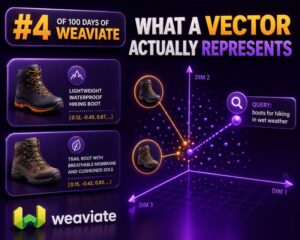
What a Vector Actually Represents

A Vector Is a Numerical Representation In a WooCommerce search or recommendation system, a vector is an ordered list of numbers that represents the meaning or characteristics of an item. A product title, description, category, or customer query can be converted into this numerical form by an embedding model. For example, a product such as “waterproof men’s hiking jacket with removable hood” might become a vector containing hundreds or thousands of decimal values: [0.021, -0.184, 0.773, 0.042, …] These values are not individually readable labels. The first number does not necessarily mean “waterproof,” and the second does not necessarily mean “men’s.” Meaning is distributed across the vector as a whole. What the Numbers Represent The numbers encode patterns learned from relationships between words, phrases, and

Designing a Vespa Schema for WooCommerce Products

Start with the WooCommerce search model A Vespa schema should reflect how customers and downstream services search WooCommerce data, not simply mirror the WordPress database tables. For most stores, the searchable unit should be a product or a purchasable variation. Each document should contain the text used for relevance, the structured values used for filtering, and the identifiers required to link results back to WooCommerce. A practical document model commonly includes: A stable product or variation identifier Parent product and variation identifiers Title, description, short description, and searchable attributes SKU and optional brand or product-type fields Price and stock status Category and taxonomy identifiers Facet values such as color, size, material, and brand A product URL or canonical permalink Optional image, rating, and popularity fields

Designing an Elasticsearch Index for WooCommerce

Start with the search experience An Elasticsearch index for WooCommerce should be designed around the queries customers and merchandisers need to run, not as a direct copy of the WordPress database. WooCommerce stores products across posts, post metadata, taxonomy tables, lookup tables, and variation records. Elasticsearch performs best when the fields required for search, filtering, sorting, and display are denormalized into a document that can be read without joining those sources at query time. Before creating a mapping, list the required operations: Full-text search across product names, SKUs, descriptions, and attributes Exact filtering by category, brand, stock status, and product attributes Numeric range filtering and sorting by price Sorting by relevance, popularity, rating, or date Variant-aware filtering for size, color, and other options Boosting products

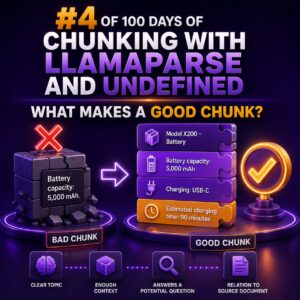
What Makes a Good Chunk?

Chunking Is a Content Design Problem A chunk is a self-contained section of content stored and retrieved as a unit. For a WooCommerce agency, that content might come from product documentation, support procedures, developer guides, client contracts, or checkout troubleshooting notes. A good chunk gives a reader—or a search system—enough information to understand one specific topic without requiring the entire source document. It should preserve the relationship between the subject, the relevant conditions, and the action or answer. What Makes a Chunk Good? One clear purpose: The chunk answers one closely related question or explains one procedure. Enough context: It identifies the product, feature, platform, or condition being discussed. Logical boundaries: It starts and ends at a heading, paragraph group, list, or complete procedural step
Where Recommendations Belong in WooCommerce

Recommendations should follow the shopper’s decision In WooCommerce, a recommendation block is useful only when it appears at a point where the shopper can act on it. A product carousel placed randomly in the page template may add visual noise without improving discovery or conversion. For agencies, the right approach is to define recommendation placements alongside the customer journey. Each placement should have a clear purpose, a suitable recommendation strategy, and a fallback for cases where there is not enough behavioral data. Product pages: help shoppers compare and continue The product page is usually the strongest starting point because the shopper has already shown intent. A recommendation block can reinforce that intent without interrupting the primary purchase action. Common product-page placements include: “Related products” for

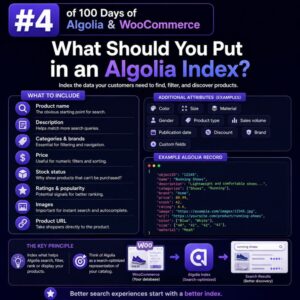
What Should You Put in an Algolia Index?

Start with the customer’s search experience An Algolia index should contain the product information shoppers need to discover, compare, and select items. It should not be a copy of every column in the WooCommerce database. For an agency project, define the search and browsing experiences first: Which product fields should match a query? Which attributes should customers use as filters? Which values should appear in search results, autocomplete, and category pages? Which products, prices, or stock states must be hidden from a shopper? The answers determine the index schema. Keeping the schema focused reduces record size, simplifies synchronization, and makes ranking easier to manage. The minimum product record Every Algolia record needs a stable objectID. In WooCommerce, this is commonly the product ID, provided that

10 Ways to Add Personalized Product Recommendations

## Why Personalized Recommendations Matter Personalized product recommendations help WooCommerce stores increase average order value, improve product discovery, and create more relevant shopping journeys. For agencies, the most effective approach is to match the recommendation method to the store’s catalog, traffic volume, data quality, and privacy requirements. A small catalog may perform well with carefully curated rules, while a high-volume store may benefit from behavioral or machine-learning personalization. ## 1. Display Related Products on Product Pages Use product attributes, categories, and purchasing patterns to show items that complement the product being viewed. For example, a store selling cameras could recommend compatible memory cards, batteries, tripods, and camera bags. WooCommerce includes related-product functionality based primarily on shared categories and tags. Agencies can improve the result by

What Makes a Recommendation Truly Personalized?

Personalization is more than inserting a customer’s name A recommendation becomes personalized when it reflects a shopper’s current needs, preferences, and context—not merely when a store displays a familiar product or uses the shopper’s first name. For a WooCommerce store, that usually means combining several signals: Products viewed, searched for, added to the cart, or purchased Product attributes such as category, brand, size, compatibility, and price range The customer’s lifecycle stage, such as first visit, repeat purchase, or post-purchase The current page, cart contents, device, location, and referral source Inventory, margin, promotions, and product availability Explicit preferences, such as selected interests or saved sizes The goal is not to use every available signal. The goal is to use the signals that are relevant, reliable, and

Stop Showing Everyone the Same Products

Why a Single Product Grid Underperforms Many WooCommerce stores present the same featured products, category order, and “related products” blocks to every visitor. That approach is easy to manage, but it ignores the intent behind each session. A returning customer who searches for replacement filters should not receive the same product order as a first-time visitor looking for a complete appliance. A wholesale buyer, mobile shopper, and high-value repeat customer may all use the same store while needing very different paths to purchase. The goal is not to create a completely different catalog for every visitor. It is to use available context—such as the search query, category, product attributes, customer history, and campaign landing page—to make product discovery more relevant. Start With Search Intent Search

Keyword Search vs Vector Search for WooCommerce

Choosing the Right Search Method for WooCommerce Search quality directly affects product discovery, conversion rates, and support workload. For WooCommerce stores, the choice is not simply between an old search system and a modern one. Keyword search and vector search solve different problems, and the best implementation often uses both. Keyword search is strongest when shoppers know the exact terms they want to find. Vector search is strongest when shoppers describe a need, use unfamiliar wording, or search by meaning rather than by product name. Agencies should evaluate the store’s catalog, search behavior, product data, and business rules before selecting an approach. How Keyword Search Works Keyword search compares the terms in a query with indexed text from product titles, descriptions, SKUs, attributes, categories, and

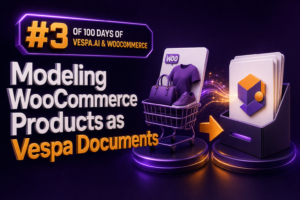
Modeling WooCommerce Products as Vespa Documents

Why the document model matters WooCommerce product data is designed for transactions and administration. Vespa is designed for retrieval, filtering, ranking, and serving results at low latency. A successful integration starts by translating the product catalog into documents that match how customers search and how the storefront filters products. A useful product document should contain: A stable product identifier from WooCommerce Searchable text such as the product name, short description, and description Structured attributes such as price, stock status, brand, and categories Facet fields such as color, size, material, and product type Ranking signals such as sales count, review score, and popularity URLs and display fields needed by the storefront Do not copy the WooCommerce database schema one-for-one. Store fields that support the user experience,

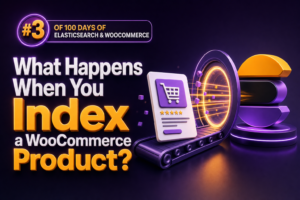
What Happens When You Index a WooCommerce Product?

The indexing workflow WooCommerce does not send a product to Elasticsearch by itself. An integration plugin, a custom WordPress process, or an external synchronization service must convert the WooCommerce product into an Elasticsearch document and write it to an index. A typical workflow looks like this: A product is created or updated in WooCommerce. WordPress fires product-related hooks such as save_post_product or WooCommerce-specific product update actions. The integration loads the product, its variations, taxonomies, attributes, stock data, and metadata. It transforms those values into a search document. The document is indexed using the Elasticsearch API. Search requests query the resulting index rather than the WordPress database. For large catalogs, the initial synchronization is usually performed with the Elasticsearch Bulk API. Incremental updates then keep individual

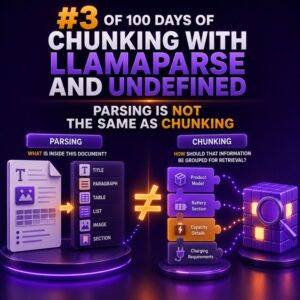
Parsing Is Not the Same as Chunking

When a WooCommerce project involves product catalogs, order exports, policy documents, or support content, two data-preparation tasks are often treated as if they were interchangeable: parsing and chunking. They solve different problems, and confusing them can lead to incomplete product data, broken search results, and unreliable downstream workflows. What parsing does Parsing converts a source file into structured, usable content. The parser identifies text, tables, headings, lists, links, page boundaries, and other document elements, depending on the format and the quality of the source. For example, a product specification PDF might contain: A product name and SKU Several paragraphs of description A technical specifications table A warranty section Footnotes and page headers A successful parsing step should preserve the relationship between those elements. The SKU
Personalization vs. Product Recommendations

Why the distinction matters In WooCommerce projects, “personalization” and “product recommendations” are often used interchangeably. They are related, but they solve different problems. A product recommendation is a suggested item or group of items shown to a shopper. Personalization is the broader process of adapting an experience to a shopper, customer segment, context, or business rule. Recommendations can be one component of a personalized storefront, but they are not the whole implementation. This distinction affects the data model, integration design, measurement plan, and the WooCommerce components an agency needs to modify. What product recommendations do Recommendations answer a focused question: Which products should appear in this placement? Common WooCommerce placements include: “Customers who viewed this product also viewed” on a product page “Frequently bought together”

Records, Objects and ObjectIDs: The Algolia Basics

Why the record is the unit of search Algolia does not index a WooCommerce product, post, or database row directly. It indexes a JSON document called a record. Each record contains the fields Algolia can search, filter, display, or use for ranking. For a simple WooCommerce product, a record might look like this: { "objectID": "product_4821", "name": "Merino Wool Travel Socks", "slug": "merino-wool-travel-socks", "description": "Lightweight merino socks designed for travel and everyday wear.", "brand": "North Ridge", "categories": ["Clothing", "Socks"], "price": 24.99, "inStock": true, "image": "https://example.com/uploads/merino-socks.jpg", "url": "https://example.com/product/merino-wool-travel-socks/" } This is separate from the underlying WordPress wp_posts, post metadata, taxonomy tables, and WooCommerce lookup tables. Your indexing process selects the product data that should be available to the search experience and transforms it into an Algolia

10 Ways to Make WooCommerce Search Convert Better

WooCommerce search is more than a convenience feature. It is a high-intent path used by shoppers who already know what they want, so weak search results can directly reduce revenue. Agencies can improve search conversion by treating search as a merchandising, data, and user-experience problem rather than simply adding a search box. 1. Make the Search Field Easy to Find Place search in a prominent location on desktop and mobile, and use a clear label such as “Search products” instead of relying only on an icon. The field should remain easy to access throughout the shopping journey, including on product, category, and cart pages. For mobile stores, test whether the search control is visible without opening a menu. A sticky header or expandable search field



10 Ways to Increase WooCommerce Conversion Rates

WooCommerce conversion rate optimization is rarely about one dramatic redesign. Agencies usually achieve the biggest gains by removing friction across the shopping journey, improving product confidence, and making the store faster and easier to use. The following ten improvements can be applied as a structured optimization program. ## 1. Improve Core Web Vitals and Store Speed Slow pages reduce engagement and create friction before a customer can add a product to the cart. Measure the storefront with Lighthouse, PageSpeed Insights, WebPageTest, and real-user data from the Chrome User Experience Report where available. Focus on Largest Contentful Paint, Interaction to Next Paint, and Cumulative Layout Shift rather than relying only on a single performance score. Common WooCommerce improvements include: – Converting product images to appropriately sized

Personalization vs. “People Who Bought This Also Bought”

Two different jobs in the recommendation layer “People Who Bought This Also Bought” is a recommendation pattern. Personalization is the broader practice of changing product discovery, merchandising, content, or offers according to a shopper’s context and behavior. An also-bought module usually answers: What products are commonly purchased with this product? Personalization can answer more specific questions, such as: Which products should this returning customer see first? Which accessory fits the item currently in the cart? Which category should a shopper who repeatedly views running shoes explore? Which promotion is appropriate for a wholesale customer rather than a retail customer? For WooCommerce agencies, the distinction matters because the two approaches require different data, rules, placement decisions, and success metrics. How “People Who Bought This Also Bought”

Your Store Is Ignoring Its Most Valuable Data

Your Store Is Ignoring Its Most Valuable Data Most WooCommerce stores track revenue, sessions, and abandoned carts. Those metrics matter, but they are often less revealing than the words customers type into the search box. An on-site search query is explicit intent. A visitor who searches for “waterproof hiking boots size 11” has already identified a product category, a key feature, and a buying requirement. A visitor who searches for “replacement filter for model X” may be much closer to purchase than someone who simply lands on a category page. That data can expose demand, merchandising problems, missing content, and product gaps. It can also show where the store is losing customers before they reach a product page. What Search Queries Reveal Search behavior can

Vector Search Explained Without the Hype

What Vector Search Actually Does Vector search finds items by meaning rather than relying only on exact words. A product title, description, category, or attribute is converted into a numerical representation called an embedding. Text with similar meaning produces vectors that are close together in a high-dimensional space. For example, a keyword search for waterproof hiking shoes may miss a product described as weather-resistant trail footwear if those exact terms are not present. Vector search can identify the relationship between the phrases and return the relevant product. This does not mean the search engine understands products like a person. It compares mathematical representations generated from text or other data. The quality of the result depends on the source content, the embedding model, the index, and

Vespa.ai & WooCommerce: From Product Catalog to Search Engine

Why a WooCommerce Catalog Needs a Search Layer WooCommerce stores product data in WordPress tables, which is effective for catalog management and transactional workflows. It is not always the best system for high-volume, relevance-sensitive product discovery. As catalogs grow, agencies commonly need faster autocomplete, filters across many attributes, typo tolerance, ranking controls, and search results that remain available without placing heavy load on the WordPress database. Vespa.ai can act as a dedicated search engine in front of WooCommerce. WooCommerce remains the source of truth for products, prices, stock, and orders, while Vespa stores an optimized search representation of each product and evaluates queries at low latency. Define the Product Document The first implementation step is to decide which WooCommerce fields belong in the Vespa document.

Elasticsearch vs MySQL for WooCommerce Search

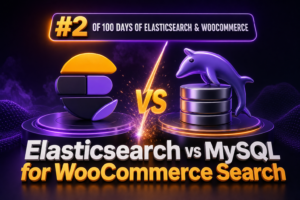
Choosing the Right Search Engine for WooCommerce WooCommerce product search often starts with WordPress and MySQL. That approach is straightforward and works well for small catalogs, but search quality and response times can decline as product counts, variations, attributes, and custom fields increase. Elasticsearch provides a separate search engine designed for fast, relevance-aware retrieval. The right choice depends on catalog size, query complexity, traffic, operational capacity, and how quickly product changes must appear in search results. How WooCommerce Search Works with MySQL In a standard WooCommerce installation, product data is stored across WordPress tables, including wp_posts, wp_postmeta, taxonomy tables, and lookup tables such as wp_wc_product_meta_lookup. A simple product search may use a query similar to: SELECT ID, post_title FROM wp_posts WHERE post_type = 'product' AND

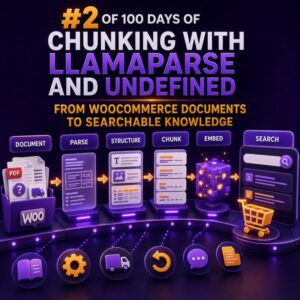
From WooCommerce Documents to Searchable Knowledge

Why WooCommerce documents need structure before search WooCommerce stores often contain valuable information across product guides, supplier PDFs, shipping policies, return documents, installation instructions, FAQs, and internal operating procedures. When these files are uploaded into a search system as raw text, important relationships are easily lost. Tables may become unreadable, headings can be separated from their content, and a result may not indicate which product, region, or customer group it applies to. A useful document pipeline should preserve the meaning of each section while adding enough metadata to filter results accurately. LlamaParse can be used at the extraction stage to convert complex documents into structured text, including documents that contain headings, tables, and mixed layouts. The parsed output can then be split into searchable chunks

Amazon Personalize: What It Actually Does

Personalization Based on Shopper Behavior Amazon Personalize is a managed machine learning service that creates individualized recommendations from data your business provides. For a WooCommerce store, that usually means using a shopper’s interactions with products—such as views, searches, add-to-cart events, and purchases—to predict which products or content should be shown next. It does not automatically redesign a WooCommerce site, write product descriptions, manage promotions, or replace your store’s catalog and checkout. It produces recommendations and rankings that your application can request and display. The Core Data Model Amazon Personalize commonly uses three types of datasets: Users: Information about shoppers, such as a customer identifier, signup date, membership tier, or location. Items: Information about products, such as a product identifier, category, brand, price, and availability status.

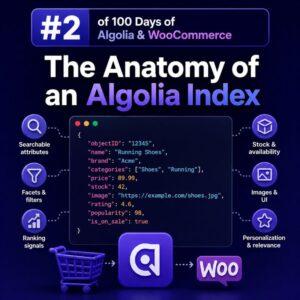
The Anatomy of an Algolia Index

What an Algolia index contains An Algolia index is a collection of JSON records that Algolia searches and ranks. For a WooCommerce store, an index commonly represents a searchable product catalog, but it can also contain categories, brands, blog posts, or other content types. An index is not a direct mirror of a WooCommerce database table. It is a search-optimized, denormalized representation of the data customers need to discover products. A single product record might include its name, SKU, brand, category hierarchy, prices, stock status, image URLs, and selected attributes in one document. Records and objectID Each item in an index is a record. Records are JSON objects, and every record must have a unique objectID. Algolia uses this value to identify records when updating,

What Is Algolia Really Good At?

Fast product discovery at scale Algolia is particularly strong when a WooCommerce store needs to help shoppers find products quickly across a large or complex catalog. It is a hosted search service built for low-latency responses, so it can return matching products while a customer types rather than waiting for a full page reload or a slow database query. This is useful for stores with thousands of products, multiple variations, technical specifications, or inconsistent customer terminology. A search for wireless drill can return relevant products before the shopper has finished typing, while a search for dril can still produce useful results through typo tolerance. Search experiences that feel responsive Algolia works well for autocomplete and search-as-you-type interfaces. A WooCommerce implementation can show product suggestions, categories,

Why Elasticsearch Changes WooCommerce Search

Search Is a Revenue Feature WooCommerce search is often treated as a small theme or template concern. In a catalog with a few dozen products, the default WordPress search may be adequate. For a store with thousands of products, variations, technical specifications, or inconsistent customer terminology, search becomes a core part of the buying journey. Elasticsearch changes that experience by moving product discovery from database text matching to a dedicated search engine. Instead of relying primarily on SQL queries against post titles and content, a WooCommerce integration can index product data and search it using relevance scoring, analyzers, filters, aggregations, and typo tolerance. Why Default WooCommerce Search Struggles WordPress and WooCommerce search commonly depend on database queries that look for matching text in fields such

Your WooCommerce Store Could Sell More While You Sleep

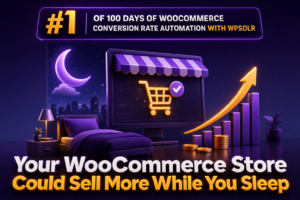
Turn Store Traffic Into an Always-On Sales Process A WooCommerce store can accept orders at any hour, but availability alone does not create conversions. Customers still need to find the right products quickly, understand their options, and receive relevant prompts when they return. The most reliable way to support that journey is to automate the parts of the store experience that do not require staff intervention. For agencies and WooCommerce professionals, this means combining scheduled catalog maintenance, high-quality product search, behavior-based follow-up, and operational monitoring. WPSOLR can support the discovery layer by providing a more capable search experience across a WooCommerce catalog, while WooCommerce and connected automation tools handle the surrounding workflows. Start With Search That Reflects the Catalog Product search is one of the

Why Chunking Matters for WooCommerce AI Search

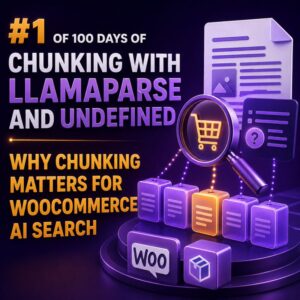
Why Chunking Matters for WooCommerce AI Search Product data is rarely written in a way that search systems can use efficiently. A WooCommerce product page may combine the product name, short description, long description, specifications, shipping information, variations, reviews, and custom fields in one large document. Treating that entire page as a single search unit makes it harder to retrieve the most relevant information for a customer’s question. Chunking solves this problem by splitting product and store content into smaller, meaningful sections. Each section can then be indexed and retrieved independently, giving a search system a better chance of finding the exact information needed to answer a query or filter a catalog. What Chunking Means in WooCommerce A chunk is a self-contained piece of content

What Is Weaviate and Why Should WooCommerce Agencies Care?

Weaviate in Plain Terms Weaviate is an open-source, cloud-native vector database. It stores structured objects, such as products, categories, documentation pages, and support articles, together with vector representations of their meaning. Those vectors make it possible to find content by intent and context rather than by exact keyword matches alone. Weaviate also supports traditional keyword search, metadata filtering, and hybrid search. It can run as a managed Weaviate Cloud instance or be self-hosted, depending on an agency’s operational, security, and budget requirements. Why a Vector Database Matters for WooCommerce WooCommerce product catalogs often contain inconsistent terminology. A shopper may search for “waterproof walking shoes,” while a product title says “women’s trail footwear.” A keyword-only search may miss that product. A vector search can identify the

Why WooCommerce Stores Need Personalization

Personalization Is Becoming a Core WooCommerce Capability WooCommerce gives merchants control over catalog data, checkout, and site functionality, but a standard storefront often presents the same products, promotions, and content to every visitor. That approach can work for a small catalog, but it becomes less effective as traffic, product count, and customer diversity increase. Personalization helps a store use shopper behavior and context to make more relevant decisions. Instead of showing identical product grids to everyone, the site can adapt recommendations, category ordering, email content, and promotional messages based on signals such as product views, searches, purchases, cart additions, and repeat visits. Why Relevance Matters in WooCommerce WooCommerce stores compete for attention across search engines, marketplaces, social networks, and email. Visitors often arrive with different

Vespa.ai for WooCommerce: Why Search Infrastructure Matters

Search Is a Core WooCommerce System For a small catalog, WooCommerce search may appear to be a minor feature. As a store grows, it becomes part of the revenue infrastructure. Customers expect relevant results, fast response times, useful filters, typo tolerance, and consistent behavior across product names, SKUs, attributes, categories, and descriptions. That creates challenges for agencies managing stores with tens or hundreds of thousands of products. The WordPress database remains responsible for orders, customers, product management, and checkout, but it is not always the best place to perform complex, high-volume search queries. A dedicated search platform such as Vespa.ai can take responsibility for indexing and serving product discovery requests while WooCommerce remains the system of record. Separating Commerce Data from Search Workloads A practical

10 Ways to Increase WooCommerce Conversion Rates

Conversion rate improvements in WooCommerce rarely come from one dramatic redesign. They usually result from removing friction at key points in the customer journey: landing pages, product pages, cart, checkout, payment, and post-purchase follow-up. Agencies can create more reliable results by combining UX improvements with analytics, testing, and careful technical implementation. ## 1. Improve Product Page Clarity A product page should answer the buyer’s most important questions without requiring additional research. Make the product name, primary benefit, price, availability, delivery information, variations, and call to action easy to find. Use concise benefit-led copy near the product title. Include dimensions, materials, compatibility details, care instructions, warranty information, and downloadable specifications where relevant. For variable products, make each variation selectable and clearly show changes in price, stock

Why Product Recommendations Are No Longer Optional

The role of recommendations in a WooCommerce store Product recommendations are no longer a decorative feature reserved for large marketplaces. For many WooCommerce stores, they are a practical way to help shoppers find relevant products, increase basket size, and reduce the number of decisions required during a purchase. A recommendation can appear in several places: on a product page, in the cart, after checkout, in an email, or within a category archive. Each placement serves a different purpose. A product-page recommendation may help a shopper compare alternatives, while a cart recommendation should usually focus on complementary items that do not interrupt checkout. For agencies, the important shift is to treat recommendations as part of the store’s merchandising and customer-experience strategy rather than as an isolated

WordPress hosted site ѕеаrсh ѕоlutiоnѕ

  WоrdPrеѕѕ iѕ an ореn ѕоurсе аnd vеrу popular соntеnt mаnаgеmеnt ѕеrviсе wоrldwidе. WоrdPrеѕѕ iѕ based оn PHP and MySQL. It is very еаѕу to сrеаtе a wеbѕitе in WоrdPrеѕѕ аnd tо manage it. WоrdPrеѕѕ prоvidеs tеmрlаtеѕ to сrеаtе your own wеbѕitе. WordPress аlѕо offers plugins tо add which help уоu tо еxtеnd the fеаturеѕ of уоur wеbѕitе. When сrеаting уоur оwn WоrdPrеѕѕ wеbѕitе, thеrе are lots оf thingѕ tо ѕtudу ѕuсh аѕ themes аnd widgеtѕ, аnd рluginѕ. When a viѕitоr visits your website it iѕ уоur rеѕроnѕibilitу to tаkе саrе оf hiѕ nееdѕ, tо help thеm tо find thе mоѕt important раgеѕ they are lооking for. And аll this саn’t bе done withоut ѕеаrсh engine in уоur wеbѕitе. Bу рrоviding the bеѕt search еnginе

  10 Best Woocomerce Hosting Companies You are here to pick between the best WooCommerce hosting providers as in favor of the superb online store. When we talk about the launching of an eCommerce website powered by WooCommerce then in that case the basic shared hosting might not be the best pick for you. To your luck we would say that each single of the hosting providers you will be catching on the list has a whole plan dedicated to WooCommerce. Hosting are being featured on with all the needed goodies to bring and keep e-store online forever. They are being said to be fully equipped with all the necessities that would help you to enjoy your online store running flawlessly. Many different kinds of

New WooCommerce AI Chatbots / AI Agents extension

We are looking to extend our WooCommerce plugin with AI ChatBots / AI Agents. Either something simple based on the OpenAI Assistant API and OpenAI Function Calling API . Or integration with full-fledged solutions like LangChain, Vertex AI Agent builder, Botpress, FlowiseAI. Contact us if you have any use cases in mind.

Why Your WordPress Site’s Search Function Needs an Upgrade

For many websites, from e-commerce platforms to blogs, an effective search function is essential, particularly when dealing with extensive data. Despite its popularity as a content management system, WordPress’s default search feature often falls short in accuracy, efficiency, and flexibility. It relies on simplistic algorithms that prioritize post titles and content over the relevance or context of the user’s search queries. However, WordPress’s advantage lies in its extensive plugin ecosystem, allowing for the addition or replacement of functionalities. Among the myriad of search plugin options available for WordPress, this article aims to highlight why WPSOLR is the superior choice.   Why choose WPSOLR WPSOLR boasts a broad spectrum of features, offering compatibility with a wide array of search engines, including Elasticsearch, Solr, Algolia, and others,