

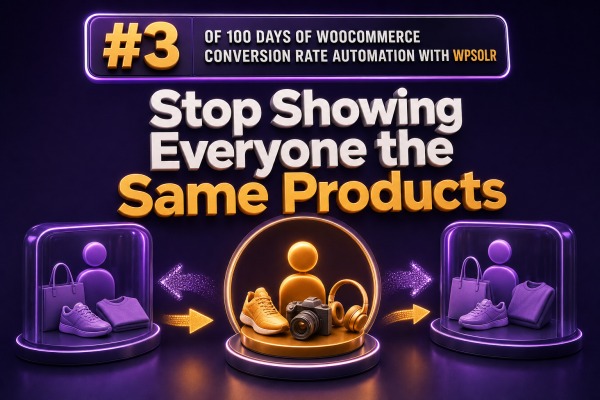
Why a Single Product Grid Underperforms
Many WooCommerce stores present the same featured products, category order, and “related products” blocks to every visitor. That approach is easy to manage, but it ignores the intent behind each session.
A returning customer who searches for replacement filters should not receive the same product order as a first-time visitor looking for a complete appliance. A wholesale buyer, mobile shopper, and high-value repeat customer may all use the same store while needing very different paths to purchase.
The goal is not to create a completely different catalog for every visitor. It is to use available context—such as the search query, category, product attributes, customer history, and campaign landing page—to make product discovery more relevant.
Start With Search Intent
Search is one of the clearest signals available in WooCommerce. A query such as “black waterproof hiking boots” contains information about product type, color, and use case. Your search experience should use that information to narrow results rather than returning a broad alphabetical list.
With WPSOLR, agencies can index WooCommerce product data and expose relevant product fields through search and filters. Configure the index to include attributes, categories, tags, SKU data, custom fields, and other searchable content that supports the store’s buying process.
For example, a footwear store can make these fields available as filters:
- Size
- Color
- Width
- Waterproof rating
- Activity
- Price range
This gives shoppers a different product set based on what they ask for, instead of forcing every visitor through the same collection page.
Use Categories as Merchandising Context
Category pages should not be treated as static archives. The products and filters shown in a “Commercial Coffee Machines” category should reflect different buying criteria from a “Home Coffee Machines” category, even when both categories share some products.
Review the attributes that matter in each department and configure the category experience accordingly. Commercial buyers may need capacity, voltage, installation requirements, and warranty length. Home buyers may care more about footprint, color, and ease of cleaning.
WPSOLR can support category-focused search and filtering when the relevant WooCommerce taxonomy and attribute data is indexed. The important implementation detail is data quality: product attributes must be consistently assigned, and filter labels must be understandable to customers.
Separate Merchandising Rules From Personalization
Not every variation in product order requires individual user tracking. In many stores, context-based merchandising produces most of the benefit with less complexity.
Useful context-based rules include:
- Prioritize compatible accessories on a product page.
- Promote commercial sizes inside a business-focused category.
- Show products with the selected color or size before broader matches.
- Boost in-stock products when an item is unavailable.
- Display seasonal products on campaign-specific landing pages.
These rules affect shoppers because of what they are viewing or searching for, not because the site has inferred sensitive personal characteristics. This is usually easier to explain, test, cache, and maintain.
Build Audience-Specific Catalog Paths
Some stores genuinely serve different audiences. A WooCommerce agency may create separate paths for retail customers, trade customers, installers, or institutional buyers. Each path can use a different navigation structure, pricing system, or product subset while sharing the same underlying catalog.
For example, a lighting supplier might create:
- Home lighting: decorative fixtures, bulbs, and room-based filters.
- Trade lighting: bulk packs, technical specifications, and contractor-focused accessories.
- Project lighting: compliance data, lead times, and specification downloads.
Use dedicated landing pages, taxonomies, customer roles, or approved-account rules to define the audience path. Do not rely on a search plugin alone to enforce access control or pricing permissions. Those requirements belong in WooCommerce-compatible role, membership, wholesale, or catalog-visibility logic, with search results configured to respect the resulting product visibility.
Make Recommendations Explainable
Recommendation blocks perform better when their relationship to the current product is clear. “You may also like” is less useful than a label that explains the selection.
Consider labels such as:
- Compatible replacement parts
- Frequently purchased with this item
- Similar products in this size
- Higher-capacity alternatives
- Required installation accessories
For agencies, explainable recommendations also make client approval easier. Merchandisers can review why a product appears, which attribute connects the products, and what business rule controls the placement.
Use Product Data That Can Support Relevance
Personalized or context-aware discovery is only as reliable as the product data behind it. Before changing the front end, audit the catalog for:
- Missing or inconsistent attribute values
- Duplicate product names and SKUs
- Unclear category assignments
- Unsearchable technical specifications stored only in images or PDFs
- Out-of-stock products still being promoted
- Variation data that is not exposed to search or filtering
Normalize values such as “Stainless Steel,” “stainless-steel,” and “SS” where they represent the same property. Decide whether variations need separate searchable records or whether the parent product should represent them. Then rebuild and test the search index after structural catalog changes.
Measure Segmented Experiences
Do not judge the new experience only by overall conversion rate. Track performance by the context that produced the result.
Useful measurements include:
- Search exit rate
- Search-to-product-click rate
- Filter usage and filter-assisted conversion
- Zero-result queries
- Add-to-cart rate by landing page or category
- Revenue per search session
- Conversion rate for visitors using recommendation blocks
Compare a baseline period with the revised experience, and segment the results by device, category, query type, and customer status where reliable data is available. A higher click-through rate is not automatically a success if it leads to lower margin, more returns, or more unavailable products.
Implementation Checklist for Agencies
- Map the store’s major audiences, use cases, and high-value search queries.
- Audit WooCommerce taxonomies, attributes, variations, stock data, and custom fields.
- Configure WPSOLR to index the product fields required for relevant search and filtering.
- Create category, query, and campaign-specific merchandising rules.
- Keep permission, pricing, and restricted-catalog logic in the appropriate WooCommerce extensions.
- Test results for logged-out users, customer roles, mobile devices, and empty or misspelled queries.
- Monitor zero-result searches, indexing errors, and product availability after launch.
- Run controlled tests on ranking, filters, and recommendation placement before expanding the approach.
The Practical Standard
A strong WooCommerce catalog does not need to show a unique storefront to every visitor. It needs to respond to meaningful differences in intent. Search queries, category context, product compatibility, customer permissions, and campaign source are enough to create substantially more relevant product journeys.
Use WPSOLR to make the catalog searchable by the data that matters, then apply clear merchandising rules around that indexed data. The result is a store that helps each shopper find the right subset of products without turning the catalog into an opaque or unmaintainable personalization system.