

Why the distinction matters
In WooCommerce projects, “personalization” and “product recommendations” are often used interchangeably. They are related, but they solve different problems.
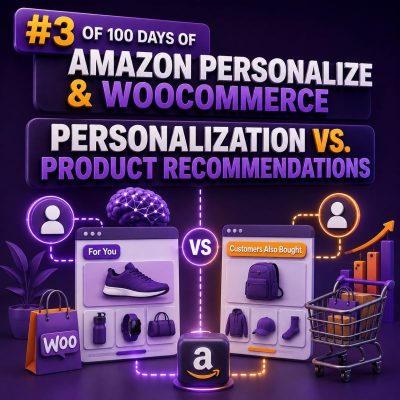
A product recommendation is a suggested item or group of items shown to a shopper. Personalization is the broader process of adapting an experience to a shopper, customer segment, context, or business rule. Recommendations can be one component of a personalized storefront, but they are not the whole implementation.
This distinction affects the data model, integration design, measurement plan, and the WooCommerce components an agency needs to modify.
What product recommendations do
Recommendations answer a focused question: Which products should appear in this placement?
Common WooCommerce placements include:
- “Customers who viewed this product also viewed” on a product page
- “Frequently bought together” in the cart
- Related products below the product description
- “Recommended for you” on the account or home page
- Complementary products in an email or post-purchase page
Amazon Personalize can support these placements through recommenders or campaigns configured for a particular recommendation use case. The integration sends a user identifier, an item identifier, and, where appropriate, contextual information. The response contains item recommendations that WooCommerce can resolve against its product catalog.
For example, if a shopper views a waterproof hiking jacket, a recommendation response might return hiking trousers, base layers, or compatible accessories. WooCommerce then retrieves the current product title, image, price, stock status, URL, and sale information before rendering the recommendation module.
What personalization includes
Personalization answers a broader question: How should this shopper’s experience differ from another shopper’s experience?
In a WooCommerce store, personalization may include:
- Showing different products or categories on the home page
- Changing the order of search results for a known shopper
- Displaying a customer-specific promotion or message
- Preferring products based on previous purchases or browsing behavior
- Adapting content for new, returning, wholesale, or loyalty customers
- Using location, device, referral source, or session context to change an experience
- Applying business rules such as inventory availability, margin, brand restrictions, or product exclusions
Recommendations may supply the product selection, while the surrounding personalization layer decides whether to show it, where to show it, how many items to display, and which rules to apply.
Practical WooCommerce example
Consider a store selling coffee equipment and consumables.
A recommendation-only implementation might display four products related to the current product. When a visitor views a grinder, the site requests recommendations and renders other grinders, filters, or cleaning products.
A personalized implementation could go further:
- A new visitor sees best-selling entry-level grinders.
- A returning customer who previously bought an espresso machine sees compatible beans and maintenance products.
- A wholesale customer sees bulk packaging and trade pricing.
- A shopper who repeatedly views decaffeinated products sees those products higher in category results.
- Items that are out of stock or incompatible with the shopper’s machine are removed before display.
The first example is a recommendation widget. The second is a coordinated experience involving identity, behavioral events, catalog data, customer status, ranking, and merchandising rules.
How Amazon Personalize fits into the architecture
Amazon Personalize uses interaction and catalog data to produce personalized results for supported use cases. A WooCommerce implementation typically maps the following data:
- Users: a stable application-level customer or visitor identifier
- Items: WooCommerce product or variation identifiers, along with attributes such as category, brand, price, and availability-related metadata
- Interactions: events such as view, add-to-cart, purchase, search, and product rating
- Context: information such as device type, referral source, or current category when the selected use case supports it
Product identifiers must remain consistent across the WooCommerce catalog, imported datasets, event records, and recommendation requests. If a variation is sold independently, decide whether it should have its own item identifier or be grouped under the parent product. That decision affects whether results recommend a specific size or color or only the parent product.
For real-time behavior, the site can send events as shoppers browse and purchase. For historical behavior, an agency can export order and interaction data and import it into the relevant Amazon Personalize dataset. The implementation should also define how anonymous visitors are identified and how their activity is handled after they sign in.
Recommendation use cases are not interchangeable
The placement should determine the recommendation use case. A “frequently bought together” module has a different objective from a home-page “recommended for you” carousel.
For example:
- Related items: useful when the current product or category is the strongest signal.
- Personalized ranking: useful when a fixed candidate list must be ordered for a particular shopper.
- Similar items: useful when the shopper is browsing a product and needs alternatives with comparable characteristics.
- Personalized recommendations: useful when the shopper’s interaction history should influence the item set.
Do not use a single recommendation response for every placement without testing it. A recommendation that performs well on a product page may be unsuitable for the cart, where complementary products, price limits, and stock availability matter more.
WooCommerce implementation pattern
A reliable integration normally separates recommendation retrieval from product presentation:
- Capture the relevant WooCommerce event, such as a product view or completed order.
- Send an appropriately mapped event to Amazon Personalize when the visitor has a valid identifier.
- Request recommendations for a defined placement and user or context.
- Filter or validate returned product identifiers against the current WooCommerce catalog.
- Remove products that are unavailable, hidden, restricted, or incompatible with the placement.
- Fetch current display data from WooCommerce rather than relying on stale recommendation metadata.
- Render the component with a fallback when there is insufficient history, an API error, or no eligible result.
For performance, cache responses where the experience allows it, avoid blocking the primary product page render, and use a short timeout for recommendation calls. A fallback can use manually curated products, popular products by category, or WooCommerce’s existing related-product logic.
Business rules still belong in the storefront
A recommendation service should not be treated as the final authority on catalog eligibility. WooCommerce may have rules that change more frequently than the recommendation data, including stock, product visibility, customer-specific pricing, legal restrictions, and bundle compatibility.
For example, a recommendation response may contain a product that has since sold out. The storefront should check current availability before displaying it. Similarly, a recommendation for a replacement part should be validated against the product currently being viewed if compatibility is important.
Agencies should document whether filtering happens before the request, after the response, or in both places. Excessive post-filtering can leave an empty carousel, while insufficient filtering can create incorrect or unavailable offers.
Measurement: widget performance versus experience performance
Recommendation reporting usually focuses on placement-level metrics such as:
- Impressions
- Recommendation clicks
- Add-to-cart rate after a recommendation click
- Conversion rate
- Revenue per recommendation impression
Personalization requires a wider measurement plan. In addition to placement metrics, measure changes in search engagement, category conversion, average order value, repeat purchase behavior, and revenue across defined customer groups. Use a control group or an appropriate experiment when possible; otherwise, higher engagement may simply reflect differences in traffic quality.
Track the recommendation placement, returned item, source request, and resulting order relationship in a way that supports attribution without treating every later purchase as caused by a recommendation.
Common agency mistakes
- Calling a static bestseller list personalized: a list can be useful without responding to the individual shopper.
- Using email or order data without stable identifiers: inconsistent user IDs prevent behavior from being connected across sessions.
- Ignoring variations: parent products and purchasable variations need an explicit identifier strategy.
- Rendering stale catalog information: recommendation results should be enriched with current WooCommerce data.
- Skipping anonymous traffic: anonymous session IDs can provide useful short-term signals, subject to the site’s consent and privacy requirements.
- Failing to define fallbacks: cold-start users and service failures are normal operating cases, not exceptional ones.
- Measuring clicks only: a carousel can attract clicks while reducing conversion or margin.
Choosing the right scope
Start with the business decision the storefront needs to make. If the requirement is to fill a “related products” slot, implement and measure a recommendation placement. If the requirement is to adapt navigation, ranking, offers, or content across multiple touchpoints, design a broader personalization system.
For many WooCommerce projects, the practical sequence is to begin with one high-value recommendation placement, establish clean product and event identifiers, add availability and business-rule filtering, and then extend the same data foundation to personalized search, category ordering, customer segments, or tailored promotions.