

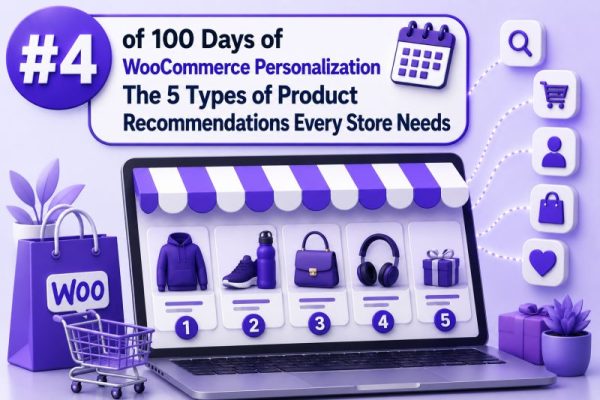
Why recommendation types matter
Product recommendations are not interchangeable widgets. Each type serves a different customer intent and appears at a different stage of the buying journey. A WooCommerce store may use the same product catalog, but the logic, placement, and success metric should change between a product page, the cart, checkout, and post-purchase email.
For agencies, the most reliable approach is to define recommendation rules by intent first, then choose the placement and implementation method. The five types below cover the core use cases most WooCommerce stores need.
1. Related products
Related products help shoppers discover alternatives or complementary items while they are browsing a product. In WooCommerce, the default related-product output is generally based on shared categories and tags, rather than real-time behavioral personalization.
For example, on a product page for a stainless-steel water bottle, related products might include another bottle in a different size, color, or price range. This is useful when customers are comparing options rather than adding accessories.
Best placements
- Below the main product information
- Near the end of a category or search-results page
- In product comparison or quick-view interfaces
Implementation guidance
Review product categories and tags before customizing the component. Poor taxonomy produces weak recommendations. A product assigned to broad or unrelated categories can result in recommendations that feel random.
Agencies should also decide whether related products should include variations as separate choices. In most stores, showing parent products is clearer than displaying every color or size as an individual recommendation. Exclude the current product, hidden products, out-of-stock items, and products unavailable to the current customer role.
2. Upsells
Upsells encourage a customer to choose a higher-value or more capable version of the product they are viewing. The comparison should be easy to understand and based on a meaningful difference such as capacity, durability, warranty, performance, or included features.
For example, a store selling office chairs might recommend an ergonomic model with adjustable lumbar support and a longer warranty when a shopper views the entry-level chair.
WooCommerce supports manual upsell assignments through the product’s Linked Products settings. These products are commonly displayed on the single-product page, although the exact location depends on the theme and template overrides.
Good upsell rules
- Recommend a higher-priced product with a clear benefit.
- Keep the price difference proportionate to the original product.
- Show a small number of alternatives rather than an entire category.
- Avoid recommending a product that is less suitable for the customer’s stated use case.
A useful test is whether the customer can understand the reason for the upgrade without opening several product pages. Use labels such as “More capacity” or “Includes installation” only when the claim is supported by the product data.
3. Cross-sells and accessories
Cross-sells add products that work with the item already being considered. They are different from upsells: the goal is to increase order completeness, not replace the original product.
A camera store might cross-sell a memory card, spare battery, and protective case. A furniture store might recommend assembly service or floor protection. A WooCommerce subscription store might offer a compatible refill or add-on service.
WooCommerce provides native cross-sell assignments in the Linked Products section. Cross-sells are commonly displayed in the cart, but placement can vary by theme, block configuration, and custom templates.
Practical cross-sell requirements
- Confirm compatibility with the selected product and variation.
- Use product attributes or explicit compatibility data where possible.
- Avoid recommending an accessory that is already included in the parent product.
- Make add-to-cart behavior clear, especially when the accessory has required options.
For stores with many combinations, manual assignments may not scale. A custom rule system can use attributes, categories, or a compatibility table. For example, a laptop accessory rule might match the laptop’s model family and port type rather than simply matching the laptop category.
4. Frequently bought together and bundles
Frequently bought together recommendations use order history to identify products that customers commonly purchase in the same order. They are most effective when the products have a natural relationship and the data volume is sufficient to support a meaningful pattern.
For example, order data may show that customers who buy a specific coffee machine often purchase a descaling kit and a particular capsule pack. The store can present those products as a suggested set, with optional checkboxes or a bundle price.
This functionality is not the same as WooCommerce’s standard cross-sell fields. It usually requires an extension, custom query logic, or an external recommendation service. Agencies building the feature should define the data window, minimum order count, and exclusion rules before displaying results.
Technical considerations
- Do not treat a small number of orders as statistically reliable.
- Exclude products that are discontinued, unavailable, or incompatible.
- Account for product substitutions and variations when grouping order data.
- Decide whether recommendations are based on line-item co-occurrence, category-level patterns, or completed orders only.
- Cache results so recommendation queries do not slow cart or product-page requests.
A bundle should explain the value clearly. If the products are merely displayed together, customers may not understand whether they receive a discount, whether all items are optional, or how shipping is calculated.
5. Personalized and recently viewed recommendations
Personalized recommendations use a shopper’s behavior, profile, or session history. Recently viewed products are the simplest version: they help a returning shopper resume browsing without searching again. More advanced systems can combine viewed products, searches, purchases, category affinity, customer role, and location.
For example, a returning shopper who viewed several trail-running products could see recently viewed shoes along with relevant hydration packs and socks. A wholesale customer might receive recommendations based on their account pricing and previous order patterns rather than retail popularity.
Common data sources
- Products viewed during the current session
- Previous purchases associated with a customer account
- Cart and wishlist contents
- Search terms and category visits
- Customer role, membership level, or business segment
- Popular products within the current category
Personalization should have a fallback. A new visitor may have no history, so the component can use category-based related products, best sellers, or manually curated recommendations. Do not render an empty recommendation block when there is insufficient data.
Privacy and performance also matter. Avoid placing sensitive customer data in publicly cacheable HTML. If recommendations depend on session or account information, consider client-side requests, private fragments, or a server-side response that respects the site’s caching strategy. Make sure consent and tracking behavior align with the store’s privacy requirements.
Choosing the right type by placement
A practical placement map looks like this:
- Product page: related products and upsells
- Product page or cart: compatible accessories and cross-sells
- Cart or product page: frequently bought together bundles
- Home page, category page, or account area: personalized and recently viewed products
- Post-purchase email: replenishment, accessories, and products related to the completed order
The placement should match intent. A shopper on a product page may still be comparing options, while a shopper in the cart is more receptive to a small, compatible addition. Showing an expensive upsell in the cart can introduce friction when a simple accessory would be more relevant.
Measurement and quality checks
Track each recommendation type separately. Useful metrics include click-through rate, add-to-cart rate, conversion rate, average order value, revenue per session, and margin after discounts. A recommendation that generates clicks but reduces checkout completion may be harming the purchase journey.
Before launch, test the following:
- Recommendations remain valid when a product has variations.
- Out-of-stock and private products are excluded.
- Prices, taxes, discounts, and subscription terms display correctly.
- Add-to-cart links preserve required attributes and quantities.
- Recommendations work for guest shoppers and logged-in customers.
- Cached pages do not expose one customer’s personalized results to another.
- Mobile layouts do not obscure the primary add-to-cart action.
- Tracking distinguishes clicks and purchases generated by each recommendation slot.
Use manual curation for high-value products, regulated products, and products with strict compatibility requirements. Use behavioral or order-based logic where the catalog is large enough to produce reliable patterns. The strongest WooCommerce implementations combine both: controlled business rules for correctness and behavioral data for relevance.