

Forum Replies Created
-
wpsolrKeymaster2 years ago in reply to: Category Filters are not working properly after moving to Enterprise version #46352
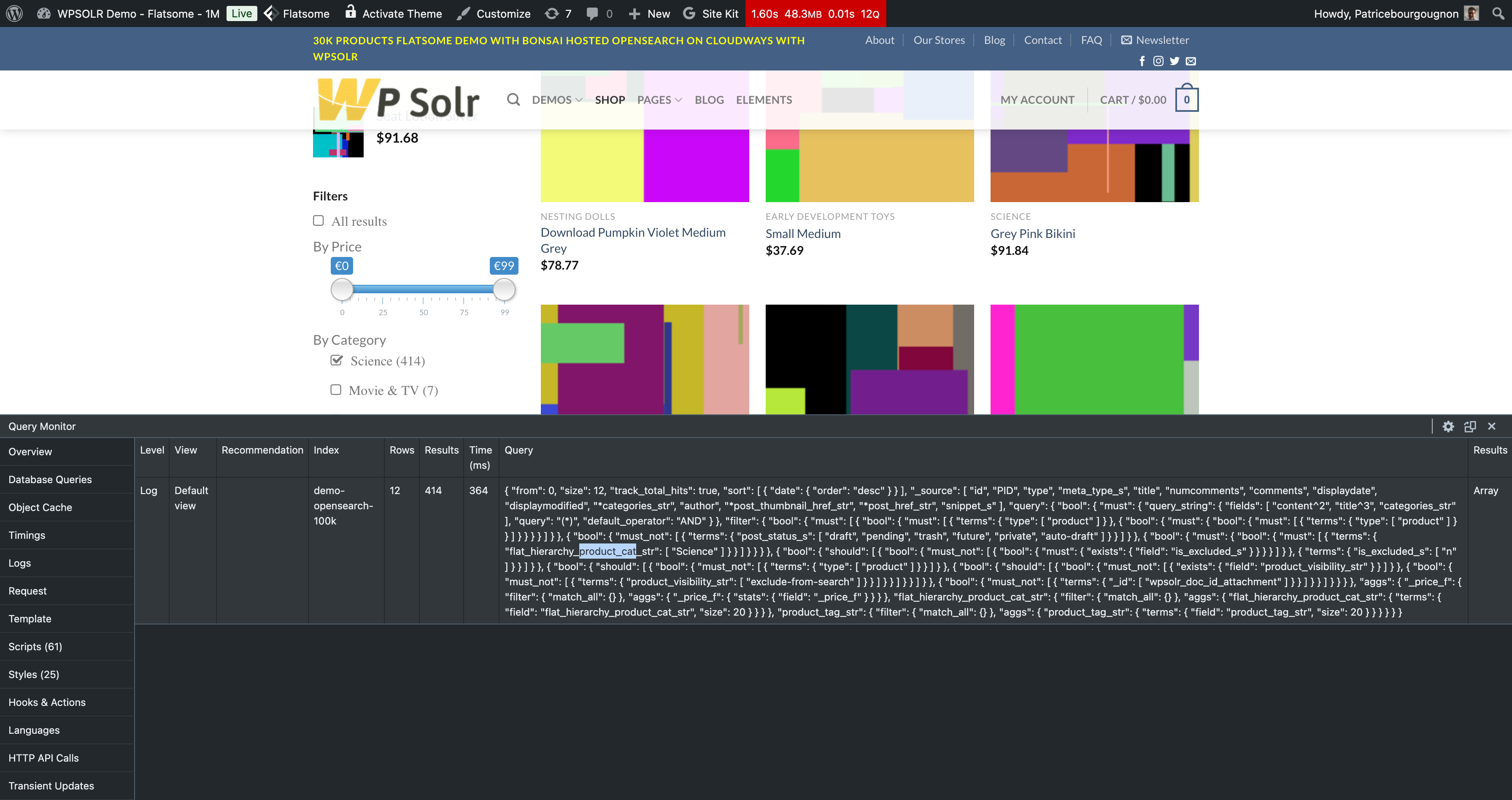
Here is the same query on our WPSolr Enterprise WooCommerce OpenSearch demo:
 wpsolrKeymaster2 years ago in reply to: Category Filters are not working properly after moving to Enterprise version #46350
This shows that the filters on product_cat are not set:
{ “filter”: { “match_all”: {} }Can you copy here the url parameters when the product category filter is selected?
wpsolrKeymaster2 years ago in reply to: Category Filters are not working properly after moving to Enterprise version #46338Pease setup the query monitor add-on to get the query generated by WPSolr.
Then use it on your search engine dashboard to verify what kind of results it returns. Check that it contains the filter on product_cat_str.
wpsolrKeymaster2 years ago in reply to: Recommendations is not working #46335If you want to show related items to a product, the product itself must be in the index to be compared to.
But indexing both products and variations should not be an issue, as your search can be filtered by the post_type.
For instance, in the facet settings, set the post type “product_variation” as select by default.
wpsolrKeymaster2 years ago in reply to: Recommendations is not working #46308No, but I want to be sure that “products” are indexed, as you are on a product detail page.
If you indexed only product variations, no recommendations would show up, unless you were on a product variation detail page.
wpsolrKeymaster2 years ago in reply to: Recommendations is not working #46286Did you index your products, and selected them on your recommendation settings?
wpsolrKeymaster2 years ago in reply to: Recommendations is not working #46275But the Recommendations are showing on product page.
Great! The problem with logs will be fixed on Release 24.0
wpsolrKeymaster2 years ago in reply to: Recommendations is not working #46273Indeed, on screen 2.1
Do you see errors again?
wpsolrKeymaster2 years ago in reply to: Service Temporarily Unavailable #46270With lots of data in your wordpress, your resources could be exhausted on your dev/test WordPress server.
wpsolrKeymaster2 years ago in reply to: Suggestions customizations #46267Then copy all suggestions twig templates in your child theme, and modify them to show your custom data.
wpsolrKeymaster2 years ago in reply to: Suggestions customizations #46266You can find a full example in the plugin’s root folder “wpsolr-examples”.
use wpsolr\core\classes\WPSOLR_Events; // Add/update some extra data to be shown in your local template add_filter( WPSOLR_Events::WPSOLR_ACTION_BEFORE_RENDER_TEMPLATE, function ( $template_params ) { // Prefix all results titles foreach ( $template_params['template_data']['results'] as $post_type => &$result ) { foreach ( $result['items'] as &$item ) { $item['title']['title'] = '$$$ ' . $item['title']['title']; } } });wpsolrKeymaster2 years ago in reply to: Recommendations is not working #46264Unselect the dropdown list option to log queries on screen 2.2
It should remove this error. We will fix it on release 24.0
wpsolrKeymaster2 years ago in reply to: Service Temporarily Unavailable #46128You can delete your settings indeed in tab “4. Import / Export settings”.
wpsolrKeymaster2 years ago in reply to: Document is indexed but cannot be found in search #46060You can select the taxonomy in 2 ways on screen 2.2
1. Inside a post type
The post type will appear in suggestions, search, and facets, when one of its terms matches the keywords.2. On its own (as you did)
The term will appear only in suggestions when it matches the keywords.wpsolrKeymaster2 years ago in reply to: Document is indexed but cannot be found in search #46058Can you share here a screenshot of your screen 2.1, 2.2, and 2.4 ?