

Forum Replies Created
-
wpsolrKeymaster1 year, 12 months ago in reply to: We have 2.8 Million Products in WordPress, but WPSolr recognizes only 370,000 #46395
For the indexing error, retry with less than 1000 batch size.
wpsolrKeymaster1 year, 12 months ago in reply to: We have 2.8 Million Products in WordPress, but WPSolr recognizes only 370,000 #46394Please execute the exact query from the debug trace (with the dates and ID filters).
wpsolrKeymaster1 year, 12 months ago in reply to: We have 2.8 Million Products in WordPress, but WPSolr recognizes only 370,000 #46390Can i see the picture?
wpsolrKeymaster1 year, 12 months ago in reply to: Category Filters are not working properly after moving to Enterprise version #46387I discovered that the character “>” contained in filter’s hierarchies is “forbidden” on your site’s urls
For instance:
– /?s=%3E&view=grid returns “forbidden” on your site
– but https://demo-woocommerce-cloudways-100k-aws-opensearch.wpsolr.com/?s=%3E&post_type=product is fine- This reply was modified 1 year, 12 months ago by wpsolr.
wpsolrKeymaster1 year, 12 months ago in reply to: We have 2.8 Million Products in WordPress, but WPSolr recognizes only 370,000 #46386I can currently select a vehicule from a category page. Can you reactivate WPSOlr’s search so I can have a look?
wpsolrKeymaster1 year, 12 months ago in reply to: Category Filters are not working properly after moving to Enterprise version #46384It means also that the query showed in query monitor is not the query produced by the filter selection: Query monitor does not show logs of Ajax calls. We would need to refresh the page to check the filtered query.
wpsolrKeymaster1 year, 12 months ago in reply to: Category Filters are not working properly after moving to Enterprise version #46382There must be an internal error. Can you see them in WP debug.log?
wpsolrKeymaster1 year, 12 months ago in reply to: Category Filters are not working properly after moving to Enterprise version #46380After selection a product category filter, refresh the page. I’d like to check if the results are the same after an Ajax refresh and a page refresh.
wpsolrKeymaster1 year, 12 months ago in reply to: Category Filters are not working properly after moving to Enterprise version #46378Can I see how the Toolset view filters are set?
wpsolrKeymaster1 year, 12 months ago in reply to: Category Filters are not working properly after moving to Enterprise version #46376How are your archive pages built (search, categories, shop …)?
wpsolrKeymaster1 year, 12 months ago in reply to: We have 2.8 Million Products in WordPress, but WPSolr recognizes only 370,000 #46374Issue 2:
After setting checkmark to Categorys in Data table, our dynamic category site not showing.Can you explain that?
wpsolrKeymaster1 year, 12 months ago in reply to: We have 2.8 Million Products in WordPress, but WPSolr recognizes only 370,000 #46372Issue 1:
We have 2.8 Million Products in WordPress, but WPSolr recognizes only 370,000 ProductsYou can start indexing with the option “Display debug infos during indexing”, it will display the SQL query used to retrieve your products. You can then use that query in a tool like WP phpMyAdmin to understand why only 370 thousand products out of 3 millions are fetched for indexing.
wpsolrKeymaster2 years ago in reply to: Current version download link? #46363You should be able to re-activate it now.
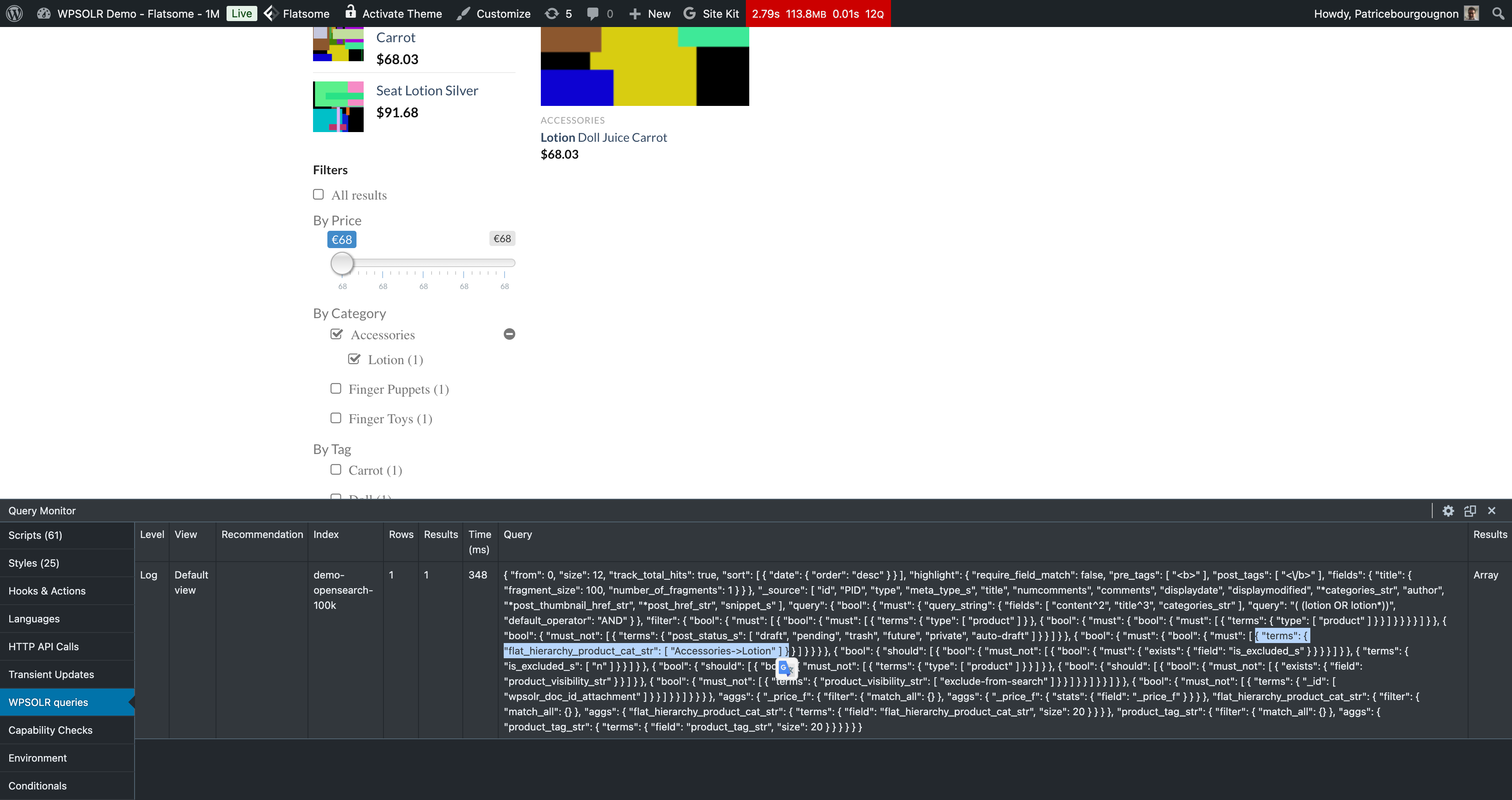
wpsolrKeymaster2 years ago in reply to: Category Filters are not working properly after moving to Enterprise version #46358Category hierarchical filters work on my local dev.
You can also see it on the WooCommerce demo, where I just added a subcategory “Lotion” to “Accessories” on one product.
 wpsolrKeymaster2 years ago in reply to: Category Filters are not working properly after moving to Enterprise version #46357
Building a local test environment now…