

Category Filters are not working properly after moving to Enterprise version
-
abdulazizasifParticipant1 year, 11 months ago #46336
Hi,
We have noticed that Category Filters are not working after moving to WPSolr Enterprise on our websites.We have multiple filters to narrow down the search results. We have Category, Brands, Finish, Price range, Quantity etc. filters on the search result page.
If we choose a category then the count on other filters like Brand or Finish should go down but they remain the same. While the reverse of it is working, like if I choose a brand then the count for Category or Finish goes down accordingly.
Please check and let us know how we can fix it. Let me know if you need more information here.
Thanks
ASIFwpsolrKeymaster1 year, 11 months ago #46338Pease setup the query monitor add-on to get the query generated by WPSolr.
Then use it on your search engine dashboard to verify what kind of results it returns. Check that it contains the filter on product_cat_str.
abdulazizasifParticipant1 year, 11 months ago #46349Hi,
I have enabled Query Monitor on the staging. I am getting occurrence of “product_cat_str” in the WPSolr query returned by Query Monitor as:
……………….
“flat_hierarchy_product_cat_str”: { “filter”: { “match_all”: {} }, “aggs”: { “flat_hierarchy_product_cat_str”: { “terms”: { “field”: “flat_hierarchy_product_cat_str”, “size”: 200 } } } }, “attribute_pa_brand_str”: { “filter”: { “match_all”: {} }, “aggs”: { “attribute_pa_brand_str”: { “terms”: { “field”: “attribute_pa_brand_str”, “size”: 200, “order”: { “_key”: “asc” } } } } }
………………………….Can you guide me how to run the query in Search Engine dashboard.
Thanks
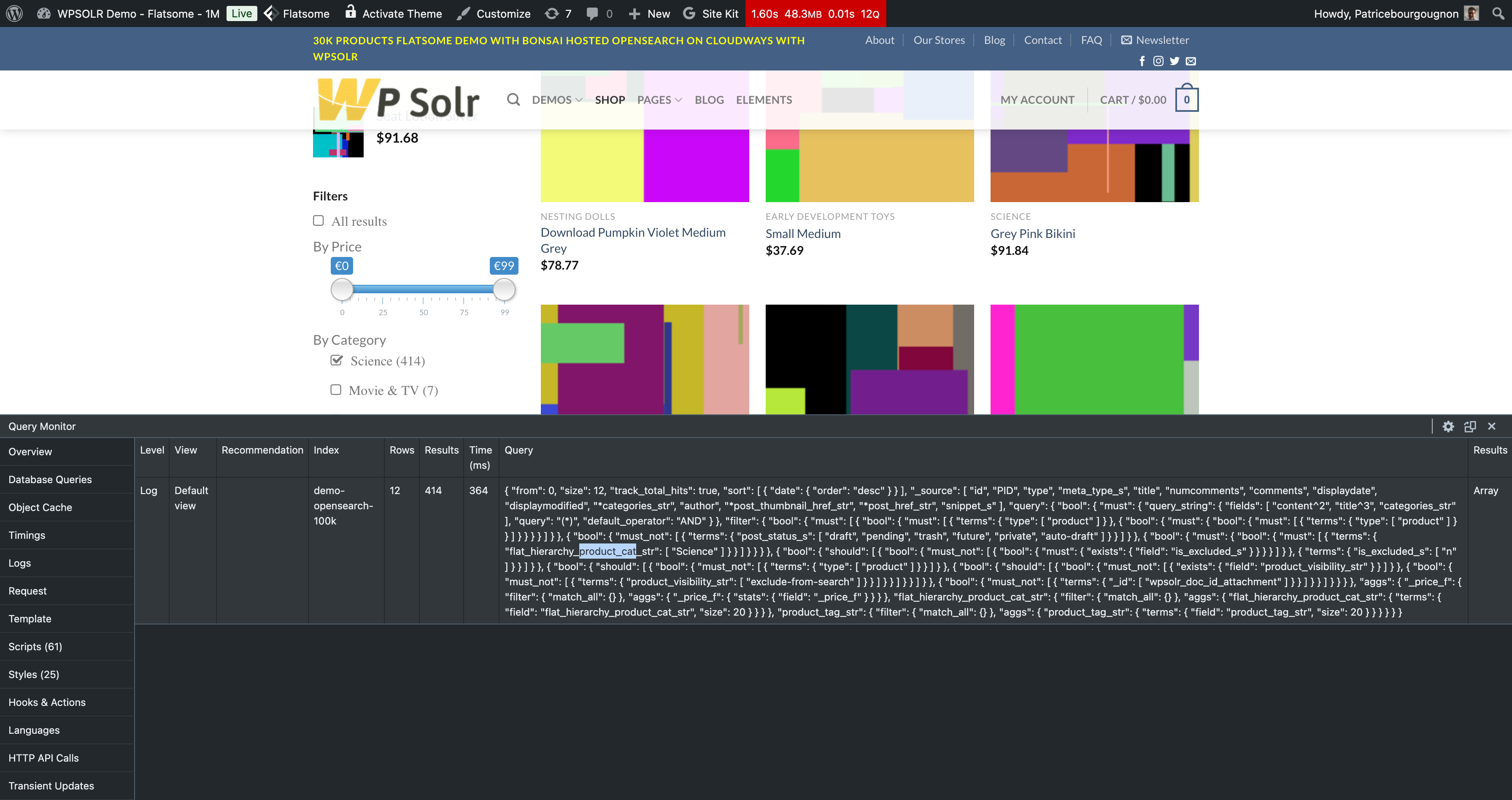
ASIFabdulazizasifParticipant1 year, 11 months ago #46351wpsolrKeymaster1 year, 11 months ago #46352Here is the same query on our WPSolr Enterprise WooCommerce OpenSearch demo:
 abdulazizasifParticipant1 year, 11 months ago #46356
Hi,
The example given is single level category. We have multi-level categories and that’s where it is failing.
Can you send screenshot of settings for multi-level categories from WPSolr Enterprise dashboard to compare with our settings.
Thanks
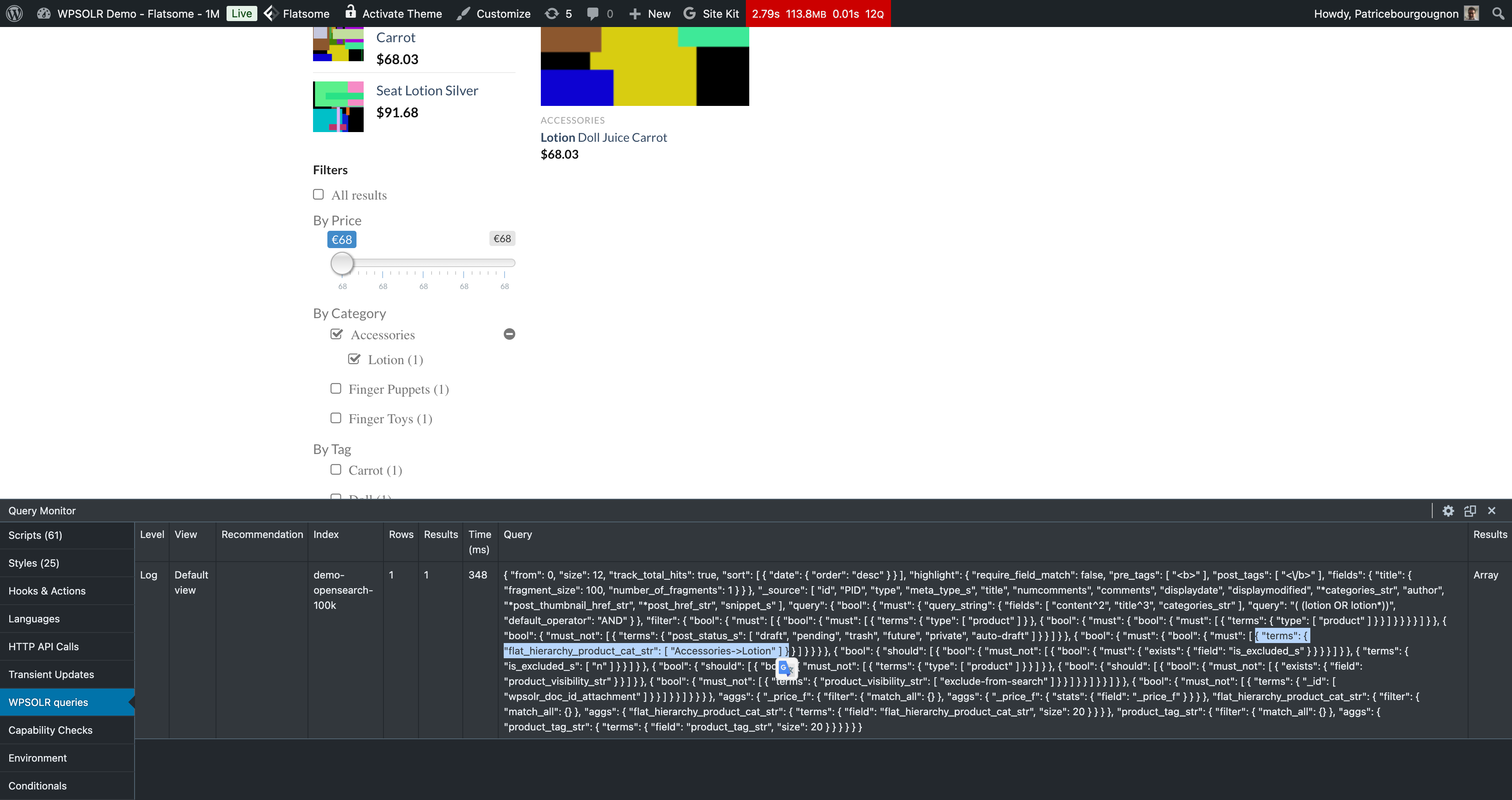
ASIFwpsolrKeymaster1 year, 11 months ago #46358Category hierarchical filters work on my local dev.
You can also see it on the WooCommerce demo, where I just added a subcategory “Lotion” to “Accessories” on one product.
 abdulazizasifParticipant1 year, 11 months ago #46375
Hi,
Can you share the settings screenshot in WPSolr Dashboard you did for multi-level categories.
Alternatively, you can share JSON settings export. I will try to apply that. Although, the WPSOlr dashboard screens like 2.2 or 2.4 are not opening for me.
Please suggest where to look at to find the solution.
Thanks
ASIFabdulazizasifParticipant1 year, 11 months ago #46377We are using Toolset for front-end pages.
I don’t think we have separate category page linked at front-end, we only have this search page.
Thanks
ASIFabdulazizasifParticipant1 year, 11 months ago #46379Here is the screenshot
https://phpstack-1254813-4861161.cloudwaysapps.com/Screenshot%202024-10-08%20150850.png

You must be logged in to reply to this topic.