

Forum Replies Created
-
wpsolrKeymaster8 years ago in reply to: How do Lucene, Elasticsearch, and Solr compare? #6458
Lucene, Elasticsearch, and Solr, are all full-text search engines.
But Lucene is a java library. While Elasticsearch and Solr are web servers, wrapping (some) Lucene features in their own REST API.
Using the same Lucene library, Elasticsearch and Solr are therefore very similar.
Some elements of choice for a new user could be:
The admin UI
Solr admin UI is rather standard for an average Joe, with lists, checkboxes and so on. Whereas Elasticsearch admin UI queries are tricky JSON command lines.
The installation
Both are easy to install, at least in their stand-alone mode. From times to times, Elasticsearch indexes will stop working, showing the infamous “red status”. I never experienced such a thing with Solr.
The distributed mode
Elasticsearch was built to work on several machines from the ground. Whereas Solr, being there first, had to implement a SolrCloud mode afterwards.
The JSON api
Elasticsearch api is incredibly complete and consistent, one can do anything with it. Solr api feels like a patchwork comparatively. And Solr api lacks some features available in SolrCloud api, like uploading the configuration files.
The ecosystem
There is a company backing Elasticsearch, and we can feel it with all the projects that come with Elasticsearch: log analysis, IA, time series, hosting, plugins. Solr is more isolated: other projects work with it of course, but are not built for it.
wpsolrKeymaster8 years ago in reply to: Paid Memberships Pro conflict with WPSOLR #6455(Nothing in javascript console, nor in WordPress debug.log)
Apparently, Paid Memberships Pro was causing the conflict. After deactivating the plugin, the client could activate the license as expected.
Conclusion: deactivate Paid Memberships Pro, activate the WPSOLR license, then reactivate Paid Memberships Pro.
wpsolrKeymaster8 years ago in reply to: Corrupted PDF files #6450The setup is described in video /guide/video-gallery-twentysixteen-theme-search-template/video-setup-demo-twentysixteen-theme-template-local-elasticsearch/
In screen 2.2, select only the attachment file type “pdf”.
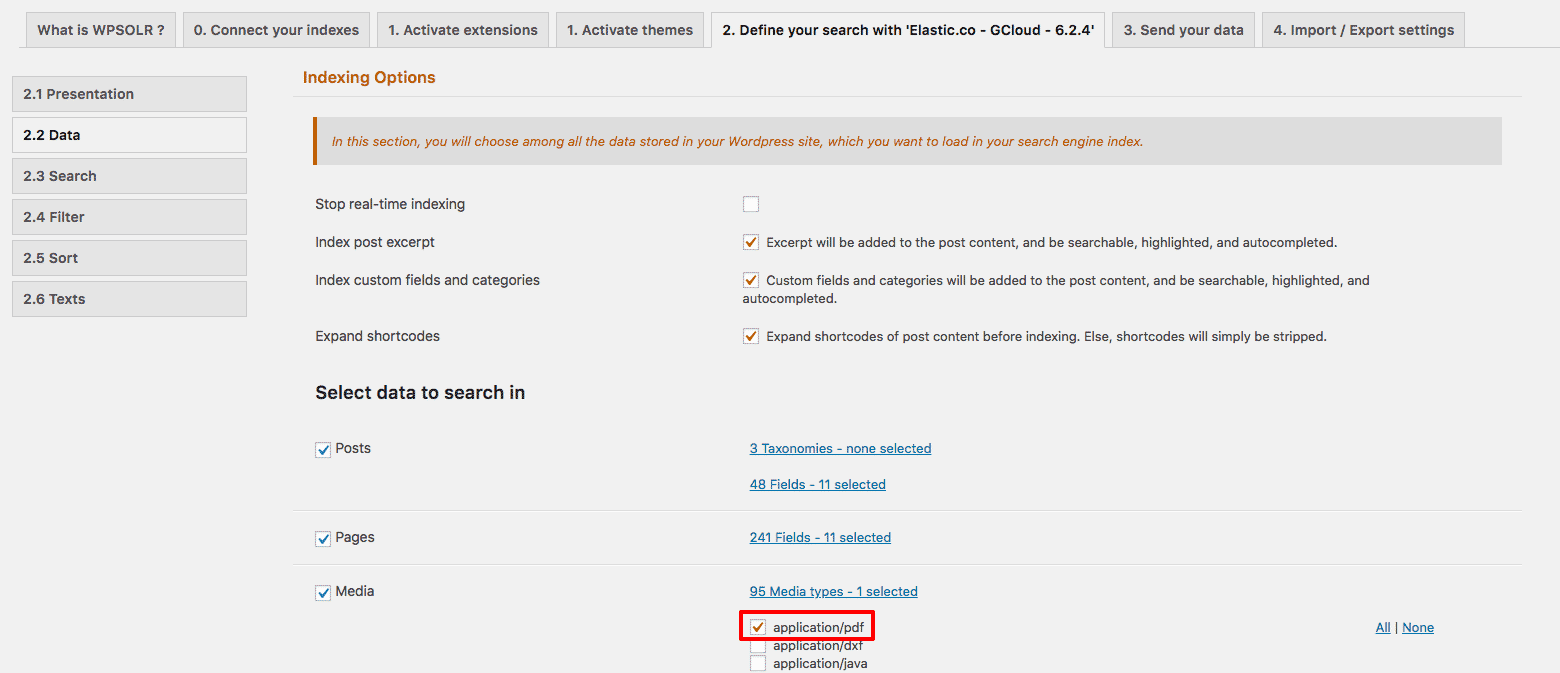
After investigation, it appeared that the PDF files were corrupted. They could not be opened, but could be indexed and searched!.
No solution from WPSOLR, but to find a way to open the PDF files.
wpsolrKeymaster8 years ago in reply to: Download the latest version #6444WPSOLR is integrated with the WordPress standard plugins update api.
This means that you update WPSOLR as you would do with any other free plugins, within the WP admin “Plugins” menu.
But you need your WPSOLR’s license activated. Or you will see:
