

Forum Replies Created
-
wpsolrKeymaster7 years, 5 months ago in reply to: Unable to replace the default WordPress search with WPSOLR search #11815
You can index your data?
wpsolrKeymaster7 years, 5 months ago in reply to: Unable to replace the default WordPress search with WPSOLR search #11812So, you can connect from a cURL.
What happens when you click on “Check the index status”?
wpsolrKeymaster7 years, 5 months ago in reply to: Field Configuration will not save #11809Is there something that could be integrated in the plugin?
wpsolrKeymaster7 years, 5 months ago in reply to: WPML subscription options #11808The price is yearly indeed. The plugin will stop after the renewal date is expired.
wpsolrKeymaster7 years, 5 months ago in reply to: WPML subscription options #11805Hi,
WPSOLR is sold with all the add-ons included, including WPML.
You need one license per site. So, unless you decided to display one language per site, you’ll need only one license for all your languages.
wpsolrKeymaster7 years, 5 months ago in reply to: Unable to replace the default WordPress search with WPSOLR search #11803Please try:
1) Can you check that you selected “HTTPS” in your index settings screen?
2) Can you ssh to your server, and query the Elasticsearch index with cURL?
3) Please send me your WPSOLR index settings screenshotwpsolrKeymaster7 years, 5 months ago in reply to: Unable to replace the default WordPress search with WPSOLR search #11801When you see this error, some traces were added by WPSOLR in your debug.log file with error_log() .
Look for “WPSOLR message:” and “WPSOLR trace:”.
wpsolrKeymaster7 years, 5 months ago in reply to: Unable to replace the default WordPress search with WPSOLR search #11799I noticed your index domain is from aws.found.io.
Which version of Elasticsearch is it?
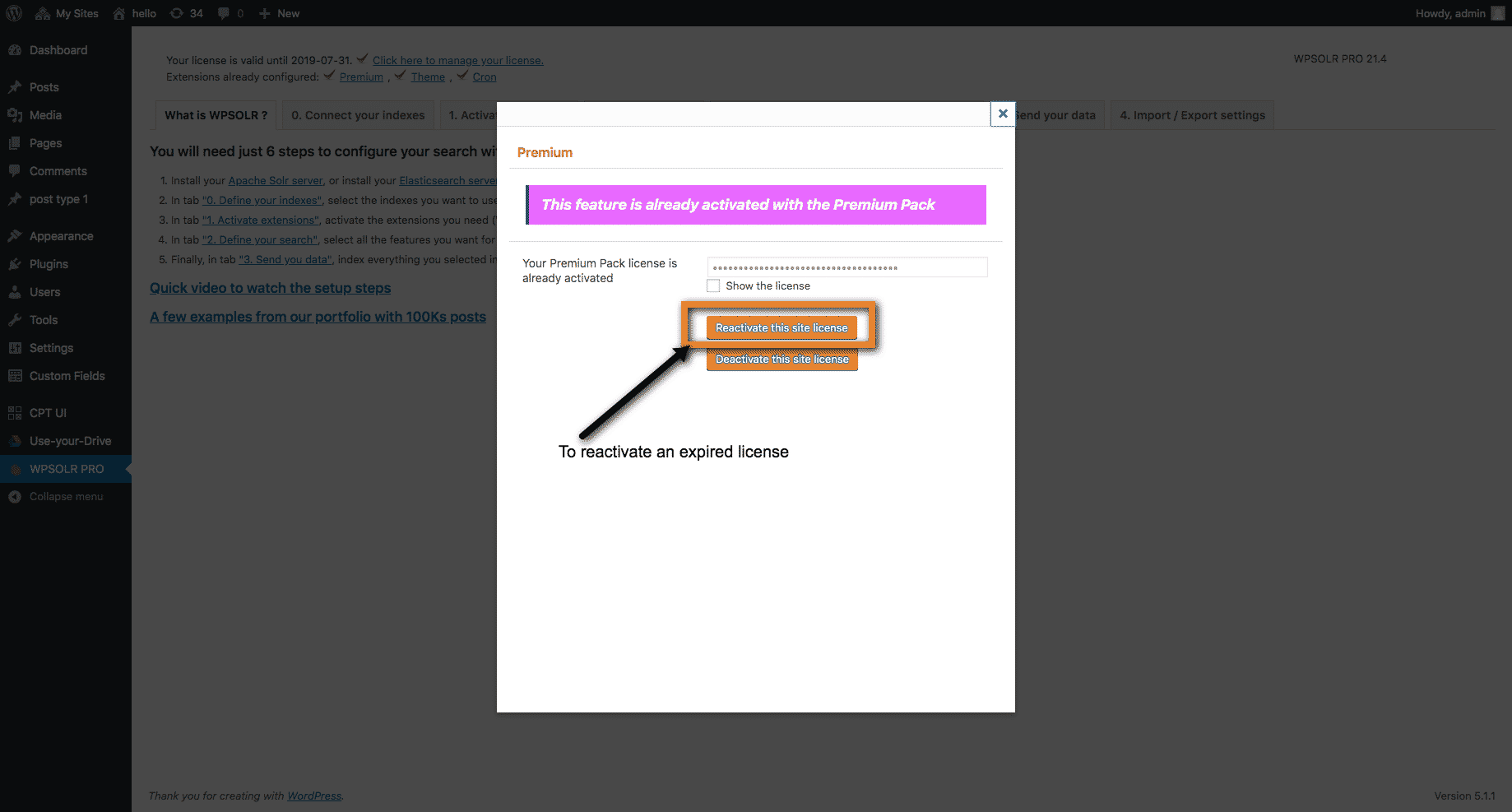
wpsolrKeymaster7 years, 5 months ago in reply to: Does not connects to index #11792Here is the screenshot of the button:
 wpsolrKeymaster7 years, 5 months ago in reply to: How can we achieve this type of search optimization? #11790
I advise you to contact a Solr consultant. This kind of tuning is often hard to achieve and requires a great deal of time and expertise.
wpsolrKeymaster7 years, 5 months ago in reply to: Unable to replace the default WordPress search with WPSOLR search #11788Can you save your index settings in WPSOLR?
wpsolrKeymaster7 years, 5 months ago in reply to: Does not connects to index #11787Please click on button “Reactivate my site license”.
wpsolrKeymaster7 years, 5 months ago in reply to: Does not connects to index #11780I extended your trial for 7 more days.
Once I’m searching and pressing Enter, I am being redirected to my default search results page
This is the standard behaviour. WPSOLR replaces your search query, but let your search template page display the results.
I understood the search results are suppose to open underneath the search bar with the facets, letting me filter the results.
You just need to setup the facets in screen 2.4. Then add the WPSOLR facets widget to your search page sidebar. Do not forget to activate the WooCommerce add-on before to get extra features, like product attributes faceting.
See tutorial: /guide/video-tutorials-wpsolr-pro-extensions/video-wpsolr-pro-setup-woocommerce-extension-storefront-theme-local-elasticsearch/
wpsolrKeymaster7 years, 5 months ago in reply to: Does not connects to index #11776For Solr, create a new index (with a new name) in WPSOLR. Then send the index creation commands to your hosting provider contact.
Please test with the Elasticsearch index. If it’s fine, I’ll extend your current trial to test with your Solr index.
wpsolrKeymaster7 years, 5 months ago in reply to: Does not connects to index #11774The Elasticsearch test index is back. You can create your test index now.