

Forum Replies Created
-
wpsolrKeymaster8 years ago in reply to: Wrong display for WooCommerce search results #7017
Try WooCommerce extension activated, and WPSOLR front-end css authorised.
wpsolrKeymaster8 years ago in reply to: Wrong display for WooCommerce search results #7015You don’t have to use the shortcode. WPSOLR will use your theme’s search template if the option is selected in 2.1
See a full tutorial:
/guide/video-tutorials-wpsolr-pro-extensions/video-wpsolr-pro-setup-woocommerce-extension-storefront-theme-local-elasticsearch/wpsolrKeymaster8 years ago in reply to: Wrong display for WooCommerce search results #7013I suspect you used the option to deactivate WPSOLR front-end css files.
wpsolrKeymaster8 years ago in reply to: Limit the number of decimals shown on the price slider #6957Our slider is built on the ion.rangeSlider: https://ionden.com/a/plugins/ion.rangeSlider/demo.html
You can use all the ion.rangeSlider javascript options in the facet javascript text area:
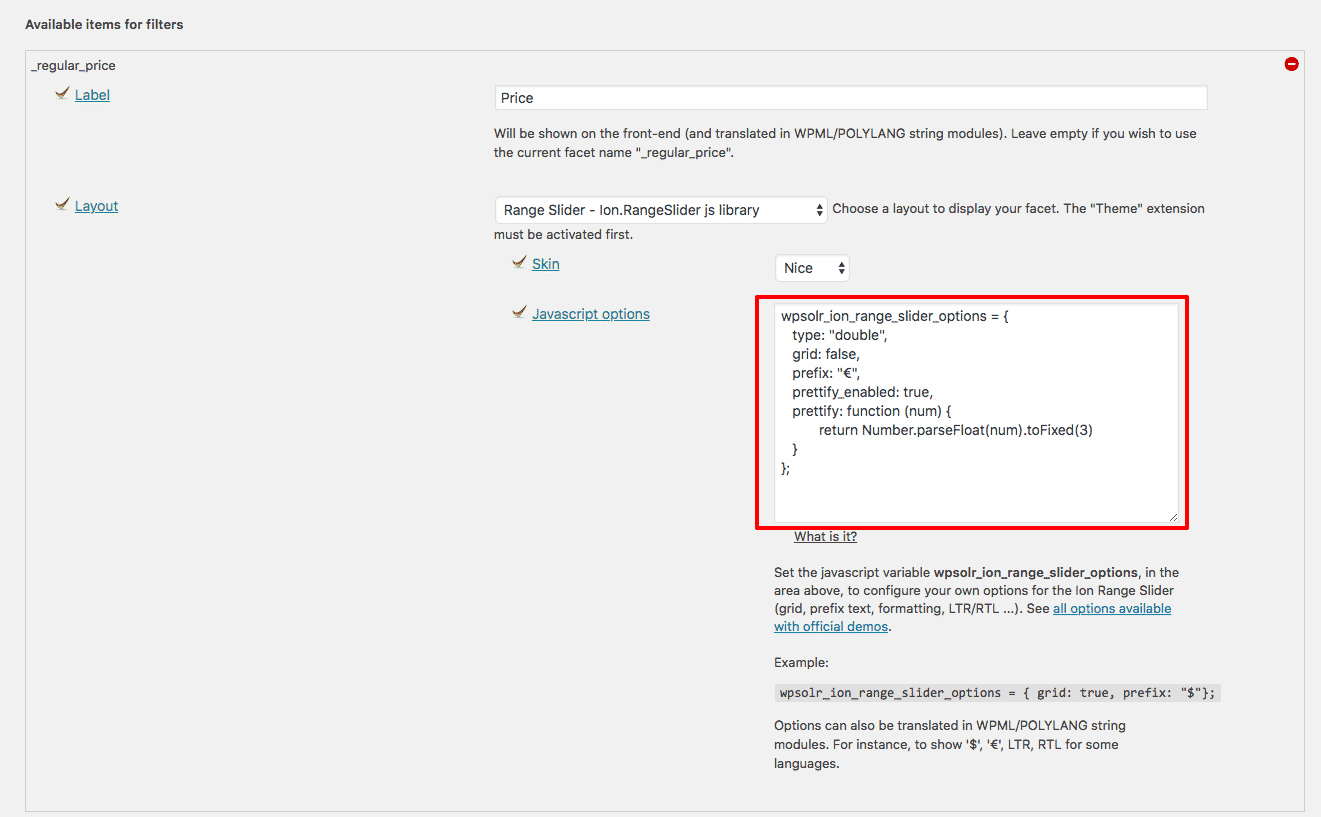
For instance, to display 3 decimals:
wpsolr_ion_range_slider_options = { type: "double", grid: false, prefix: "€", prettify_enabled: true, prettify: function (num) { return Number.parseFloat(num).toFixed(3); } };wpsolrKeymaster8 years ago in reply to: Filter the results by membership data stored in a custom table #6952that this filters only appear available for premium users
Certainly, with actions/filters, yes.
We have plenty of them, that we also used to build our s2Member and Groups membership extensions.
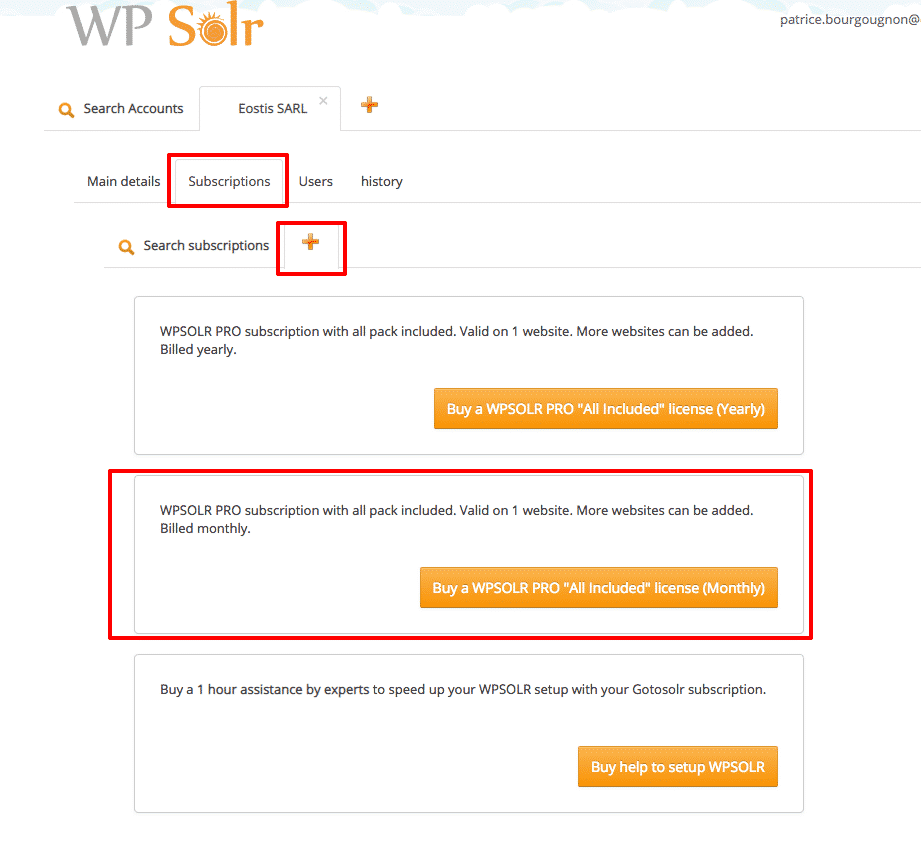
wpsolrKeymaster8 years ago in reply to: Buy a monthly subscription #6945Yes, you can find the WPSOLR PRO monthly subscription in your account https://admin.wpsolr.com/#/signin
Please open your account, then “Subscriptions->+”
 wpsolrKeymaster8 years ago in reply to: Reset configuration #6940
Strangely, there is nothing straightforward to do that.
You can use “4. Import / Export settings” tab:
– export the data you want to erase. Keep the resulting text as a backup (we never know)
– replace the exported text {} with []
– import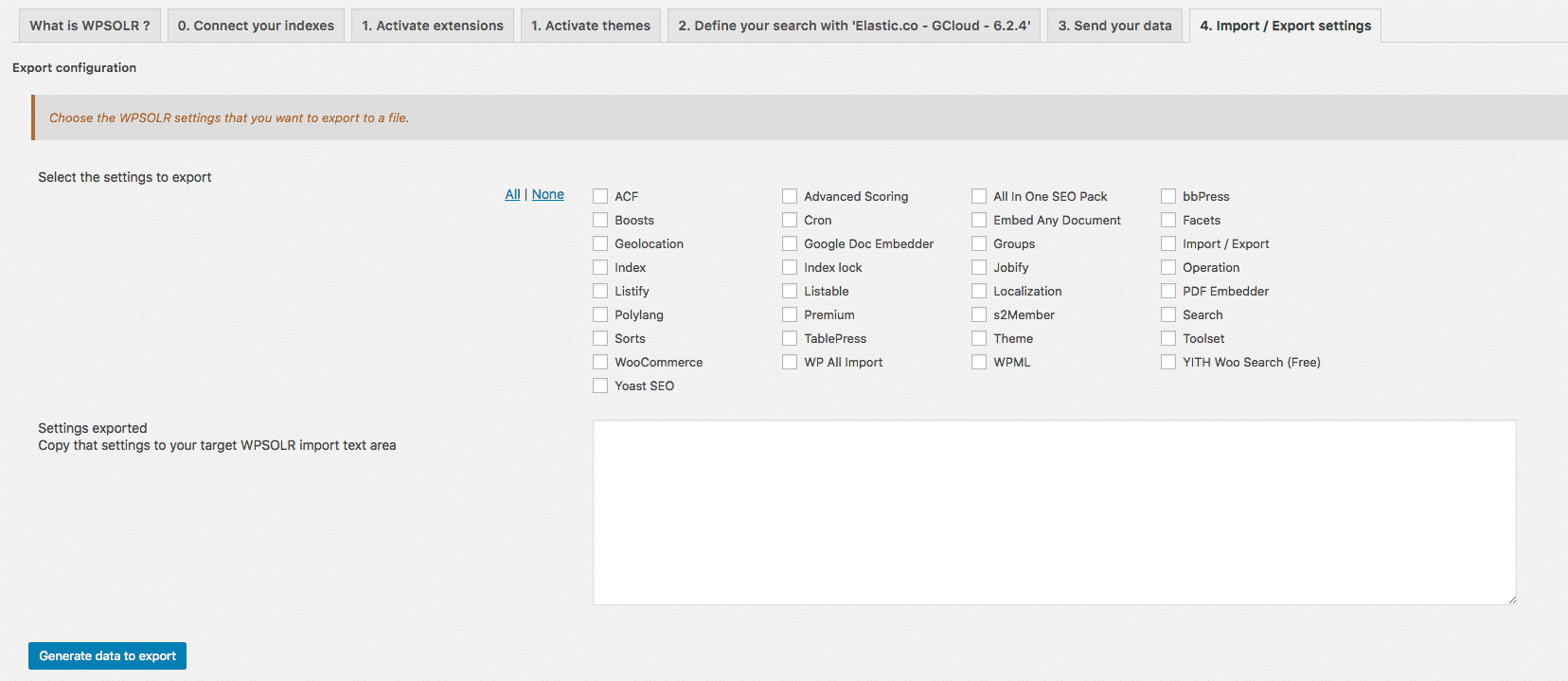 wpsolrKeymaster8 years ago in reply to: Suggestions errors with Solr 6.5 #6938
Explanation is detailed here : /guide-category/user-guide/#3565
Solr 6.5.x was delivered with a bug on suggestions (they changed the suggestions xml/json output format).
It was fixed in further versions.
wpsolrKeymaster8 years ago in reply to: Are WPSOLR and Pluto theme compatible ? #6936Use the schema.xml installed on your current Solr index, edit it, and reload your index (or restart Solr).
https://lucene.apache.org/solr/guide/7_4/language-analysis.html#serbian
wpsolrKeymaster8 years ago in reply to: Are WPSOLR and Pluto theme compatible ? #6934You will also need to apply language analysers in the Solr schema.xml, on the “text” field type.
https://lucene.apache.org/solr/guide/7_4/language-analysis.htmlwpsolrKeymaster8 years ago in reply to: Are WPSOLR and Pluto theme compatible ? #6932I checked, in screen 2.1, you chose a network configuration. Please change that.
wpsolrKeymaster8 years ago in reply to: Are WPSOLR and Pluto theme compatible ? #6930Only on volumes.
wpsolrKeymaster8 years ago in reply to: Are WPSOLR and Pluto theme compatible ? #6927You just install WPSOLR, and use it.
If something has to be built for your theme (perhaps not), I’ll build an extension.
wpsolrKeymaster8 years ago in reply to: Are WPSOLR and Pluto theme compatible ? #6925Great, you’re not a WPSOLR newbie then !
I’m currently building extensions to integrate WPSOLR with a growing number of themes. Listify, Listable, Directory+, Jobify, until now.
I could do it for Pluto too, if necessary, with your feedback.
wpsolrKeymaster8 years ago in reply to: Are WPSOLR and Pluto theme compatible ? #6923What feature(s) made you consider WPSOLR ?