100 Days of Algolia guides for WordPress & WooCommerce

When Should You Use Algolia?

Algolia is most useful when WooCommerce search is a core part of the buying journey rather than a secondary navigation feature. It can provide fast, typo-tolerant search, faceting, filtering, autocomplete, merchandising controls, and analytics without requiring the WordPress database to handle every complex product query. Use Algolia When Search Drives Product Discovery Algolia is a strong candidate for stores where customers search by product name, SKU, specification, compatibility, brand, or category. This is especially common in large catalogs, wholesale stores, parts suppliers, and stores with technical products. For example, a customer searching for bosch gsb 18v drill may expect results for spelling variations, related product titles, product attributes, and compatible accessories. A basic WordPress or WooCommerce query may return incomplete results or require expensive database
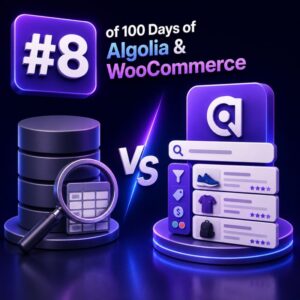
Algolia vs Database Search: What’s the Difference?

WooCommerce stores commonly start with database-backed search and later add Algolia when shoppers need faster, more relevant product discovery. These systems solve related problems, but they operate at different layers and have different strengths. What database search means in WooCommerce Database search runs a query against WordPress and WooCommerce data, usually in MySQL or MariaDB. Product names, SKUs, descriptions, attributes, taxonomies, prices, stock status, and custom fields are stored in relational tables and queried when a shopper submits a search. A basic implementation may use a query equivalent to: SELECT ID, post_title FROM wp_posts WHERE post_type = 'product' AND post_status = 'publish' AND post_title LIKE '%boots%'; Production WooCommerce searches are usually more complex. They may join product metadata, lookup tables, taxonomy relationships, visibility rules, multilingual

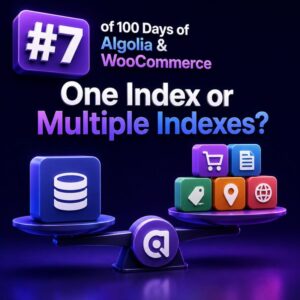
One Index or Multiple Indexes?

The decision to use one Algolia index or several should follow the search experience, data boundaries, and operational requirements of the WooCommerce store. It should not be based only on how the catalog is organized in WordPress. What an Algolia index represents An Algolia index is a searchable collection of records with its own settings, searchable attributes, ranking configuration, synonyms, rules, and replicas. In a WooCommerce implementation, an index might contain products, product variations, blog content, documentation, or records from several stores. The right design starts with the question: Do these records need to be searched, ranked, filtered, secured, and maintained in the same way? If the answer is yes, a shared index is often simpler. If the answer is no, separate indexes may be

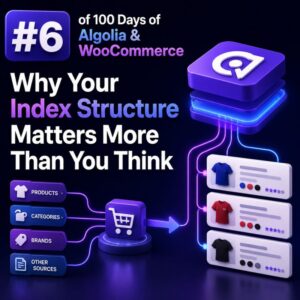
Why Your Index Structure Matters More Than You Think

Index structure is a search decision, not a database export For a WooCommerce store, an Algolia index should be designed around the questions shoppers ask, not around the tables produced by WordPress and WooCommerce. A product record that mirrors every post field, taxonomy relationship, and metadata value may look convenient, but it often produces large records, inconsistent relevance, and difficult facet behavior. Start by defining the search experience. If shoppers need to find products by name and SKU, filter by brand and size, and sort by price or popularity, the index should contain those values in a predictable shape. Data that has no role in search, filtering, ranking, display, or analytics usually does not belong in the record. A practical WooCommerce product record A product

Searchable Attributes: The Most Important Setting You’ll Configure

Why searchable attributes matter searchableAttributes determines which indexed product fields Algolia examines when a shopper enters a query. In a WooCommerce store, this setting has a direct effect on whether customers find the right product quickly—or receive results dominated by irrelevant descriptions, internal data, or low-value matches. This is not a list of fields that should merely exist in your product records. It is a deliberate ranking strategy. The order of the attributes determines which matches are considered more important when Algolia ranks results. For example, a search for blue running shoes should normally prioritize: A product title containing the phrase A brand or product type match A category match Relevant descriptive copy Supporting fields such as SKU or model number A practical WooCommerce configuration

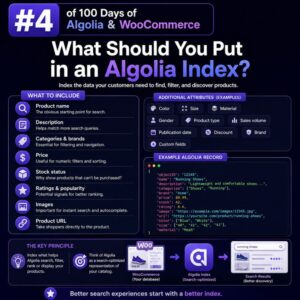
What Should You Put in an Algolia Index?

Start with the customer’s search experience An Algolia index should contain the product information shoppers need to discover, compare, and select items. It should not be a copy of every column in the WooCommerce database. For an agency project, define the search and browsing experiences first: Which product fields should match a query? Which attributes should customers use as filters? Which values should appear in search results, autocomplete, and category pages? Which products, prices, or stock states must be hidden from a shopper? The answers determine the index schema. Keeping the schema focused reduces record size, simplifies synchronization, and makes ranking easier to manage. The minimum product record Every Algolia record needs a stable objectID. In WooCommerce, this is commonly the product ID, provided that

Records, Objects and ObjectIDs: The Algolia Basics

Why the record is the unit of search Algolia does not index a WooCommerce product, post, or database row directly. It indexes a JSON document called a record. Each record contains the fields Algolia can search, filter, display, or use for ranking. For a simple WooCommerce product, a record might look like this: { "objectID": "product_4821", "name": "Merino Wool Travel Socks", "slug": "merino-wool-travel-socks", "description": "Lightweight merino socks designed for travel and everyday wear.", "brand": "North Ridge", "categories": ["Clothing", "Socks"], "price": 24.99, "inStock": true, "image": "https://example.com/uploads/merino-socks.jpg", "url": "https://example.com/product/merino-wool-travel-socks/" } This is separate from the underlying WordPress wp_posts, post metadata, taxonomy tables, and WooCommerce lookup tables. Your indexing process selects the product data that should be available to the search experience and transforms it into an Algolia

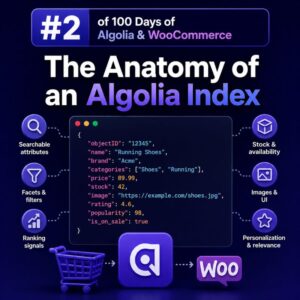
The Anatomy of an Algolia Index

What an Algolia index contains An Algolia index is a collection of JSON records that Algolia searches and ranks. For a WooCommerce store, an index commonly represents a searchable product catalog, but it can also contain categories, brands, blog posts, or other content types. An index is not a direct mirror of a WooCommerce database table. It is a search-optimized, denormalized representation of the data customers need to discover products. A single product record might include its name, SKU, brand, category hierarchy, prices, stock status, image URLs, and selected attributes in one document. Records and objectID Each item in an index is a record. Records are JSON objects, and every record must have a unique objectID. Algolia uses this value to identify records when updating,

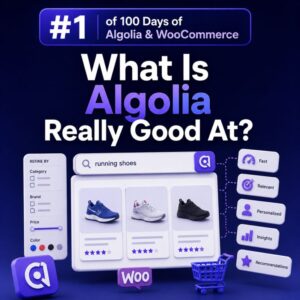
What Is Algolia Really Good At?

Fast product discovery at scale Algolia is particularly strong when a WooCommerce store needs to help shoppers find products quickly across a large or complex catalog. It is a hosted search service built for low-latency responses, so it can return matching products while a customer types rather than waiting for a full page reload or a slow database query. This is useful for stores with thousands of products, multiple variations, technical specifications, or inconsistent customer terminology. A search for wireless drill can return relevant products before the shopper has finished typing, while a search for dril can still produce useful results through typo tolerance. Search experiences that feel responsive Algolia works well for autocomplete and search-as-you-type interfaces. A WooCommerce implementation can show product suggestions, categories,