

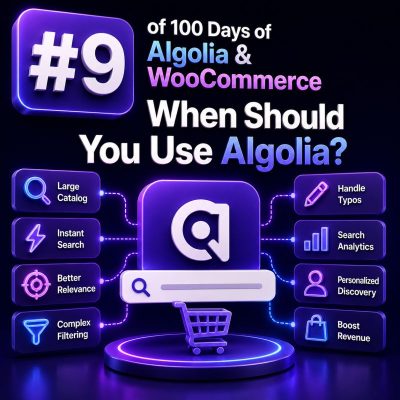
Algolia is most useful when WooCommerce search is a core part of the buying journey rather than a secondary navigation feature. It can provide fast, typo-tolerant search, faceting, filtering, autocomplete, merchandising controls, and analytics without requiring the WordPress database to handle every complex product query.
Use Algolia When Search Drives Product Discovery
Algolia is a strong candidate for stores where customers search by product name, SKU, specification, compatibility, brand, or category. This is especially common in large catalogs, wholesale stores, parts suppliers, and stores with technical products.
For example, a customer searching for bosch gsb 18v drill may expect results for spelling variations, related product titles, product attributes, and compatible accessories. A basic WordPress or WooCommerce query may return incomplete results or require expensive database searches. Algolia can index the relevant product data and return matching records quickly.
Common Signals That Algolia Is a Good Fit
- The catalog contains thousands or millions of products, variations, or searchable records.
- Customers regularly use the search box instead of browsing category pages.
- Search must support typo tolerance, synonyms, partial matches, or alternate terminology.
- Shoppers need instant filtering by attributes such as brand, size, voltage, material, color, or availability.
- The store serves multiple markets, languages, catalogs, or customer groups.
- Search traffic creates database load or slow response times during peak periods.
- The business needs search analytics to identify zero-result queries, popular searches, and conversion opportunities.
- The merchandising team needs to promote, hide, pin, or reorder specific products for selected searches.
Use Algolia for Faceted and Attribute-Heavy Catalogs
WooCommerce stores with structured product data often benefit from Algolia’s faceting model. A search response can include matching products and facet counts for filters such as brand, price range, stock status, size, or technical specifications.
For example, a B2B electrical supplier might allow customers to search for cable and then filter by voltage, conductor material, length, certification, and manufacturer. This experience is usually more effective when those attributes are indexed deliberately as searchable, filterable, or sortable fields rather than assembled through multiple live database queries.
Use Algolia When the Front End Needs Instant Feedback
Algolia works well for autocomplete and search-as-you-type experiences. A WooCommerce agency can use it to display suggested products, categories, brands, and recent searches as the customer enters text. This can reduce the number of poorly formed searches and help customers reach a product page faster.
Search results can also update without a full page reload. This is useful for headless WooCommerce builds, custom storefronts, and performance-sensitive themes, provided that the integration preserves accessibility, keyboard navigation, URL state, and progressive enhancement.
Do Not Choose Algolia Solely Because the Catalog Is Large
A large catalog is only one consideration. Algolia may be unnecessary for a small store with straightforward product names, limited filtering, and modest traffic. Native WooCommerce search, a well-configured WordPress search plugin, or a dedicated server-side search solution may be easier to operate and less expensive in that situation.
Before recommending Algolia, measure the current search experience. Review response times, database load, zero-result searches, conversion after search, catalog size, variation volume, and the complexity of the required filters. A small catalog with poor product attributes may not improve simply by moving search to another platform.
Consider the Operational and Data Costs
Algolia introduces an external search service, a separate index, integration code, and usage-based capacity considerations. The agency must account for records, search requests, indexing operations, environments, and any additional products or features used by the implementation.
The index also becomes a second representation of WooCommerce data. Product creation, updates, deletions, stock changes, price changes, visibility rules, and taxonomy changes must be synchronized reliably. A suitable implementation should include:
- A defined indexing strategy for products and variations.
- Incremental updates for normal catalog changes.
- A full reindex process for recovery and schema changes.
- Monitoring for failed, delayed, or partial synchronization.
- Rules for product visibility, customer-specific pricing, and stock status.
- Separate development, staging, and production indexes where appropriate.
Be Careful With Personalized or Restricted Catalogs
Algolia is not automatically appropriate for every B2B catalog. If product visibility, pricing, or inventory differs by customer, region, contract, or user role, the agency must design the index and query authorization carefully. Sensitive prices or restricted products should not be exposed through a broadly accessible index.
Possible approaches include separate indexes, secured API keys with enforced filters, server-side query mediation, or indexing only data that is safe to expose. The correct option depends on the access model, but permissions should be designed before the search interface is built.
Define the WooCommerce Integration Before Implementation
A practical Algolia project starts by defining the searchable record. A record might include the product ID, variation ID, title, SKU, URL, image, price, stock state, categories, brands, attributes, and ranking signals.
{
  "objectID": "product-4821",
  "title": "18V Cordless Impact Driver",
  "sku": "DRV-18V-4821",
  "categories": ["Power Tools", "Impact Drivers"],
  "brand": "Example Tools",
  "voltage": "18V",
  "inStock": true,
  "price": 149.99,
  "url": "/product/18v-cordless-impact-driver/"
}
The record should contain the fields needed by the search and merchandising experience, not an uncontrolled dump of all WordPress post metadata. Field types, searchable attributes, facets, ranking, synonyms, and business rules should be agreed before indexing begins.
Use a Pilot to Validate the Business Case
For an existing WooCommerce store, a focused pilot is often more useful than an immediate full migration. Index a representative part of the catalog, implement autocomplete and results for one product area, and compare the experience with the current search.
Track measurable outcomes such as search response time, zero-result rate, product click-through rate, add-to-cart rate after search, conversion rate, and infrastructure load. Also test catalog updates, out-of-stock products, variations, redirects, analytics consent, and customer-specific visibility before expanding the integration.
A Practical Decision Rule
Recommend Algolia when the store has meaningful search complexity, search-related performance or conversion problems, and a team that can maintain a reliable product-data synchronization process. Avoid it when the catalog and search behavior are simple, the expected usage does not justify an external service, or the business has not yet fixed incomplete attributes, inconsistent naming, and poor product data.