

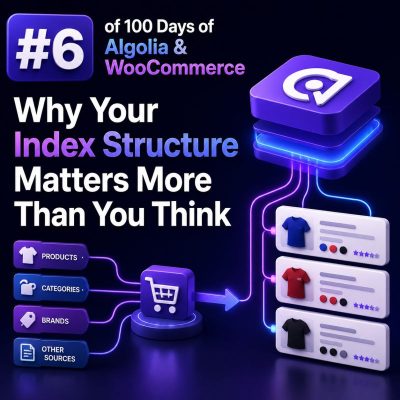
Index structure is a search decision, not a database export
For a WooCommerce store, an Algolia index should be designed around the questions shoppers ask, not around the tables produced by WordPress and WooCommerce. A product record that mirrors every post field, taxonomy relationship, and metadata value may look convenient, but it often produces large records, inconsistent relevance, and difficult facet behavior.
Start by defining the search experience. If shoppers need to find products by name and SKU, filter by brand and size, and sort by price or popularity, the index should contain those values in a predictable shape. Data that has no role in search, filtering, ranking, display, or analytics usually does not belong in the record.
A practical WooCommerce product record
A product index record should contain the fields required to render a result and support the intended search controls. For example:
{
  "objectID": "4821",
  "product_id": 4821,
  "name": "Waterproof Hiking Jacket",
  "slug": "waterproof-hiking-jacket",
  "sku": "JKT-4821",
  "brand": "North Ridge",
  "categories": ["Outdoor Clothing", "Jackets"],
  "price": 129.99,
  "currency": "USD",
  "image": "https://example.com/uploads/jacket.jpg",
  "url": "https://example.com/product/waterproof-hiking-jacket/",
  "in_stock": true,
  "rating": 4.8,
  "review_count": 126,
  "sizes": ["S", "M", "L", "XL"],
  "colors": ["Black", "Blue"],
  "_tags": ["featured", "sale"]
}
This structure separates values used for display from values used for discovery. It also keeps frequently filtered values in simple, consistent fields instead of burying them inside serialized metadata or HTML.
Use searchable attributes deliberately
Algolia searches the attributes configured in searchableAttributes. Their order affects relevance, so put the most important fields first:
[
  "name",
  "brand",
  "categories",
  "sku",
  "description"
]
For most stores, the product name should carry more weight than a long description. Including raw WooCommerce descriptions can introduce boilerplate, shipping text, and repeated marketing content that overwhelms useful product terms. If descriptions are needed, clean them before indexing and consider placing them below more precise attributes.
SKU search is useful for trade customers and support teams, but it should not usually outrank the product name for ordinary shoppers. A separate SKU-focused experience or a lower-priority searchable attribute can prevent an exact code from dominating unrelated consumer searches.
Design facets as stable filter fields
Facets need predictable values and appropriate Algolia configuration. Common WooCommerce facets include brand, category, size, color, availability, and price ranges.
attributesForFaceting: [
  "searchable(brand)",
  "categories",
  "sizes",
  "colors",
  "filterOnly(in_stock)",
  "filterOnly(visibility)"
]
Use searchable() for facets where users may need to search a long list, such as brands. Use filterOnly() for fields used in filters but not displayed as facet values. Boolean and numeric fields should be represented consistently; do not index in_stock as sometimes true, sometimes 1, and sometimes "yes".
Price should be indexed as a number when it is used for numeric filtering, sorting, or merchandising. Avoid formatting it as "$129.99" in the field used for filtering. Keep a numeric price for search operations and a formatted price string separately if the front end needs one.
Choose a variant strategy before indexing
Variable products are one of the most important structural decisions in WooCommerce search. There are two common approaches.
One record per parent product
In this model, each product has one record containing aggregated variant values:
{
  "objectID": "4821",
  "name": "Classic Cotton T-Shirt",
  "sizes": ["S", "M", "L", "XL"],
  "colors": ["Black", "White"],
  "min_price": 19.99,
  "max_price": 24.99,
  "in_stock": true
}
This works well when the search result should represent one product card. It avoids duplicate cards and supports filters such as “show products available in blue.” The record must be updated whenever a child variation changes stock, price, or attribute values.
One record per variant
In this model, each variation is searchable as its own record. This is useful when shoppers need to find an exact combination, such as a replacement part with a specific size and finish. Include the parent product identifier and a stable variant identifier:
{
  "objectID": "4821-7743",
  "product_id": 4821,
  "variation_id": 7743,
  "name": "Classic Cotton T-Shirt",
  "variant_label": "Large / Black",
  "size": "L",
  "color": "Black",
  "price": 21.99,
  "in_stock": true
}
Variant-level records can create duplicate-looking results. If the interface should display one result per parent product, use Algolia’s distinct feature with an attribute such as product_id, and design the searchable record and display logic around that grouping. If every variation should remain visible, do not hide duplicates accidentally through distinct configuration.
Do not copy WooCommerce metadata blindly
WooCommerce stores many values as post metadata, but storage format and search format are different concerns. A field such as _price may be suitable for WooCommerce’s internal calculations but is not automatically a well-designed Algolia attribute. Transform values during indexing:
- Convert numeric strings to numbers.
- Remove HTML from descriptions.
- Normalize taxonomy names and slugs.
- Flatten attributes that shoppers need to filter.
- Exclude private, administrative, and checkout-only metadata.
- Use stable identifiers for URLs, records, and joins.
For example, instead of indexing a serialized attribute blob, expose sizes and colors as arrays. This makes the data usable by Algolia filters and easier for the front end to render.
Keep display fields separate from ranking fields
A product’s visible price is not necessarily the right ranking value. A store may display a sale price but rank products using popularity, margin, inventory status, or a business-specific score. Keep those concerns explicit:
{
  "price": 79.99,
  "regular_price": 99.99,
  "on_sale": true,
  "sales_count": 842,
  "inventory_score": 0.9,
  "_tags": ["sale"]
}
Configure ranking and custom ranking fields intentionally. For example, a custom ranking based on descending sales_count may be useful for a popular-products replica, while a price-sorted replica can support “price: low to high.” Do not rely on an unplanned numeric field simply because it happens to be present in the record.
Use replicas for different sort experiences
Algolia’s primary index should represent the default relevance experience. If users need alternate sorting, create replicas rather than rebuilding the same product data into unrelated indexes. Typical replicas include:
- Price ascending.
- Price descending.
- Newest products.
- Most popular products.
Replicas keep the searchable content and filters aligned while changing ranking behavior. This is easier to maintain than creating separate manually synchronized indexes for every sort option.
Plan updates around WooCommerce events
Index structure affects synchronization as much as search relevance. A product update may change more than its title. Stock, variation prices, category assignments, visibility, sale dates, images, and attributes can all affect the record.
Agencies should map WooCommerce events to the fields they can change and reindex the complete affected record when necessary. A variation stock update may require updating the parent product if the parent record contains aggregated availability. A category change may require both a product record update and a review of category facet values.
Use a stable objectID derived from the product or variation identifier. Do not use a title, URL, or generated array position, because those values can change and create orphaned records or duplicate products.
Validate the structure with real queries
Before finalizing an index, test representative searches and filters rather than inspecting records in isolation. For a clothing catalog, verify queries such as:
waterproof jacketreturns relevant products even when the exact phrase is not present in the description.- Filtering by
brand:North Ridgeworks without string-format mismatches. - Selecting
colors:Blackdoes not exclude a product whose black option is represented by a variation. - Price ranges behave numerically and include sale-priced products correctly.
- Out-of-stock products follow the store’s intended visibility policy.
- Changing a variation does not leave the parent product with stale facet or price data.
Review record size, facet counts, duplicate results, and update latency as part of acceptance testing. A useful structure is one that makes the desired query simple, keeps records synchronized with WooCommerce, and gives the front end the exact fields needed to render a trustworthy result.