

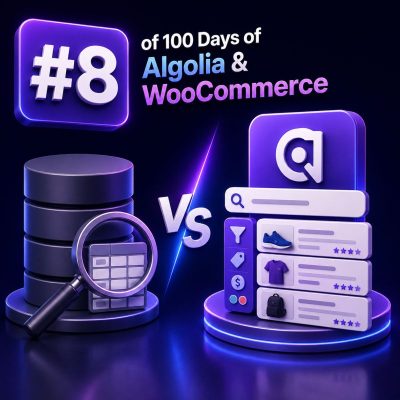
WooCommerce stores commonly start with database-backed search and later add Algolia when shoppers need faster, more relevant product discovery. These systems solve related problems, but they operate at different layers and have different strengths.
What database search means in WooCommerce
Database search runs a query against WordPress and WooCommerce data, usually in MySQL or MariaDB. Product names, SKUs, descriptions, attributes, taxonomies, prices, stock status, and custom fields are stored in relational tables and queried when a shopper submits a search.
A basic implementation may use a query equivalent to:
SELECT ID, post_title
FROM wp_posts
WHERE post_type = 'product'
  AND post_status = 'publish'
  AND post_title LIKE '%boots%';
Production WooCommerce searches are usually more complex. They may join product metadata, lookup tables, taxonomy relationships, visibility rules, multilingual tables, membership restrictions, or custom pricing data. WordPress search can also be extended with plugins that add relevance rules or database indexes.
Strengths of database search
- It queries the current store data directly, so changes are available immediately after the transaction commits.
- It can enforce complex business rules using joins, permissions, product visibility conditions, and customer-specific pricing logic.
- It does not require a separate hosted search service or an additional indexing pipeline.
- It is often sufficient for smaller catalogs and low-volume stores with straightforward search requirements.
Database search limitations
- Large catalogs and high query volume can put pressure on the primary database and affect checkout, administration, and other transactional operations.
- Basic
LIKEqueries provide limited typo tolerance, stemming, synonyms, ranking, and partial-word behavior. - Faceted navigation can require expensive joins and repeated count queries.
- Search relevance is often difficult to tune without custom SQL, dedicated indexes, or a specialized search plugin.
What Algolia search means
Algolia is a hosted search engine that maintains a separate, optimized index of searchable product records. Instead of querying WooCommerce tables for every keystroke, the storefront sends a search request to Algolia, which returns matching records, ranking information, facets, and pagination data.
A product record sent to an Algolia index might contain fields such as:
{
  "objectID": "product-4821",
  "name": "Waterproof Hiking Boots",
  "sku": "BOOT-4821",
  "categories": ["Footwear", "Hiking"],
  "brand": "North Ridge",
  "price": 129.99,
  "inStock": true,
  "imageUrl": "https://example.com/boots.jpg"
}
The index is separate from the WooCommerce database. A synchronization process must create, update, and delete records when products, variations, prices, inventory, categories, or visibility settings change.
Strengths of Algolia
- It is designed for low-latency search-as-you-type interactions and high request volumes.
- It supports typo tolerance, prefix matching, synonyms, query rules, custom ranking, highlighting, and configurable relevance.
- Facets for attributes, categories, brands, price ranges, stock status, and other filters are first-class search features.
- Search traffic is handled outside the WooCommerce database, reducing read load on the application and database servers.
- Replica indexes can support different sort orders, such as relevance, price ascending, or newest products.
Algolia trade-offs
- Search results depend on index freshness. A product update may not be visible until the synchronization job or indexing request completes.
- The integration requires reliable event handling, retry behavior, deletion handling, and monitoring for indexing failures.
- Searchable records must be designed deliberately; sending every WordPress field can increase index size and expose data that should not be public.
- Usage and pricing depend on search operations, records, and the selected Algolia plan, so agencies should estimate traffic and index growth.
- Algolia should not be treated as the system of record for orders, inventory transactions, customer permissions, or checkout validation.
How the request flow differs
Database-backed flow
- The shopper submits a query to the WooCommerce application.
- WordPress builds a database query, often with joins and filters.
- MySQL or MariaDB scans indexes and tables and returns product IDs or rows.
- WordPress loads the matching product data, applies presentation logic, and renders the response.
Algolia-backed flow
- A product synchronization process publishes a curated record to an Algolia index.
- The shopper’s browser or application sends a search request to Algolia, usually using a secured search-only key.
- Algolia applies searchable attributes, ranking, typo tolerance, filters, facets, and pagination.
- The storefront renders the returned records, while WooCommerce remains responsible for product pages, cart operations, inventory changes, and checkout.
Many implementations use a hybrid model. Algolia handles discovery and filtering, while the WooCommerce application validates product availability, price, permissions, and purchase eligibility before adding an item to the cart.
Relevance and filtering differences
Database search typically starts with a text condition and then adds application-specific filters. Relevance may be based on database full-text scores, title matching, custom weighting, or a plugin’s query logic. The final behavior can vary significantly between implementations.
Algolia separates relevance configuration from the request in a more structured way. An agency can define searchable attributes, ranking criteria, custom ranking fields, facet attributes, query rules, and synonyms in the index configuration. For example, a store can make product name more important than a long description, promote in-stock products, and configure “trainer” and “sneaker” as equivalent search terms.
Business promotion needs careful governance. If sponsored or manually promoted products are represented by a ranking field, the field must be maintained during synchronization and tested against normal relevance. Ranking changes should be measured with representative queries rather than judged only from a few examples.
WooCommerce synchronization considerations
A robust Algolia integration should define which WooCommerce events trigger indexing. Common events include product creation, product updates, variation changes, stock updates, price changes, category assignments, product visibility changes, and product deletion.
Agencies should also decide whether to index parent products, individual variations, or both. Indexing variations can improve searches for size, color, or variation-specific SKU values, but it may create duplicate-looking results. Indexing only parent products produces a simpler experience but may require additional logic to expose variation attributes and availability.
- Use stable object IDs so updates replace existing records instead of creating duplicates.
- Queue indexing work when bulk imports or catalog edits occur, rather than blocking the editor request.
- Make jobs retryable and idempotent so transient API failures do not leave inconsistent records.
- Process deletion events explicitly; an unpublished or deleted WooCommerce product should not remain searchable.
- Run reconciliation jobs that compare the WooCommerce catalog with the Algolia index.
- Exclude private, draft, restricted, or customer-specific data from publicly searchable records.
Choosing the right approach for an agency project
Database search is usually a reasonable choice when the catalog is modest, query volume is limited, relevance requirements are simple, and the store needs immediate consistency with minimal infrastructure.
Algolia is a stronger fit when the store requires search-as-you-type behavior, typo tolerance, rich facets, multiple sort orders, high search traffic, or a better discovery experience across a large catalog. It is also useful when the agency wants to move search workload away from the WooCommerce application and database.
The decision should be based on measured requirements rather than catalog size alone. A small catalog with complex faceting and heavy traffic may benefit from Algolia, while a large catalog with infrequent searches and highly customized permission rules may still need substantial application-side filtering.
Implementation checklist
- Measure current search latency, database load, zero-result queries, and conversion from search to product view or add-to-cart.
- Document which product fields are searchable, filterable, sortable, or displayed in results.
- Define the source of truth for price, stock, visibility, and customer-specific rules.
- Choose a synchronization strategy with retries, logging, deletion handling, and reconciliation.
- Test variation behavior, multilingual content, currency rules, tax display, and out-of-stock products.
- Use realistic query sets to evaluate typo handling, synonyms, ranking, facets, and zero-result recovery.
- Keep cart, checkout, inventory reservation, and authorization checks in WooCommerce or the appropriate transactional system.