

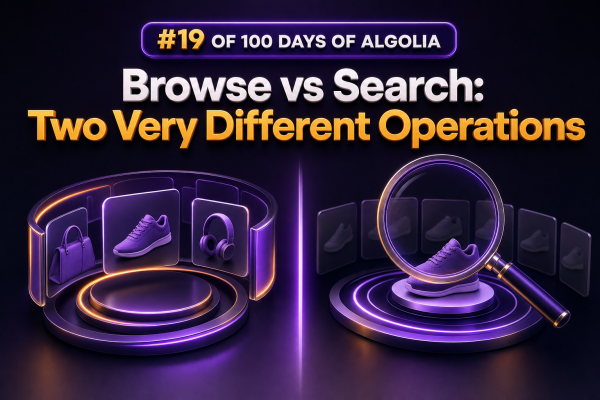
In Algolia, Search and Browse may both return records from an index, but they solve fundamentally different problems. Confusing them can lead to slow catalog imports, incomplete exports, poor shopper experiences, or unnecessary search infrastructure costs.
Search is for finding relevant products
Use the Search API when a shopper submits a query or changes a discovery control such as a facet, filter, sort option, or pagination page. Algolia evaluates the query against the index and applies its ranking configuration, including textual relevance, typo tolerance, custom ranking, synonyms, and other search settings.
A WooCommerce product search might send a request similar to this:
const response = await index.search('waterproof hiking boots', {
  filters: 'stock_status:in_stock AND price <= 200',
  facets: ['categories', 'brands', 'pa_size'],
  hitsPerPage: 24,
  attributesToRetrieve: [
    'objectID',
    'name',
    'permalink',
    'price',
    'thumbnail',
    'stock_status'
  ]
});
The returned hits are ordered according to the index’s ranking strategy. A search response can also include facets, pagination metadata, highlighting, snippets, query identifiers, and other information needed to render a storefront results page.
Browse is for reading records in bulk
Use the Browse API when an application needs to inspect or process the contents of an index rather than find the best matches for a query. A browse operation is appropriate for tasks such as catalog validation, data migrations, backups, audits, and administrative exports.
Browse is not a replacement for a storefront search request. It is designed to iterate through records, typically by following a cursor until the index has been traversed. It does not provide the same relevance-oriented behavior as Search, and it should not be used to decide which products are most relevant to a shopper’s query.
For example, an agency might use browse to audit every indexed WooCommerce product and identify records missing a permalink:
let cursor;
const missingPermalinks = [];

do {
  const page = await index.browseObjects({
    batch: {
      filters: 'object_type:product',
      attributesToRetrieve: ['objectID', 'name', 'permalink']
    },
    ...(cursor ? { cursor } : {})
  });

  for (const record of page.hits) {
    if (!record.permalink) {
      missingPermalinks.push(record.objectID);
    }
  }

  cursor = page.cursor;
} while (cursor);
The exact client method and response shape depend on the Algolia client version. The important implementation detail is that a bulk traversal must continue with the returned cursor rather than assuming that ordinary search pagination can enumerate the entire index.
Key differences for WooCommerce projects
- Purpose: Search serves a query-driven customer interaction. Browse serves a bulk or administrative data operation.
- Ordering: Search orders hits for relevance and configured ranking. Browse is intended to expose records for traversal, not to produce a relevance-ranked result set.
- Pagination model: Search uses search pagination and a page limit suitable for result pages. Browse uses cursor-based traversal for processing a collection.
- Response features: Search is designed to return facets, highlighting, snippets, and ranking-related metadata. Browse should be treated as a record-reading operation, not as a complete search-results response.
- Traffic pattern: Search is commonly called during customer interactions and must be optimized for latency. Browse is usually run as a controlled background task, command, or maintenance job.
- Security: Browser-facing code should use a restricted search-only API key. Administrative browse operations should run server-side with credentials that have only the permissions required for the task.
Where Browse fits into a WooCommerce integration
Catalog audits
After a product synchronization, browse the destination index to check for missing prices, invalid URLs, stale stock fields, duplicate identifiers, or records that contain unexpected attributes. This is safer than trying to expose a very large search result set to an administrator.
Migration and reindexing checks
When moving from one index to another, a server-side job can browse the source or destination index and compare object identifiers, product versions, or synchronization timestamps. Keep the operation outside the customer request lifecycle and record progress so it can resume after a failure.
Operational exports
Browse can support an internal export of indexed records for troubleshooting or reconciliation with WooCommerce. Limit the retrieved attributes with attributesToRetrieve where supported, and avoid treating the export as a canonical product database. WooCommerce remains the source of truth for product data unless the project explicitly defines another system.
Where Search fits into the storefront
Use Search for autocomplete, product listing results, category discovery, filtered navigation, and merchandising interfaces. For a category page, the application can issue a search with a filter such as categories:boots. For a stock-aware store, it can combine that filter with an inventory condition and return only the fields required by the product-card component.
Do not browse an index in a web request and then filter the results in PHP or JavaScript. That approach transfers unnecessary data, bypasses Algolia’s relevance and filtering workflow, creates inconsistent pagination, and becomes progressively slower as the catalog grows.
Implementation guidance for agencies
- Define the operation before choosing the API. If a person is looking for something, use Search. If a job needs to inspect many records, use Browse.
- Keep browse jobs asynchronous. Run them through a queue, scheduled command, or deployment task rather than a front-end request.
- Use small, purposeful attribute selections for audits and exports. Large records increase transfer size and processing time.
- Make cursor handling resilient. Persist progress where appropriate, handle retries, and expect the index to change during a long-running traversal.
- Use separate credentials and monitoring for customer search traffic and administrative indexing or audit jobs.
- Measure the two operations differently: search latency and conversion-related behavior matter for Search, while throughput, completion, retries, and error counts matter for Browse.
The practical rule is simple: Search answers “which records best match this request?” Browse answers “let me process the records in this index.” Treating them as separate operations produces cleaner WooCommerce integrations and makes both the storefront and the catalog tooling easier to operate.