Forum Replies Created
-
wpsolrKeymaster7 years, 11 months ago in reply to: Custom attribute #7329
I understand that your request is about custom attributes, not indexable in wpsolr, as opposed to global attributes which are indexable.
I’ll try to add that in the next release.
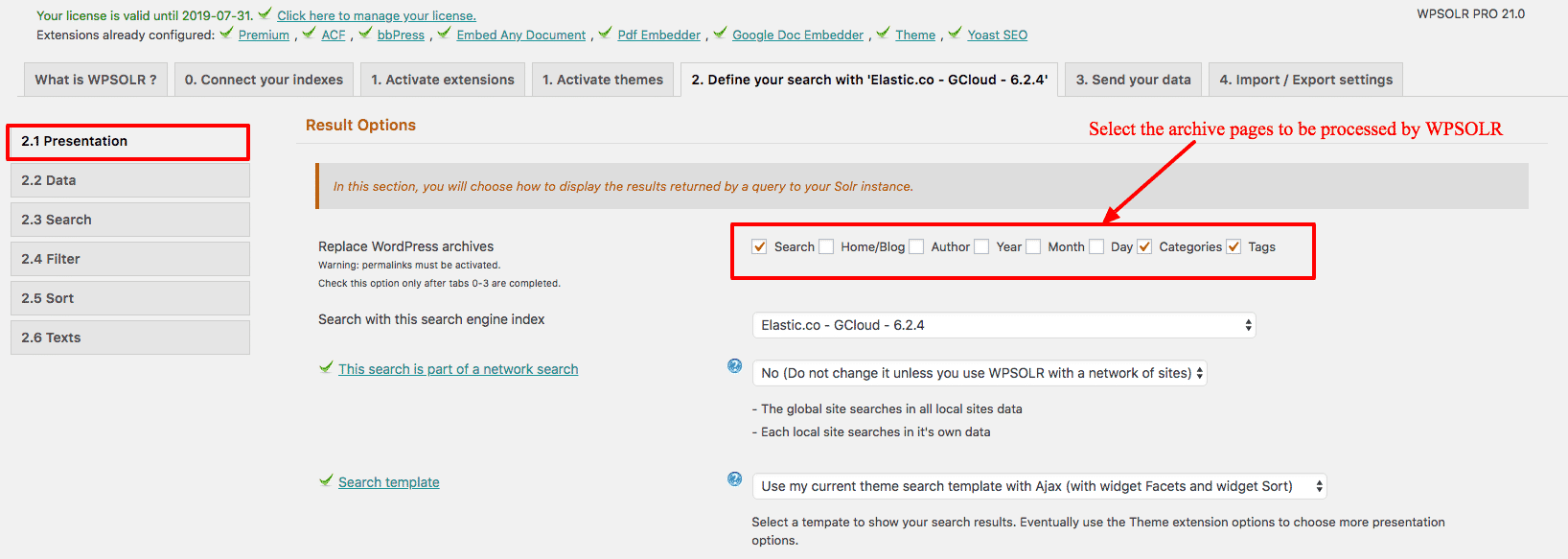
wpsolrKeymaster7 years, 11 months ago in reply to: Replace WP search on all archive pages #7210WPSOLR 21.0 was released today.
Now, in screen 2.1, one can choose which archive page will be processed with WPSOLR’s Elasticsearch/Solr search.
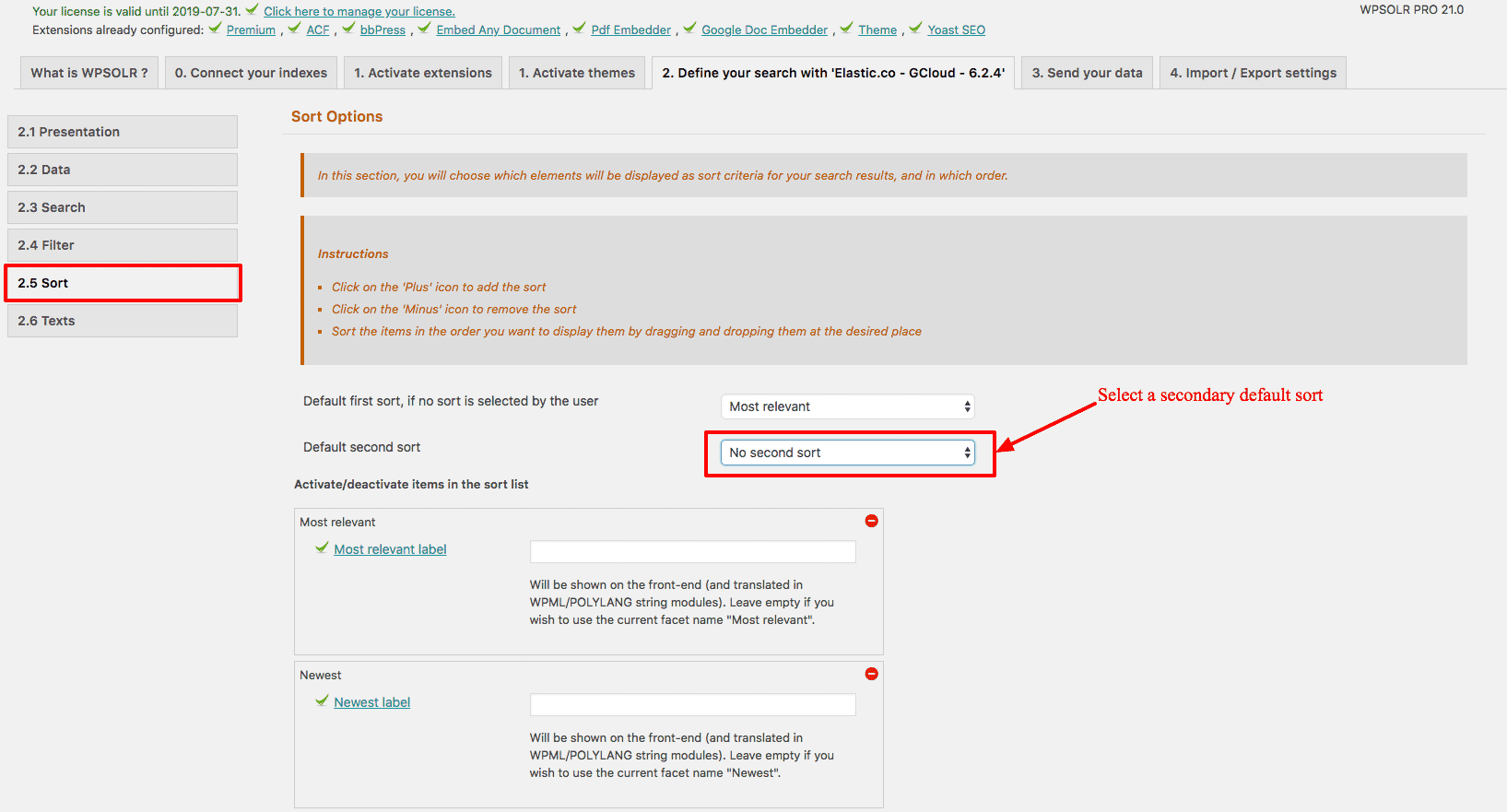
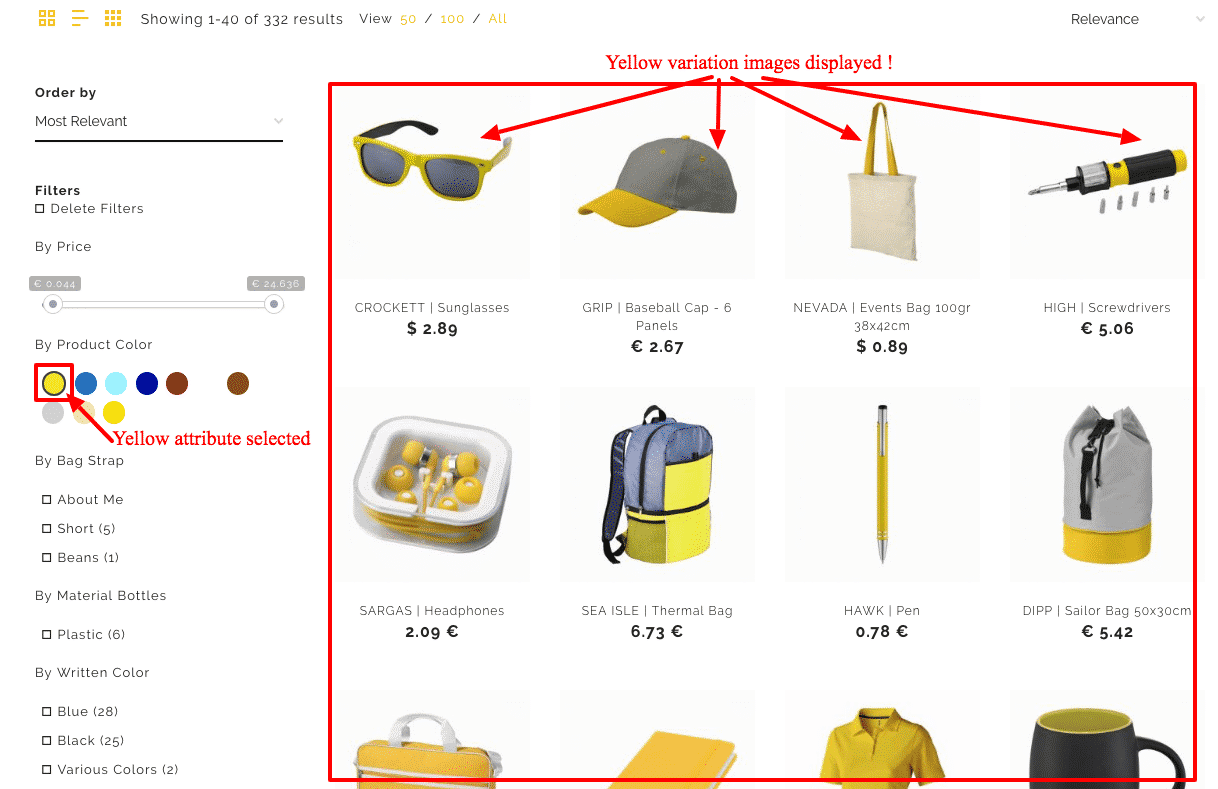
 wpsolrKeymaster7 years, 11 months ago in reply to: Add a secondary sort in screen 2.5 #7203wpsolrKeymaster7 years, 11 months ago in reply to: Match variations image in results to the color filter selected #7194
WPSOLR 21.0 was released today. It includes the feature.
 wpsolrKeymaster7 years, 11 months ago in reply to: Toolset Views plugin extension #7188
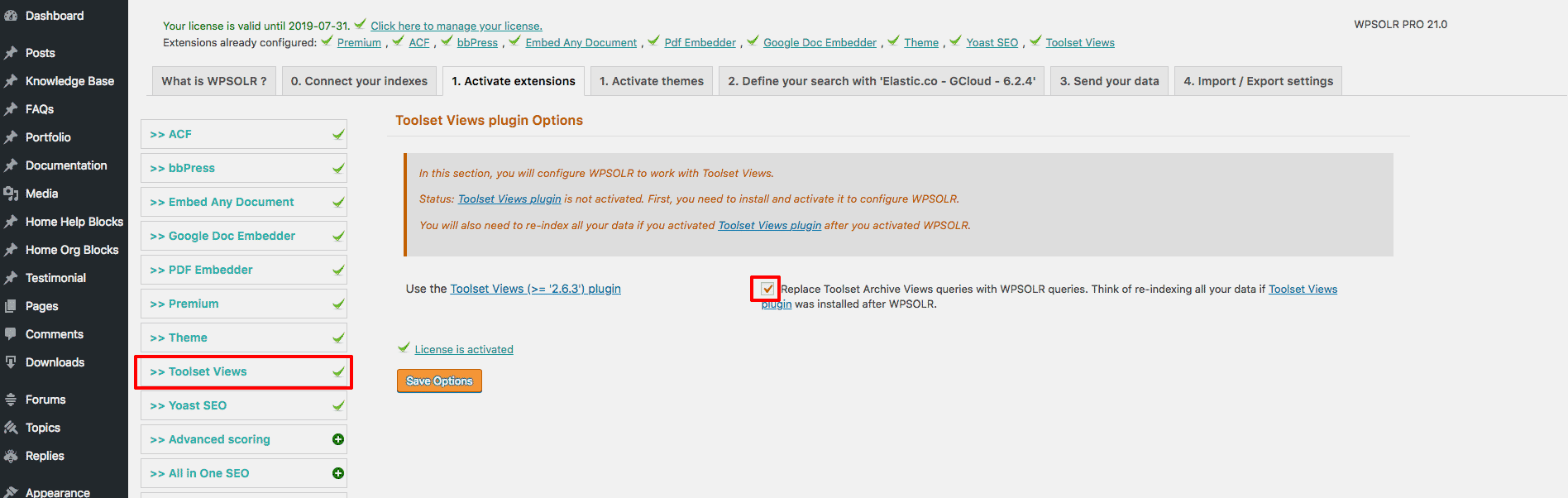
WPSOLR 21.0 was released today.
It includes a new extension for Toolset Views – The Query Builder For WordPress.
Keep 100% Archive Views features and flexibility (Ajax/Non Ajax, all archives types, all filters, pagination, all sorts), but powered by Solr or Elasticsearch.
And a huge bonus: views work seamlessly with WPSOLR facets (filters) widget.
 wpsolrKeymaster7 years, 11 months ago in reply to: Add more sorts #7183
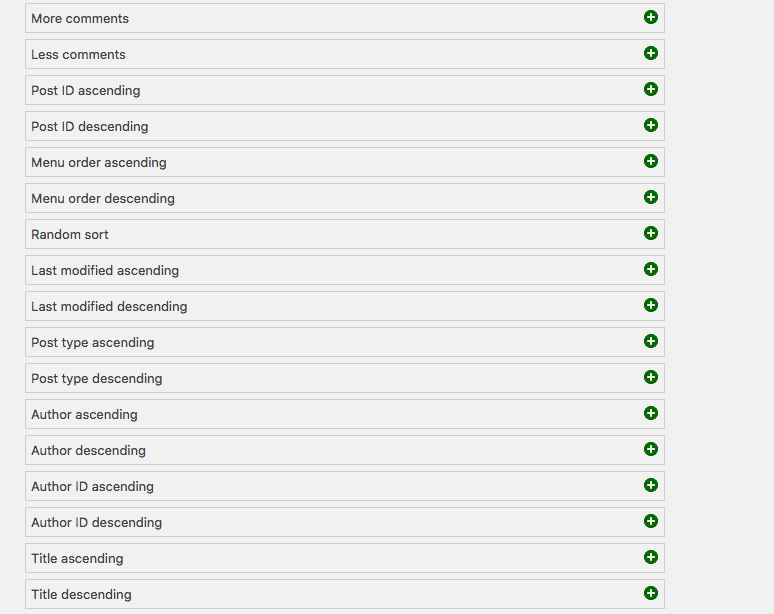
WPSOLR 21.0 was released today. It includes all the new sorts described in the topic header.
 wpsolrKeymaster7 years, 11 months ago in reply to: PHP 7 related errors #7181
WPSOLR 21.0 was released today. It includes the compatibility check to PHP 7.2.
wpsolrKeymaster7 years, 11 months ago in reply to: PHP 7 related errors #7172Next version WPSOLR 21.0 will be the first one certified PHP 7.2.
The former errors were corrected either changing WPSOLR code, or updating libraries.
https://wordpress.org/plugins/php-compatibility-checker/ is now included in the continuous integration (using command wp-cli “wp phpcompat 7.2 –scan=active”).
wpsolrKeymaster7 years, 11 months ago in reply to: PHP 7 related errors #7166These are not errors. Just sniffer reports.
I cannot comply to all PHP sniffer audit tools. My only obligation as the plugin developer is to ensure that the plugin is actually tested. Which is done with 120 Selenium tests, on PHP 7.0
I will of course try to check this report and fix what I can. But you can notice that some errors/warnings come from external libraries.
Do you have an idea of the sniffer used for your report ?
wpsolrKeymaster7 years, 11 months ago in reply to: PHP 7 related errors #7164All our tests are performed with Selenium and PHP 7.0
You should have no issue.
wpsolrKeymaster7 years, 11 months ago in reply to: WPsolr is not working #7160What did you do until now ?
wpsolrKeymaster7 years, 11 months ago in reply to: Can the search results show for tabbed content in wordpress? #7153As I understand, all Avada theme/fusion builder elements will be stored in the post type description field. Which means it will be indexed, and retrieved with the description field.
Concerning the opening of the elements (tabs, accordions …) from the search results links, that seems difficult.
I’m open to discussions if you have ideas for an implementation.
wpsolrKeymaster7 years, 11 months ago in reply to: SOLR ou ElasticSearch ? #7151Pour moi, Solr. L’admin de Solr est plus naturelle. La configuration reste à base de fichiers.
Eventuellement, lancer Solr en mode SolrCloud (même binaires à l’install) : WPSOLR utilise alors l’API SolrCloud pour créer et configurer les indexes automatiquement.
Ou bien utiliser opensolr.com: totalement intégré dans WPSOLR (/guide/video-gallery-twentysixteen-theme-search-template/video-setup-demo-twentysixteen-theme-template-opensolr/).
ElasticSearch utilise essentiellement une API. Plus complexe. En général, ElasticSearch est utilisé dans des configurations distribuées, avec des milliards de documents.
wpsolrKeymaster7 years, 11 months ago in reply to: Statistiques #7149Le mieux est d’utiliser le meilleur pour cela, Google Analytics. Creer des rapports avec les paramètres des urls de recherche ?s=
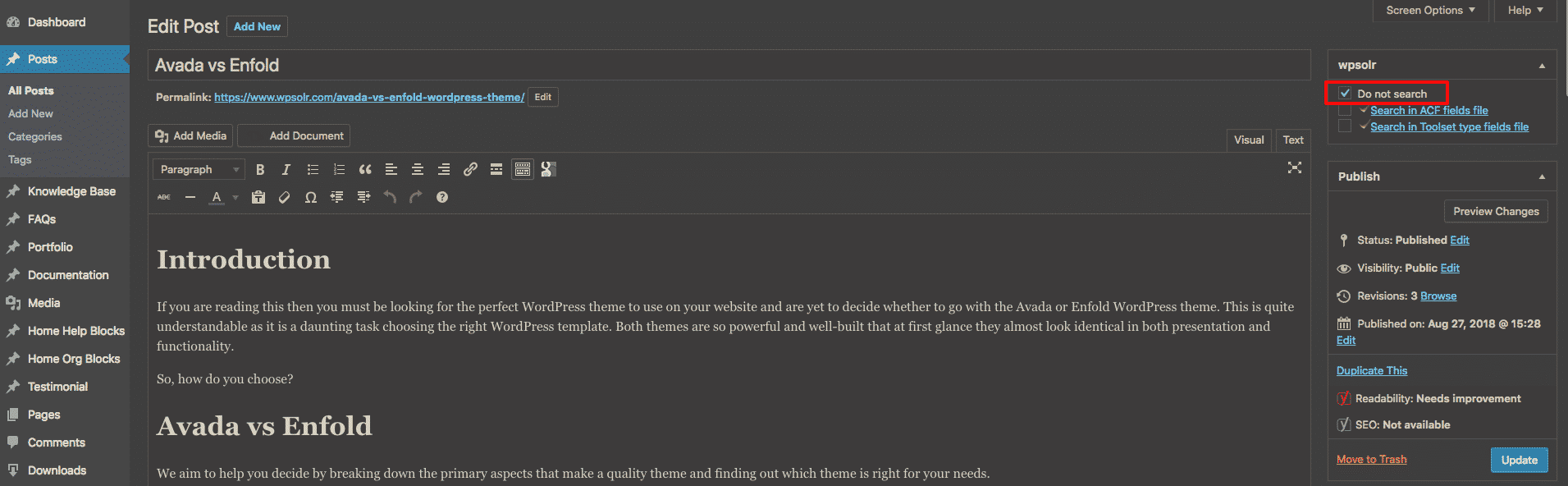
wpsolrKeymaster7 years, 11 months ago in reply to: Exclusion of select PDF files #7137Remark: the metabox option “Do not index in WPSOLR” was renamed “Do not search” in recent WPSOLR version.
In recent versions of WPSOLR, just setting the “Do not search” meta box option will remove the post from the index.
For previous versions:
– Trash the post (it will be removed from the index)
– Re-publish the post with “Do not search” checked (it will not be re-indexed)