

Forum Replies Created
-
wpsolrKeymaster7 years, 6 months ago in reply to: BETWEEN date ACF PRO #11661
2 steps to transform an ACF field in a date range:
– In screen 2.2, set your field type as a date (reindex after)
– In screen 2.4, select the slider layout on your fieldwpsolrKeymaster7 years, 6 months ago in reply to: Help: Deleted subcription, but thought I was deleting the activation #11516What is your question?
wpsolrKeymaster7 years, 6 months ago in reply to: Questions and doubts #11514@Anant Can you please create a new topic with your question in /forums/forum/licenses-and-billing/presales-enquiries/. Thanks.
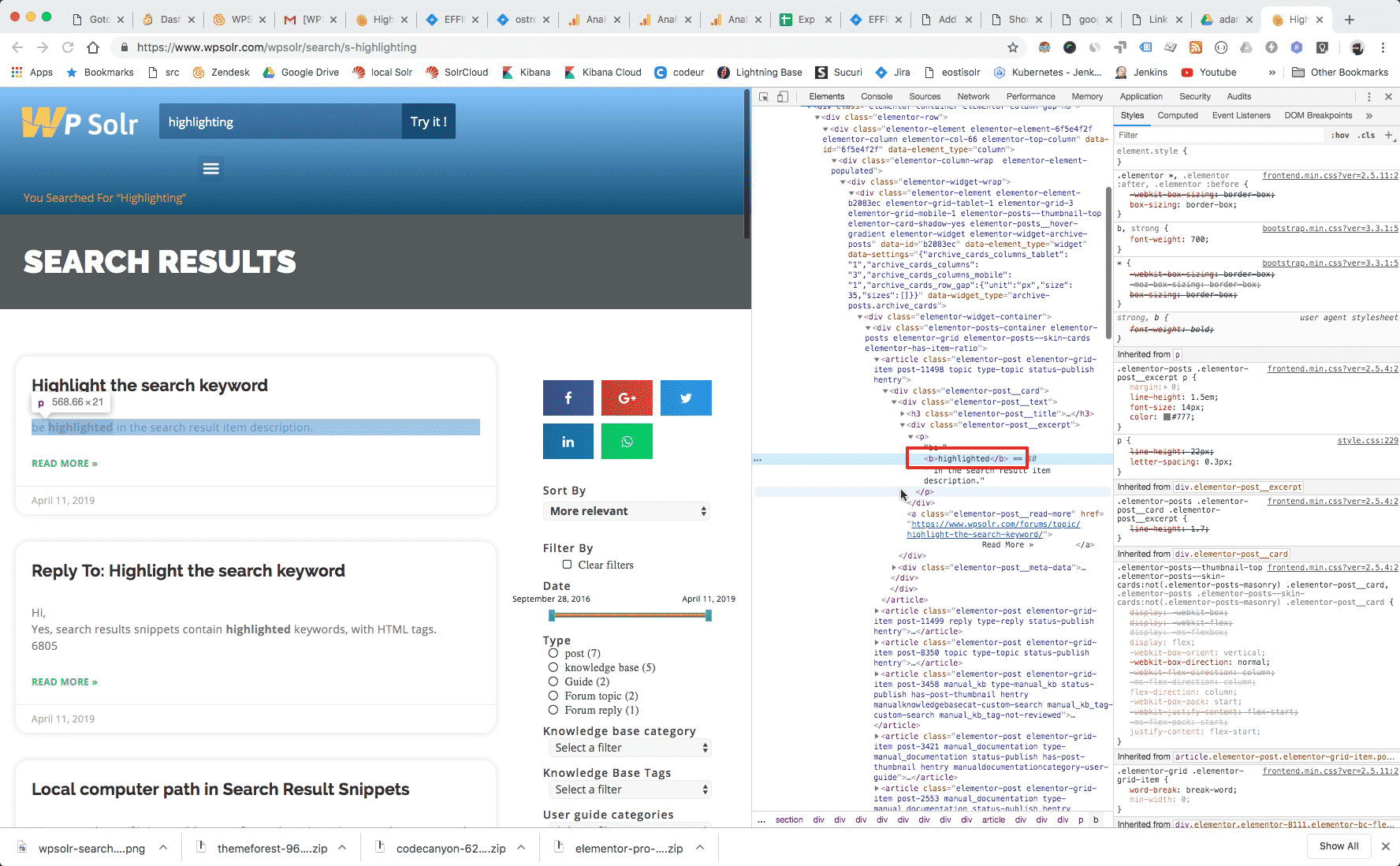
wpsolrKeymaster7 years, 6 months ago in reply to: Highlight the search keyword #11507Can you send me a shared screenshot of the search html page inspection, like the one below?
 wpsolrKeymaster7 years, 6 months ago in reply to: Highlight the search keyword #11505
There is nothing to do.
Inspect your html code, you should see your keywords embedded in tags. Perhaps you can not see them in bold font because of your theme CSS.
wpsolrKeymaster7 years, 6 months ago in reply to: Highlight the search keyword #11499Hi,
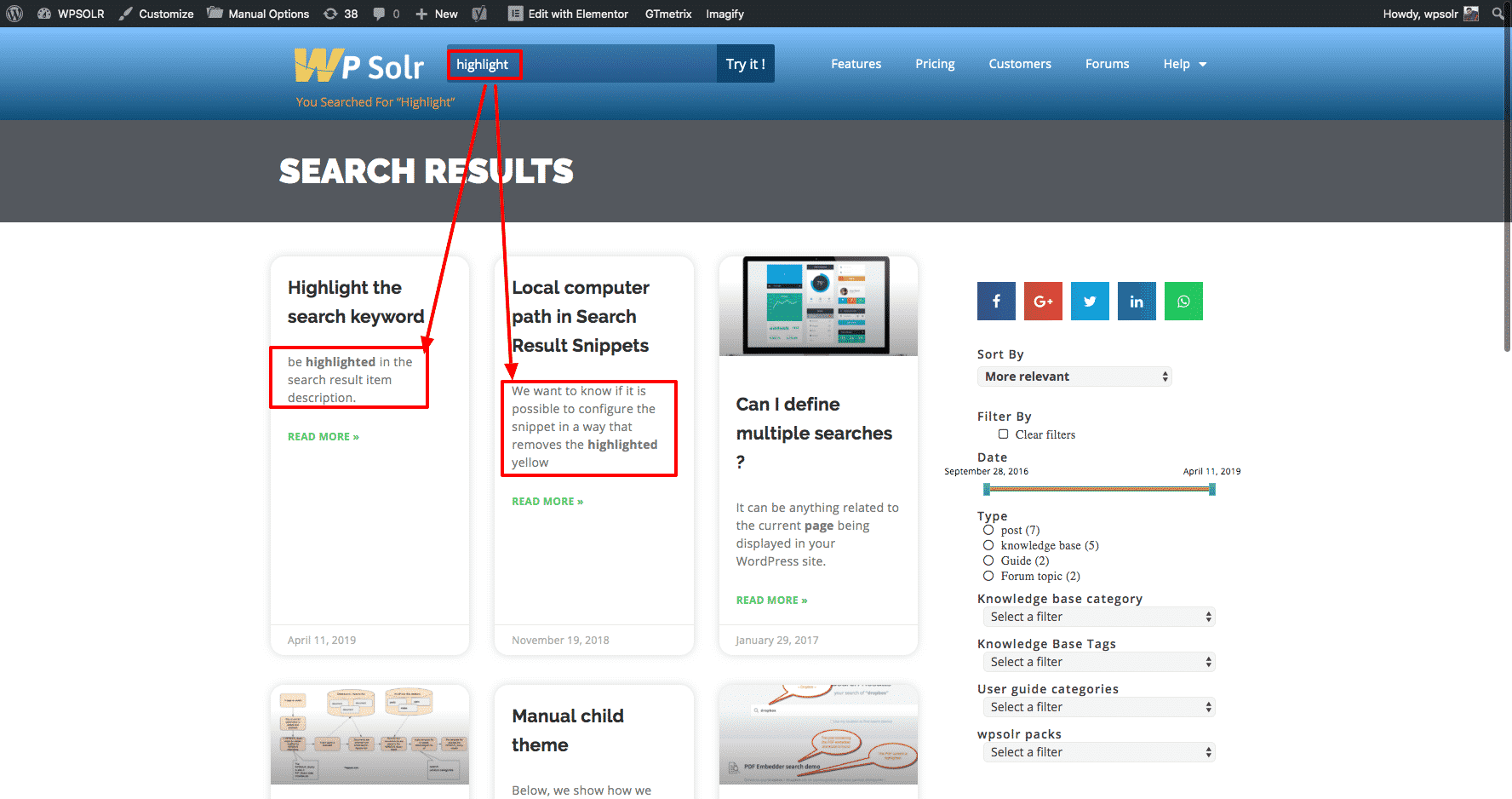
Yes, search results snippets contain highlighted keywords, with HTML tags.
 wpsolrKeymaster7 years, 6 months ago in reply to: Create custom infinite pagination #11456
Yes, with any post type your search returns.
wpsolrKeymaster7 years, 6 months ago in reply to: Create custom infinite pagination #11454I installed https://fr.wordpress.org/plugins/yith-infinite-scrolling/
It works like a charm with WPSOLR.
wpsolrKeymaster7 years, 6 months ago in reply to: Search limit (results per page) #11439You can configure dropdonwn lists (select, select2, multiselect) for your facets, indeed, in screen 2.4.
See 1:30mn in video tutorial: /guide/video-tutorials-facets-layouts/video-setup-select2-box-facets-twentysixteen-theme-template-local-elasticsearch/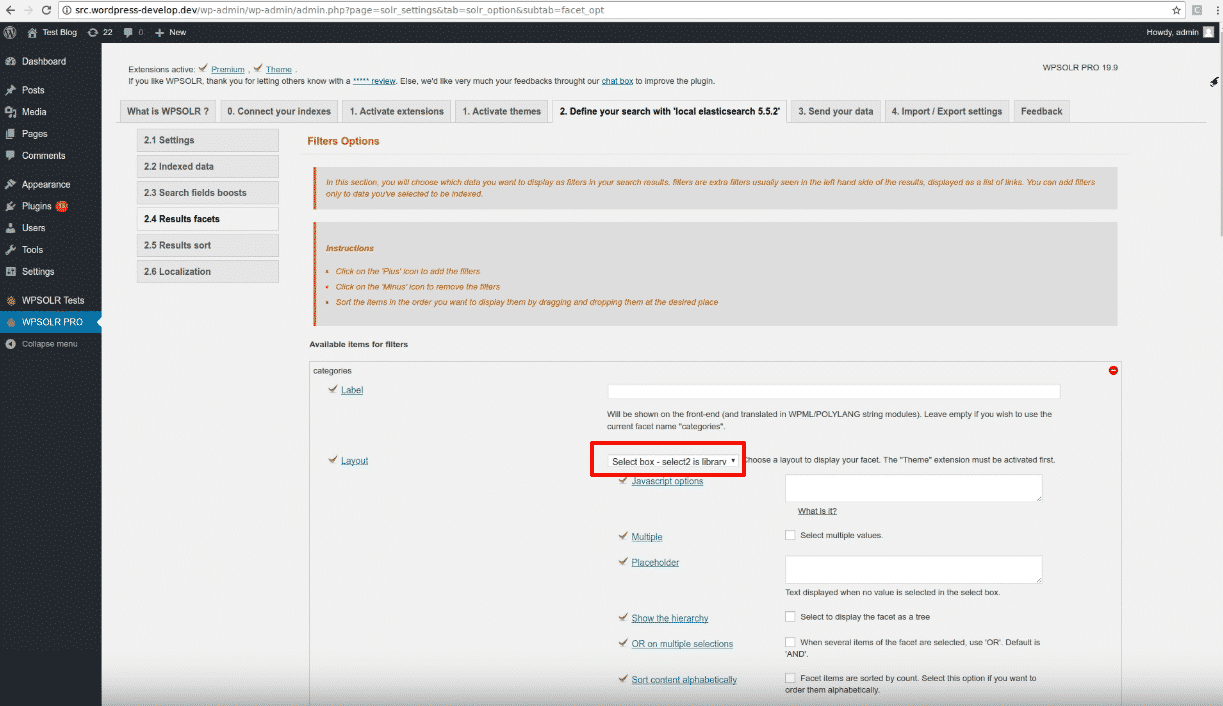
The pagination size is an option in screen 2.1:

- This reply was modified 7 years, 6 months ago by wpsolr.
- This reply was modified 7 years, 6 months ago by wpsolr.
- This reply was modified 7 years, 6 months ago by wpsolr.
- This reply was modified 7 years, 6 months ago by wpsolr.
- This reply was modified 7 years, 6 months ago by wpsolr.
- This reply was modified 7 years, 3 months ago by wpsolr.
- This reply was modified 7 years, 3 months ago by wpsolr.
wpsolrKeymaster7 years, 6 months ago in reply to: Can I get free seats on my license for my dev/test sites ? #11219You can install the plugin, no license asked, on any domain prefixed or postfixed with dev|test|staging:
localhost
dev.domain.com
domain.dev
test.domain.com
domain.test
staging.domain.com
domain.stagingwpsolrKeymaster7 years, 6 months ago in reply to: Getting error while indexing #11216Please activate briefly the WP DEBUG mode, so I can get the error full stack from debug.log
wpsolrKeymaster7 years, 6 months ago in reply to: Getting error while indexing #11214Try with batch size smaller and smaller: 50, then 10, then 1 if errors.
wpsolrKeymaster7 years, 6 months ago in reply to: Getting error while indexing #11212Neither did I.
Can you produce the full error stack, so I can relate it to WPSOLR code?
wpsolrKeymaster7 years, 6 months ago in reply to: Wpsolr Change the WP_query #11210Custom filters in url parameters is not part of WPSOLR.
You can ask for this feature in /forums/forum/technical-configuration-issues/new-features-requests/
wpsolrKeymaster7 years, 6 months ago in reply to: Filename cannot be empty #11205It could be that you have an attachment post with an empty file name. Perhaps due to faulty imports.
Edit file /wp-content/plugins/wpsolr-pro/wpsolr/core/classes/engines/class-wpsolr-abstractindexclient.php:
Replace
$response = $this->search_engine_client_extract_document_content( $post_attachement_file );with
if ( empty( trim( $post_attachement_file ) ) ) {
 throw new \Exception( 'Attachment without empty file name.' );
}
$response = $this->search_engine_client_extract_document_content( $post_attachement_file );
You will then see the attachment ID in the error message.