

Forum Replies Created
-
wpsolrKeymaster8 years ago in reply to: Add a "Do not search items" in screen 2.2 #6882
WPSOLR 20.9 has been released.
If you upgrade your current version, you’ll find a new option “Filter items from search results” in screen 2.2
 wpsolrKeymaster8 years ago in reply to: Search in all ACF file fields by default #6873
WPSOLR 20.9 has been released.
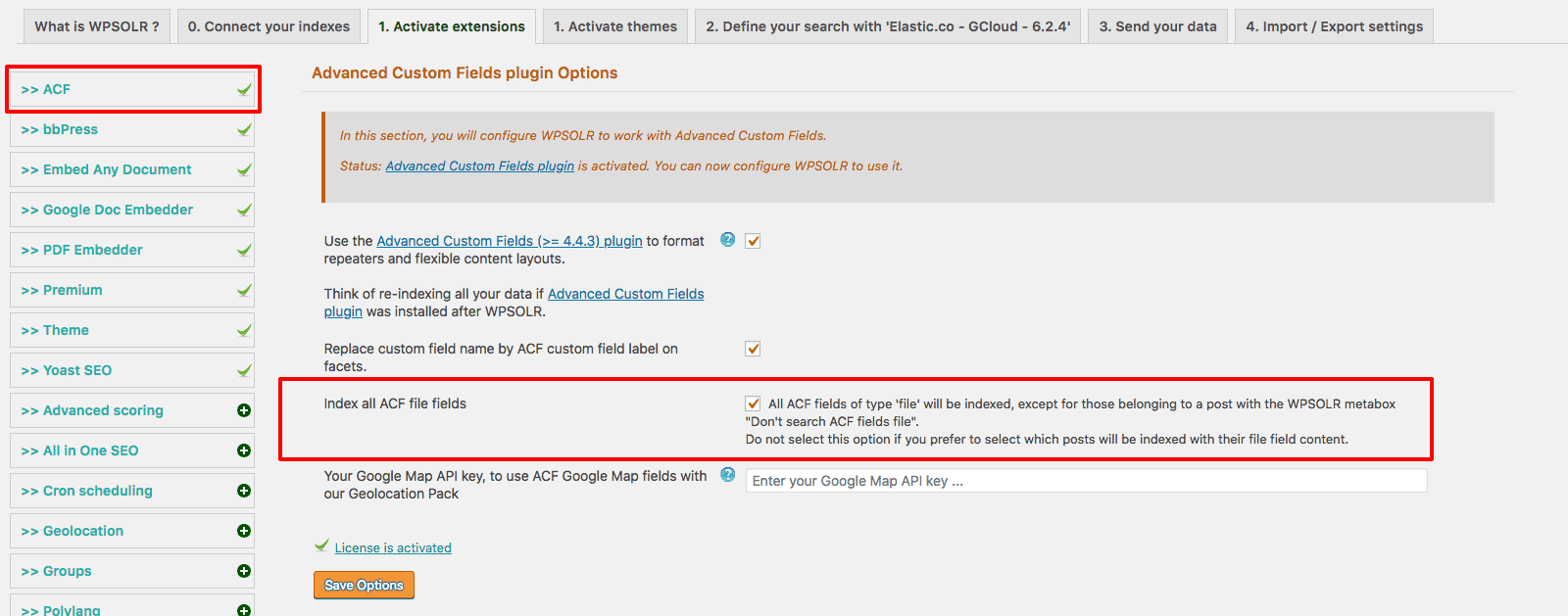
If you upgrade your version, you’ll find a new option “Index all ACF file fields” in the ACF extension screen.
 wpsolrKeymaster8 years ago in reply to: What did we pay for with our subscription? #6863
WPSOLR is a plugin only.
You can install (free), or rent, Solr or Elasticsearch.
wpsolrKeymaster8 years ago in reply to: Can auto-suggest show post titles rather than keywords, like a live-search? #6857Yes.
Please select “Suggest products” in screen 2.1;
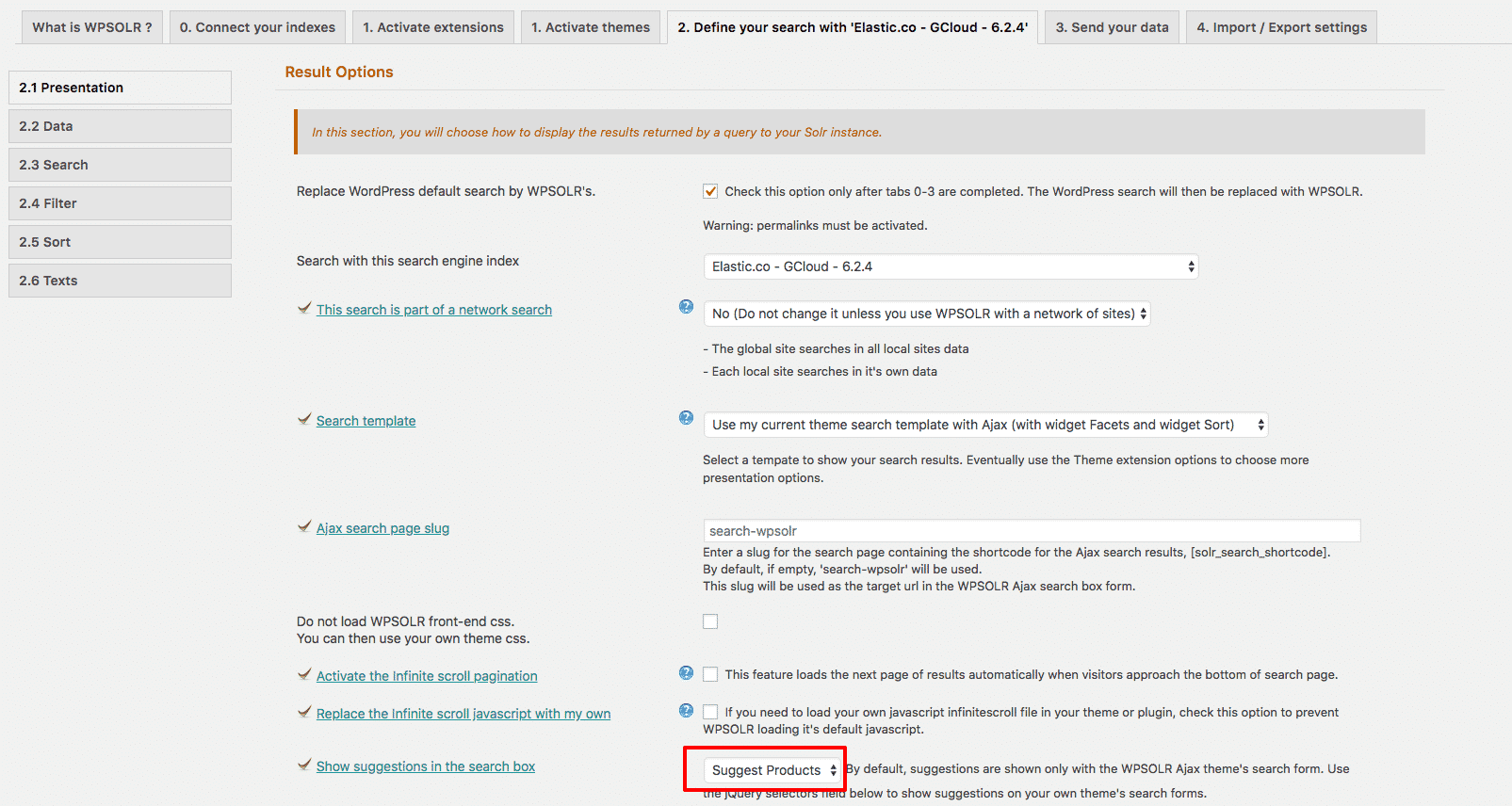
This will perform a search in the auto-suggestions, and show titles + content, instead of keywords.
You can hide the content then with some css.
For WooCommerce users: if you activate the Yith Woocommerce Ajax Search extension, you will get a better control of how your products suggestions are displayed.
 wpsolrKeymaster8 years ago in reply to: class-wpsolr-option.php: Invalid argument supplied for foreach() #6854
Please try this:
– Open the screen 2.2
– Deselect all the post types. Save.
– Select the post types again. Save.
wpsolrKeymaster8 years ago in reply to: Optimizations to index a million WooCommerce products #6851I am getting a speed of 1,000 per minute
1000 per minute seems slow. How much is your batch size ?
wpsolrKeymaster8 years ago in reply to: Optimizations to index a million WooCommerce products #6849If your performance is about indexing, you’ll have 2 factors to consider:
– WordPress
Indexing requires extracting data from WP SQL database. It requires essentially SQL performance.– Elasticsearch
As you are hosted, a few hundreds of seconds are lost each time you send a batch of documents to index.
You can consider increasing the batch size while indexing. But it can then drain more resources from WordPress.wpsolrKeymaster8 years ago in reply to: Search is not working at all #6835After study, it appears to come from your badly configured Solr index.
Please delete it first.
Then do follow this video tutorial, and create a new index:
/guide/video-gallery-create-index/video-create-apache-solr-index-semi-automatically/wpsolrKeymaster8 years ago in reply to: Search is not working at all #6833Can you add WPSOLR filters widget to your search page too ?
wpsolrKeymaster8 years ago in reply to: Search is not working at all #6831Please check out this small video with all the basic settings necessary:
/guide/video-gallery-twentysixteen-theme-search-template/video-setup-demo-twentysixteen-theme-template-local-apache-solr/wpsolrKeymaster8 years ago in reply to: Search is not working at all #6829How do you know it is not working ?
wpsolrKeymaster8 years ago in reply to: Show more facet items if requested #6821This is a very reasonable demand indeed for websites with lots of facet content, like with product attributes colors for instance.
It can be done with some css, by adding an
overflow: scroll;(This will add a scrollbar to the facet)
See https://developer.mozilla.org/fr/docs/Web/CSS/overflow
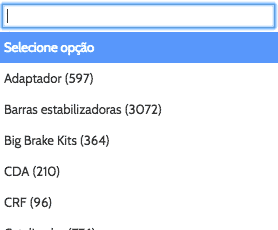
Or, more simply, you could use the select box, or even select2 box, layout on your facet.
 wpsolrKeymaster8 years ago in reply to: Change the number of facets content displayed in the widget #6818
Check in your Solr index that other facet items values are there.
If you cannot see them, it’s probably because they are not in the Solr index.
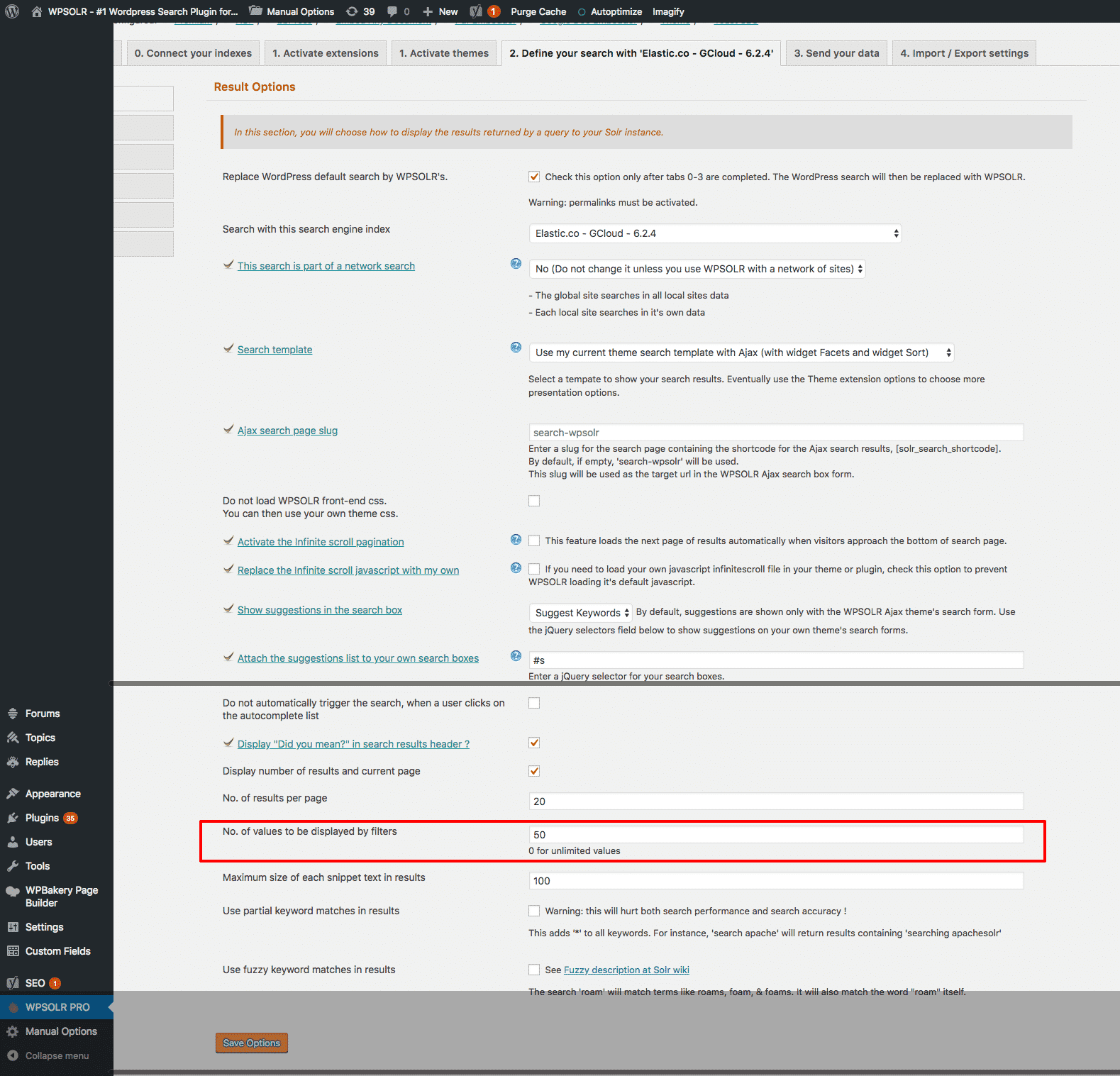
wpsolrKeymaster8 years ago in reply to: Change the number of facets content displayed in the widget #6814In screen 2.1, change option “No. of values to be displayed by filters”.
 wpsolrKeymaster8 years ago in reply to: Amazon like search ? #6812
Make an empty search. This is your theme’s rendering.