Forum Replies Created
-
wpsolrKeymaster7 years, 6 months ago in reply to: Quicksearch results by Taxonomies as well as Products #11082
Do you have errors in debug.log?
wpsolrKeymaster7 years, 6 months ago in reply to: Is there any way to get only the IDs of the posts in a query? #11075Hello,
You can loop on the global $wp_query->posts, to get the ID field.
wpsolrKeymaster7 years, 6 months ago in reply to: Change the number of facets content displayed in the widget #11071Nope. This feature was never there. And it seems pretty complex to develop.
wpsolrKeymaster7 years, 6 months ago in reply to: Change the number of facets content displayed in the widget #11068Not right now. You can ask for this feature in /forums/forum/technical-configuration-issues/new-features-requests/
wpsolrKeymaster7 years, 6 months ago in reply to: Custom data not showing #11067In your search.php, you can access the global $wp_query created by WPSOLR.
In the field $wp_query->results_set, you will find the documents returned by Elasticsearch. You ca loop on them to show your results.
wpsolrKeymaster7 years, 6 months ago in reply to: Custom data not showing #11064I understand now.
If you indexed custom data (data which is not a post type), facets and data will be retrieved from Elasticsearch. But WPSOLR will try to retrieve the $posts from the data IDs. Which he cannot, as those IDs are not from posts. Hence the empty results.
wpsolrKeymaster7 years, 6 months ago in reply to: Custom data not showing #11061And if you deactivate WPSOLR?
wpsolrKeymaster7 years, 6 months ago in reply to: Custom data not showing #11059It looks good. What is shown on your search page? ( /?s= )
wpsolrKeymaster7 years, 6 months ago in reply to: Custom data not showing #11057Please copy here your WPSOLR screens:
– 2.1
– 2.2
– 2.4
– 3. Send your datawpsolrKeymaster7 years, 6 months ago in reply to: Custom data not showing #11054I already have set WPSOLR use my current theme search template. But would I only have to change my theme search template?
Yes, WPSOLR is now replacing in the background your WP_Query, and sends the results back to your search.php template (standard WP loop). Nothing to change, unless you want to.
And how do I get the facets and sort sidebar on the search page? Or is that only possible using widgets?
Exact. Add the WPSOLR sort and facets widgets to your search page. Follow our video tutorials for the TwentySixteen theme: /guide/video-gallery-twentysixteen-theme-search-template/video-setup-demo-twentysixteen-theme-template-local-elasticsearch/ (many other tutorials are available too: /wpsolr/search/s-tutorial+twentysixteen).
wpsolrKeymaster7 years, 6 months ago in reply to: Custom data not showing #11051Hi Jasper,
Instead of using the WPSOLR Ajax template, let WPSOLR use your current theme search template. You will keep 100% control of what is displayed or not.
See: /forums/topic/customize-the-wpsolr-ajax-search-template-shortcode/
wpsolrKeymaster7 years, 6 months ago in reply to: Quicksearch results by Taxonomies as well as Products #11049wpsolrKeymaster7 years, 6 months ago in reply to: Quicksearch results by Taxonomies as well as Products #11037I have a beta for you to test. Still interested?
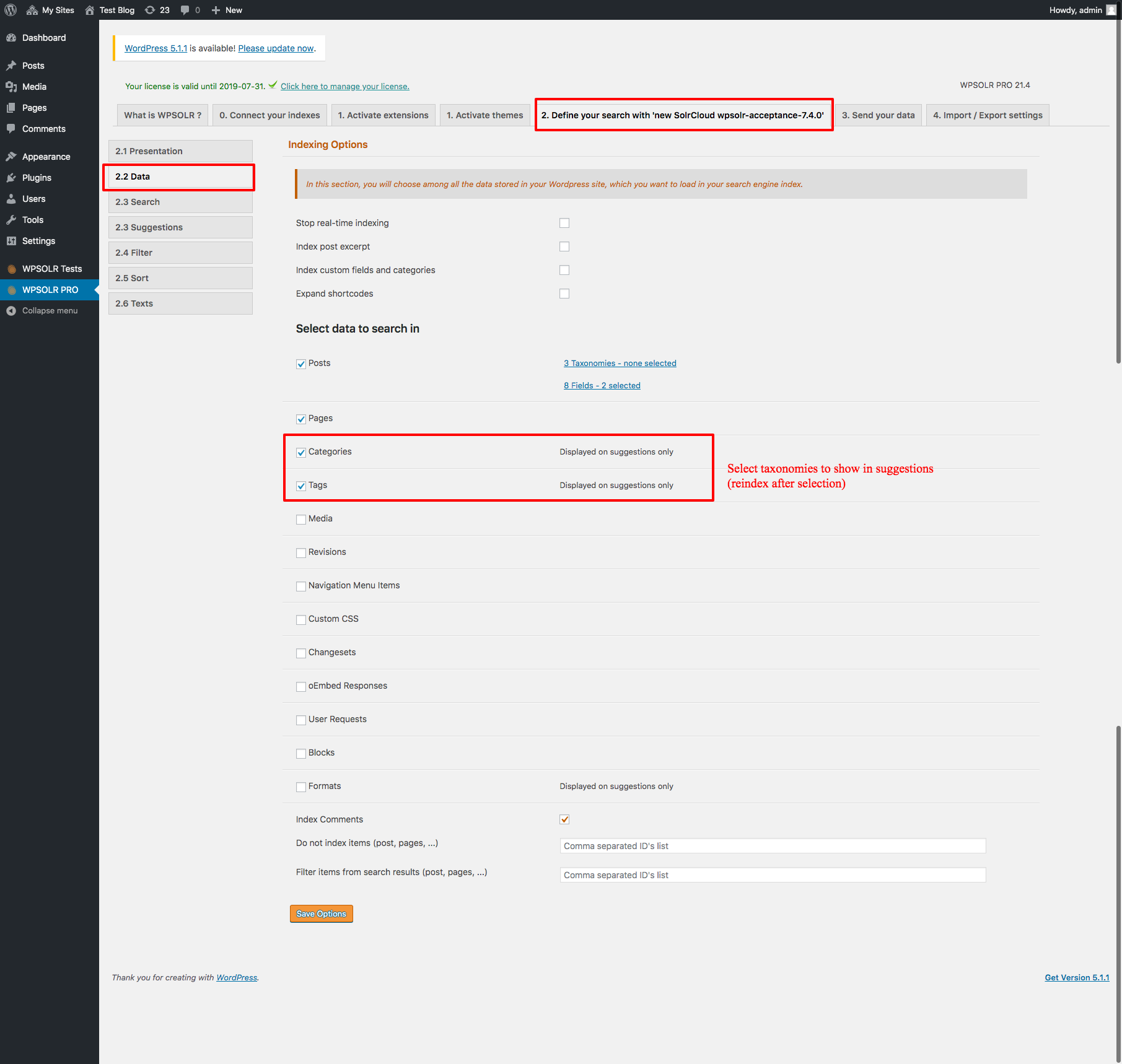
WPSOLR admin:select taxonomies to index:
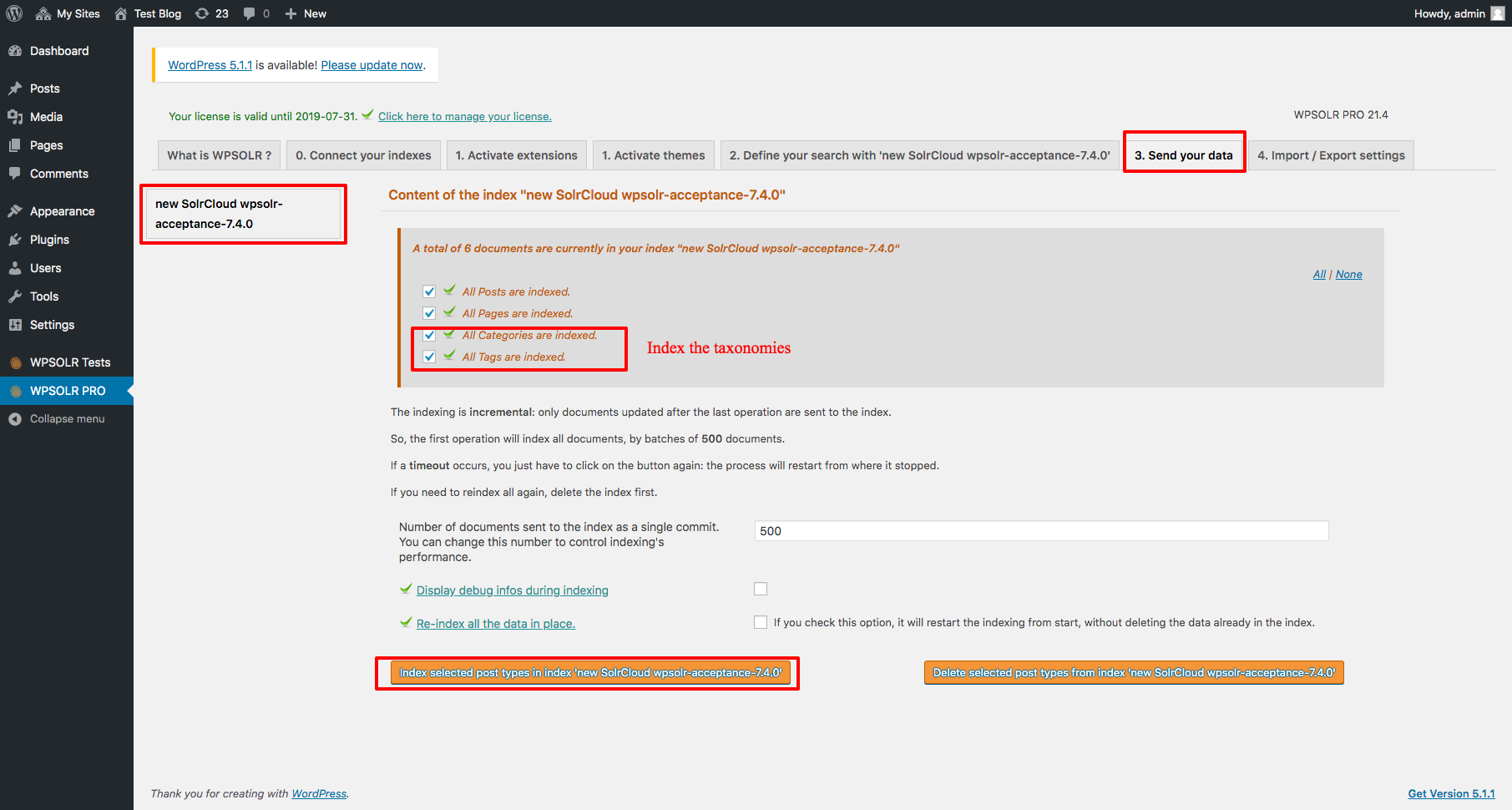
WPSOLR admin: index taxonomies:
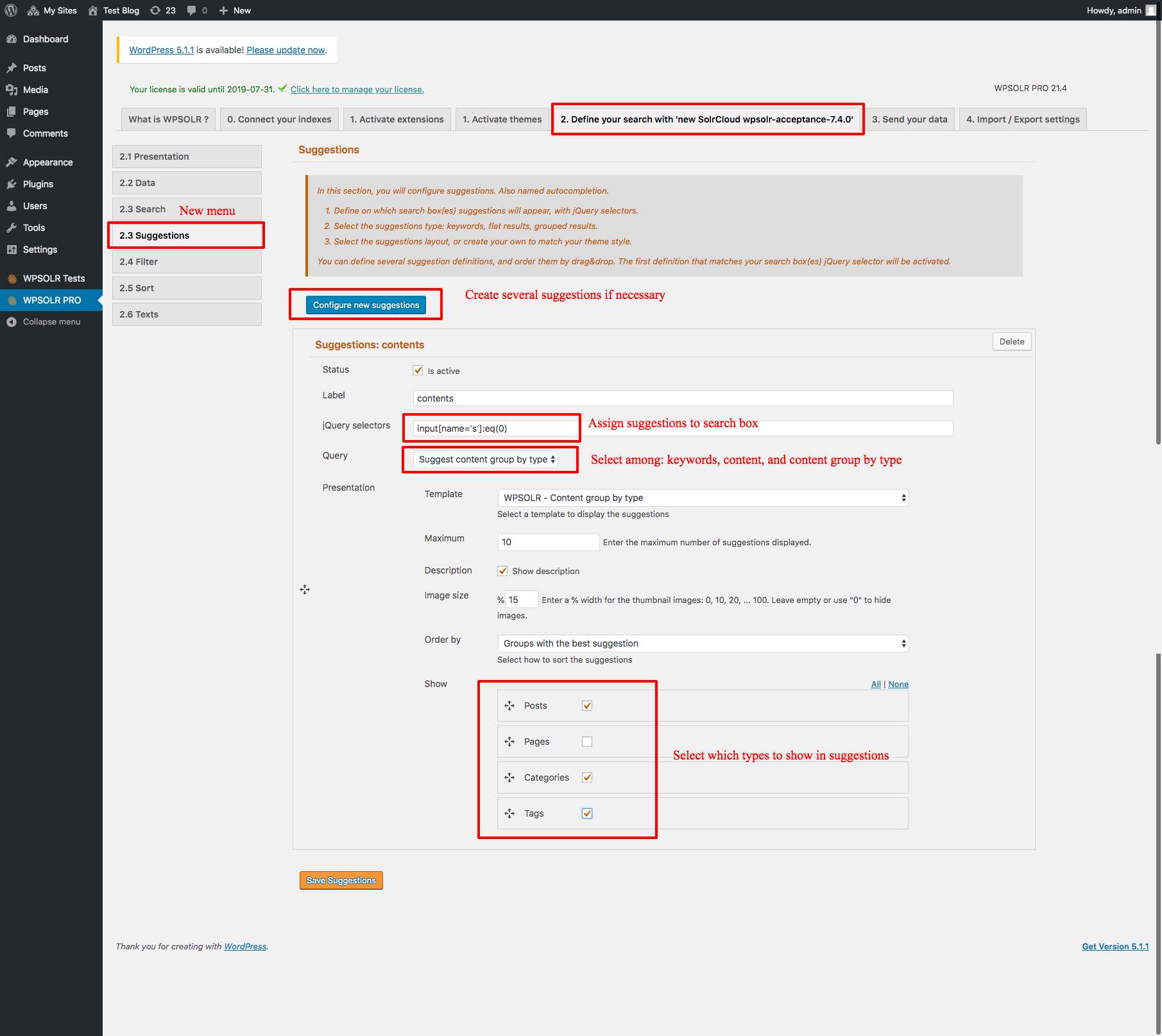
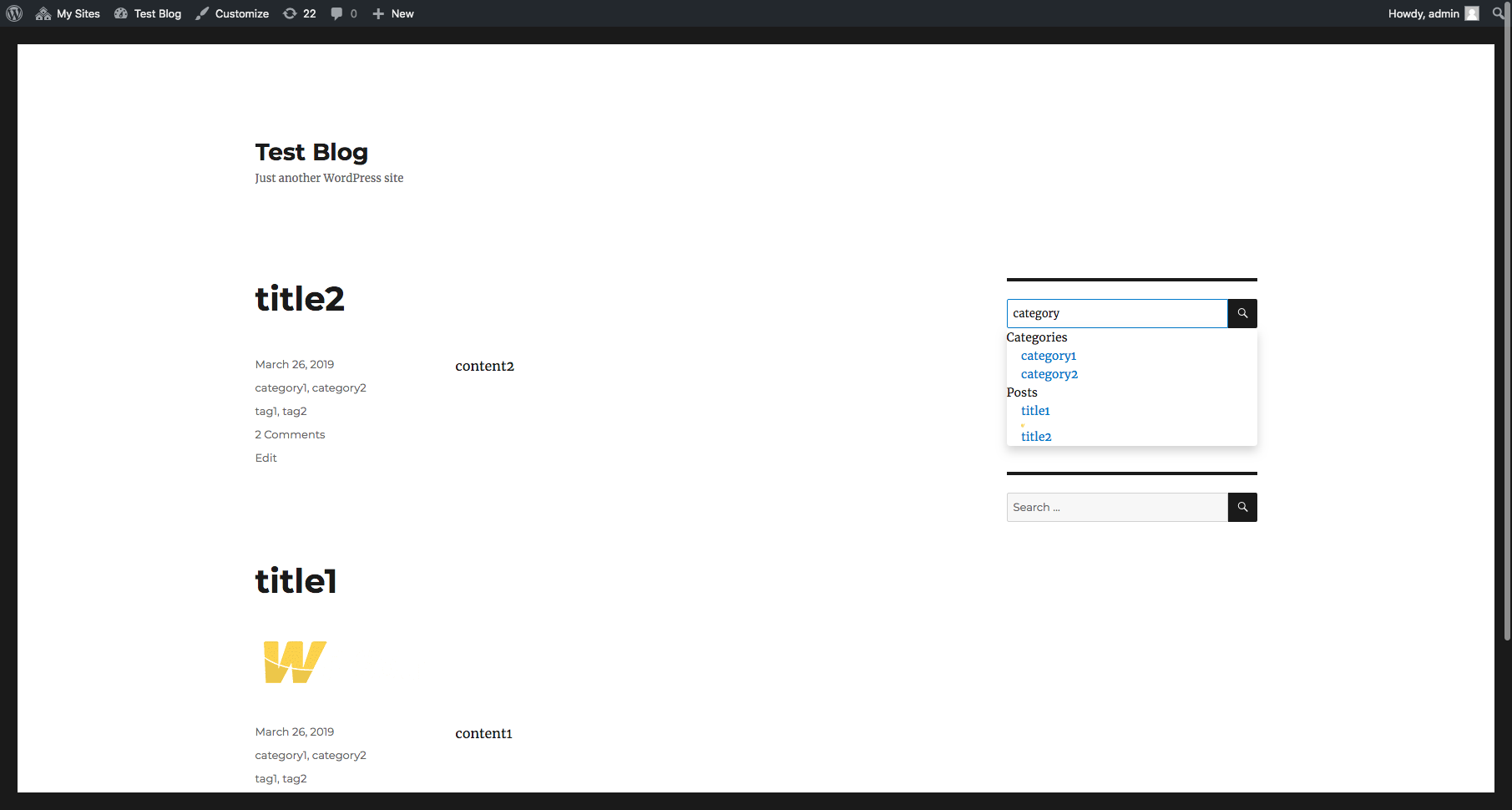
WPSOLR admin: suggestions showing taxonomies, grouped by content type:
WPSOLR front-end: suggestions showing taxonomies, grouped by content type:
 wpsolrKeymaster7 years, 6 months ago in reply to: Case sensitive issue on search fields #11029
Hi,
Do you use the Boosts feature? In that case, select the dropdown list “Copy to a text field” on your fields with that issue.
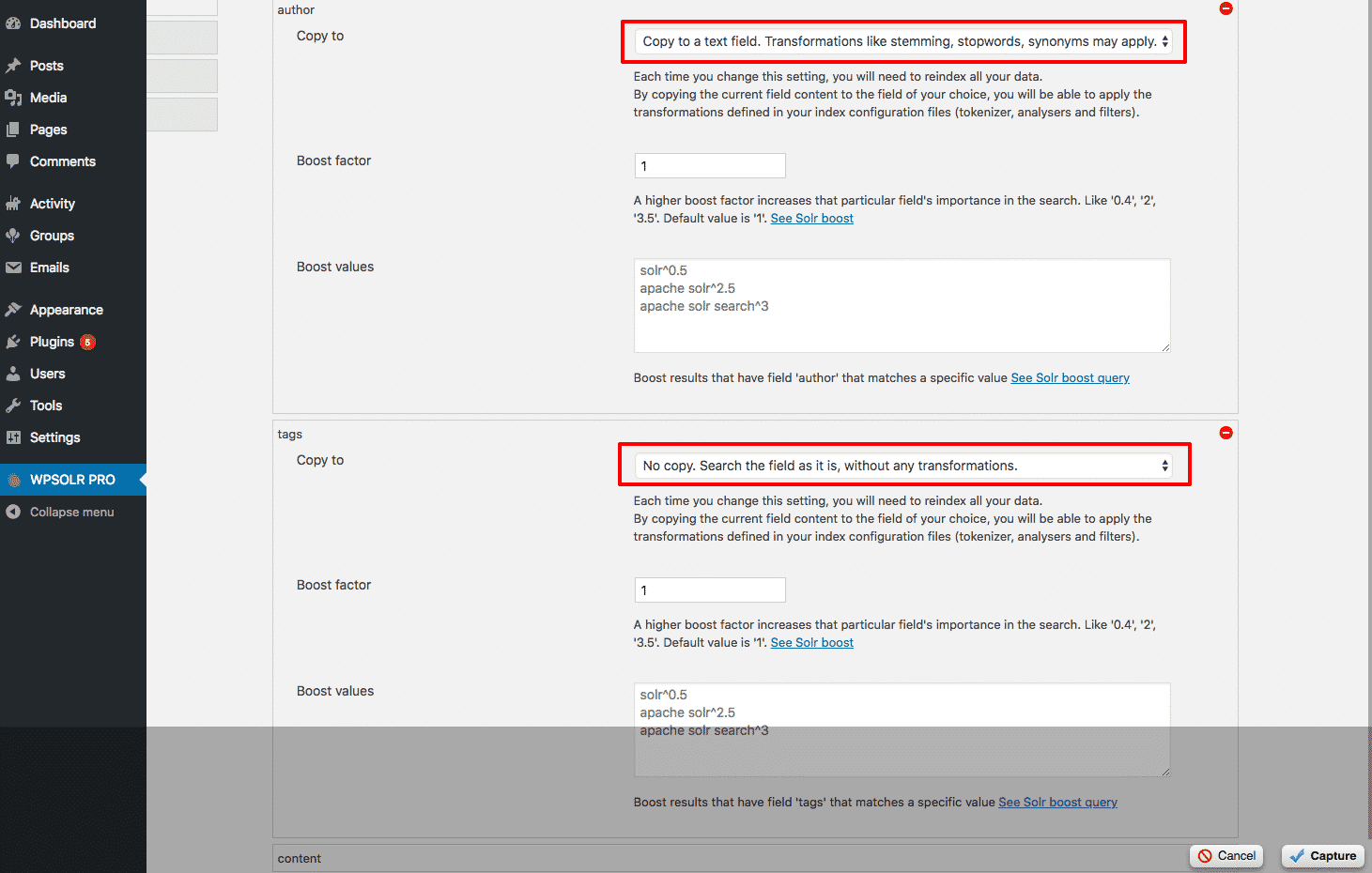
With this option, the field is passed to the “text” analyser: lower cased, stemming …. It will therefore be case insensitive during search.
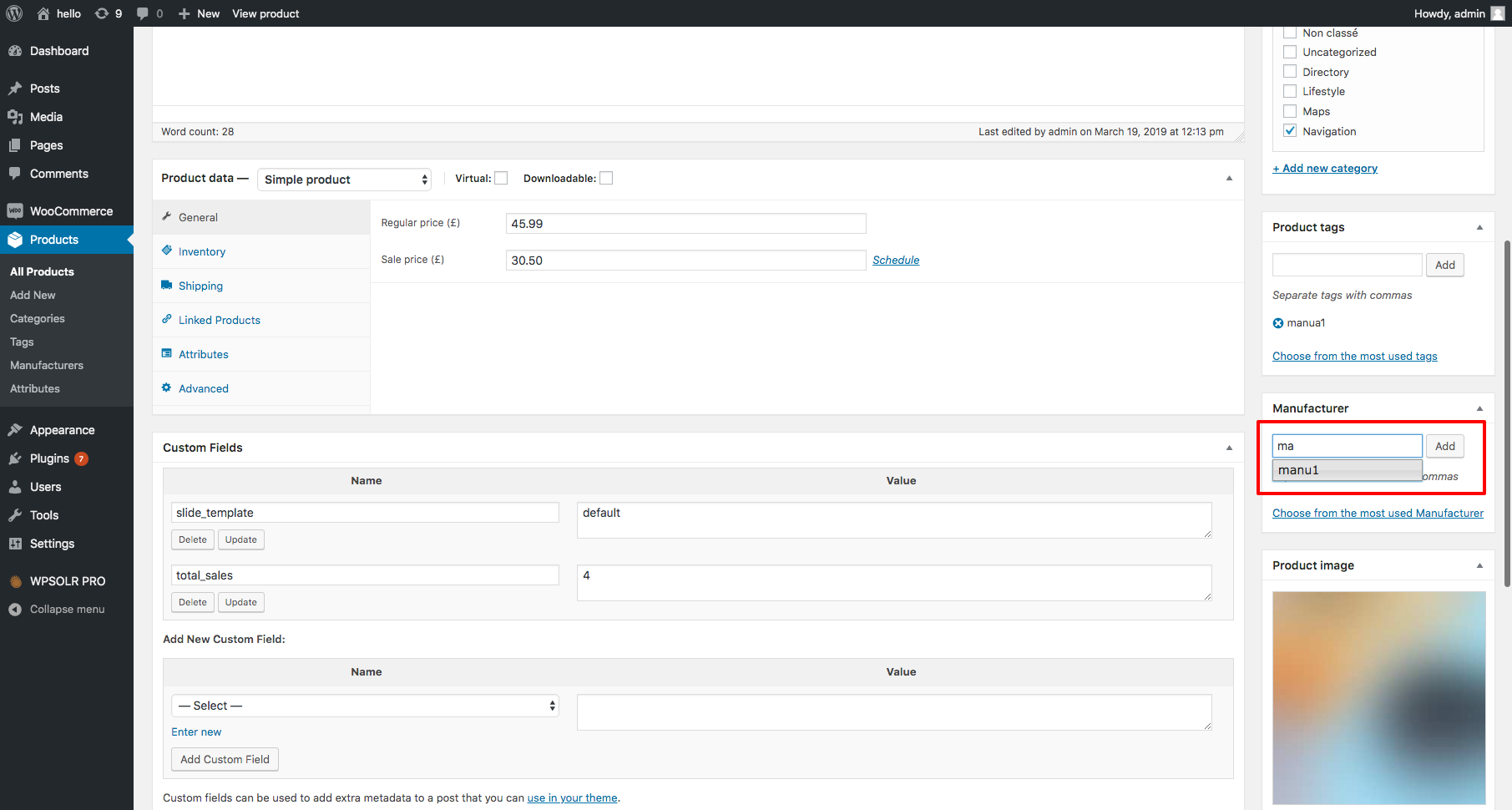
wpsolrKeymaster7 years, 6 months ago in reply to: WPSOLR: error on term #11018I found it.
I replaced:
register_taxonomy( 'Manufacturer', 'product', $args );with:
register_taxonomy( 'manufacturer', 'product', $args );It solved both problems:
– WPSOLR now indexes products with manufacturers
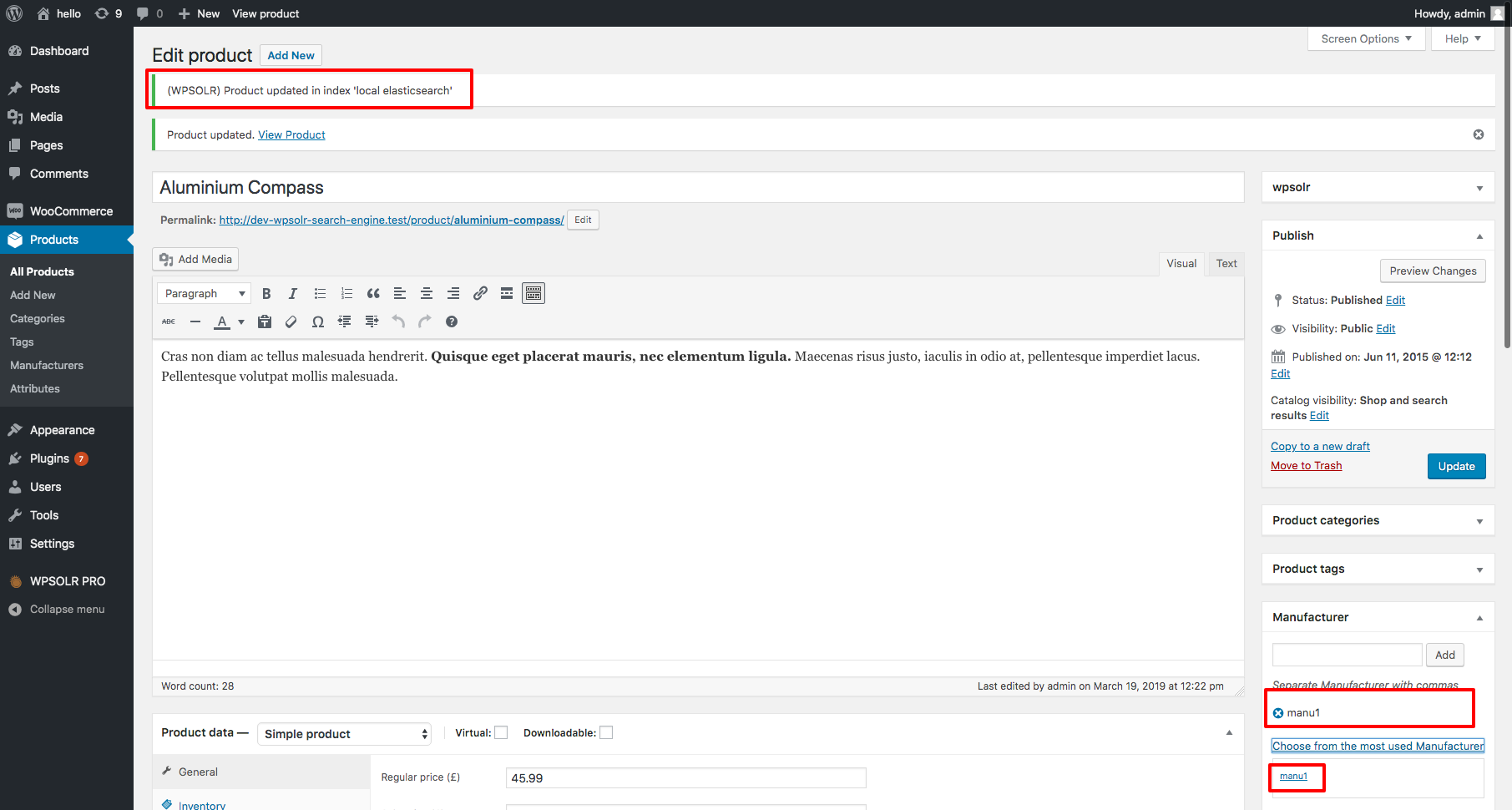
– The manufactures list now autocompletes as expected