

Forum Replies Created
-
wpsolrKeymaster6 years, 6 months ago in reply to: cannot build index #18687
I noticed you already have Algolia running on your site. What do you expect from WPSOLR vs what you already have?
wpsolrKeymaster6 years, 6 months ago in reply to: cannot build index #18685Algolia detected Malformed UTF-8 characters.
a) You can edit this post with id 184073, and prevent it from being indexed (“Do no search” check-box in the WPSOLR post metas). Then restart the indexing. Perhaps only this post is faulty.
b) You can also check the logs in your Algolia dashboard, where you should get the same error. But then you can ask the Algolia support for more informations about the exact nature of the encoding problem.
wpsolrKeymaster6 years, 6 months ago in reply to: cannot build index #18683Can you index with batch size “1”?
Indexing will stop at first error. Then start again (keep batch size “1”). You should then see a better error message with the post id in error.
wpsolrKeymaster6 years, 6 months ago in reply to: cannot build index #18680Deactivate the snippet plugin, and let me know what errors you have.
Also, do you have errors without WPSOLR?
wpsolrKeymaster6 years, 6 months ago in reply to: cannot build index #18678The error seems to indicate that a code snippet should test existence of function ‘get_the_term_list_public’ before declaring it:
https://www.php.net/manual/en/function.function-exists.phpwpsolrKeymaster6 years, 6 months ago in reply to: cannot build index #18677Do you know what is your PHP version?
wpsolrKeymaster6 years, 6 months ago in reply to: how to have a trial #18674Yes, it can search in post types, custom fields, PDFs, ACF fields, product attributes, …
wpsolrKeymaster6 years, 6 months ago in reply to: how to have a trial #18671The trial without a license is valid on localhost, dev.*, test.*, or staging.*
For your production domain, you will need to activate a trial license. You can get one on the pricing page.
wpsolrKeymaster6 years, 6 months ago in reply to: Our Lifetime license expires in 7 days, how is this possible? #18667The lifetime is indeed lifetime. You just need to renew it each year, for free, when you receive your 2checkout renewal notification. After that, you you have to reactivate your license from the plugin’s admin.
wpsolrKeymaster6 years, 7 months ago in reply to: I can not reactivate the license #18626You can use the chat box for that.
wpsolrKeymaster6 years, 7 months ago in reply to: I can not reactivate the license #18623Your current license is a 7 days trial license, hence the 3 days remaining.
wpsolrKeymaster6 years, 7 months ago in reply to: Unable to connect to index when Solr authentication and authorization #18612Good.
wpsolrKeymaster6 years, 7 months ago in reply to: I can not reactivate the license #18610You can indeed just deactivate it from the old domain (from your WP WPSOLR admin), then activate the new domain.
You would need me only when the old domain was destroyed before its activation was removed.
wpsolrKeymaster6 years, 7 months ago in reply to: I can not reactivate the license #18608@qtxG I deactivated your current site activation. You can activate your new site now.
wpsolrKeymaster6 years, 7 months ago in reply to: Unable to connect to index when Solr authentication and authorization #18602My tests are fine with WPSOLR PRO 21.8, Solr 8.4.1, and Solr basic auth as described in https://javadeveloperzone.com/solr/securing-solr-setup-basic-authentication/
vagrant@vvv:~/solr-8.4.1/server/solr$ ls -l
total 32
drwxr-xr-x 5 vagrant vagrant 4096 Mar 12 16:58 configsets
drwxrwxr-x 2 vagrant vagrant 4096 Mar 12 16:52 filestore
-rw-r–r– 1 vagrant vagrant 3018 Jan 10 07:50 README.txt
-rw-rw-r– 1 vagrant vagrant 370 Mar 12 16:53 security.json
drwxrwxr-x 3 vagrant vagrant 4096 Mar 12 16:58 solr
-rw-r–r– 1 vagrant vagrant 2253 Jan 10 07:50 solr.xml
drwxrwxr-x 2 vagrant vagrant 4096 Mar 12 16:52 userfiles
-rw-r–r– 1 vagrant vagrant 1048 Jan 10 07:50 zoo.cfgcontent of security.json (solr:SolrRocks):
{
“authentication”:{
“blockUnknown”: true,
“class”:”solr.BasicAuthPlugin”,
“credentials”:{“solr”:”IV0EHq1OnNrj6gvRCwvFwTrZ1+z1oBbnQdiVC3otuq0= Ndd7LKvVBAaZIF0QAVi1ekCfAJXr1GGfLtRUXhgrF8c=”}
},
“authorization”:{
“class”:”solr.RuleBasedAuthorizationPlugin”,
“permissions”:[{“name”:”security-edit”,
“role”:”admin”}],
“user-role”:{“solr”:”admin”}
}}1) As expected: I could not connect without the user/pwd
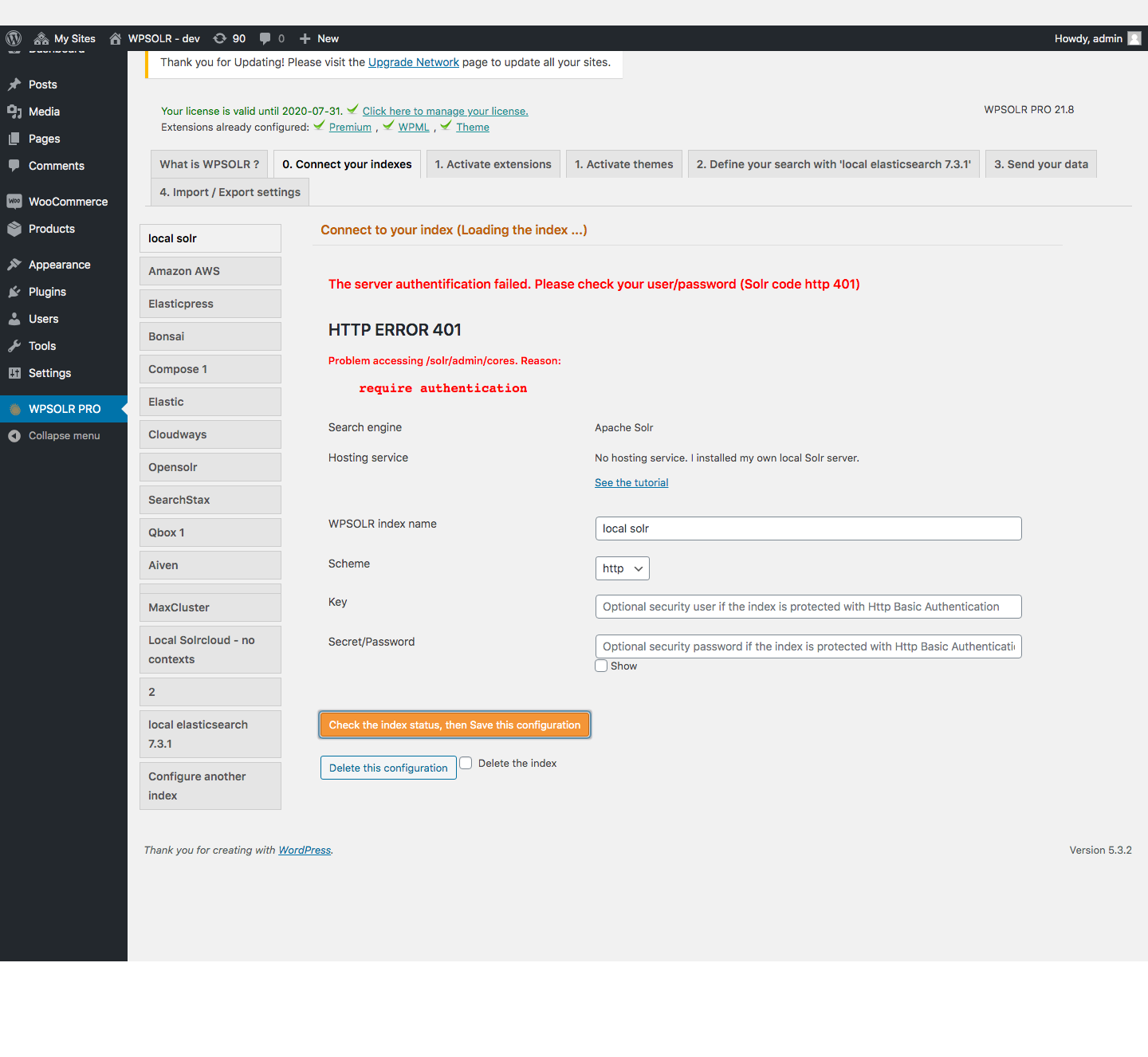
2) As expected: I could create my index from WPSOLR, then index my documents, with the user/pwd
