100 Days of RAG for WooCommerce guides for WordPress & WooCommerce

RAG Architecture for WordPress Developers

Retrieval-augmented generation (RAG) adds a retrieval layer between a user’s question and an AI model. Instead of asking a model to rely only on its training data, a WordPress application retrieves relevant content from a controlled knowledge base and includes that content in the model request. For WooCommerce agencies, this makes it possible to build assistants that answer questions about products, shipping policies, return rules, subscriptions, compatibility, and internal operating procedures without fine-tuning a model for every client. The core RAG architecture A production RAG system normally contains two separate pipelines: Ingestion: WordPress content is collected, cleaned, chunked, embedded, and stored in a searchable index. Query: A user question is embedded or otherwise analyzed, relevant chunks are retrieved, and those chunks are supplied to the


Building Your First WooCommerce RAG Pipeline

A WooCommerce retrieval-augmented generation (RAG) pipeline combines store data retrieval with an AI model so answers are grounded in products, orders, policies, and operational documentation. The first production version should be narrow, observable, and permission-aware rather than attempting to index every table and answer every question. Define the first WooCommerce use case Start with a question set that has a clear source of truth. Good first use cases include: Answering product questions from descriptions, attributes, specifications, and manuals. Finding the correct shipping, returns, warranty, and payment policy. Helping support staff locate order-handling procedures. Searching internal documentation about subscriptions, refunds, stock statuses, or integrations. Avoid using the first pipeline to make autonomous decisions about refunds, cancellations, stock adjustments, or customer eligibility. Those workflows require authorization, deterministic

How RAG Improves WooCommerce Product Search

WooCommerce product search often fails for reasons that have little to do with the catalog itself. Customers search with use cases, attributes, compatibility requirements, and informal language, while product data is usually organized around titles, SKUs, taxonomies, and custom fields. Retrieval-augmented generation (RAG) improves this experience by combining product retrieval with a language model that can interpret the shopper’s request and present grounded results. What RAG Adds to WooCommerce Search A conventional WooCommerce search generally matches query terms against product titles, descriptions, SKUs, categories, tags, and selected metadata. This works well for exact terms such as a SKU or brand name, but it is weaker for queries such as “a waterproof jacket for cold cycling commutes” or “replacement filter for the compact espresso machine.” A

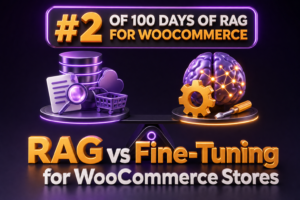
RAG vs Fine-Tuning for WooCommerce Stores

WooCommerce agencies often start with the same question when building an AI assistant: should the model retrieve information from the store, or should it be fine-tuned on the store’s data? For most WooCommerce implementations, retrieval-augmented generation (RAG) is the better first choice because store information changes frequently and must remain traceable. What RAG means for WooCommerce RAG combines a language model with a retrieval system. Before the model generates an answer, the application searches approved WooCommerce content and includes the most relevant results in the prompt. A typical WooCommerce RAG request might follow this sequence: A shopper asks, “Can I return a sale item after 30 days?” The application identifies the intent and searches indexed policies, product information, and relevant store documentation. The retriever returns

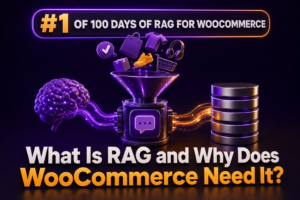
What Is RAG and Why Does WooCommerce Need It?

Retrieval-augmented generation (RAG) is an architecture that gives a large language model access to relevant business data at request time. Instead of relying only on information learned during training, the application retrieves matching content from a controlled knowledge source and includes that content in the prompt used to generate the response. For a WooCommerce store, that knowledge source can include product data, attributes, variation details, shipping rules, refund policies, documentation, order records, and internal agency procedures. The model generates the response, but the retrieved store data provides the facts. How RAG works A typical RAG request follows several stages: Ingest: Product descriptions, documentation, policies, and other approved data are collected from WooCommerce and connected systems. Chunk: Long documents are divided into smaller passages that can