

Forum Replies Created
-
wpsolrKeymaster6 years, 8 months ago in reply to: SyntaxError: Unexpected token { in JSON at position 1314 #16576
What is your index configuration parameters in WPSOLR (name, path, http/https, host)?
wpsolrKeymaster6 years, 8 months ago in reply to: SyntaxError: Unexpected token { in JSON at position 1314 #16569Do you see errors in Solr logs?
Or in WordPress debug.log?
wpsolrKeymaster6 years, 8 months ago in reply to: SyntaxError: Unexpected token { in JSON at position 1314 #16565In your Solr admin UI, under your index files, which files do you see?
wpsolrKeymaster6 years, 8 months ago in reply to: SyntaxError: Unexpected token { in JSON at position 1314 #16557Then, it’s probably a misconfiguration of the index.
/guide/video-gallery-create-index/video-create-apache-solr-index-semi-automatically/
wpsolrKeymaster6 years, 8 months ago in reply to: SyntaxError: Unexpected token { in JSON at position 1314 #16554Is that with Solr or Elasticsearch?
wpsolrKeymaster6 years, 8 months ago in reply to: SyntaxError: Unexpected token { in JSON at position 1314 #16511Check that your search is really working (look in the chrome console for errors).
wpsolrKeymaster6 years, 8 months ago in reply to: SyntaxError: Unexpected token { in JSON at position 1314 #16488You can try to restart indexing with the debug mode on: /forums/reply/11957/
wpsolrKeymaster6 years, 8 months ago in reply to: Should this work with the premium version as well? #16484You could try the suggestion from HaikoG.
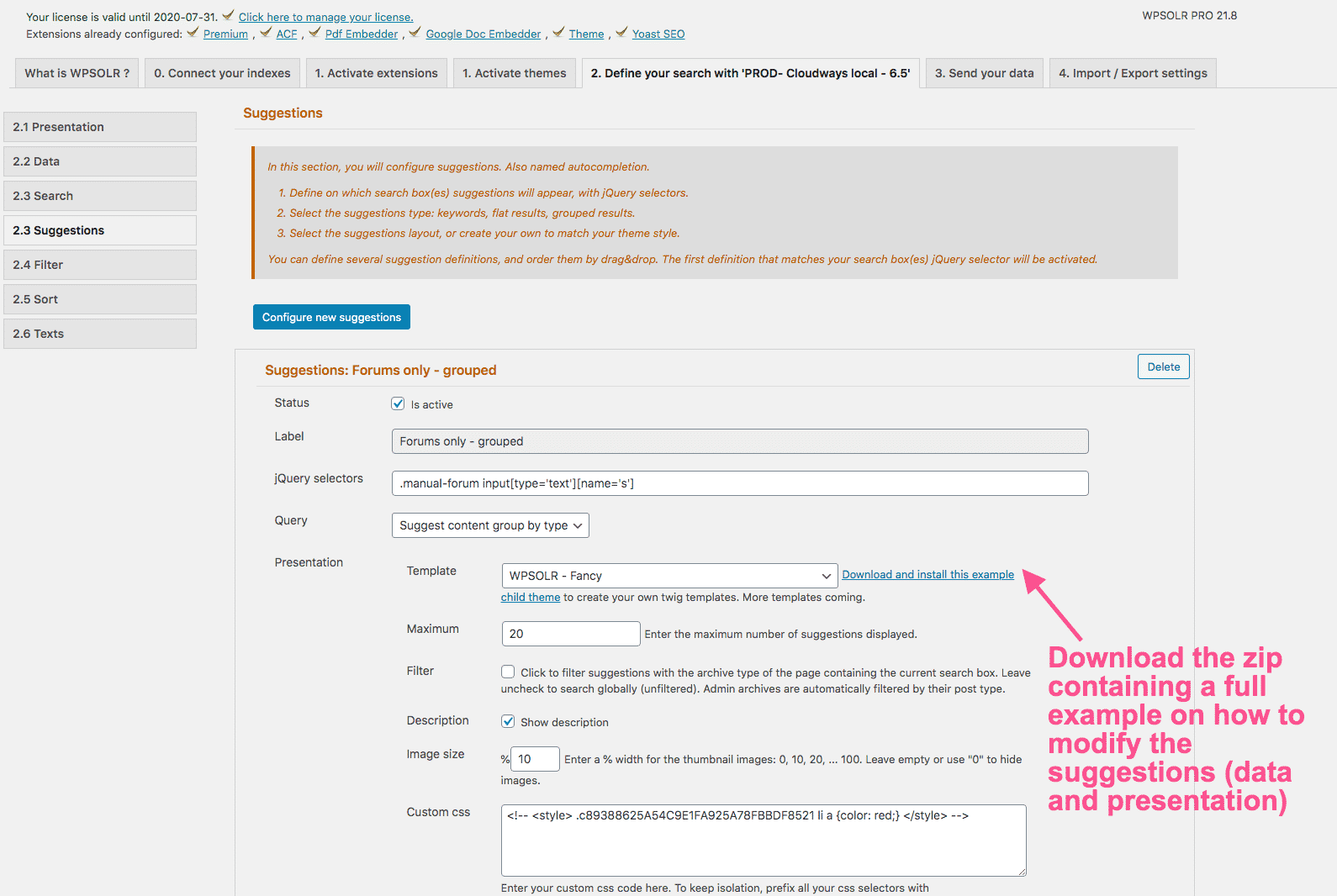
You can also simply customize the WPSOLR suggestions list. It is a twig template, and can be totally updated (included the data with hooks):
 wpsolrKeymaster6 years, 8 months ago in reply to: Content Encoding Error #16476
I tried with an “Internal Server Error” error.
Can you check your server logs (web, php, and WordPress debug file)?
wpsolrKeymaster6 years, 8 months ago in reply to: SyntaxError: Unexpected token { in JSON at position 1314 #16464This is strange. The indexing normally stops at first error.
Your error could be due to some odd characters in one of your indexed document.
wpsolrKeymaster6 years, 9 months ago in reply to: Should this work with the premium version as well? #16136Thanks for the feedback. I’ll try to integrate that to the next release /forums/topic/release-21-9/
- This reply was modified 6 years, 9 months ago by wpsolr.
wpsolrKeymaster6 years, 9 months ago in reply to: Should this work with the premium version as well? #16128Indeed, WPSOLR was tested only on the free YITH version.
wpsolrKeymaster6 years, 9 months ago in reply to: Should this work with the premium version as well? #16126Solr is no longer used for the suggestions
What happened?
wpsolrKeymaster6 years, 9 months ago in reply to: Speed sugestions #15993There is no definitive guide book to speed up a WordPress site.
But, as it is a backend issue, you could try to identify the slowest parts of your site with a plugin like Query Monitor, or a server troubleshooting tool like New Relic. Personally, I’ve used New Relic on Cloudways, as it is installed and ready to use by default.
wpsolrKeymaster6 years, 9 months ago in reply to: Posts per page #15959You’re correct, bur for compatibility reasons the new setter name prefix was not back-ported to the getter.
Anyway, those functions are not meant to be used but by WPSOLR code, and could be modified in the future.
You could use instead the method search_engine_client_set_rows() inside the hook WPSOLR_Events::WPSOLR_ACTION_SOLARIUM_QUERY
Extracts from wp-content/plugins/wpsolr-pro/wpsolr/pro/extensions/theme_directory2/class-wpsolr-theme-directory2.php:
add_action( WPSOLR_Events::WPSOLR_ACTION_SOLARIUM_QUERY, [
	$this,
	'wpsolr_action_query',
], 10, 1 );

public function wpsolr_action_query( $parameters ) {

 /* @var WPSOLR_AbstractSearchClient $search_engine_client */
 $search_engine_client = $parameters[ WPSOLR_Events::WPSOLR_ACTION_SOLARIUM_QUERY__PARAM_SOLARIUM_CLIENT ];

 $search_engine_client->search_engine_client_set_rows( 20 );
}