100 Days of AI Harness for WordPress & WooCommerce with WPSOLR guides for WordPress & WooCommerce

Preserving Headings, Tables and Document Structure

When a WooCommerce agency connects product documentation, specification sheets, manuals, and knowledge-base content to WPSOLR, preserving the source document’s structure is essential. Plain text may contain all the same words as the original, but it loses the relationships that make those words useful: a heading identifies a section, a table associates values with labels, and a list expresses order or priority. Structure affects both search relevance and the quality of retrieved context supplied to an AI workflow. A query for a product’s voltage rating should return the specification row containing that value, rather than an unrelated paragraph that happens to mention the same number. Why document structure matters in WooCommerce search Consider a product manual with the following hierarchy: <h1>Commercial Blender 5000</h1> <h2>Electrical specifications</h2> <table>
Semantic Chunking vs. Fixed-Size Chunking

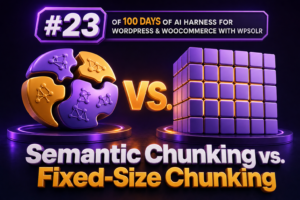
Chunking determines how a WooCommerce site’s content is divided before it is indexed for semantic search, retrieval-augmented generation, product assistants, and internal agency tools. The choice is not simply a matter of splitting text into smaller pieces. It affects which product facts are retrieved, how much context is sent to an AI model, how often content must be reindexed, and how predictable search results are in WPSOLR-powered workflows. Two common strategies are fixed-size chunking and semantic chunking. Fixed-size chunking divides content according to a character, word, or token limit. Semantic chunking attempts to preserve complete ideas by splitting at meaningful boundaries such as headings, paragraphs, list items, product specifications, or changes in subject matter. What fixed-size chunking does Fixed-size chunking applies a consistent limit to

Choosing the Right Chunk Size for WordPress Content

Chunk size is one of the most important decisions in a WordPress retrieval-augmented generation workflow. It determines how much text is stored in each searchable or embedded unit, how precisely WPSOLR can retrieve relevant content, and how much context an AI system receives when answering a question. For WooCommerce agencies, the right setting is rarely universal. A product catalog, a documentation portal, and a long-form editorial site have different content structures and different retrieval requirements. Chunking should therefore be treated as an indexing and content-modeling decision, not merely as a performance setting. What a content chunk does A chunk is a section of a WordPress document that is indexed or passed to an embedding model as an individual unit. Instead of treating a 3,000-word article

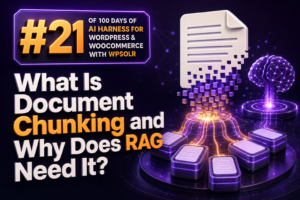
What Is Document Chunking and Why Does RAG Need It?

Retrieval-augmented generation (RAG) does not usually send an entire product catalog, documentation site, or support archive to a language model. Instead, it retrieves a small set of relevant passages and adds them to the model’s prompt. Document chunking is the process of dividing source content into those retrievable passages. For WooCommerce agencies, chunking affects much more than search performance. It influences whether an AI assistant can find the correct product policy, whether a support response includes the right shipping exception, and whether a store’s product recommendations are grounded in the right attributes. Poorly sized or poorly structured chunks can make an otherwise capable RAG implementation inaccurate, expensive, and difficult to maintain. What document chunking means A document chunk is a section of source content that

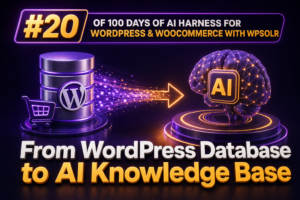
From WordPress Database to AI Knowledge Base

Turning a WordPress database into an AI knowledge base is not a matter of sending every row to a language model. A production implementation needs a controlled extraction, normalization, indexing, and retrieval pipeline that preserves WooCommerce context, permissions, content freshness, and answer traceability. What the knowledge base should contain For a WooCommerce site, useful knowledge is distributed across several WordPress data structures: Content: posts, pages, products, product variations, documentation, FAQs, and custom post types. Metadata: product attributes, SKUs, specifications, custom fields, and editorial metadata stored in wp_postmeta. Taxonomies: product categories, tags, brands, shipping classes, and custom taxonomies. Commerce data: product prices, stock status, dimensions, downloadable files, and selected order or customer-support fields. Relationships: parent products, variations, cross-sells, upsells, related posts, and taxonomy assignments. The database

Why Data Preparation Matters More Than You Think

For WooCommerce agencies, AI search projects often appear to be model-selection projects. In practice, the quality of the result is usually determined earlier: by the quality, structure, and consistency of the data sent to the search and retrieval system. WPSOLR can index products, variations, pages, posts, custom post types, taxonomies, and other WordPress content. However, indexing more content does not automatically produce better answers or more relevant search results. If product data is incomplete, duplicated, poorly formatted, or mixed with irrelevant content, the retrieval layer has less reliable material to work with. What data preparation means in WooCommerce Data preparation is the process of deciding what should be indexed, how it should be represented, and how it should be kept consistent over time. For a

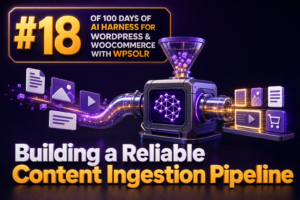
Building a Reliable Content Ingestion Pipeline

A reliable content ingestion pipeline turns WordPress and WooCommerce data into consistent, searchable documents. For an agency, this is more than moving posts into an index: the pipeline must handle product updates, variation changes, custom fields, multilingual content, deletions, retries, and temporary failures without creating stale or duplicate search results. Define the ingestion contract first Before connecting WordPress to WPSOLR or another search service, define the document contract that every indexed record must follow. A useful contract specifies the source identifier, document type, title, body, URL, taxonomies, product attributes, visibility state, language, modification timestamp, and any AI-generated fields. { "source_id": "product:4821", "post_id": 4821, "type": "product", "title": "Merino Hiking Socks", "url": "https://example.com/product/merino-hiking-socks/", "status": "publish", "modified_gmt": "2025-02-14T10:30:00Z", "taxonomies": { "product_cat": ["Hiking", "Accessories"] }, "attributes": { "pa_material": ["Merino

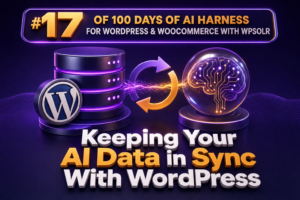
Keeping Your AI Data in Sync With WordPress

AI features are only as reliable as the WordPress data behind them. If a product description, price, stock status, or editorial update changes in WordPress but the AI search or retrieval layer still contains the old value, customers receive inaccurate answers and agencies lose confidence in the implementation. For WooCommerce projects using WPSOLR as part of the search and retrieval stack, synchronization should be treated as a data pipeline rather than a one-time indexing task. The pipeline must detect changes, send the correct document representation, process deletions, and recover safely when an external service is unavailable. Define the system of record Start by documenting which system owns each field. In most WordPress and WooCommerce implementations, WordPress is the system of record for published content, while

Handling Product Variations and Attributes

Product attributes and variations are easy to model incorrectly because they serve two different purposes in WooCommerce. Attributes describe product properties such as color, size, material, or capacity. Variations represent purchasable combinations of those properties, usually with their own SKU, price, stock status, image, dimensions, and downloadable or virtual settings. A search implementation must preserve both the shopper-facing attribute vocabulary and the purchasable variation data. Understand the WooCommerce data model A global attribute is managed under Products > Attributes. WooCommerce stores its taxonomy with a pa_ prefix, so an attribute named “Color” commonly uses the pa_color taxonomy. Its values, such as “Black” or “Blue,” are taxonomy terms. A custom product attribute can instead be stored only on an individual product and does not provide the

Indexing WooCommerce Products for AI

WooCommerce product data is valuable to AI assistants only when it is indexed in a form that can be retrieved accurately. A product page may contain a title, description, attributes, taxonomies, custom fields, stock information, related products, and variations. If those fields are not included in the search index, an AI layer cannot reliably use them when answering customer or staff questions. What should be indexed from a WooCommerce product? Start by treating each product as a structured document rather than indexing only the visible page text. The useful fields will vary by store, but a typical product document should include: Identity: product title, SKU, product ID, and canonical URL. Descriptive content: short description, full description, buying guidance, and care or installation instructions. Classification: product

Making ACF Fields Available to AI

Advanced Custom Fields (ACF) often contains the information an AI-powered search or assistant needs most: product specifications, compatibility notes, audience segments, support instructions, buying guidance, and editorial metadata. However, ACF values are normally stored as WordPress post metadata. They do not automatically become part of the content that an AI retrieval workflow can search, index, or use as context. For a WooCommerce agency, making ACF fields available to AI means designing a reliable path from structured fields to the indexing and retrieval layers used by WPSOLR and the connected AI workflow. Why ACF data needs explicit handling A product description may say that a product is a replacement filter, while an ACF field contains the details that determine whether it fits a particular appliance. If

Connecting Posts, Pages, Products and Custom Post Types

WooCommerce stores rarely consist of products alone. Customers may need to find a product manual, compare a product with a related article, read a buying guide, or locate a support page before placing an order. A useful search experience therefore needs to connect posts, pages, products, and custom post types instead of treating each content type as an isolated collection. WordPress supports this structure through post types, taxonomies, post metadata, and explicit relationships. WPSOLR can then index the relevant content and expose those relationships through searchable fields, filters, and result templates. Understand the content model before configuring search Start by documenting which content types exist and how they relate to one another. A typical WooCommerce site might contain: Products: purchasable catalog items managed by WooCommerce.

Turning WordPress Content Into AI-Ready Data

AI features are only as reliable as the content they can retrieve. For a WooCommerce agency, that means preparing WordPress content so products, documentation, policies, blog posts, and support information can be searched, filtered, and passed to an AI system without losing their meaning or business context. AI-ready data is not simply a site export or a collection of rendered HTML pages. It is structured, consistently labeled, searchable content with stable identifiers, useful metadata, and clear boundaries between different types of information. What AI-ready WordPress data looks like A useful content record should answer more than “what does this page say?” It should also identify what the content is, who it applies to, when it changed, and whether it is appropriate to retrieve for a

What Your WordPress Website Already Knows

Most WordPress sites contain a useful operational knowledge base before an agency adds a single AI feature. The information is distributed across posts, pages, products, taxonomies, custom fields, order records, media, menus, comments, and plugin tables. The first step in building an AI harness is not generating content. It is identifying which of that information is trustworthy, searchable, current, and safe to expose. WordPress already contains several kinds of knowledge Editorial knowledge Pages and posts commonly contain product explanations, installation instructions, policies, service descriptions, FAQs, troubleshooting steps, and campaign content. Each item also has useful structure: a title, excerpt, author, publication date, modified date, permalink, status, post type, taxonomy terms, and sometimes custom fields. The modified date is particularly valuable. An AI-powered search experience should

One Platform for Search, RAG, Recommendations and Chatbots

WooCommerce agencies are often asked to deliver four AI-enabled experiences at once: better site search, product recommendations, retrieval-augmented generation (RAG), and customer-facing chat. These projects can look unrelated because each one has a different interface. Underneath, however, they depend on the same foundation: well-structured product and content data, a capable index, relevant retrieval, and carefully controlled access to the results. WPSOLR can provide a shared search and retrieval layer for these use cases. Instead of building separate data pipelines for search, a recommendation engine, a knowledge base, and a chatbot, an agency can use the WordPress and WooCommerce content already synchronized to the search platform as the common discovery layer. The common foundation behind four experiences A product search request, a recommendation request, and a

From WordPress Content to AI-Powered Experiences

WordPress content becomes useful to an AI-powered experience only when it is discoverable, structured, permission-aware, and returned with enough context to support a reliable answer. For an agency, this means treating search and retrieval as a content infrastructure layer rather than adding a chatbot as an isolated feature. What changes when content becomes an AI input? A conventional website usually presents content through templates, menus, taxonomies, and keyword search. An AI experience adds another access pattern: a visitor asks a natural-language question, the system retrieves relevant content, and an application uses that content to generate or assemble a response. WPSOLR can serve as the retrieval layer for WordPress and WooCommerce content. It can index posts, pages, products, product attributes, categories, tags, and other configured content

The Building Blocks of an AI Harness

An AI harness is the application layer that makes a language model useful, controlled, and repeatable inside a WordPress or WooCommerce system. The model is only one component. The harness supplies the right context, exposes approved actions, applies business rules, records what happened, and evaluates whether the result was acceptable. For an agency, this distinction matters. A prompt that works in a demonstration is not the same as a production capability that can answer questions from a store catalog, respect customer permissions, update an order safely, and provide enough evidence for troubleshooting. 1. The model gateway The model gateway is the boundary between WordPress and one or more AI providers. It should centralize provider configuration rather than scattering API calls throughout plugins, theme code, and

Where WPSOLR Fits in the WordPress AI Stack

For a WooCommerce agency, the WordPress AI stack is not just a chatbot connected to an API. It is a set of layers that collect store data, make that data searchable, retrieve relevant context, generate an answer or action, and return the result through a customer-facing experience. WPSOLR fits primarily in the retrieval and search layer. It does not replace an AI model, an automation platform, or a conversational interface. Its role is to make WordPress and WooCommerce content available to a dedicated search engine so that applications can find relevant products, posts, pages, documents, and other indexed records quickly and consistently. The WordPress AI stack in practical terms A typical AI-enabled WooCommerce implementation contains several connected layers: Source data: Products, variations, attributes, categories, orders,

The AI Harness: Connecting Models, Data and Tools

An AI feature in a WooCommerce store becomes reliable when the model is only one part of a controlled execution path. The harness connects three separate capabilities: a model that reasons over a request, data sources that provide grounded context, and tools that perform approved operations. What the harness is responsible for The model should not be treated as an application server or as the system of record. A harness should manage the following sequence: Accept: validate the customer, administrator, or internal application request. Retrieve: find relevant product, order, policy, and site content. Assemble: create a bounded prompt containing the request, retrieved evidence, and operating rules. Decide: ask the model for an answer or a structured tool call. Authorize: check whether the requested operation is

Why WooCommerce Stores Need More Than a Chatbot

A chatbot can answer questions, but a WooCommerce store needs to do much more than hold a conversation. Customers need accurate product discovery, relevant filtering, dependable support, useful recommendations, and fast paths to purchase. Store teams also need structured data, measurable automation, and controls that prevent AI from inventing product details or making unsupported promises. For WooCommerce agencies, this distinction matters. Adding a chat widget may create a visible AI feature, but it does not automatically improve search quality, merchandising, support operations, or conversion rates. A practical AI harness should connect AI capabilities to the store’s existing content, product catalog, search infrastructure, and business rules. What a chatbot can and cannot do A chatbot is primarily a conversational interface. It can interpret a customer’s question

From AI Experiments to Production WordPress Experiences

Moving an AI feature from a proof of concept into a production WordPress or WooCommerce site requires more than connecting a prompt to an API. Agencies must define the feature’s operational boundaries, control the data supplied to the model, protect customer information, measure answer quality, and provide a reliable fallback when the model or retrieval layer cannot produce a useful result. For a WooCommerce project, the most dependable architecture usually treats AI as one component in a broader request pipeline: Capture the user’s intent from a search query, support question, product request, or administrative task. Retrieve authoritative WordPress content using indexed posts, pages, products, attributes, taxonomies, and selected metadata. Apply business rules before any response is generated. Generate or transform content with a constrained prompt

AI Models Are Only One Part of the Equation

Choosing an AI model is important, but it is rarely the part that determines whether an AI feature succeeds in a WooCommerce store. The model generates an answer from the context it receives. Search quality, product data, business rules, permissions, prompts, tool integrations, evaluation, and monitoring determine whether that answer is useful and safe. For agencies, this distinction matters. A more expensive model cannot reliably compensate for incomplete product attributes, stale inventory data, weak retrieval, or an integration that allows the model to invent order information. The practical goal is to design an AI harness around the model rather than treating the model as the entire solution. The AI equation has several parts A production AI feature usually combines the following components: Model: Generates text,

What Is an AI Harness?

An AI harness is the software layer that connects an AI model to the data, tools, rules, and workflows it needs to perform useful work. The model generates text or makes decisions, but the harness controls what the model can access, what actions it can request, how those actions are executed, and how results are validated. For a WooCommerce agency, this distinction is important. An AI model by itself can suggest a product description or write a SQL query. An AI harness can retrieve the correct catalog data, apply store-specific instructions, call approved WordPress or WooCommerce operations, require approval for risky changes, and record what happened. The parts of an AI harness Most practical harnesses contain several cooperating components: Model interface: Sends prompts and structured

Why WordPress Needs an AI Harness

WordPress sites are becoming operational systems rather than simple publishing platforms. A WooCommerce store may contain products, variations, orders, customer data, documentation, support content, analytics, and numerous third-party integrations. AI can work with this information, but connecting a model directly to production data or site actions is not a reliable integration strategy. WordPress needs an AI harness: a controlled layer that connects AI models to WordPress and WooCommerce data, gives the model appropriate tools, applies business rules, and verifies actions before they affect a live site. What an AI harness is An AI harness is the application layer around an AI model. It manages the context, tools, permissions, workflows, and validation that a model needs to perform useful work safely. For a WordPress or WooCommerce