

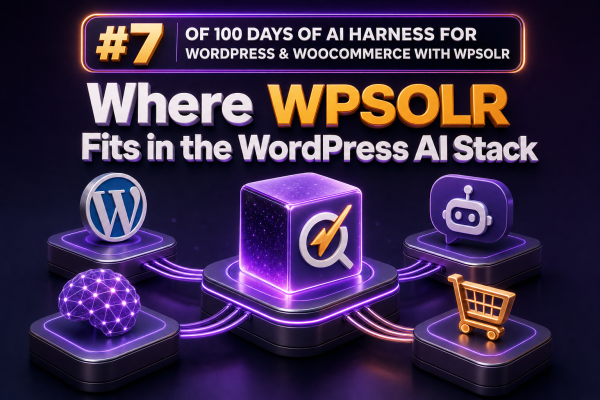
For a WooCommerce agency, the WordPress AI stack is not just a chatbot connected to an API. It is a set of layers that collect store data, make that data searchable, retrieve relevant context, generate an answer or action, and return the result through a customer-facing experience.
WPSOLR fits primarily in the retrieval and search layer. It does not replace an AI model, an automation platform, or a conversational interface. Its role is to make WordPress and WooCommerce content available to a dedicated search engine so that applications can find relevant products, posts, pages, documents, and other indexed records quickly and consistently.
The WordPress AI stack in practical terms
A typical AI-enabled WooCommerce implementation contains several connected layers:
- Source data: Products, variations, attributes, categories, orders, documentation, policies, blog posts, and custom post types stored in WordPress and WooCommerce.
- Indexing and retrieval: A search system that creates an optimized representation of that data and returns relevant records for a query.
- Context preparation: Code that selects, filters, formats, and limits retrieved content before sending it to an AI model.
- Model layer: A language model or other AI service that classifies text, generates responses, summarizes content, or extracts structured information.
- Application layer: A search interface, product finder, support assistant, internal tool, recommendation workflow, or administrative automation.
- Governance and operations: Permissions, logging, cost controls, evaluation, caching, and synchronization processes.
WPSOLR is most closely associated with the second layer, while also providing the search capabilities that an application layer can expose directly to shoppers or staff.
What WPSOLR contributes
WPSOLR connects WordPress search to an external search engine such as Apache Solr, Elasticsearch, or a compatible service, depending on the deployment and configuration. Instead of relying exclusively on the default WordPress database search, an agency can index selected WordPress and WooCommerce fields and query them through a search-oriented infrastructure.
That separation is useful because product search has different requirements from ordinary database queries. A WooCommerce catalog may contain thousands of products, variations, attributes, taxonomies, long descriptions, technical specifications, and stock-related metadata. Search infrastructure can provide relevance tuning, filters, facets, sorting, and more predictable performance for these use cases.
For AI projects, the important point is that a model needs reliable source material. WPSOLR can help identify the products or documents that should become the model’s context. The model should not be expected to memorize a changing catalog or invent answers from incomplete data.
WPSOLR is retrieval infrastructure, not the AI model
A common architecture mistake is to treat the search plugin as if it were an AI assistant. WPSOLR does not, by itself, provide the reasoning, language generation, or business decision-making performed by a large language model.
A more accurate request flow looks like this:
- A shopper enters a request such as “I need a waterproof jacket for winter commuting under $200.”
- The application interprets the request and extracts useful constraints such as product type, use case, weather resistance, and price.
- The application sends a query to the WPSOLR-backed search system.
- The search system returns matching product records, attributes, prices, URLs, and other approved fields.
- The application formats those results as context for the AI model or displays them directly.
- The model explains the results using only the retrieved product data, while links and purchase actions continue to point to the WooCommerce site.
This division keeps catalog truth in the store and search index, rather than placing responsibility for current price, inventory, or product specifications on the language model.
Keyword, semantic, and hybrid retrieval
Traditional keyword search is still valuable in commerce. Exact product names, part numbers, brands, sizes, colors, and technical terms often need precise matching. A shopper searching for a model number should not receive a loosely related result merely because the wording is semantically similar.
Semantic retrieval can help with broader requests where the shopper’s language differs from the catalog language. For example, a catalog may use “stainless steel insulated travel mug” while a shopper searches for “a cup that keeps coffee hot on my commute.”
Where the configured search engine and implementation support vector capabilities, WPSOLR can be part of a broader semantic or hybrid retrieval design. In a hybrid design, keyword relevance and semantic similarity are combined, often with business rules layered on top. The exact vector support, embedding workflow, ranking method, and integration points depend on the selected search engine, WPSOLR configuration, and custom application code. Agencies should verify those capabilities in the target version and hosting environment rather than assuming that installing a search plugin automatically creates an AI search system.
WooCommerce use cases
Natural-language product discovery
A custom search interface can translate a request into structured filters and a search query. For example, “Find women’s trail shoes for muddy terrain below $150” might become a query involving product category, gender, intended activity, price, and descriptive terms. The search results should remain the source of truth, while an AI model can explain why selected products match.
Catalog-aware support
A support assistant can retrieve product documentation, shipping policies, return terms, and compatibility information before generating an answer. Product pages and policy pages should be indexed with clear metadata so that the application can distinguish authoritative sources from marketing content.
Internal merchandising tools
An agency can build an internal tool that finds products with incomplete descriptions, identifies related products, or groups items by themes such as “gifts for cyclists.” The search layer supplies the relevant catalog subset, reducing the amount of data sent to an AI service and making the workflow easier to evaluate.
Cross-content retrieval
Many stores need answers that combine products with editorial content. A shopper may ask which products are suitable for a particular project, and the best response may require both product records and installation guides. Indexing selected pages, posts, FAQs, and custom post types alongside products can support this type of retrieval, provided the application labels the sources clearly.
Index design matters more than the prompt
AI output quality is often limited by the quality of the retrieved records. Before connecting a model, define which fields should be indexed and how they should be represented.
- Include product titles, descriptions, short descriptions, attributes, categories, tags, brands, and approved technical specifications.
- Index variation data when size, color, material, or other variation-level differences affect the buying decision.
- Keep filterable values structured instead of placing every value into one large text field.
- Decide whether prices, stock status, sale dates, and visibility rules should be indexed or fetched live before displaying results.
- Exclude private notes, customer information, unpublished content, and fields that should never be sent to an external AI service.
- Use stable identifiers and canonical URLs so that generated answers can link back to the correct product or document.
For frequently changing commerce fields, an agency should establish whether the search index is authoritative for the use case or whether the application must recheck WooCommerce before presenting a final answer or allowing a purchase action.
An implementation pattern for agencies
A maintainable implementation usually separates WordPress integration, search access, AI orchestration, and presentation. A simplified flow might look like this:
WordPress/WooCommerce data
        |
        v
WPSOLR indexing and search engine
        |
        v
Custom retrieval endpoint
        |
        +-- query normalization
        +-- permission checks
        +-- filters and business rules
        +-- result limits and field selection
        |
        v
AI orchestration service
        |
        +-- prompt construction
        +-- model request
        +-- response validation
        |
        v
Storefront, support tool, or agency dashboard
The custom retrieval endpoint is an important control point. It can prevent arbitrary access to the index, restrict returned fields, apply catalog rules, and produce a consistent payload for different AI providers. It can also add live checks for stock, price, or purchasability before returning a result.
A response payload might contain only the fields required by the next layer:
{
  "id": "product-4821",
  "title": "Insulated Travel Mug",
  "url": "https://example.com/product/insulated-travel-mug/",
  "summary": "Stainless steel mug with a leak-resistant lid.",
  "attributes": {
    "capacity": "16 oz",
    "material": "Stainless steel"
  },
  "price": "29.00",
  "currency": "USD"
}
The final application should instruct the model to use retrieved records as evidence, avoid unsupported claims, and identify when the available data is insufficient. It should not expose raw index content indiscriminately or allow a model to infer private or restricted information.
Operational checks before launch
- Synchronization: Test product creation, updates, deletion, variation changes, taxonomy changes, and bulk imports.
- Relevance: Create test queries for brand names, part numbers, misspellings, natural-language requests, and conflicting filters.
- Freshness: Confirm how quickly price, stock, visibility, and promotional changes reach the search index.
- Security: Ensure private post types, customer data, and restricted fields cannot be retrieved by a public endpoint.
- Performance: Measure search latency separately from model latency. A slow model call and a slow search query require different remedies.
- Observability: Log the query, selected filters, result identifiers, model version, and final outcome without storing sensitive customer data unnecessarily.
- Fallbacks: Provide ordinary search or a guided category flow when the AI service is unavailable or confidence is low.
How to position WPSOLR in a client architecture
When presenting an AI roadmap, describe WPSOLR as the search and retrieval foundation that can serve both conventional WooCommerce search and AI-assisted experiences. This positioning avoids an all-or-nothing migration. An agency can first improve catalog indexing, filters, and relevance, then add natural-language query handling, semantic retrieval, or an AI assistant as the business case develops.
The most reliable architecture keeps responsibilities explicit: WordPress and WooCommerce remain the systems of record; WPSOLR and its configured search engine make approved content retrievable; custom code applies business and security rules; and the AI model generates language from the retrieved context. That separation gives agencies a practical way to add AI without making the model responsible for catalog accuracy, access control, or transactional state.