

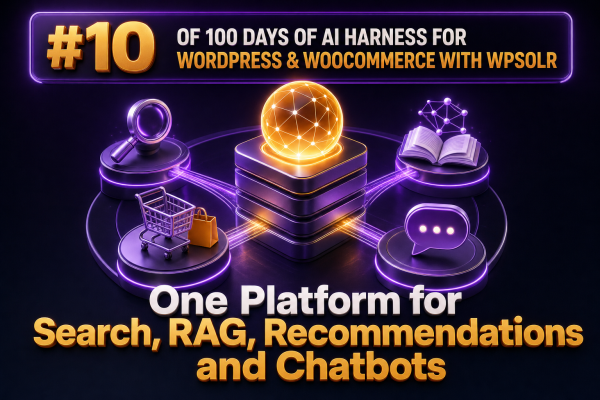
WooCommerce agencies are often asked to deliver four AI-enabled experiences at once: better site search, product recommendations, retrieval-augmented generation (RAG), and customer-facing chat. These projects can look unrelated because each one has a different interface. Underneath, however, they depend on the same foundation: well-structured product and content data, a capable index, relevant retrieval, and carefully controlled access to the results.
WPSOLR can provide a shared search and retrieval layer for these use cases. Instead of building separate data pipelines for search, a recommendation engine, a knowledge base, and a chatbot, an agency can use the WordPress and WooCommerce content already synchronized to the search platform as the common discovery layer.
The common foundation behind four experiences
A product search request, a recommendation request, and a chatbot question all begin with a retrieval problem. The system must identify relevant documents or products, apply business rules, and return useful context to the next component.
- Search retrieves products, posts, pages, documentation, and other indexed content for a query entered by a visitor.
- RAG retrieves trusted content and supplies it to a language model as context for an answer.
- Recommendations retrieves products related to a product, category, customer need, or shopping intent.
- Chatbots combine retrieval with dialogue, allowing a visitor to ask follow-up questions or refine their requirements.
The difference is primarily the presentation and orchestration layer. Search may return a result page. RAG may return citations and a generated answer. Recommendations may return product cards. A chatbot may use several retrieval calls during one conversation.
Why a shared platform matters to WooCommerce agencies
Maintaining separate systems for these capabilities creates operational duplication. Product fields must be mapped multiple times, stock and price changes must be propagated to several destinations, and every system needs its own relevance, security, and monitoring strategy.
A shared WPSOLR-based retrieval layer gives an agency a consistent place to manage indexed content and search behavior. A product title, SKU, attribute, category, brand, price, stock status, custom field, or description can be made available to the experiences that need it. WordPress posts, pages, knowledge-base articles, and documentation can be indexed alongside products when the use case requires a broader content set.
This does not mean that every experience should expose every field. The index should contain the data needed for retrieval, while the application layer should decide which fields can be displayed or passed to a model. Sensitive customer information, internal notes, unpublished content, and administrative metadata should not be included in public retrieval results.
Use case one: better WooCommerce search
Search remains the most direct application. Agencies can configure a search experience that understands product titles, SKUs, attributes, categories, brands, and descriptive content rather than relying only on a basic database keyword query.
A practical implementation might use different field priorities:
- Give exact SKU and product-code matches the highest priority.
- Give product titles and brand names more weight than long descriptions.
- Include attributes such as size, material, color, voltage, compatibility, and capacity.
- Use categories and taxonomies to support filtering and navigation.
- Apply WooCommerce rules for visibility, stock status, price, and customer-specific access.
For example, a query such as 24V waterproof connector should be able to match a product whose structured attributes contain voltage: 24V and water_resistance: waterproof, even when those terms are not repeated in the product title.
Search tuning should be measured with real queries from the store. Agencies can review zero-result searches, low-click queries, searches that lead to rapid exits, and queries that produce add-to-cart events. These signals are more useful than assuming that a generic relevance configuration will work equally well for every catalog.
Use case two: RAG over products and WordPress content
RAG separates retrieval from generation. The language model does not need to memorize the store catalog or the agency’s documentation. Instead, the application retrieves relevant content at request time and includes that content in the model prompt.
For a WooCommerce store, a RAG request might retrieve:
- Product specifications and compatibility information.
- Shipping, returns, warranty, and installation policies.
- Buying guides and technical documentation.
- Category-level advice and product comparison content.
- Availability or other dynamic information, when it is safe and current enough to expose.
A typical request flow is:
- Receive the visitor’s question.
- Determine whether the question requires product data, policy content, technical documentation, or a combination.
- Run a keyword, semantic, or hybrid retrieval query against the indexed content.
- Filter the results according to publication status, catalog visibility, language, region, and customer permissions.
- Pass a small set of relevant excerpts and product identifiers to the language model.
- Display the answer with links to the source products or documents.
For example, a visitor asking which pump is suitable for a 40-gallon aquarium should receive an answer grounded in indexed product specifications and an appropriate buying guide. The application should not allow the model to invent flow rates or compatibility claims when the retrieved documents do not provide them.
Hybrid retrieval is often practical
Exact terms matter in commerce. Model numbers, standards, part numbers, dimensions, and product names should not depend entirely on semantic similarity. A hybrid approach can combine lexical matching for precise terms with semantic retrieval for natural-language descriptions such as a quiet outdoor light for a narrow walkway.
The agency should test both retrieval modes with representative queries. Semantic retrieval can improve discovery when the visitor uses different wording from the catalog, while keyword matching protects exact identifiers and technical constraints.
Use case three: recommendations without a separate catalog pipeline
Recommendations can use the same indexed product data while applying a different retrieval strategy. The objective is not simply to find products matching a typed query. It is to find products that are related to a viewed item, a category, a customer requirement, or a shopping event.
Useful recommendation patterns include:
- Related products: products sharing important attributes, categories, use cases, or compatibility values.
- Alternative products: products that satisfy similar requirements at a different price, brand, or specification level.
- Accessory recommendations: products compatible with the item currently being viewed.
- Bundle candidates: products frequently purchased or logically used together.
- Assisted discovery: products retrieved from a natural-language description of the visitor’s needs.
Structured compatibility data is especially important. A recommendation engine should not suggest a random cable because it shares words with a product description. It should use explicit relationships such as connector type, device model, voltage, dimensions, or supported operating system whenever those relationships are available.
Recommendations should also respect commercial constraints. Exclude hidden products, unavailable items, products outside the customer’s region, and products that violate category-specific rules. Agencies can apply merchandising boosts where a client needs to prioritize a private-label range, seasonal collection, or higher-margin product, provided those rules are documented and tested against relevance.
Use case four: chatbots grounded in store data
A chatbot is an interaction layer over retrieval and business logic. It should not be treated as an unrestricted conversational model with direct authority over the store.
A useful WooCommerce chatbot can help a visitor:
- Find products using natural language.
- Compare specifications across a small set of products.
- Locate delivery, returns, warranty, and payment information.
- Understand category terminology or technical requirements.
- Move from a question to a product page or cart action.
The chatbot should return product identifiers and source links alongside generated text. This allows the user to inspect the underlying product page and gives the application a controlled way to render price, stock, variation, and add-to-cart controls from WooCommerce rather than relying on model-generated values.
For example, the model may identify that a customer needs a replacement filter compatible with a particular machine. The application can then use the retrieved product ID to request current price, stock, and variation data from WooCommerce before displaying an offer. This avoids treating a language model response as the source of truth for transactional information.
Designing the shared retrieval layer
A reusable agency implementation should define a canonical document model before connecting any AI feature. At a minimum, product documents should have stable identifiers, URL references, post type, publication state, title, description, taxonomies, attributes, SKU, price-related fields, stock-related fields, language, and visibility metadata.
Additional fields should be included when they support a real use case. Examples include compatible models, technical standards, installation requirements, region, customer group, replacement relationships, and structured product specifications.
Each document should also have an indexing lifecycle. A product update, taxonomy change, stock change, deletion, or visibility change must be reflected in retrieval results. Agencies should define how updates are triggered, how failed synchronization is detected, and how a full reindex is performed when mappings or analyzers change.
Keep retrieval and generation separate
WPSOLR should be treated as the retrieval and filtering layer, while the language model belongs in the application orchestration layer. This separation makes the system easier to test and replace.
visitor question<br> ↓<br>query classification and permission checks<br> ↓<br>WPSOLR retrieval with filters and ranking<br> ↓<br>selected product or content context<br> ↓<br>language model response or product-card renderer<br> ↓<br>links, citations, and WooCommerce actionsThis architecture also allows a store to improve search relevance without changing the chatbot prompt, or to replace the language model while keeping the same indexed content and retrieval rules.
Agency implementation checklist
- Inventory every WordPress and WooCommerce content type that should be searchable or available to AI features.
- Define public, private, draft, regional, and customer-specific visibility rules.
- Normalize important product attributes instead of placing all specifications in unstructured descriptions.
- Choose lexical, semantic, or hybrid retrieval for each experience.
- Create separate ranking and filtering profiles for search, RAG, recommendations, and chat.
- Return stable IDs and canonical URLs so generated responses can link to authoritative pages.
- Keep price, stock, cart, and order operations connected to WooCommerce APIs or server-side business logic.
- Log queries, retrieved documents, clicks, conversions, no-result events, and unanswered questions.
- Test prompt injection, unauthorized content retrieval, stale catalog data, hallucinated specifications, and incorrect compatibility recommendations.
Measuring the platform as a whole
Each experience needs its own success metrics. Search can be evaluated with click-through rate, add-to-cart rate, conversion rate, zero-result rate, and reformulation rate. RAG can be evaluated for retrieval precision, citation coverage, answer correctness, and unanswered-question rate. Recommendations can be measured through product clicks, add-to-cart events, revenue contribution, and repeat engagement. Chatbots need additional measures such as escalation rate, task completion, product-page visits, and the proportion of answers grounded in approved content.
Agencies should also track shared platform health: indexing delay, failed synchronization jobs, retrieval latency, model latency, token or provider cost, and the percentage of requests filtered because the necessary content was missing or restricted.
Using WPSOLR as the common retrieval foundation lets an agency build these experiences incrementally. A project can begin with structured WooCommerce search, add semantic discovery, expose selected WordPress documentation through RAG, and then place a controlled chatbot interface over the same governed content and product data.