

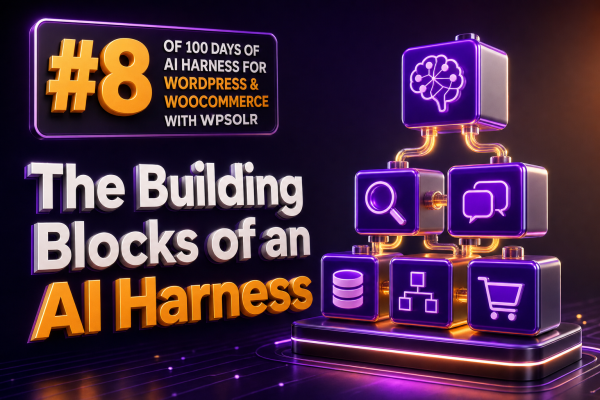
An AI harness is the application layer that makes a language model useful, controlled, and repeatable inside a WordPress or WooCommerce system. The model is only one component. The harness supplies the right context, exposes approved actions, applies business rules, records what happened, and evaluates whether the result was acceptable.
For an agency, this distinction matters. A prompt that works in a demonstration is not the same as a production capability that can answer questions from a store catalog, respect customer permissions, update an order safely, and provide enough evidence for troubleshooting.
1. The model gateway
The model gateway is the boundary between WordPress and one or more AI providers. It should centralize provider configuration rather than scattering API calls throughout plugins, theme code, and custom integrations.
A useful gateway normally handles:
- Provider and model selection by task.
- Authentication and secret management.
- Timeouts, retries, rate limits, and failure handling.
- Request and response normalization.
- Token, latency, and cost measurement.
- Redaction rules for sensitive customer and order data.
For example, a product-description workflow may use a lower-cost model, while a support workflow that must interpret policy documents may use a more capable model. The rest of the application should call a stable internal service such as generate_text() or run_task() instead of depending directly on a vendor-specific SDK.
2. The context and retrieval layer
Models do not automatically know the current contents of a WooCommerce store. The harness must retrieve relevant information and place it into the model request. This is often called retrieval-augmented generation, or RAG.
For WordPress projects, the retrieval layer can combine:
- Published product titles, descriptions, attributes, categories, prices, and stock status.
- Documentation, shipping rules, return policies, and other managed content.
- Order or customer records, subject to authentication and authorization.
- Search results from the site’s existing search infrastructure.
- Structured metadata supplied by an external ERP, CRM, or inventory system.
WPSOLR can provide an important search and indexing foundation for this layer. An agency can use its indexed WordPress and WooCommerce content to find candidate documents, products, or knowledge-base entries before passing a small, relevant context set to the model. The harness should still define filters, field selection, access rules, and maximum context size; retrieval should not mean sending an entire catalog or database table to an AI provider.
A practical retrieval flow is:
- Receive the user’s question and authenticated site context.
- Classify the request, such as product discovery, policy lookup, or order support.
- Search the appropriate WPSOLR indexes or WordPress data sources.
- Filter results by publication status, language, store, user permissions, and other business constraints.
- Format the selected records with stable identifiers and source URLs.
- Ask the model to answer only from the supplied evidence when factual accuracy is required.
3. Prompt and instruction management
Prompts are application configuration, not disposable text embedded in random code paths. Store system instructions, task instructions, output requirements, and examples in a versioned structure.
A WooCommerce support prompt might specify that the assistant must distinguish between an estimated delivery date and a guaranteed delivery date, must not invent stock levels, and must request an order number before accessing order-specific information. These rules should be separate from the customer’s message and from retrieved content.
Use explicit output contracts whenever another part of the application consumes the response. For example:
{