

The merchandising problem behind missed sales
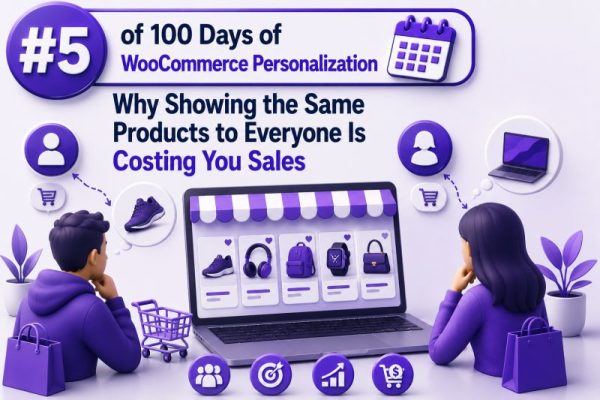
A WooCommerce store that shows the same products, sorting, promotions, and recommendations to every visitor is treating different buying intentions as if they were identical. A first-time visitor researching options, a returning customer who has purchased twice, and a wholesale buyer looking for case quantities may all see the same storefront.
That approach is simple to maintain, but it can reduce product discovery and make the store less relevant. When shoppers cannot quickly find products that match their needs, they are more likely to leave, search elsewhere, or buy only the item they already had in mind.
Why one catalogue experience underperforms
A standard catalogue usually reflects the store’s internal structure: categories, featured products, recent products, or best sellers. Those rules are useful, but they do not account for visitor context.
For example, a WooCommerce store selling outdoor equipment might show its overall best sellers to everyone. A customer who recently viewed hiking boots may instead need compatible socks, gaiters, or care products. A customer who purchased a tent may be more responsive to sleeping bags and cooking equipment. Showing both customers the same products wastes valuable merchandising space.
The issue is not that best sellers are ineffective. It is that a single ranking cannot be optimal for every visitor.
Relevant recommendations increase product discovery
Personalization gives agencies more ways to connect a shopper’s intent with the right part of the catalogue. Useful signals include:
- Products viewed during the current session
- Categories or attributes viewed repeatedly
- Previous purchases
- Items in the cart
- Search terms
- Geographic or business segment, where appropriate
- New versus returning customer status
- Stock availability and margin requirements
These signals can support practical recommendation rules such as:
- Show accessories related to the product currently being viewed
- Exclude products the customer already purchased
- Promote replenishable products near their expected reorder interval
- Prioritize products from categories visited during the session
- Display trade-focused products to approved wholesale customers
- Recommend alternatives when a viewed product is out of stock
The goal is not to change every element of the site for every visitor. It is to make high-value merchandising areas more useful.
Practical WooCommerce examples
Product pages
On a product page for a coffee machine, a generic “You may also like” block might show other coffee machines. A more useful block could show compatible filters, descaling tablets, and spare carafes. These recommendations address the next likely purchase and can increase average order value without distracting from the primary product.
The recommendation logic should use product relationships that are maintained in WooCommerce, such as upsells, cross-sells, related categories, shared attributes, or a dedicated product-relation table. It should also exclude unavailable products and avoid recommending an item already in the cart when the objective is to add complementary products.
Category pages
A visitor browsing a running-shoe category may benefit from a size-aware or use-case-aware ordering of products. If the shopper has repeatedly viewed trail-running products, trail shoes can appear before road shoes, provided the ordering does not hide other products or create an inaccessible experience for new visitors.
A safe implementation can apply a personalized ordering only when enough behavioural data exists. Otherwise, the store can use its normal category sort order.
Cart and checkout
Cart recommendations should complement the current basket rather than repeat it. For a cart containing a camera body, relevant suggestions might include a memory card, battery, or camera bag. Recommendations should respect stock, product visibility, shipping restrictions, and any rules about coupon eligibility.
Avoid placing aggressive cross-sells in a way that interrupts checkout. A compact, clearly labelled section below the cart contents is usually less disruptive than a modal that appears immediately after an item is added.
Returning customers
A returning customer who purchased printer ink 10 months ago may be a strong candidate for a replenishment reminder. However, the store should not assume a fixed reorder interval for every customer. Use order history, product type, and a reasonable time window, and provide a clear way to dismiss or adjust the recommendation.
For subscription products, WooCommerce Subscriptions data can help distinguish an active recurring order from a genuine replenishment opportunity. The system should not recommend a product that is already covered by an active subscription unless the business intentionally supports additional quantities.
Personalization should not create a fragmented site
Agencies sometimes begin with too many segments and rules. A store may end up with separate experiences for every device, traffic source, category, location, and customer type. This increases maintenance costs and makes results difficult to interpret.
Start with a small number of high-confidence use cases. For example:
- New visitors see the standard merchandising order.
- Returning visitors see recently viewed products and relevant cross-sells.
- Customers with purchase history see complementary or replenishable products.
- Logged-in wholesale customers see their approved catalogue and pricing rules.
Each rule should have a fallback. If there is not enough data, if a recommendation query fails, or if the selected products are unavailable, the site should render the normal WooCommerce experience rather than an empty block.
Account for caching and performance
Personalized output can conflict with page caching if it is generated server-side without considering cache variation. A cached response intended for one customer could be incorrectly served to another. This is both a relevance problem and a potential privacy issue.
Common implementation patterns include:
- Render a stable page on the server and load personalized product IDs through an authenticated or carefully restricted AJAX or REST request
- Use client-side requests for recommendation blocks that do not need to affect the main page content
- Vary cached content only on controlled, non-sensitive segments
- Cache recommendation results briefly by segment or anonymous session where appropriate
- Keep product visibility, pricing, and permission checks on the server
Do not expose private order history, customer identifiers, or unrestricted product data in front-end JavaScript. For logged-in shoppers, use WordPress authentication and capability checks where the data requires them. For anonymous visitors, use a random session identifier rather than an email address or another directly identifying value.
Recommendation queries should also be efficient. Use indexed lookup data, limit the number of candidate products, and avoid loading the entire catalogue into PHP for every request. Test performance with realistic catalogue sizes, variable products, traffic levels, and cache states.
Respect privacy and consent requirements
Behavioural personalization can involve cookies, local storage, analytics events, or customer account data. The implementation should follow the store’s privacy notice and applicable consent requirements. Do not assume that because a visitor can technically be identified, every personalization signal can be used without restriction.
Document what data is collected, why it is used, how long it is retained, and whether it is shared with a third-party recommendation service. Provide a non-personalized fallback for visitors who decline optional tracking when required by the site’s consent configuration.
For agencies, this documentation is part of the implementation rather than an afterthought. It also makes it easier to explain the feature to merchants and troubleshoot differences between visitors.
Measure incremental value, not just clicks
A recommendation block can receive clicks without producing additional revenue. Measure the business outcome that matches the use case, such as:
- Add-to-cart rate for recommended products
- Conversion rate for visitors exposed to the block
- Average order value
- Revenue per session
- Attach rate for accessories
- Repeat purchase rate for replenishable products
- Margin after discounts and fulfilment costs
Use an experiment with a control group that receives the existing merchandising logic. Keep the test audience, attribution window, and primary metric defined before launch. A useful comparison is not merely whether recommended products were clicked, but whether the personalized experience generated incremental orders or revenue compared with the control.
Segment results carefully. A rule may work for returning customers but perform poorly for first-time visitors. Check device type, traffic source, product category, stock status, and customer status before making the rule global.
Build rules that merchants can operate
Personalization loses its value if the merchant cannot understand or adjust it. In the WooCommerce admin, give store teams control over product exclusions, priority categories, seasonal campaigns, stock thresholds, and fallback content.
A useful rule should answer four questions:
- Which shoppers qualify?
- Which products are eligible?
- Where will the products appear?
- What happens when there is no qualifying product?
Log decisions in a way that helps support teams investigate them. A log might record a rule name, anonymous session or customer context, candidate count, selected product IDs, and fallback reason without storing unnecessary personal data.
Showing every shopper the same products is predictable, but predictability is not the same as relevance. By starting with a few measurable use cases, protecting cache and privacy boundaries, and keeping merchant controls simple, WooCommerce teams can turn existing catalogue data into a more useful shopping experience.