

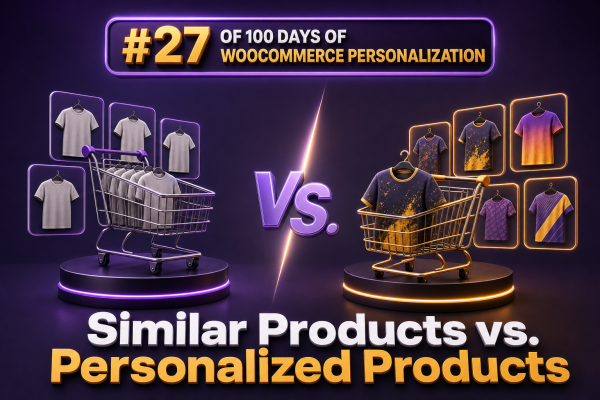
WooCommerce stores often use the terms similar products and personalized products interchangeably, but they describe different recommendation strategies. Similar-product recommendations are based primarily on the relationship between products. Personalized-product recommendations are based on the relationship between a product and a particular shopper, session, or customer segment.
What similar products mean
A similar-product module answers the question: “Which products resemble the item currently being viewed?” The recommendation may use shared categories, tags, attributes, price ranges, product types, or manually assigned relationships.
In WooCommerce, the default related-products output is generally driven by shared product categories and tags. It is useful when a shopper is browsing a product and wants alternatives with comparable characteristics. For example, a store selling running shoes might show other running shoes in the same category, or products tagged with similar terrain and cushioning attributes.
Common examples include:
- Alternative products on a product detail page
- Products in the same category or subcategory
- Items with matching attributes such as size, material, color, or compatibility
- Products within a similar price range
- Manually selected alternatives for discontinued or out-of-stock products
What personalized products mean
A personalized-product module answers a different question: “Which products are most relevant to this shopper right now?” The answer can use shopper behavior, purchase history, location, device, referral source, cart contents, loyalty status, inventory, or the behavior of similar customers.
For example, two shoppers viewing the same coffee machine might receive different recommendations. A first-time visitor could see popular starter bundles, while a returning customer who previously purchased the machine might see compatible filters, cleaning supplies, or replacement parts.
Personalized recommendations may include:
- Recently viewed products
- Products frequently bought with the current item
- Recommendations based on previous purchases
- Items influenced by browsing and search behavior
- Products selected for a customer segment, such as wholesale buyers or loyalty members
- Recommendations adjusted for inventory, margin, location, or delivery availability
The practical difference for WooCommerce agencies
Similar products are primarily a catalog-taxonomy problem. Personalized products are a data, decisioning, and delivery problem. The first strategy can often be implemented with well-maintained categories, tags, attributes, upsells, and cross-sells. The second usually requires event tracking, customer identity handling, recommendation rules, a personalization plugin, or an external recommendation service.
A useful distinction is the source of relevance:
- Similar products: relevance comes from product-to-product similarity.
- Personalized products: relevance comes from shopper-to-product affinity.
Similarity can work for anonymous visitors because it does not require much information about the shopper. Personalization can become more effective as behavioral and transactional data accumulates, but it must handle cold-start visitors, consent, privacy requirements, and incomplete data.
Choosing the right strategy by page
Product detail pages
Use similar products when shoppers are comparing alternatives. A product detail page for a blue cotton shirt might show shirts with comparable style, fit, and price. This helps when the current product is not quite right.
Use personalized recommendations when the goal is to increase basket value or support the next purchase. The same page might show items frequently bought with the shirt, products that complement the shopper’s previous purchases, or a bundle selected for a known customer segment.
Cart and checkout
Similarity is usually less useful in the cart because the shopper has already selected a product. Complementary recommendations are more appropriate. These can be powered by manually configured cross-sells, rules based on cart contents, or an algorithm trained on order data.
Agencies should keep these recommendations tightly related to the purchase. Showing a large set of unrelated “similar” products at checkout can distract from completing the order and may reduce conversion.
Category and search pages
Category and search pages benefit from similarity, filters, and merchandising rules because shoppers are actively comparing products. Personalization can adjust ranking or highlight relevant products, but it should not override clear search intent. A shopper searching for a specific replacement part should not receive a heavily personalized result that fails the compatibility requirement.
Account and post-purchase areas
Personalization is particularly valuable after the first order. The store can recommend replenishment products, compatible accessories, upgrades, or products associated with the customer’s purchase history. These recommendations should account for product ownership so that the store does not repeatedly recommend an item the customer already bought unless replenishment is expected.
Implementation patterns
For similar products, start with structured catalog data. Define consistent product attributes, maintain accurate categories and tags, and use upsells or cross-sells where merchandising knowledge is stronger than an automated rule. A custom implementation can query products sharing selected attributes rather than relying only on broad category membership.
For personalized products, define the events and signals before selecting a tool. Typical events include product views, searches, add-to-cart actions, purchases, email clicks, and recommendation clicks. Store only the data needed for the intended experience, and document how consent, retention, deletion, and guest sessions are handled.
A recommendation component should also have a fallback. If there is not enough information to personalize a visitor’s experience, it can return best sellers, category-based alternatives, manually curated products, or frequently bought-together items. This prevents empty modules and avoids exposing internal scoring logic to the customer.
When rendering recommendations in WooCommerce, agencies should consider caching carefully. A fully cached product page can accidentally display one customer’s personalized results to another visitor if the recommendation response is embedded in the cached HTML. Safer patterns include server-side variation by an approved customer context, an authenticated API request, or a client-side request that returns only the permitted recommendation data.
How to measure the difference
Similar-product modules should be measured for product discovery and substitution. Useful metrics include recommendation click-through rate, product detail views, add-to-cart rate, conversion rate after interaction, and the percentage of sessions that switch from the original product to a recommended alternative.
Personalized modules should also be evaluated for incremental value. Compare a personalized experience with a control group that receives a non-personalized recommendation or no module. Track revenue per session, average order value, units per transaction, repeat purchase rate, gross margin, and recommendation-assisted conversion. A high click-through rate does not necessarily mean the module is producing profitable incremental sales.
Segment results by device, customer status, traffic source, and page type. A recommendation strategy that performs well for returning customers may perform poorly for first-time visitors, and a strategy that increases units per order may reduce margin if it promotes excessive discounts.
Common mistakes
- Calling category output personalization: showing products from the same category is not individualized unless the result changes according to shopper context.
- Ignoring compatibility: algorithmic relevance must not recommend incompatible parts, sizes, platforms, or variations.
- Over-personalizing anonymous traffic: weak or short-lived signals can create arbitrary recommendations. Use popular or curated products as a fallback.
- Showing purchased products without purpose: exclude owned products when recommending new items, unless the use case is replenishment or repeat purchase.
- Using stale inventory: filter unavailable products before rendering recommendations and define behavior for backorders.
- Testing only clicks: optimize for business outcomes and customer satisfaction rather than interaction rate alone.
A practical decision framework
- Use similar products when the shopper needs alternatives, comparison, or a substitute for the current item.
- Use complementary or frequently bought-together products when the shopper is building a basket.
- Use personalized products when customer or session context can materially change what is relevant.
- Use curated or popular products when there is insufficient data for reliable personalization.
- Combine strategies only when their purposes are clear. For example, place “Similar items” near the product comparison area and “Recommended for you” in a separate section based on shopper context.
For most WooCommerce projects, the strongest rollout begins with clean catalog relationships and measurable manual recommendations. Once event tracking, consent handling, inventory rules, and experimentation are in place, personalized recommendations can be introduced where they solve a specific customer or merchandising problem rather than being added as a generic replacement for related products.