

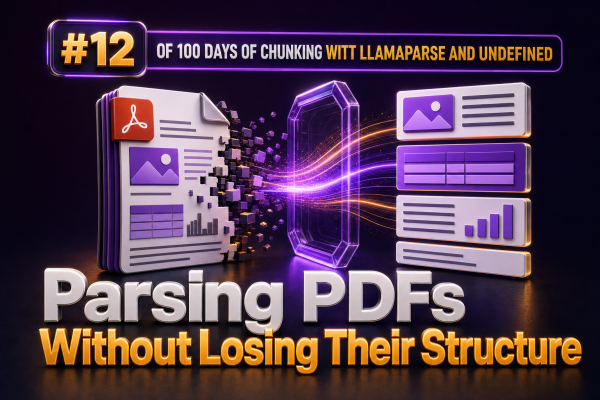
PDFs are convenient for publishing product catalogs, installation guides, compliance documents, invoices, and technical manuals. They are much less convenient for retrieval systems. A parser that extracts only the visible words can destroy the relationships that make the document useful: a price can become separated from its product, a table row can be read in the wrong order, and a heading can be detached from the section it describes.
For WooCommerce agencies, this matters when building search, support assistants, catalog importers, or internal knowledge tools. The goal is not simply to turn a PDF into plain text. The goal is to preserve enough structure that downstream chunking and retrieval still represent the source accurately.
Why ordinary PDF text extraction fails
A PDF usually stores text by position on a page rather than as a semantic document tree. The visual order a person sees may not match the order in which a library returns text. Multi-column layouts, sidebars, headers, footers, tables, captions, and footnotes can all be interleaved.
For example, a product datasheet may visually contain:
- A product name and short description.
- A specification table with dimensions and materials.
- A compatibility note.
- A warning in a sidebar.
A naïve extraction may return the warning before the product name, place table headers at the end of the table, or repeat the footer after every paragraph. If those fragments are sent directly to an embedding model, retrieval can return incomplete or misleading context.
Preserve document structure before chunking
Chunking should happen after the parser has identified the document’s meaningful elements. Useful elements include headings, paragraphs, lists, tables, captions, page numbers, and section boundaries. LlamaParse is designed for document parsing tasks where layout and structure are important, and it can produce structured representations instead of treating every page as an undifferentiated text stream.
A practical intermediate representation for a WooCommerce knowledge pipeline might look like this:
{"document_id":"installation-guide-42","page":3,"section_path":["Outdoor Lighting","Installation","Wiring"],"block_type":"table","text":"Voltage | 12 V\nCable length | 5 m","metadata":{"source":"installation-guide.pdf","product_sku":"LIGHT-42"}}The exact output format can vary, but the important properties are consistent: each block has a type, location, surrounding hierarchy, and source metadata. That information should survive the transformation into chunks.
Use a structure-aware parsing workflow
- Identify the document class. Separate catalogs, manuals, invoices, policy documents, and marketing brochures. Different classes require different handling for tables, repeated headers, and metadata.
- Parse layout-aware content. Extract headings, paragraphs, tables, lists, and page references rather than requesting plain text only.
- Normalize repeated artifacts. Remove duplicated headers, footers, watermarks, and page numbers when they do not carry meaning. Keep them when they identify a legal notice or document version.
- Attach hierarchy. Record the nearest heading and, where possible, the complete path of parent headings for every block.
- Validate before chunking. Compare extracted text with representative pages, especially pages containing tables, two-column layouts, product variants, or footnotes.
- Chunk by semantic boundaries. Split long sections at paragraphs or related table groups, not at arbitrary character offsets.
Tables need special treatment
Tables are one of the most common causes of inaccurate retrieval. A table is not just a sequence of words; it is a set of values associated with column and row labels. The statement “Maximum load: 15 kg” is meaningful because the parser preserved the relationship between the label and the value.
When a table is short, represent it as readable text with its heading and column labels:
Product: Wall Bracket WB-200
Specifications:
- Material: Powder-coated steel
- Maximum load: 15 kg
- Compatible rail width: 40 mm
For larger tables, preserve a structured form and create chunks around logical row groups. Include the table title, column headers, product identifier, and page number in each chunk. Do not split a row across chunks unless the row is exceptionally large.
For a WooCommerce catalog, table rows often correspond to variations or technical attributes. Preserve identifiers such as SKU, model number, size, voltage, and region. These fields are useful both for retrieval and for connecting the parsed content to products in WooCommerce.
Keep hierarchy in the chunk text and metadata
Embedding a paragraph without its heading removes important context. A chunk containing “Not suitable for wet locations” is much more useful when it also includes the section path and product name.
A useful chunk format is:
Document: Outdoor Lighting Installation Guide
Section: Outdoor Lighting > Installation > Environmental requirements
Product: Wall Light WL-100
Page: 8

Not suitable for wet locations. Install only in covered areas...
Store the same context as metadata where the vector database supports filtering:
document_idand source filename.page_numberor page range.section_path.block_type, such as paragraph, table, or list.product_id, SKU, or catalog category.document_versionand effective date.
Including hierarchy in the text helps semantic search. Storing it as metadata enables precise filters, citations, reindexing, and deletion when a document is replaced.
Choose chunk boundaries based on meaning
Fixed-size chunking is easy to implement but frequently damages PDF content. A chunk may begin with a table heading and end halfway through the rows, or contain a warning without the conditions that explain it.
Prefer boundaries in this order:
- Complete document sections.
- Complete subsections or related paragraphs.
- Complete lists and table groups.
- Paragraph-level splits for unusually long sections.
Use overlap selectively. A small overlap between adjacent prose chunks can preserve references such as “these dimensions” or “the previous step.” Tables and short warnings generally should not be duplicated across many chunks because repetition can distort retrieval and increase indexing cost.
Handle reading order and multi-column pages
Before indexing a PDF, test pages with more than one column. A parser may need layout instructions or a document-specific configuration to distinguish the left column from the right column. The same applies to pages that place callouts beside the main text.
Validation should check for:
- Paragraphs that jump between columns.
- Headings appearing after the content they introduce.
- Captions detached from images or diagrams.
- Footnotes inserted into the middle of sentences.
- Repeated page furniture contaminating every chunk.
When reading order cannot be determined reliably, preserve page and block coordinates if available. This makes it possible to inspect the original location and apply a custom ordering rule for a particular document family.
Build a validation set for agency projects
Do not evaluate a PDF parser only on clean text pages. Create a small test set containing the layouts your clients actually publish: a product catalog, a technical manual, a scanned document, a two-column brochure, a specification table, and a document with headers and footers.
For each file, check:
- Whether all important headings are present.
- Whether table headers remain attached to their values.
- Whether product identifiers are extracted exactly.
- Whether page references are correct.
- Whether warnings and exclusions remain with the relevant product or section.
- Whether OCR errors are detected or flagged for review.
For retrieval testing, write questions whose answers depend on structure, such as “What is the maximum load for model WB-200?” or “Which installation conditions exclude the WL-100 warranty?” A system that retrieves the right words but loses the model or condition has not preserved enough structure.
Separate parsing, normalization, and indexing
Keep the pipeline modular. Store the raw parser output, a normalized document representation, and the final chunks as separate artifacts. This makes it possible to change chunk sizes, metadata fields, or embedding models without reparsing every source file.
A typical flow is:
- Upload the source PDF and record its checksum and version.
- Parse it with a layout-aware parser such as LlamaParse.
- Normalize block types, whitespace, repeated artifacts, and identifiers.
- Run structural and content validation.
- Generate hierarchy-aware chunks.
- Embed and index the chunks with source metadata.
- Expose page and section references in the WooCommerce-facing application.
If a client replaces a manual or updates a catalog, the checksum and document version let the indexing process remove stale chunks and add the new ones without affecting unrelated products.
Practical implementation considerations
For production systems, treat parser output as untrusted input. Enforce size limits, sanitize rendered HTML, and avoid inserting extracted markup directly into an administrative or storefront page. Store plain text or a controlled structured representation for embeddings, and render citations through an approved template.
Also account for scans and mixed PDFs. A document may contain both selectable text and image-only pages. Route pages that require OCR through the appropriate path, mark OCR-derived content in metadata, and lower confidence or request human review when product identifiers or numeric specifications are uncertain.
For WooCommerce agencies, preserving structure is especially valuable when the final experience needs more than answer generation. The same parsed representation can support product attribute enrichment, internal support search, documentation portals, catalog audits, and links from an answer back to the exact page and section in the source document.