

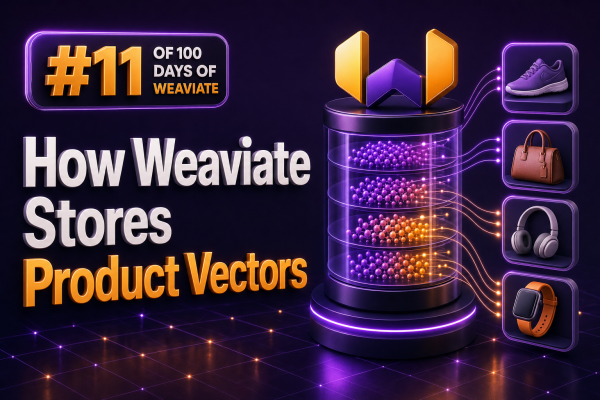
In a WooCommerce search integration, a product vector is the numerical representation of product information such as its name, description, attributes, categories, and selected custom fields. Weaviate stores that vector alongside the product object and maintains a vector index so semantic searches can find products by meaning rather than by exact keyword matches.
A Product in Weaviate Has Data and a Vector
A typical product object contains ordinary properties and a vector. The properties might include the WooCommerce product ID, title, description, SKU, price, stock status, categories, and attributes. The vector is an array of floating-point numbers generated by an embedding model.
{
  "id": "2f4f7b7e-8c39-4f90-a832-3cc7e7b8a9c1",
  "properties": {
    "wooCommerceId": 1842,
    "name": "Waterproof trail running jacket",
    "description": "Lightweight shell for wet and windy mountain runs",
    "categories": ["Running", "Jackets"],
    "price": 129.00
  },
  "vector": [0.0124, -0.0871, 0.2315, 0.0442]
}
The exact vector dimension depends on the embedding model. A model that produces 768-dimensional embeddings generates vectors with 768 numerical values. Every vector in a vector index must use the dimensionality expected by that index and its configured vectorizer.
Where Weaviate Stores the Vector
Weaviate separates object storage from vector search structures. The product properties are stored as object data and can also be indexed for filtering and keyword-oriented queries. The vector is stored in the collection’s vector index, which is optimized for nearest-neighbor searches.
For most collections, Weaviate uses an HNSW index for approximate nearest-neighbor search. HNSW, or Hierarchical Navigable Small World, organizes vectors into a graph of connections. During a search, Weaviate navigates that graph to find vectors close to the query vector without comparing the query with every product in the catalog.
This design matters for WooCommerce catalogs. A store with thousands or millions of products can perform semantic retrieval without running a full exact distance calculation against every product for each search request. The result is an approximate nearest-neighbor search, so index configuration and recall should be tested against the agency’s relevance requirements.
Distance Is Part of Vector Storage
Weaviate compares vectors using a configured distance metric. Common choices include cosine distance, dot product, and Euclidean distance. The embedding model and the search configuration should use a compatible metric. Cosine distance is a common default for text embeddings because it compares the direction of vectors while reducing the influence of their magnitude.
For example, a shopper’s query such as light shell for rainy trail runs is converted into a query vector. Weaviate compares that vector with product vectors and returns products that occupy nearby positions in the vector space. A product does not need to contain the exact phrase “rainy trail runs” to be considered relevant.
How Vectors Are Created
There are two common approaches for adding product vectors to Weaviate:
- Weaviate-managed vectorization: the collection is configured with a vectorizer integration, and Weaviate generates vectors from selected properties when objects are imported or updated.
- Client-supplied vectors: the agency generates embeddings externally and sends the vector with each product object. This is useful when the project already uses a specific embedding provider, preprocessing pipeline, or multilingual model.
When using managed vectorization, configure which product properties contribute to the vector. A WooCommerce integration may want to include the product name, long description, short description, categories, attributes, and brand, while excluding operational fields such as inventory quantity, internal notes, or a constantly changing price.
When supplying vectors directly, the text used to create the embedding should be versioned or reproducible. For example, an ingestion service can construct a normalized document from WooCommerce data:
Product: Waterproof trail running jacket
Brand: Alpine North
Categories: Running, Jackets
Attributes: waterproof, lightweight, hooded
Description: Lightweight shell for wet and windy mountain runs
The service can embed that document and send the resulting vector with the product object. If the embedding model changes, existing products generally need to be re-embedded so that stored vectors remain comparable within the same vector space.
Default Vectors and Named Vectors
A collection can use a single default vector, which is sufficient for many product search implementations. Weaviate also supports named vectors, allowing a collection to store multiple vector representations for the same object. An agency might maintain separate vectors for product copy, visual content, or a specialized regional description.
Named vectors are useful when different search experiences need different representations. For example, a text query can use a text vector, while an image-based product finder can use an image vector. The application must select the appropriate target vector during the query rather than assuming that every search uses the default vector.
Product Updates and Re-indexing
WooCommerce products change frequently. A title edit, category change, or description update can alter the embedding input and should trigger a vector update when that property contributes to vectorization. Price, stock status, and visibility often require a different treatment: they may not need a new embedding, but they should be stored as properties and applied as filters at query time.
A practical synchronization process is:
- Receive a WooCommerce product create or update event.
- Normalize the fields used for semantic search.
- Generate a new vector when vectorized content has changed.
- Update the Weaviate object and its vector.
- Apply current inventory, price, channel, and visibility values as filterable properties.
Do not encode every changing business rule into the vector. A vector can express that two products are semantically similar, but it is not a reliable substitute for exact filters such as inStock = true, price < 100, or catalogVisibility = "visible".
Filtering Product Vectors
Semantic search is commonly combined with structured filtering. For example, a query for lightweight waterproof jacket can be restricted to products that are in stock, belong to a particular category, and fall below a shopper’s budget. Weaviate evaluates the vector similarity and the filter together so that unavailable or disallowed products do not appear in the result set.
query {
  Product(
    nearText: { concepts: ["lightweight waterproof jacket"] }
    where: {
      operator: And
      operands: [
        { path: ["inStock"], operator: Equal, valueBoolean: true },
        { path: ["price"], operator: LessThan, valueNumber: 100 }
      ]
    }
    limit: 12
  ) {
    name
    wooCommerceId
    price
  }
}
The exact query syntax depends on the Weaviate client and API version used by the integration. The underlying principle remains the same: vectors provide semantic ranking, while typed properties enforce catalog rules.
Persistence, Replication, and Tenancy
Vectors are persisted as part of the Weaviate collection rather than being temporary values that must be regenerated for every request. Production deployments should still use durable storage and a backup strategy appropriate for the catalog. Rebuilding vectors can be expensive, especially when an external embedding service has rate limits or usage costs.
For multi-store or multi-tenant WooCommerce platforms, use an explicit data-isolation design. Weaviate collections can be configured for multi-tenancy, and tenant selection must be applied consistently during writes and reads. An alternative is to use separate collections or separate deployments when stronger operational isolation is required. The choice should account for tenant count, catalog size, access controls, backup requirements, and query patterns.
Operational Checks for Agencies
- Record the embedding model, vector dimension, distance metric, and preprocessing version used for each catalog.
- Keep the WooCommerce product ID as a stable property so search results can map back to product pages and cart operations.
- Use deterministic synchronization and idempotent writes so webhook retries do not create duplicate products.
- Monitor failed vectorization requests separately from failed object writes.
- Test recall with real shopper queries, misspellings, attributes, brand names, and multilingual product content.
- Measure filtered search performance using production-like catalog sizes rather than relying only on a development dataset.
The key storage model is straightforward: Weaviate keeps the product’s structured object data for retrieval and filtering, stores one or more embedding vectors for semantic representation, and maintains a vector index for fast nearest-neighbor search. A WooCommerce integration gets the best results when it treats those roles separately and keeps stock, price, visibility, and other exact commerce rules in structured properties.