

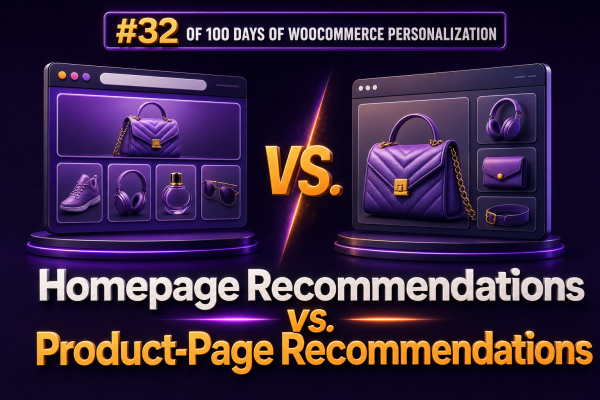
Homepage recommendations and product-page recommendations serve different jobs in a WooCommerce personalization strategy. The homepage introduces possibilities and helps shoppers discover relevant categories, while the product page helps shoppers evaluate a specific item and move toward a larger or more suitable purchase.
Using the same recommendation logic in both locations usually produces weak results. Agencies should define the shopper’s intent, available behavioral data, and commercial objective for each page before selecting a recommendation strategy.
How the two recommendation surfaces differ
| Surface | Primary shopper intent | Useful recommendation goal | Typical data available |
|---|---|---|---|
| Homepage | Exploration, orientation, or returning to the store | Start a shopping journey or expose relevant categories and products | Referral source, customer history, browsing behavior, location, device, and seasonal context |
| Product page | Evaluation of a known product | Increase basket value, offer an alternative, or remove purchase friction | Current product, category, attributes, price, inventory, and related browsing or purchase behavior |
The homepage often has less immediate context than a product page. A visitor may arrive from a search engine, an email campaign, a paid advertisement, or a direct visit. The product page, by contrast, gives the recommendation system a strong signal: the shopper is currently considering a particular product.
Homepage recommendations
Homepage recommendations should help visitors find a useful starting point without overwhelming them. The best module depends on whether the visitor is anonymous, returning, or associated with a known customer account.
Effective homepage modules
- Recently viewed products: Useful for returning visitors who have already demonstrated interest in specific products. Store the list in a consent-appropriate first-party cookie or use authenticated customer data where available.
- Continue shopping: A stronger version of recently viewed products that can restore a browsing journey, category, or saved cart context.
- Popular in a relevant category: Helpful when the visitor arrives with limited history. The category can be inferred from the campaign or landing page rather than guessed solely from site-wide sales.
- New or seasonal products: Appropriate for stores with frequent catalog changes, provided the products are in stock and commercially ready to purchase.
- Personalized category entry points: For example, a returning customer who repeatedly buys coffee equipment could see coffee machines, grinders, and accessories presented before unrelated departments.
A homepage module should usually contain fewer products than a category archive. Its purpose is to direct attention, not reproduce the entire catalog. Two to eight items per module is often easier to scan than a large carousel, although the correct number depends on the theme, device, and product type.
Handling anonymous homepage visitors
Anonymous visitors do not necessarily require generic recommendations. Agencies can combine low-risk contextual signals such as the referral campaign, landing-page category, language, country, device type, and current season. For example, a visitor arriving from a paid campaign for waterproof hiking boots can receive hiking footwear and outdoor accessories on the homepage, even before an account or browsing history exists.
When there is insufficient context, use a transparent fallback such as best sellers by category, products with strong conversion rates, or a curated merchandising set. The fallback should respect inventory, catalog visibility, price rules, and product exclusions.
Product-page recommendations
Product-page recommendations can be more specific because the current product supplies a strong relevance anchor. However, the recommendation label and business rule must match the intended action.
Common product-page recommendation types
- Related products: Products with similar attributes, category membership, customer behavior, or use cases. These are suitable when the shopper may compare alternatives.
- Upsells: Higher-value or more capable alternatives. An upsell should be a credible substitute, not simply the most expensive product in the catalog.
- Cross-sells: Complementary products that can be used with the current product, such as filters for a coffee machine or protective cases for a camera.
- Frequently bought together: Bundling suggestions based on order-level co-purchase patterns. These work best when the products are genuinely complementary and can be purchased together without confusing variation or compatibility issues.
- Recently viewed alternatives: Useful when a shopper has compared several similar products and may need an easy path back to a previous option.
WooCommerce agencies should distinguish these concepts in the interface. A heading such as Complete your setup communicates a different action from Similar products or Upgrade to a higher-capacity model. Clear labels improve relevance and make test results easier to interpret.
Product-page rules should account for compatibility
Behavioral similarity alone is not enough for technical or configurable products. A recommendation engine may identify products that are frequently viewed together but are incompatible with the current item.
Before displaying a recommendation, validate rules such as:
- Compatible model, size, connector, voltage, or operating system.
- Matching variation attributes and required product options.
- Inventory status and purchasable status.
- Shipping restrictions or geographic availability.
- Subscription frequency, bundle composition, or minimum order quantity.
- Exclusion of the current product and products already included in the cart.
For stores selling parts or accessories, structured product attributes are usually more reliable than title matching. Agencies should maintain explicit compatibility taxonomies or relationships in product data and use behavioral recommendations only within the valid compatibility set.
Choosing logic for each page
A practical implementation often uses a layered decision process rather than one universal algorithm.
- Apply hard constraints such as catalog visibility, stock, geographic availability, compatibility, and customer eligibility.
- Use page context. On the homepage, use referral, category, and customer-history signals. On a product page, use the current product, category, attributes, and price range.
- Apply the commercial objective, such as discovery, attachment sales, margin improvement, or conversion support.
- Rank the eligible products using behavioral data, merchandising priorities, or a hybrid score.
- Fall back to a curated or popular-product set when data is sparse.
A simple product-page ranking model might assign higher priority to compatible products with strong co-purchase frequency, sufficient stock, and a reasonable price relationship to the viewed product. A homepage model may instead prioritize category relevance, recent customer activity, and campaign context.
WooCommerce implementation considerations
Recommendation modules can be rendered through a WooCommerce extension, a custom block, a theme component, or an external personalization service. The delivery method should not bypass WooCommerce’s normal product visibility and purchasing rules.
For a custom implementation, agencies may define a server-side recommendation endpoint that accepts a page context such as homepage or product, along with a product ID where applicable. The endpoint should return only products that are currently published, visible, purchasable, and eligible for the requesting shopper.
{
  "surface": "product",
  "product_id": 1842,
  "strategy": "cross_sell",
  "limit": 4
}
Do not place sensitive customer attributes directly in front-end requests. Use an authenticated customer identifier, a consented first-party session token, or an anonymous context key that cannot expose personal information. Cache recommendations carefully: a public cache can improve performance for popular products, while customer-specific results require appropriate cache variation or private delivery.
Recommendation cards should use standard WooCommerce product data and links where possible. Confirm that pricing, sale badges, stock labels, variable-product selections, tax display, currency, and add-to-cart behavior remain consistent with the store’s configuration.
Placement and timing
On the homepage, place the first personalized module after the primary value proposition or category navigation, not necessarily at the very top. The visitor should understand what the store sells before being asked to interpret a personalized product row.
On product pages, place the most relevant decision-support module close to the purchase area. Complementary accessories can appear below the add-to-cart controls, while similar products or alternatives may work better near product comparison content. Avoid placing multiple carousels consecutively; each should have a distinct purpose.
Lazy-load below-the-fold recommendation modules, but reserve layout space to prevent cumulative layout shift. If recommendations depend on a client-side request, render a stable loading state and ensure that the module does not move the purchase controls after the page becomes interactive.
Measurement for agencies
Measure homepage and product-page recommendations separately. Combining them into one click-through rate hides whether a module is assisting discovery or merely receiving high-intent clicks from shoppers already close to purchase.
- Homepage: product-detail views per session, category-entry rate, search usage, add-to-cart rate, and assisted conversion rate.
- Product page: recommendation click-through rate, add-to-cart rate after interaction, attachment rate, average order value, and revenue per product-page session.
- Quality controls: out-of-stock exposure, duplicate products, invalid compatibility suggestions, page performance, and recommendation coverage.
Use holdout groups or controlled experiments where traffic permits. For example, compare a homepage popular-products fallback with a context-aware category module, or compare product-page cross-sells with a manually curated accessory set. Track the recommendation impression, clicked product, source surface, current product, session or customer key, and resulting order event consistently so attribution can be analyzed without relying only on last-click reporting.
Operational checklist
- Define a different objective for homepage and product-page modules.
- Use contextual and customer signals on the homepage, with a clear fallback for cold starts.
- Use the current product as the primary relevance anchor on product pages.
- Validate compatibility, stock, visibility, and customer eligibility before rendering results.
- Label related products, upsells, and cross-sells according to the action they support.
- Keep personalized results compatible with caching, consent, and privacy requirements.
- Measure each surface independently and monitor business and technical quality.