

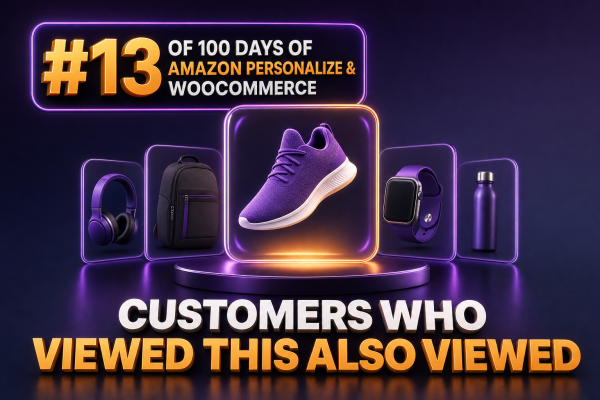
“Customers Who Viewed This Also Viewed” is an item-to-item recommendation pattern for WooCommerce product pages. Instead of asking which products are generally popular, it asks which products tend to appear in the same browsing journeys as the product currently being viewed.
For an agency, this is useful on product detail pages, quick-view panels, and post-purchase browse experiences. Amazon Personalize can generate the recommendations from catalog data and real-time or historical interaction events, while WooCommerce remains responsible for product availability, pricing, links, and presentation.
What the recommendation represents
The model learns relationships between viewed products. If many shoppers view Product A and then view Product B during the same browsing session, Product B can become a candidate when Product A is displayed. The relationship does not necessarily mean that the products are complementary or frequently purchased together.
That distinction matters when selecting the Amazon Personalize recommender. “Customers who viewed this also viewed” should be treated as a browse-affinity module. A separate frequently-bought-together or purchase-based module is generally more appropriate for cart and checkout cross-sells.
WooCommerce data model
Each WooCommerce product needs a stable identifier that Amazon Personalize can use as its itemId. A SKU is often a practical choice because it can remain stable across migrations, but the choice should be consistent across catalog exports, event tracking, recommendation requests, and response mapping.
- ITEM_ID: the stable product or variation identifier.
- ITEM_TYPE: usually
PRODUCT, with a separate convention if variations are modeled independently. - CATEGORY_L1 and other category fields: useful for filtering and model context.
- PRICE and BRAND: useful catalog metadata, subject to the schema and business requirements.
- AVAILABLE: an application-managed availability attribute if it is used in recommendation filters.
Do not send a recommendation directly to the browser and assume that the returned items are still purchasable. Product status, stock, catalog visibility, region, and customer-specific pricing can change after the model produces its result. Resolve every returned identifier against WooCommerce before rendering it.
Capturing view events
The quality of this module depends heavily on view-event coverage. A page-view event should be emitted after the product has been identified and the visitor has been assigned a pseudonymous user or session identity. Agencies should avoid sending an event for an incomplete page load or for a product that is not actually visible to the shopper.
A typical Amazon Personalize event contains the product identifier, a user identifier, a session identifier, and an event type such as view:
{
  "eventType": "view",
  "itemId": "SKU-12345",
  "eventValue": 1.0,
  "properties": "{""page_type"":""product""}"
}
For authenticated shoppers, use a stable internal customer identifier that does not expose an email address. For guests, use a consent-aware first-party identifier or session identifier. The identity strategy should be documented because changing it later can split a shopper’s interaction history and reduce model quality.
Amazon Personalize real-time event ingestion uses PutEvents with a tracking ID. A common architecture sends events from a WooCommerce server-side integration or a controlled browser endpoint through an application service, rather than exposing AWS credentials in page JavaScript.
Choosing the Amazon Personalize recommender
For the Retail domain, configure the Amazon Personalize recommender intended for customers who viewed a product and also viewed other products. The recommender must be in an ACTIVE state before the application requests recommendations.
Amazon Personalize has used both campaign-based solutions and domain recommenders over its product lifecycle. New implementations should follow the current API and resource type selected in the AWS console or infrastructure code. A domain recommender request uses a recommenderArn; older campaign-based implementations use a campaignArn. These are not interchangeable request parameters.
The core request for a product page is conceptually:
{
  "recommenderArn": "arn:aws:personalize:eu-west-1:123456789012:recommender/store-view-affinity",
  "itemId": "SKU-12345",
  "userId": "visitor-7f31c2",
  "numResults": 8
}
The itemId identifies the product currently being viewed. A userId can improve personalization where the selected solution supports it, but it should not be fabricated from personally identifiable information. If the recommender does not require a user identity for this use case, the integration can omit it according to the API contract.
WooCommerce request flow
- Render the product page with the stable Amazon Personalize item identifier.
- Request recommendations from a server-side endpoint owned by the WooCommerce application.
- Pass the current item identifier and, where appropriate, the pseudonymous shopper identifier.
- Map the returned Amazon Personalize identifiers to published WooCommerce products.
- Apply inventory, catalog visibility, region, and merchandising rules.
- Render a limited set of product cards with normal WooCommerce URLs and purchase controls.
A WordPress endpoint can act as a boundary between the storefront and AWS. The endpoint should validate the product identifier, apply rate limits, and use an IAM role with permission to call only the required Amazon Personalize operation. It should not accept an arbitrary AWS ARN or arbitrary product list from the visitor.
A simplified PHP service call using the AWS SDK might look like this:
$result = $personalizeRuntime->getRecommendations([
    'recommenderArn' => $recommenderArn,
    'itemId'        => $itemId,
    'userId'        => $anonymousOrCustomerId,
    'numResults'    => 8,
]);

$ids = array_map(
    static fn (array $item): string => (string) $item['itemId'],
    $result['itemList'] ?? []
);
The exact SDK client and parameters depend on whether the implementation uses the current recommender API or a legacy campaign. Keep that choice behind a small service class so the theme, blocks, and WooCommerce templates do not depend on AWS-specific details.
Filtering and merchandising
Recommendation results should pass through a deterministic eligibility layer. At minimum, exclude the current product, products that are unpublished, products that cannot be purchased in the shopper’s market, and products that violate the store’s merchandising rules.
Amazon Personalize filters can be used for attributes represented in the interaction and item schemas. For example, a filter may exclude products marked unavailable. However, the WooCommerce application should still perform a final live check because stock and product status can change between model generation and page rendering.
Be cautious with category restrictions. A strict same-category filter can make a product page feel coherent, but it can also remove useful discovery opportunities. Test alternatives such as the same category, the same brand, or no category restriction, and evaluate revenue per session alongside click-through rate.
Caching without stale recommendations
Calling Amazon Personalize for every uncached page view can increase latency and runtime cost. Cache the recommendation identifier list rather than a fully rendered product card when prices, stock, or personalization vary frequently.
- Use a short cache key containing the recommender version, current item ID, market, currency, and relevant customer segment.
- Use a shorter TTL for stores with rapidly changing inventory.
- Cache an empty or failed response briefly to avoid repeated calls during an AWS or network incident.
- Resolve cached IDs through current WooCommerce data before output.
- Invalidate or bypass the cache when a product is unpublished or removed from sale.
For anonymous traffic, item-only caching is often effective. For logged-in personalization, adding a user identifier to every cache key can produce poor cache efficiency and unnecessary storage. Measure whether user-specific ranking materially improves the business outcome before adopting that approach.
Fallback behavior
The module must remain useful when Amazon Personalize has no result, the product has too little interaction history, the service times out, or the product catalog mapping is incomplete. A practical fallback sequence is:
- Use valid Amazon Personalize results after WooCommerce eligibility checks.
- Use manually curated related products for the product or category.
- Use popular products from the same category or merchandising group.
- Hide the module if no eligible products remain.
Do not expose AWS errors, ARNs, or raw recommendation payloads in the storefront. Log structured diagnostics on the server, including the recommender version, latency, result count, filtered count, and fallback reason.
Measurement for agency implementations
Measure the recommendation slot as a product discovery component, not just as an API integration. Useful events include module impression, recommendation click, add to cart, purchase, revenue, and the number of eligible results after filtering.
Run an experiment against the existing related-products module or a non-personalized category-based control. Track click-through rate, add-to-cart rate, conversion rate, revenue per session, average order value, and page performance. A high click-through rate with no improvement in downstream commerce metrics may indicate that the module attracts curiosity without improving product fit.
Also monitor coverage: the percentage of product pages receiving at least one valid recommendation. Low coverage commonly points to inconsistent item IDs, missing view events, new-product cold starts, or an overly restrictive filter.
Operational checklist
- Use one documented identifier mapping between WooCommerce and Amazon Personalize.
- Send consent-compliant view events with pseudonymous identities.
- Confirm that the selected recommender is active and that the request matches its API type.
- Keep AWS credentials and recommender configuration on the server.
- Validate every returned product against current WooCommerce state.
- Implement caching, timeouts, logging, and a deterministic fallback.
- Test products with no history, out-of-stock products, variable products, guest visitors, logged-in customers, and multiple currencies.
- Compare the module with a control using downstream commerce metrics.