

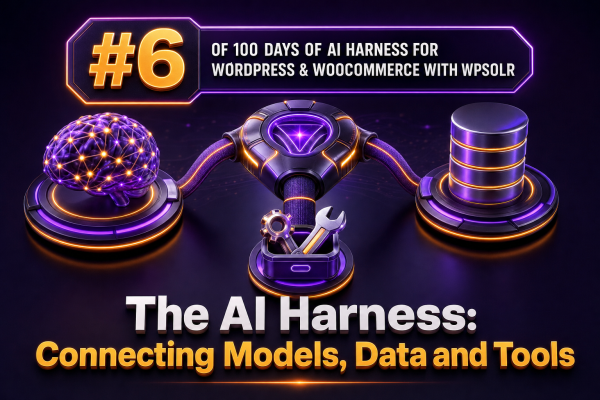
An AI feature in a WooCommerce store becomes reliable when the model is only one part of a controlled execution path. The harness connects three separate capabilities: a model that reasons over a request, data sources that provide grounded context, and tools that perform approved operations.
What the harness is responsible for
The model should not be treated as an application server or as the system of record. A harness should manage the following sequence:
- Accept: validate the customer, administrator, or internal application request.
- Retrieve: find relevant product, order, policy, and site content.
- Assemble: create a bounded prompt containing the request, retrieved evidence, and operating rules.
- Decide: ask the model for an answer or a structured tool call.
- Authorize: check whether the requested operation is permitted for the current user and context.
- Execute: call a narrowly defined WordPress or WooCommerce tool.
- Verify: validate the result, record an audit event, and return a user-safe response.
This separation makes it possible to replace a model provider, change the search index, or add a WooCommerce action without giving the model unrestricted access to the site.
Connecting the model to WordPress data
Retrieval should normally happen before generation. For a WooCommerce assistant, useful evidence can include product titles, attributes, stock status, variation details, shipping policies, return terms, and selected order data. The retrieval layer should return only the fields required for the current task.
WPSOLR can provide the search and filtering layer for indexed WordPress and WooCommerce content. A harness can submit a query to the site’s configured search service, apply product or content filters, and pass the resulting records to the model as citations or structured context. The model should not be asked to invent product availability or infer a policy that was not returned by the data layer.
A retrieval result should have a stable shape rather than being inserted as unstructured text:
{
  "source": "product",
  "id": 4821,
  "title": "Waterproof Hiking Jacket",
  "url": "https://example.com/product/waterproof-hiking-jacket/",
  "availability": "in_stock",
  "attributes": {
    "size": ["M", "L", "XL"],
    "color": ["black", "blue"]
  },
  "evidence": "Available sizes are M, L, and XL."
}
For customer-specific requests, separate public catalog retrieval from authenticated account retrieval. A product search may be available to every visitor, while order status requires an authenticated customer and a query constrained to that customer’s user ID.
Connecting the model to tools
A tool is a deliberately small application function exposed through a schema. It should describe its input and output, but it should not expose arbitrary PHP execution, unrestricted database queries, or an entire WordPress REST namespace.
For example, an agency might expose a read-only order-status tool:
{
  "name": "get_order_status",
  "description": "Return the current status and tracking information for an order owned by the authenticated customer.",
  "parameters": {
    "type": "object",
    "properties": {
      "order_id": {
        "type": "integer",
        "minimum": 1
      }
    },
    "required": ["order_id"],
    "additionalProperties": false
  }
}
The handler must perform authorization independently of the model’s output. In WordPress, that can include checking the current user, verifying ownership with WooCommerce order data, applying a capability check where appropriate, and refusing requests that fail any condition. The model’s statement that a customer is authorized is not an authorization mechanism.
A practical request flow
Consider a customer asking, “Can I get the blue jacket in a large, and when would it arrive?” A safe harness can process the request as follows:
- Identify the request as a product and delivery inquiry, not an order mutation.
- Use WPSOLR-backed retrieval to find the matching product and variation data.
- Retrieve the published shipping policy or delivery estimates for the customer’s destination, if that destination is available.
- Provide the model with the returned evidence and require it to distinguish known information from unavailable information.
- Return a response with the product URL, the verified variation availability, and the applicable delivery estimate.
If the customer instead asks to cancel an order, the model may select a cancellation tool, but the harness should pause for authentication, verify cancellation rules and order status, and require confirmation before executing an irreversible or financially significant action.
Keep model context separate from tool authority
Prompt instructions are useful for behavior, but they are not a security boundary. Use application code for permissions, validation, rate limits, idempotency, and transaction rules.
- Permissions: map each tool to explicit WordPress capabilities or customer ownership checks.
- Validation: validate IDs, quantities, coupon codes, addresses, and other values with server-side rules.
- Scope: return only the minimum fields needed by the model and user.
- Confirmation: require confirmation for refunds, cancellations, address changes, and other consequential operations.
- Idempotency: attach a request key to operations that could otherwise create duplicate orders, notes, refunds, or tickets.
- Observability: log the request ID, selected tool, validation result, actor, and outcome without storing unnecessary personal data.
Choosing the right data path
Not every request should use semantic retrieval. A hybrid strategy is usually more dependable for commerce:
- Use keyword, faceted, and structured filters for SKU, price, stock, brand, size, and taxonomy constraints.
- Use semantic or natural-language retrieval for needs such as “a lightweight coat for wet spring weather.”
- Use direct WooCommerce queries for authoritative order, inventory, customer, and transaction state.
- Use indexed WordPress content for policies, documentation, buying guides, and other published material.
WPSOLR can support the indexed search portion, while direct WooCommerce service calls remain appropriate for data that changes rapidly or must be checked at execution time. For example, a product may have been in stock when retrieved but unavailable when the customer adds it to the cart. Recheck inventory in the operation that changes state.
Designing the orchestration contract
Define a stable internal contract between retrieval, model selection, and tools. One useful request object might contain:
{
  "request_id": "req_01HR...",
  "actor": {
    "type": "customer",
    "user_id": 731
  },
  "input": "Where is my order and what can I do if it is delayed?",
  "retrieved_context": [
    {
      "source": "order",
      "id": 90017,
      "status": "processing",
      "tracking": null
    },
    {
      "source": "policy",
      "title": "Delayed deliveries",
      "url": "https://example.com/shipping/",
      "content": "..."
    }
  ],
  "allowed_tools": ["get_order_status", "create_support_ticket"]
}
The allowed tool list should be created by the application after authentication and policy checks. Do not provide every registered tool to every conversation. An administrator reviewing catalog content may need different tools from a customer asking about an order.
Implementation guidance for agencies
When adding a harness to an existing WooCommerce build, start with read-only capabilities. A practical rollout is:
- Document the data sources, owners, freshness requirements, and access rules for each use case.
- Configure WPSOLR indexing and test product, taxonomy, and policy retrieval with representative queries.
- Build a retrieval adapter that normalizes results into a versioned internal format.
- Introduce one model adapter so the orchestration code is not coupled to a single provider.
- Expose one read-only tool and test authorization failures as aggressively as successful calls.
- Add structured logging, latency measurements, token limits, rate limits, and traceable request IDs.
- Only then introduce state-changing tools with confirmation, idempotency, and rollback or support procedures.
Test the complete path with empty search results, stale index data, conflicting product attributes, unauthorized order IDs, malformed tool arguments, model timeouts, duplicate requests, and WooCommerce errors. A harness is production-ready when those failures produce controlled responses rather than plausible but unsupported answers or unreviewed store changes.