

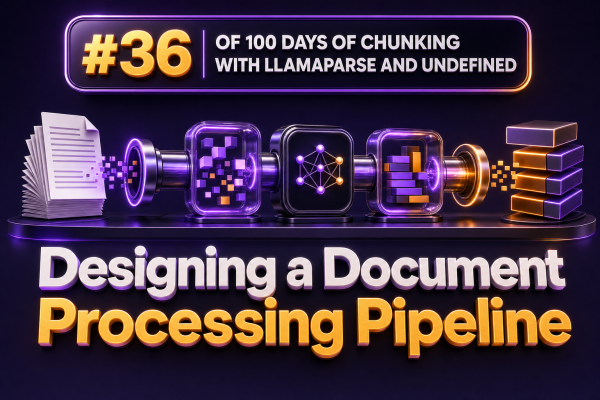
A reliable document-processing pipeline is more than a parser followed by a vector database. For a WooCommerce agency, it must handle inconsistent supplier PDFs, product spreadsheets, shipping documents, support exports, and policy files while preserving the information needed for search, retrieval, and automation.
The pipeline should make each transformation explicit. That makes failures observable, reprocessing safe, and chunking decisions easier to improve without rebuilding the entire system.
1. Define the document contract
Start by deciding what the pipeline promises to produce. A useful output contract usually includes:
- The original document identifier and source location.
- The document type, such as product catalogue, invoice, return policy, or shipping guide.
- Normalized text and structured fields extracted from the document.
- Page, section, table, and paragraph boundaries.
- Chunk text with stable identifiers and metadata.
- Validation status, parser version, and processing timestamps.
For example, a product catalogue chunk might contain document_id, store_id, supplier_id, sku, category, page_number, and source_uri. These fields allow a retrieval system to filter results by store or supplier before generating an answer.
2. Separate ingestion from processing
Ingestion should record that a document exists without assuming that processing will succeed immediately. Store the original file in durable object storage and create a processing record in a database or queue.
A typical lifecycle is:
- Receive an upload, webhook event, or scheduled file.
- Calculate a checksum and reject or link duplicate files.
- Record the source, tenant, filename, MIME type, size, and received time.
- Place a processing job on a queue.
- Run parsing and downstream transformations asynchronously.
This design is important for agencies managing several WooCommerce stores. A large catalogue import should not block checkout-related integrations or administrator requests.
3. Parse according to document type
Use a parser that can preserve layout and structure rather than reducing every file to an undifferentiated text string. LlamaParse can be used for documents where headings, tables, lists, and page structure affect meaning. The output should retain enough context to distinguish a product specification from a footer, disclaimer, or unrelated page number.
Do not treat parser output as automatically correct. PDFs can contain scanned images, duplicated text layers, broken reading order, and tables split across pages. Capture parser warnings and retain the raw parsed representation so that a later parser version can be evaluated against the same source.
For common WooCommerce inputs, use purpose-specific handling where appropriate:
- Use spreadsheet parsing for product feeds so columns such as SKU, price, stock, and variation attributes remain typed fields.
- Use layout-aware parsing for supplier catalogues and installation manuals.
- Use OCR or an OCR-capable parser for scanned invoices and signed delivery documents.
- Use direct HTML extraction for web-based policies when the source is controlled and stable.
4. Normalize before chunking
Normalization should remove noise without destroying meaning. Convert repeated whitespace to single spaces, standardize line endings, and remove headers or footers only when they can be identified reliably. Preserve units, currency codes, SKU punctuation, version numbers, and section titles.
Keep both the source representation and the normalized representation. The source version supports auditing, while the normalized version improves retrieval. For example, changing “£ 12.50” to “12.50 GBP” can help downstream systems, but the original value should remain available for display and verification.
At this stage, classify the document and detect useful structural elements such as:
- Headings and subheadings.
- Tables and their column labels.
- Lists of requirements or exclusions.
- Product identifiers and variation attributes.
- Effective dates, revision numbers, and jurisdictional references.
5. Chunk by meaning and retrieval purpose
Chunking should follow the way the document will be queried. A fixed character window is a useful fallback, but it should not be the default for every source.
For a returns policy, keep the heading, eligibility rules, time limits, exclusions, and required customer actions together where possible. For a product manual, a chunk should usually represent a procedure, warning, or troubleshooting section rather than an arbitrary page fragment. For a catalogue, product-level records may be more useful than long narrative chunks.
A practical chunking strategy is:
- Split first at major headings.
- Split oversized sections at paragraph or list boundaries.
- Keep table headers with the rows they describe.
- Add a small overlap only when it preserves references between adjacent sections.
- Attach hierarchical context, such as the document title and parent heading, to each chunk.
Each chunk should have a stable identifier derived from the document version and its position. Avoid using only the chunk text as an identifier because minor whitespace changes can make otherwise identical content appear new.
6. Preserve metadata as first-class data
Metadata determines whether retrieval results are useful and safe. At minimum, include the tenant or store identifier, document type, source URI, document version, page range, heading path, language, parser version, and access scope.
For WooCommerce agencies, access scope is especially important. A support assistant for Store A must not retrieve a supplier contract uploaded for Store B simply because both stores use the same product name. Apply tenant filters before or during vector retrieval, not only after an answer has been generated.
7. Validate before indexing
Validation should catch obvious defects before chunks reach a search index. Useful checks include:
- The document produced non-empty text.
- Extracted text is within an expected size range.
- Pages are not missing unexpectedly.
- Tables have plausible headers and row counts.
- Required identifiers such as SKU or store ID are present when applicable.
- Chunks are not dominated by repeated headers, footers, or OCR noise.
- Every chunk has an access scope and source reference.
Send failed documents to a review queue with a reason such as empty extraction, low OCR confidence, or unresolved table structure. Silent indexing of bad content creates harder-to-diagnose retrieval failures later.
8. Make processing idempotent
A retry should not create duplicate chunks or duplicate embeddings. Use a document checksum, parser configuration, and processing version to form a reproducible document revision. If the source or processing configuration changes, create a new revision and retire the old indexed chunks only after the new revision passes validation.
This is useful when an agency changes chunk size, switches parsing settings, or adds a new metadata field. Existing WooCommerce integrations can continue operating while the search index is rebuilt in the background.
9. Instrument the pipeline
Track metrics for every stage rather than measuring only the final answer quality. Important measurements include processing time by file type, parser failure rate, average characters per page, chunk count per document, rejected-document rate, embedding cost, and retrieval results with missing metadata.
Log document and job identifiers, but avoid logging sensitive customer information or full document contents by default. Store detailed samples in a controlled debugging location with appropriate retention rules.
10. Test with representative WooCommerce documents
A pipeline can appear successful on clean text files and fail on real agency data. Build a test set containing supplier catalogues, invoices, product manuals, shipping terms, return policies, scanned documents, tables spanning page breaks, and files containing multiple languages or currencies.
Evaluate both extraction and retrieval. A document may parse without errors but still produce poor chunks if headings are lost or table rows are detached from their column names. Test questions such as “Which conditions apply to clearance items?” or “What is the lead time for SKU ABC-123?” and verify that the returned chunk contains enough context to answer accurately.
Example pipeline shape
source file → durable storage → job queue → parser → normalizer → classifier → chunker → validator → embeddings and indexKeep the stages loosely coupled and persist their outputs. That allows an agency to re-chunk previously parsed documents without paying to parse them again, or to regenerate embeddings without repeating OCR. The result is a document pipeline that is easier to operate, audit, and adapt as each WooCommerce project develops different search and automation requirements.