

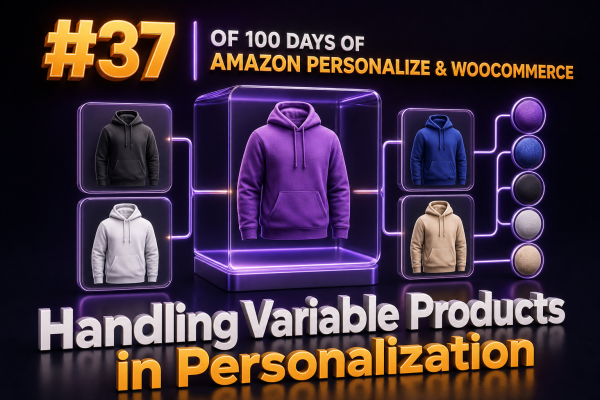
Variable products require a deliberate identity strategy before they can be used reliably in Amazon Personalize. WooCommerce represents a variable product as a parent product with one or more child variations, while Amazon Personalize primarily learns from item IDs and interaction events. If those IDs are inconsistent between the catalog, tracking layer, and storefront, recommendations become difficult to interpret and may promote unavailable or incorrect variants.
Choose the Recommendation Identity
There are two practical identity models for WooCommerce variable products:
- Parent-level recommendations: The catalog contains the WooCommerce parent product, and interactions such as views, add-to-cart actions, and purchases are attributed to the parent. This produces stronger signals when individual variations have limited traffic.
- Variation-level recommendations: Each variation is represented as a separate Amazon Personalize item, usually using the variation ID or SKU as the
ITEM_ID. This is appropriate when size, color, capacity, or another option materially affects customer behavior, price, or availability.
Do not mix these models accidentally. For example, sending a parent product ID in page-view events and a variation SKU in purchase events creates two identities for what may be the same customer intent. Decide whether the recommendation unit is the product family or the purchasable variation, then apply that decision consistently.
When Parent-Level Modeling Is the Better Choice
Parent-level modeling is generally safer when most variations have few interactions. A new color or size can benefit from the history of the product family instead of appearing as a completely new item with no behavioral data.
In this model, the Amazon Personalize item might look like this:
ITEM_ID,PRODUCT_CATEGORY_L1,PRODUCT_TYPE,PARENT_PRODUCT_ID,BRAND
woocommerce-4821,Apparel,variable,woocommerce-4821,Example Brand
The storefront can still display the recommended parent product and select a valid variation after the customer chooses attributes. The recommendation system answers, “Which product family is relevant?” WooCommerce answers, “Which purchasable variation is currently valid for this customer’s selection?”
When recording an order, preserve the selected variation ID in the order data and analytics system even if the Amazon Personalize event uses the parent ID. This maintains accurate operational reporting and allows a future migration to variation-level modeling.
When Variation-Level Modeling Is Appropriate
Use variation-level items when variations have distinct commercial or behavioral meaning. Examples include different storage capacities, subscription terms, pack sizes, finishes, or products where inventory and price differ significantly by variation.
A variation catalog can contain fields such as:
ITEM_ID,PRODUCT_CATEGORY_L1,PRODUCT_TYPE,PARENT_PRODUCT_ID,COLOR,SIZE,PRICE,IN_STOCK
variation-9001,Apparel,variation,woocommerce-4821,navy,M,49.99,true
variation-9002,Apparel,variation,woocommerce-4821,navy,L,49.99,false
Use stable identifiers. A WooCommerce variation ID is usually more reliable than a display name, while a SKU can work if it is guaranteed to be unique and does not change during routine catalog maintenance. Avoid using a concatenated label such as blue-large-shirt unless the agency controls its immutability and normalization.
Every interaction sent to Amazon Personalize must use the same identity that appears in the Items dataset. If the event contains variation-9001 but the catalog contains SKU-ABC, Amazon Personalize cannot associate the event with the catalog item.
Store Parent and Variation Relationships Explicitly
Amazon Personalize does not automatically infer WooCommerce’s parent-child product relationship. Include the relationship in item metadata, for example with PARENT_PRODUCT_ID, and maintain it during every catalog import.
This relationship supports several application-level tasks:
- Grouping multiple recommended variations under one product card.
- Preventing a carousel from showing five colors of the same product when product diversity is expected.
- Resolving a variation recommendation to the correct WooCommerce product URL.
- Applying parent-level business rules while retaining variation-level inventory data.
Do not assume that adding PARENT_PRODUCT_ID automatically makes Amazon Personalize aggregate variation behavior. It is metadata for catalog and application logic; the chosen recipe and event identifiers still determine how interaction signals are learned.
Track the Variation Selected by the Shopper
WooCommerce product pages often load the parent product first and determine the variation after the shopper selects attributes. Tracking a page view before that selection can therefore produce an incomplete event.
For variation-level personalization, send the event after WooCommerce has resolved the selected variation:
const variationId = form.querySelector('input[name="variation_id"]')?.value;

if (variationId) {
  personalizeEvents.putEvents({
    userId: customerId,
    sessionId: sessionId,
    eventList: [{
      eventType: 'View',
      itemId: `variation-${variationId}`,
      sentAt: Date.now(),
      properties: JSON.stringify({
        parentProductId: parentProductId,
        source: 'product_page'
      })
    }]
  });
}
The exact client implementation depends on the agency’s event gateway, but the important behavior is consistent: wait for the variation ID, use the same canonicalization used by the catalog feed, and avoid generating a new view event for every minor attribute change unless that behavior is intentional.
Handle Add-to-Cart and Purchase Events Separately
Product views express interest, but add-to-cart and purchase events identify the variation that was actually selected. For variation-aware implementations, send the variation identity for both actions.
{
  "eventType": "Purchase",
  "itemId": "variation-9001",
  "properties": "{\"parentProductId\":\"woocommerce-4821\",\"quantity\":2,\"orderId\":\"wc-78125\"}"
}
Use an order ID or another idempotency mechanism in the event pipeline so retries do not create duplicate purchase signals. Keep quantity, revenue, and currency in the agency’s order and analytics systems as well; do not rely on recommendation events as the sole financial ledger.
If the implementation uses parent-level recommendations, send the parent ID as itemId while retaining the variation ID in event properties or the downstream order record. This makes the modeling decision explicit and preserves the detail needed for reporting.
Prevent Unavailable Variations from Being Recommended
Variation inventory changes more frequently than most product attributes. A recommendation response is not a substitute for a real-time WooCommerce availability check. Before rendering a recommendation, verify that the variation is published, purchasable, in stock, and valid for the customer’s market.
Use a two-stage approach:
- Use Amazon Personalize to produce relevant candidate items.
- Filter or resolve those candidates through current WooCommerce product and variation data before display.
Catalog metadata and filters can help exclude known unavailable items, but they may become stale if inventory updates are not synchronized promptly. The final storefront check should reject an item if its current variation data disagrees with the recommendation catalog.
When an unavailable variation is removed, do not silently replace it with a different variation from the same parent unless the user experience clearly communicates the substitution. A safer fallback is to resolve the parent product and let WooCommerce select a valid default variation.
Control Duplicate Parent Products in Results
Variation-level recommendations can return several children of one parent product. That may be useful for a swatch selector, but it is usually poor for a “recommended products” grid.
Deduplicate by PARENT_PRODUCT_ID in the application layer:
const displayedParents = new Set();
const products = [];

for (const item of recommendations) {
  const parentId = item.parentProductId || item.itemId;

  if (displayedParents.has(parentId)) {
    continue;
  }

  displayedParents.add(parentId);
  products.push(item);
}
For a variation picker or “more colors” module, do the opposite: group results by parent and retain multiple eligible variations. The same Amazon Personalize output can therefore support different presentation rules in different WooCommerce components.
Keep Price and Attributes Fresh
Variation-level pricing is often different from parent-level pricing. A catalog export should contain the price and attributes used for ranking, filtering, or display, but the WooCommerce API remains the authority for the current price shown at checkout.
Synchronize changes when:
- A variation is created, deleted, or permanently disabled.
- An attribute value changes, such as a size or color label.
- Price, sale status, or currency changes.
- Inventory or regional availability changes.
- The parent product changes category, brand, or publication status.
Use a full feed for reconciliation and incremental updates for routine changes. Log rejected rows and identifier mismatches rather than allowing a partial import to appear successful.
Test the Complete Variation Path
Before production release, test the path from catalog export to recommendation rendering:
- Confirm that every recommended
ITEM_IDmaps to exactly one WooCommerce parent or variation. - Select multiple combinations on a variable product and verify the tracked ID changes only when the resolved variation changes.
- Add a variation to the cart and verify that the same canonical ID appears in the add-to-cart event.
- Complete a purchase and compare the event identity with the variation ID in the WooCommerce order.
- Mark a variation out of stock and verify that it is excluded or rejected before rendering.
- Check that duplicate variations from one parent are handled according to the module’s intended design.
- Verify fallback behavior for new variations with no historical interactions.
A clear parent-versus-variation identity contract prevents most implementation problems. Document the canonical ID format, the event mapping for views and purchases, the parent relationship field, the inventory synchronization schedule, and the final availability check so that the WooCommerce, data, and personalization teams implement the same model.