

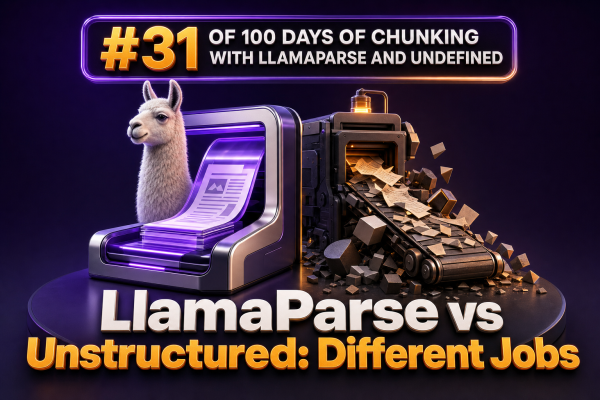
For WooCommerce agencies building search, retrieval, catalog enrichment, or support workflows, LlamaParse and Unstructured can appear to solve the same problem: turning documents into text. They do not have the same primary job. The important distinction is whether you need a parser optimized for extracting usable content from complex documents, or a general document-processing pipeline that identifies and partitions document elements.
The short version
LlamaParse is primarily a document parser. It is designed to extract information from difficult files such as PDFs, slide decks, spreadsheets, and documents while preserving useful structure and improving the resulting representation for downstream language-model applications.
Unstructured is primarily a document partitioning and ingestion toolkit. It breaks files into typed elements such as titles, narrative text, list items, tables, and page breaks. It supports multiple file types and can be used as part of a broader ETL pipeline.
They can be alternatives for simple extraction tasks, but in many production systems they are better understood as complementary tools. A WooCommerce agency may use Unstructured for broad ingestion and routing, then use a specialized parser for the files that require more advanced layout or table handling.
What LlamaParse is good at
LlamaParse is useful when the difficult part is understanding the structure of a document rather than merely reading its characters. A supplier catalog may contain product tables, multi-column descriptions, footnotes, images, and repeated headers. A shipping-rate PDF may use visual positioning to associate regions, weights, and prices. A returns policy may contain nested sections and exceptions.
For these documents, the parser’s job is to produce a coherent representation that can later be cleaned, chunked, embedded, or passed to an extraction step. The output can be configured for different downstream uses, including text-oriented retrieval and structured extraction workflows.
WooCommerce examples
- Extracting product specifications from manufacturer PDFs before mapping them to WooCommerce attributes.
- Reading vendor catalogs where tables contain dimensions, materials, SKUs, and tiered pricing.
- Processing policy documents for a customer-support assistant that must preserve section context.
- Converting installation manuals into retrieval chunks without losing the relationship between headings, steps, warnings, and tables.
LlamaParse is especially valuable when a plain text extractor produces scrambled columns, detached table cells, or pages dominated by headers and footers.
What Unstructured is good at
Unstructured provides a general framework for ingesting and partitioning many document types. Its partitioning process identifies elements and assigns categories such as Title, NarrativeText, ListItem, Table, and PageBreak. Those elements can then be cleaned, filtered, grouped, and sent to a vector database or another processing stage.
This element-oriented model is useful when the pipeline needs predictable metadata and document-type coverage. For example, an agency can route HTML pages, DOCX files, email exports, and PDFs through a common ingestion interface, while applying different partitioning or chunking rules after classification.
WooCommerce examples
- Ingesting a mixture of vendor DOCX files, HTML policy pages, plain-text notes, and PDFs into one knowledge pipeline.
- Filtering navigation text, repeated page furniture, or irrelevant elements before creating support-search chunks.
- Keeping page numbers, filenames, element types, and other metadata available for citations and debugging.
- Building a self-hosted or controlled processing stage where infrastructure, file handling, and post-processing need to be managed by the agency.
Unstructured is often a strong fit when the main requirement is broad ingestion with inspectable intermediate elements rather than maximum interpretation of every complex layout.
Parsing is not chunking
Neither tool automatically solves the complete chunking problem. Parsing determines what content exists and how it is represented. Chunking determines which pieces are grouped together for retrieval or model input.
Consider a product manual with a heading, a short introduction, a specification table, and a warning below the table. A parser may correctly identify all four elements. A chunking strategy still has to decide whether the heading and warning should remain with the table, whether the table should be serialized as Markdown or JSON, and how much surrounding context should be included in the embedding.
A practical pipeline separates these stages:
- Ingest: collect the source file and record tenant, supplier, product, language, and source metadata.
- Parse or partition: extract text, tables, headings, lists, and other document elements.
- Normalize: remove repeated headers, repair whitespace, standardize units where appropriate, and preserve source references.
- Chunk: group related elements using heading, page, section, token, or semantic boundaries.
- Enrich: attach WooCommerce identifiers such as product IDs, SKUs, categories, and supplier codes.
- Index and evaluate: create embeddings or lexical indexes and test retrieval against real agency use cases.
Choosing between them
Choose LlamaParse when document interpretation is the bottleneck. This is common with visually complex PDFs, catalogs, manuals, and files whose meaning depends on layout. It is also a reasonable choice when the team wants a parser focused on producing useful content for language-model workflows rather than implementing every layout rule internally.
Choose Unstructured when ingestion breadth, element-level metadata, and pipeline control are the priority. It is a good fit for agencies processing many file formats with a consistent partitioning and transformation model, especially when the team wants to inspect or customize each stage.
Use both when the corpus is heterogeneous. For example, an agency could use Unstructured to classify and process ordinary DOCX, HTML, and text files, while routing complex supplier PDFs to LlamaParse. The routing decision can be based on MIME type, file size, supplier, OCR requirements, detected tables, or a manual quality review.
A useful comparison for agency architecture
| Requirement | Likely priority | Tool consideration |
|---|---|---|
| Complex PDF layout and table interpretation | Recover document meaning | LlamaParse may be the stronger first choice |
| Many file types through one ingestion pipeline | Broad partitioning coverage | Unstructured may be the stronger first choice |
| Typed intermediate elements and metadata | Inspectability and routing | Unstructured provides a natural element model |
| Retrieval-ready representations from difficult documents | Downstream language-model use | LlamaParse can reduce layout-related cleanup |
| Self-hosting and custom processing controls | Operational ownership | Evaluate the relevant Unstructured deployment option |
The comparison is not a universal performance ranking. Results depend on the file corpus, OCR quality, tables, languages, deployment model, API limits, latency requirements, and the quality of the post-processing code.
How to evaluate the decision
Build a representative test set instead of testing only clean text documents. Include supplier catalogs, scanned invoices, policy PDFs, DOCX files, spreadsheets, documents with repeated headers, and files containing tables that must remain associated with the correct product or SKU.
Measure more than extracted character count. Useful metrics include:
- Whether product names remain associated with their specifications.
- Whether table rows retain the correct headers and units.
- Whether page and section metadata support reliable citations.
- Whether chunks answer support and merchandising questions without excessive irrelevant context.
- Whether the pipeline handles reprocessing and source updates without creating duplicate product facts.
- Processing cost, latency, failure rate, and operational effort per document.
For a WooCommerce catalog workflow, test questions such as “What is the maximum supported load for SKU ABC-123?” or “Which return condition applies to clearance items?” Then inspect both the retrieved chunk and the original page. A parser that produces fluent text but associates the wrong value with a SKU is not acceptable for production catalog or support use.
Implementation guidance
Keep the original file and the parser output. Store a stable document ID, source URL or object key, checksum, parser version, processing timestamp, page reference, and WooCommerce relationship when one exists. This makes it possible to reprocess documents when parsing or chunking rules change.
Do not flatten every table into undifferentiated prose. Preserve a structured representation when exact values matter, and consider indexing both a readable text form and a structured form. For product data, validate extracted attributes against allowed units, expected ranges, and known SKU relationships before updating WooCommerce.
Finally, make parser selection a routing decision rather than a permanent global assumption. Different suppliers often produce radically different documents. A small amount of corpus-specific routing can improve quality more than applying one parser and one chunking rule to every file.