

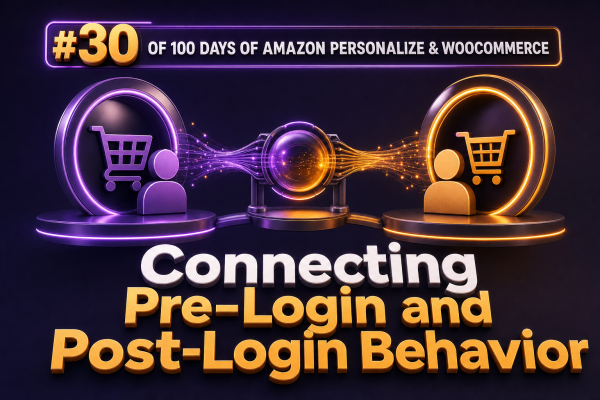
WooCommerce stores commonly have useful behavioral data before a shopper signs in and more reliable identity data after authentication. A guest may browse products, search, add items to a cart, or start checkout under a browser identity. After login, the same shopper can be associated with a WooCommerce customer ID, order history, and saved preferences. Connecting these phases requires an explicit identity strategy because Amazon Personalize does not automatically merge two user IDs.
Use Separate Identifiers for Browser and Customer Identity
Use an opaque, stable identifier for the pre-login browser session and a different opaque identifier for the authenticated customer. Do not send email addresses, names, or other unnecessary personal data as Amazon Personalize user IDs.
- Anonymous ID: A random identifier stored in a first-party cookie or another consented client-side storage mechanism.
- WooCommerce customer ID: A stable identifier derived from the WordPress customer record after login.
- Session ID: A short-lived identifier used to group activity within a browsing session.
For example, an agency might generate an anonymous ID such as anon_8f31... and use customer_4821 after login. The values should be opaque, scoped to the store, and generated in a way that avoids collisions.
Track Pre-Login Activity Consistently
Before login, send events to Amazon Personalize using the anonymous identity. The event payload should include the anonymous user ID, the session ID, the event type, and any relevant event properties. Typical WooCommerce events include product views, searches, category views, add-to-cart actions, and checkout starts.
{
  "userId": "anon_8f31...",
  "sessionId": "sess_20250308_01",
  "eventType": "view",
  "itemId": "product-123",
  "eventAt": "2025-03-08T12:30:00Z",
  "properties": "{\"source\":\"category-page\",\"device\":\"mobile\"}"
}
Keep the identifier in the browser for the period allowed by the store’s privacy and retention policy. If the visitor returns later and the identifier is still available, Amazon Personalize can use the earlier anonymous interactions when generating recommendations for that anonymous identity.
The client should not call Amazon Personalize directly with AWS credentials. Send events through a server-side endpoint or a controlled integration that uses an Amazon Personalize event tracker and appropriate IAM permissions. Validate product IDs, event names, and request frequency at this boundary.
Switch the Active Identity After Login
When a shopper logs in, the storefront should update its recommendation context from the anonymous ID to the authenticated customer ID. The browser can retain the anonymous ID for reconciliation, while subsequent events use the customer ID.
- Read the existing anonymous ID and current session ID.
- Complete authentication through the normal WooCommerce or WordPress login flow.
- Request a server-generated customer identity based on the authenticated WordPress user.
- Record an identity-link event in the agency’s own data store.
- Update the frontend state so future events and recommendation requests use the customer ID.
The identity-link record can contain the store identifier, anonymous ID, customer ID, link timestamp, consent status, and the method used to establish the link. This record is valuable for auditing and for any later event replay process.
Do not rely only on a frontend login callback. A login can occur in another tab, through an AJAX request, or during a checkout flow. The server should remain the source of truth, and the frontend should refresh its identity state after authentication.
Understand That Amazon Personalize Does Not Automatically Stitch IDs
Amazon Personalize treats user IDs as distinct values. Sending events for anon_8f31... and later sending events for customer_4821 does not cause the service to infer that both identities represent one shopper.
There are two practical strategies:
Start the Known Profile at Login
After login, send all new activity using the customer ID and accept that earlier anonymous activity remains attached to the anonymous profile. This is the simplest and safest approach. It works well when the store has enough authenticated traffic or when recommendations must change quickly without additional data processing.
Replay Eligible Anonymous Events
If the shopper has provided the required consent and the business rules allow it, the integration can read the anonymous events associated with the identity link and submit equivalent events for the customer ID. Preserve the original event timestamps where the ingestion workflow supports them, and mark replayed records in the agency’s own data store to prevent duplicates.
Replay should be selective. A view from several months ago may no longer represent current intent, while an add-to-cart or checkout-start event from the last few hours may still be valuable. Define a time window and event allowlist, such as replaying recent views, searches, and cart activity but excluding obsolete or invalid events.
Do not assume that replaying events creates an instantaneous, perfectly merged profile. Personalize recipes and campaigns process interaction data according to their configured training and update behavior. Test how quickly the selected solution reflects the new events, and use business rules or filters when an immediate result is required.
Change Recommendation Requests Alongside Event Tracking
The identity used for GetRecommendations must match the identity receiving current events. Before login, request recommendations with the anonymous ID. After login, request them with the customer ID.
const recommendationContext = {
  userId: isLoggedIn ? `customer_${customerId}` : anonymousId,
  itemId: viewedProductId,
  numResults: 8
};
In a WooCommerce theme, avoid rendering a cached anonymous recommendation block after login. Full-page caching, fragment caching, and edge caching can preserve the wrong identity. Use private or short-lived responses for personalized blocks, vary cache keys by the active opaque identity, or fetch the recommendation block after the page loads.
For product pages, the item ID sent to Amazon Personalize must use the same canonical product identifier used in the items dataset and interaction events. Decide whether the store uses parent product IDs, variation IDs, or both, and apply that choice consistently across anonymous and authenticated requests.
Handle Logout, Multiple Devices, and Guest Checkout
On logout, stop sending events under the customer ID in that browser. Generate or restore an anonymous identity according to the store’s privacy policy. Do not continue using the customer’s ID merely because the cookie remains present.
A customer who logs in on two devices may have two anonymous histories. If both devices authenticate to the same WooCommerce customer ID, the identity service can associate both anonymous IDs with that customer. Replay rules should be idempotent and should prevent the same event from being submitted repeatedly.
Guest checkout needs a separate policy. An order email should not automatically be treated as permission to identify a visitor across sessions. If the shopper creates an account or explicitly consents to personalization, link the permitted anonymous identity to the new customer identity. Otherwise, keep the order and browsing data subject to the store’s guest-data policy.
Build the Integration Around Observable States
Track identity transitions with application logs and metrics. Useful fields include the active identity type, anonymous ID hash, customer ID hash, login timestamp, event type, Amazon Personalize request status, and recommendation request latency. Never place raw personal information in debug logs.
- Verify that pre-login events consistently use the anonymous ID.
- Verify that the first post-login event uses the customer ID.
- Confirm that recommendation requests switch identities after login without a page-cache leak.
- Test logout, login failure, account creation, guest checkout, and login in a second browser.
- Measure duplicate events and failed ingestion requests.
- Confirm that consent withdrawal stops future tracking and triggers the store’s deletion or retention workflow.
A reliable connection between pre-login and post-login behavior is therefore an application-level identity workflow: maintain explicit mappings, change the active identity at authentication boundaries, and decide deliberately whether eligible anonymous events should remain separate or be replayed for the known customer profile.