

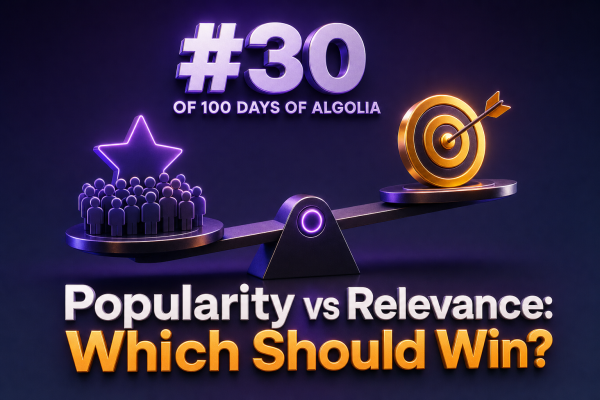
For WooCommerce search, the choice between popularity and relevance is not always either-or. Relevance determines whether a product matches the shopper’s intent, while popularity can help decide which of several relevant products should appear first.
The safest approach is to make relevance the foundation and use popularity as a controlled ranking signal. Otherwise, best-selling products can dominate results even when they are only loosely related to the query.
Why relevance should come first
When a shopper searches for waterproof hiking boots, the results should primarily reflect the words, attributes, categories, and searchable fields associated with that request. A popular product that is not waterproof should not outrank a highly relevant product simply because it has more orders.
Algolia’s textual relevance ranking evaluates signals such as matching words, typo tolerance, proximity, and the configured searchable attributes. These signals help determine whether a product satisfies the query before business-oriented ranking signals are applied.
For a WooCommerce catalog, review the searchable attribute order carefully. Product name, SKU, category, brand, short description, and selected attributes do not necessarily have equal importance. A match in the product name may deserve more weight than a match buried in a long description.
Where popularity adds value
Popularity is useful when multiple products are already relevant. If a search for running shoes returns dozens of appropriate products, sales volume, conversion rate, click-through rate, or recent purchase activity can help shoppers reach proven products faster.
Popularity can also improve discovery for broad queries such as shirts or phone cases. In these cases, the shopper may not have specified enough detail for relevance alone to create a clearly preferred order.
However, popularity must be measured in a way that fits the store. Lifetime order count may favor old products indefinitely, while a recent-sales metric can overreact to a short promotion. Agencies should agree with the merchant on whether popularity means total sales, sales over a rolling period, revenue, margin, conversion rate, or a blended score.
Use Algolia ranking layers deliberately
Algolia ranking is designed to combine textual relevance with custom ranking criteria. A typical configuration can preserve textual relevance first and then use a numeric popularity attribute to break ties or rank similarly relevant records.
For example, a product record might include a normalized field such as popularity_score:
{
  "objectID": "product-1842",
  "name": "Trail Waterproof Hiking Boot",
  "categories": ["Footwear", "Hiking Boots"],
  "popularity_score": 842,
  "in_stock": true
}
The exact ranking configuration depends on the catalog and the desired search behavior. A common strategy is to keep Algolia’s textual ranking criteria ahead of custom ranking and then sort relevant records by a descending popularity metric. This prevents a highly popular but weakly matching item from routinely winning against a product that better satisfies the query.
Before changing ranking settings, test how Algolia’s ranking criteria interact with the index data. Ranking changes should be evaluated with representative queries, not just a few manually selected examples.
Do not confuse ranking with merchandising
Popularity is a general ranking signal. Merchandising is an intentional business decision for a particular query, category, or campaign. A merchant may want to promote a new product, a private-label item, a high-margin product, or an in-stock alternative even when that item has little historical sales data.
Use Algolia query rules, promoted results, pinned items, or facet-specific merchandising where an explicit business decision is required. Do not distort the global popularity score to support a temporary campaign. Separating these concerns makes the ranking system easier to explain and safer to maintain.
Account for stock and product availability
A popular product that cannot be purchased should not occupy the most valuable search positions without a clear reason. WooCommerce integrations should keep stock status, purchasability, catalog visibility, and relevant variations synchronized with Algolia.
Availability can be handled with filters, facets, or ranking logic depending on the store’s requirements. For example, an agency may filter out unavailable products for standard searches while allowing an “include out of stock” option for shoppers researching future purchases.
Measure the trade-off with search analytics
Evaluate relevance and popularity using search-specific metrics rather than overall store revenue alone. Useful measures include:
- Search conversion rate for queries that return results.
- Click-through rate on the first few results.
- Search exit rate and queries with no clicks.
- No-results rate and subsequent query reformulations.
- Add-to-cart and purchase rate after a search.
- Performance for new products with limited sales history.
Segment the analysis by query type. Exact product searches, category searches, descriptive searches, and vague discovery searches may need different ranking behavior. A popularity-heavy configuration can look successful overall while harming precise searches for specific models, sizes, or technical attributes.
A practical default for WooCommerce
- Start with accurate product data. Normalize names, categories, attributes, brands, stock fields, and searchable descriptions before tuning ranking.
- Prioritize textual relevance. Verify that exact and attribute-rich queries return appropriate products.
- Add a stable popularity metric. Use a documented field such as recent orders or a time-decayed score rather than an unexplained manual number.
- Use popularity as a secondary signal. Let it distinguish between products that are similarly relevant instead of overriding strong textual matches.
- Handle campaigns separately. Apply query rules or merchandising controls for deliberate promotions.
- Test and monitor. Compare ranking variants using analytics, search logs, and a curated set of important WooCommerce queries.
For most stores, relevance should win when the query expresses clear intent. Popularity should then help order the products that genuinely match that intent. This balance gives shoppers results they can trust while still using sales and engagement data to make broad catalog searches more useful.