

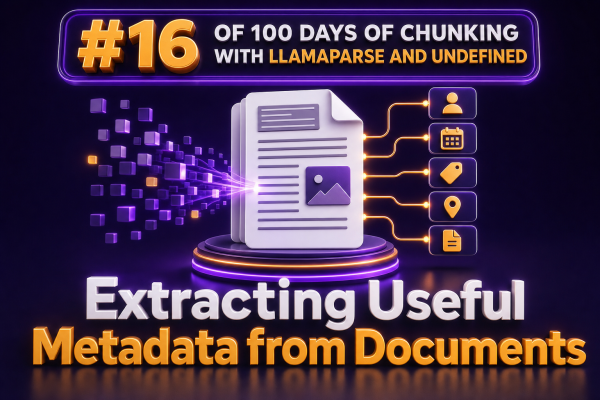
Document chunks are much more useful when they carry the metadata needed to identify, filter, and prioritize them. For a WooCommerce agency, a chunk from a product manual should not be treated the same way as a chunk from a return policy, a shipping guide, or an internal implementation note.
Metadata gives retrieval systems the additional context they need without forcing every query to search every piece of text. Instead of asking a vector index to discover that a passage belongs to a particular product, region, or policy version, the application can store those attributes explicitly.
What useful metadata looks like
Useful metadata is structured information that supports a later operation such as filtering, ranking, routing, or displaying citations. Typical fields for WooCommerce document workflows include:
- source_file: The original filename or document identifier.
- document_type: For example, product manual, warranty policy, shipping policy, or product feed.
- page_number: The page where the extracted content appears.
- section: The heading or logical section containing the chunk.
- product_id: A WooCommerce product or variation identifier when the document refers to a known product.
- sku: The product SKU or a normalized list of referenced SKUs.
- category: A product category, support category, or business classification.
- locale: The language, market, or region covered by the content.
- effective_from and effective_until: Dates that determine whether a policy is current.
- access_level: Whether the content is public, customer-only, partner-only, or internal.
The best schema is usually small and operational. A field should exist because the application will use it, not simply because a language model can generate it.
Capture parser metadata before adding custom fields
Document parsers can provide valuable structural metadata. Depending on the input format and parser configuration, parsed elements may expose information such as page numbers, headings, tables, lists, and the original file name. Preserve that information when converting parsed content into chunks.
For example, an application can represent a chunk with a text field and a metadata object:
chunk = {
    "text": "The replacement filter should be changed every six months.",
    "metadata": {
        "source_file": "water-filter-manual.pdf",
        "document_type": "product_manual",
        "page_number": 14,
        "section": "Maintenance Schedule",
        "sku": ["WF-100", "WF-100-BUNDLE"],
        "locale": "en-US"
    }
}
Exact metadata names depend on the parser and the indexing framework. The important design decision is to normalize them into a stable application schema before indexing. That prevents retrieval code from depending on a parser-specific field name or on the formatting of a particular document.
Separate deterministic metadata from inferred metadata
Some values can be extracted reliably with ordinary application logic. These should generally be preferred over model-generated values.
- Read the filename, upload timestamp, and document identifier from the ingestion record.
- Read page numbers and heading levels from parser output.
- Extract SKUs with a known pattern such as
[A-Z]{2,}-[0-9]{3,}, then validate matches against the WooCommerce catalog. - Parse dates with a date library and store them in ISO 8601 format.
- Assign access levels from the CMS, storage bucket, or document owner.
Other values require interpretation. A model may be useful for identifying the document type, summarizing the subject, or mapping a passage to a support category. Treat these fields as inferred data and retain a confidence value or extraction status where the business process requires review.
metadata = {
    "document_type": "return_policy",
    "document_type_source": "classifier",
    "document_type_confidence": 0.96,
    "effective_from": "2025-01-01",
    "effective_until": None,
    "metadata_version": 1
}
This distinction makes debugging easier. If a page number is wrong, inspect the parser or chunking code. If a category is wrong, inspect the classifier, prompt, or validation rules.
Extract metadata at the right level
Not every metadata field belongs at the document level. A document may describe several products, languages, or policy periods. Store values at the narrowest level that is still accurate.
For example, a manual may have a document-level locale of en-US, but individual chunks may refer to different models. A shipping policy may contain one section for domestic delivery and another for international delivery. Applying a single global region to every chunk can produce incorrect answers.
A practical hierarchy is:
- Document metadata: filename, document ID, owner, upload date, document type, and default locale.
- Structural metadata: page number, heading path, table identifier, and list context.
- Semantic metadata: SKU, product category, market, policy topic, and access level.
- Lifecycle metadata: effective dates, revision number, and superseded status.
When a value applies only to a section or chunk, attach it there rather than copying it to the entire document without qualification.
Use headings and page numbers for better citations
For customer support and agency-managed storefronts, retrieval quality is not the only concern. The final answer often needs a citation that an operator can verify quickly. A heading path and page number are usually more useful than a raw chunk identifier.
Store a heading path such as Installation > Connecting the Controller > Pairing when the parser exposes heading structure. If a document does not have reliable headings, generate a conservative section label from the nearest detected heading rather than inventing a detailed outline.
A citation can then be rendered from metadata:
def citation(metadata):
    source = metadata.get("source_file", "Unknown document")
    page = metadata.get("page_number")
    section = metadata.get("section")

    parts = [source]
    if page is not None:
        parts.append(f"page {page}")
    if section:
        parts.append(section)
    return " — ".join(parts)
For PDFs, page numbering can be ambiguous when the printed page number differs from the PDF page index. If that distinction matters, store both values, such as pdf_page_index and printed_page_number.
Extract WooCommerce identifiers carefully
Product identifiers are especially valuable because they support catalog-aware retrieval. A support assistant can use the customer’s product, variation, or SKU to narrow the search before performing semantic retrieval.
Do not assume that every alphanumeric token is a SKU. A safer workflow is:
- Extract candidate identifiers from the parsed text using configured patterns.
- Normalize case, whitespace, and punctuation according to catalog rules.
- Check candidates against a current WooCommerce product and variation export.
- Store only validated identifiers as searchable metadata.
- Keep unmatched candidates in a review field rather than silently treating them as product IDs.
Where product relationships are known from the ingestion source, prefer those relationships over text extraction. For example, a manual uploaded from a product edit screen can inherit the product ID directly, while a public PDF downloaded from a vendor site may require text-based matching.
Represent dates and policy versions explicitly
Policy documents are a common source of incorrect answers because several versions may remain in storage. Add lifecycle metadata during ingestion and filter inactive documents at query time or during indexing.
{
    "document_type": "shipping_policy",
    "revision": "2025-02",
    "effective_from": "2025-02-01",
    "effective_until": null,
    "status": "active",
    "market": "US"
}
Use machine-readable dates and define how missing values are interpreted. For example, a missing effective_until can mean that the document is open-ended, while a missing effective_from may require manual review. Avoid relying on words such as “current” or “latest” inside the document body as the only version-control mechanism.
Validate metadata before indexing
Metadata errors can be more damaging than missing metadata because they can exclude the correct chunk from a filtered search. Add validation to the ingestion pipeline before vectors and keyword indexes are created.
- Require a stable source identifier and a nonempty text value.
- Check that page numbers are positive integers.
- Validate dates and ensure that the end date is not earlier than the start date.
- Restrict enumerated fields such as document type, access level, and locale to approved values.
- Normalize arrays such as SKU lists and remove duplicates.
- Reject or quarantine chunks with contradictory values, such as two incompatible locales from the same section.
Keep the original extracted value when normalization changes it. Fields such as sku_raw and sku can make audits and reprocessing easier without exposing raw values to retrieval filters.
Combine metadata filters with semantic retrieval
Metadata should narrow the search space, not replace semantic retrieval. A WooCommerce support query might first filter for the customer’s market, active policies, and relevant product SKU, then use vector similarity to find the most relevant passages within that set.
For example, a retrieval request for a replacement part could apply these constraints:
filters = {
    "status": "active",
    "locale": "en-US",
    "sku": "WF-100",
    "access_level": "public"
}
results = vector_store.search(
    query="How often should the replacement filter be changed?",
    filters=filters,
    top_k=5
)
The exact filter syntax varies by vector database and indexing library. Confirm whether the store supports array membership, null comparisons, date ranges, and nested metadata before designing the schema around those operations.
Monitor extraction quality over time
Metadata extraction is part of the production data pipeline, so measure it like any other integration. Track the percentage of chunks with page numbers, headings, validated SKUs, document types, and effective dates. Review samples from new document templates and vendors because a parser that works well for one PDF layout may perform poorly on another.
Store the parser version, extraction method, and metadata schema version with each document or ingestion batch. When the schema changes, reprocessing can then be targeted instead of relying on undocumented assumptions about older chunks.
For WooCommerce agencies, this approach turns parsed documents into maintainable retrieval data: structural context supports citations, catalog identifiers support precise filtering, and lifecycle fields prevent obsolete policies from competing with current information.