

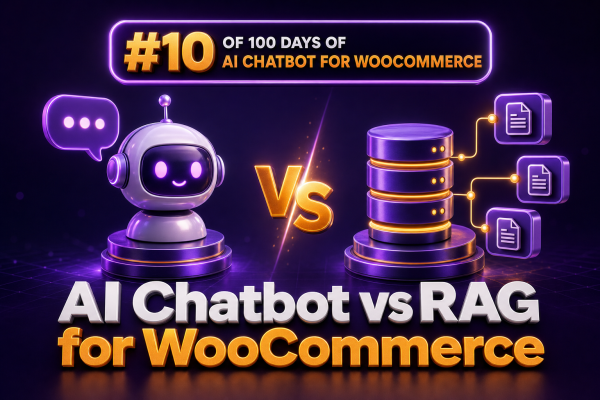
For WooCommerce projects, “AI chatbot” and “RAG” are often discussed as competing technologies. They are not the same thing. An AI chatbot is the customer-facing application that accepts questions and produces responses. Retrieval-augmented generation, or RAG, is a method for giving that application access to relevant, up-to-date information before it generates an answer.
For agencies, the distinction matters because it affects architecture, implementation effort, data governance, operating cost, and the type of customer experience a store can reliably provide.
What an AI chatbot does
An AI chatbot provides a conversational interface. On a WooCommerce site, it may answer questions, guide product discovery, explain shipping options, or help a shopper locate an order. The chatbot typically includes:
- A chat interface embedded in the storefront or customer account area
- A language model that interprets the customer’s message and generates a response
- Instructions defining tone, scope, safety rules, and escalation behavior
- Optional tools for calling WooCommerce, payment, shipping, CRM, or help desk APIs
- Conversation history and, where appropriate, customer authentication
A basic chatbot can answer general questions from its model’s existing knowledge. However, a model’s built-in knowledge is not a dependable source for a store’s current prices, inventory, return rules, product specifications, or order status.
What RAG adds
RAG gives the chatbot a retrieval step. Instead of asking the language model to answer from memory alone, the application searches a trusted knowledge base for information relevant to the customer’s question. The retrieved content is then included in the prompt used to generate the answer.
A typical RAG request follows this sequence:
- The customer asks a question such as, “Can I return a personalized hoodie?”
- The application converts the question into a search query or embedding.
- The retrieval layer searches indexed content, such as return policies, product documentation, and category guidance.
- The application selects the most relevant passages and sends them to the language model with response instructions.
- The model generates an answer based on the supplied context.
- The application may display citations, link to the source page, log the interaction, or route the request to support.
RAG does not train the model on the store’s data. It retrieves information at request time. This makes it easier to update content without retraining a model, but it also means the quality of the answer depends on the quality of the indexed sources and retrieval process.
AI chatbot versus RAG
| Concern | Basic AI chatbot | Chatbot with RAG |
|---|---|---|
| Primary function | Conversational interaction and response generation | Conversational interaction supported by retrieved business information |
| Store-specific knowledge | Limited to information placed in prompts or connected tools | Can search approved product, policy, and support content |
| Content updates | Often require prompt changes or application changes | Can usually be updated by reindexing or synchronizing source content |
| Risk of unsupported claims | Higher when the model lacks current context | Lower when retrieval and grounding controls work correctly |
| Implementation complexity | Lower | Higher because of ingestion, indexing, retrieval, evaluation, and access control |
| Best fit | General guidance, navigation, and narrowly scoped workflows | Detailed questions requiring current, organization-specific information |
RAG is therefore not an alternative to a chatbot in the usual WooCommerce architecture. It is one of the capabilities that can make a chatbot more useful for store-specific questions.
Where a basic chatbot can be enough
Not every WooCommerce store needs a vector database or a large knowledge pipeline. A basic chatbot may be appropriate when:
- The bot handles a small number of predictable intents.
- Responses are generated from fixed instructions and a limited set of approved answers.
- The bot primarily links shoppers to existing pages rather than summarizing complex policies.
- WooCommerce data is accessed through explicit tools, such as an authenticated order lookup.
- The merchant has a small catalog and a well-structured support center.
For example, a storefront assistant can be instructed to answer with a short set of fixed options for “Where is my order?”, “How do I start a return?”, and “Contact support.” It can then call an order-status endpoint after verifying the customer’s identity. In this design, a direct API lookup is more appropriate than retrieving an order status from a document index.
Where RAG is valuable for WooCommerce
Product discovery
RAG can retrieve relevant product descriptions, sizing guidance, care instructions, compatibility notes, and category content. A shopper asking, “Which waterproof jacket is suitable for cycling in cold weather?” may need information spread across several product fields and editorial pages.
Agencies should decide which product data belongs in the index. Product titles, descriptions, attributes, categories, brand information, and selected custom fields are common candidates. Live price, stock, sale eligibility, and purchase restrictions should generally be checked through WooCommerce or another authoritative commerce system at response time.
Policy and support questions
Returns, shipping, warranties, subscriptions, cancellations, and payment policies are strong RAG use cases because answers depend on merchant-specific content. Index only approved sources, preserve the source URL and revision date, and instruct the model not to invent exceptions.
Technical or compatibility guidance
Stores selling parts, electronics, tools, or professional equipment often receive questions that require documentation. RAG can search manuals, compatibility tables, installation guides, and support articles. The response should identify uncertainty and link to the relevant documentation when a compatibility decision has financial or safety implications.
Internal support assistance
A RAG assistant does not have to be customer-facing. It can help support agents find refund rules, product information, troubleshooting steps, and previous approved responses. This can be a lower-risk starting point because an employee can review the answer before sending it.
RAG does not replace WooCommerce tools
A common architectural mistake is using RAG for data that should come directly from a transactional system. A document index may contain yesterday’s price or last week’s inventory. It should not be treated as the source of truth for operations.
Use explicit tools or APIs for actions and real-time data:
- Retrieve an authenticated customer’s order status from the order system.
- Check current stock and purchasability through WooCommerce or the connected inventory system.
- Calculate shipping rates using the configured shipping service.
- Generate a refund or cancellation only through a controlled, permission-checked workflow.
- Apply coupons only after validating eligibility through the store’s commerce logic.
Use RAG for unstructured or semi-structured knowledge:
- Return and warranty explanations
- Product manuals and care instructions
- Shipping policy documentation
- Buying guides and comparison content
- Internal support procedures
A practical WooCommerce architecture
A maintainable implementation usually separates the chat interface, orchestration layer, retrieval service, and commerce integrations.
Customer chat UI<br> |<br>Conversation and policy layer<br> |-----------------------|<br>RAG retrieval service WooCommerce/API tools<br> | |<br>Approved knowledge base Orders, products, stock, shipping<br> |-----------------------|<br> Language model responseThe orchestration layer determines whether a request needs retrieval, a live tool call, both, or a human handoff. For example, “Is this boot available in size 10, and can I return it if it does not fit?” may require a live inventory check plus retrieved return-policy content.
Indexing WooCommerce content
Do not send an entire database dump to a model or index every field without review. Create a deliberate content pipeline that:
- Selects approved WordPress, WooCommerce, and external support sources.
- Removes irrelevant markup, navigation text, duplicate content, and private metadata.
- Splits long documents into coherent sections rather than arbitrary fragments.
- Stores metadata such as product ID, category, locale, source URL, publication status, and last-modified date.
- Excludes drafts, private notes, customer records, and unapproved internal content.
- Reindexes content when products, policies, or documentation change.
Chunking should preserve meaning. A return-policy section should not be split so that the eligibility rule is separated from its exceptions. For product content, keeping the product identifier and relevant attributes with each chunk makes filtering and citation more reliable.
Preventing hallucinations and stale answers
RAG reduces unsupported answers, but it does not guarantee accuracy. The implementation should include explicit controls:
- Tell the model to answer only from retrieved context for store-specific claims.
- Require an uncertainty response when relevant context is missing or conflicting.
- Filter retrieval by language, market, customer type, product status, or store brand.
- Prefer current documents and exclude superseded policies.
- Display source links for policy and documentation answers.
- Use live API checks for price, stock, order status, and other changing values.
- Escalate complaints, legal questions, payment disputes, and ambiguous exceptions to a human.
A useful instruction is: “If the supplied sources do not answer the question, say that the information is unavailable and offer the approved support path. Do not infer a policy, discount, delivery date, or product attribute.”
How agencies should choose an implementation
Start with the customer questions that create measurable support or conversion problems. Review conversation logs, support tickets, failed site searches, and product-page analytics. Classify each use case as one of four types:
- Static guidance: suitable for fixed responses or a basic chatbot.
- Knowledge lookup: suitable for RAG over approved content.
- Live commerce data: suitable for a WooCommerce or third-party API tool.
- High-risk action: suitable for a guarded workflow with authentication and human approval.
This classification prevents overengineering. A store may need RAG for product documentation but no RAG for order tracking. Another store may need a transactional assistant with no generative product recommendations at all.
Evaluation checklist before launch
Test the system with real and adversarial questions rather than only successful demonstrations. Include:
- Questions with multiple relevant products
- Out-of-stock and discontinued products
- Conflicting or outdated policy pages
- Different languages and regional rules
- Typos, incomplete questions, and conversational follow-ups
- Attempts to expose private prompts or internal documents
- Requests for refunds, cancellations, or account data without authentication
Measure retrieval relevance separately from answer quality. A fluent response can still be wrong if the wrong document was retrieved. Track unanswered questions, escalation rate, citation accuracy, tool-call failures, conversion impact, support deflection, and cost per conversation.
Recommended decision
Use a basic AI chatbot when the scope is narrow and the responses can be controlled with instructions, fixed content, and explicit WooCommerce tools. Add RAG when shoppers or agents need reliable access to a changing body of store-specific documentation. Combine RAG with live APIs when an answer depends on both business knowledge and current transactional data.
For most WooCommerce agencies, the safest rollout is incremental: begin with read-only support and product questions, index only approved content, connect live data tools where necessary, and add transactional actions only after authentication, permission checks, logging, and human escalation are in place.