

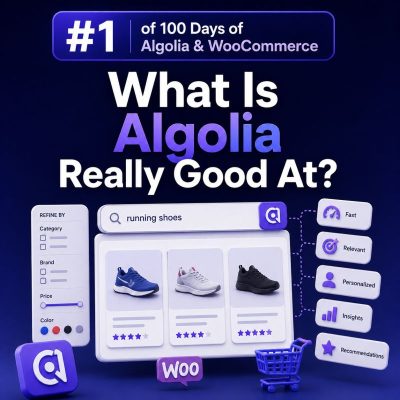
Fast product discovery at scale
Algolia is particularly strong when a WooCommerce store needs to help shoppers find products quickly across a large or complex catalog. It is a hosted search service built for low-latency responses, so it can return matching products while a customer types rather than waiting for a full page reload or a slow database query.
This is useful for stores with thousands of products, multiple variations, technical specifications, or inconsistent customer terminology. A search for wireless drill can return relevant products before the shopper has finished typing, while a search for dril can still produce useful results through typo tolerance.
Search experiences that feel responsive
Algolia works well for autocomplete and search-as-you-type interfaces. A WooCommerce implementation can show product suggestions, categories, brands, and other navigation shortcuts in the dropdown. For example, entering levi might display matching products and a link to the Levi’s brand page, while entering usb c could show relevant cables, chargers, and accessories.
The search interface can be implemented with Algolia’s JavaScript libraries, InstantSearch libraries, or a custom frontend. The important architectural point is that the browser queries Algolia’s search index instead of running a new WordPress or WooCommerce query for every keystroke.
Faceted navigation for product catalogs
Algolia is also well suited to faceted search. Facets let shoppers narrow results using attributes such as brand, size, color, material, compatibility, price range, or availability. This is more useful than presenting a long list of categories when products have overlapping characteristics.
For example, a WooCommerce electronics store could allow a shopper to search for laptop charger, then filter by:
- Brand
- Connector type
- Wattage
- Voltage
- Price
- In-stock status
Facets should be based on clean, consistently indexed product data. WooCommerce attributes, taxonomies, custom fields, and variation data may need to be transformed into a deliberate search schema rather than copied into Algolia without review.
Relevance controls for commercial intent
Algolia gives agencies several ways to control which records appear first. Searchable attributes, attribute weights, typo tolerance, synonyms, filters, and custom ranking can all contribute to the result order. This allows a store to handle both precise product searches and broader discovery queries.
Synonyms are valuable when customers use different terms from the catalog. A store might map sofa and couch, or trainer and sneaker, depending on its market. Rules can also promote a collection for a specific query, apply a filter, or display a campaign banner when appropriate.
Custom ranking can use business attributes such as sales popularity, margin, or inventory status. It should be applied carefully: relevance must remain the primary signal, and commercial ranking should not cause an obviously poor match to outrank a more relevant product.
Useful merchandising without changing WooCommerce data
Algolia can support search merchandising independently of the WooCommerce catalog. An agency can configure a rule that promotes a compatible accessory for a query, highlights a seasonal collection, or redirects a known brand search to a curated landing page. These changes can often be made without editing every product or rebuilding the WordPress site.
This separation is useful for clients whose merchandising team needs to adjust search behavior regularly. It also reduces the need to hard-code special cases into a theme or plugin. Any merchandising rule should still be documented, tested, and reviewed when product names, categories, or inventory policies change.
Analytics for improving search
Algolia can provide search analytics when events are implemented correctly. Agencies can examine popular searches, searches with no results, click-through behavior, and conversion-related events. A high-volume query with no results may indicate a missing synonym, an indexing problem, or a gap in the product catalog.
For WooCommerce, event tracking should connect search interactions with meaningful actions such as product views, add-to-cart events, and purchases. Search analytics are only useful when the implementation sends consistent query identifiers, object identifiers, and event names.
What the WooCommerce integration must handle
Algolia does not replace WooCommerce as the system of record for products, prices, orders, customers, or stock management. The integration needs a reliable indexing pipeline that sends the fields required by the search experience and updates them when catalog data changes.
At minimum, the synchronization process should account for:
- Product creation, updates, and deletion
- Published, private, draft, and out-of-stock visibility rules
- Price and sale-price changes
- Inventory changes
- Product attributes, categories, brands, and variation data
- Image URLs and links to the correct product or variation
Price and stock data deserve particular attention because stale search records can create a mismatch between the result page and the product page or checkout. The search index should improve discovery, while WooCommerce must continue to validate current price, stock, permissions, and purchasability during the normal transaction flow.
Where Algolia provides the most value
Algolia is a strong fit for WooCommerce stores where search is a major part of the buying journey: large catalogs, technical products, many attributes, frequent queries, and a need for instant filtering or controlled merchandising. It is less compelling when a store has a small catalog, simple category navigation, and no requirement for a custom search experience.