

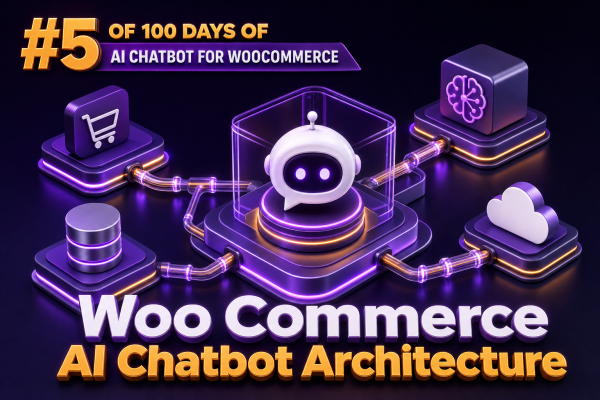
A production WooCommerce AI chatbot is not simply a chat interface connected directly to the store database. It is an application layer that coordinates conversation state, product and order data, WooCommerce actions, access control, and external AI services. A sound architecture keeps those responsibilities separate so agencies can support multiple stores, change AI providers, and enforce predictable business rules.
Reference architecture
A practical implementation can be divided into six layers:
- Chat client: The storefront widget, customer account interface, or support dashboard that collects messages and displays responses.
- Conversation API: An authenticated endpoint that validates requests, identifies the customer or guest session, applies rate limits, and orchestrates the response.
- AI orchestration: The service that manages prompts, conversation history, tool selection, retrieval, model calls, and response validation.
- WooCommerce integration: A controlled set of read and write operations implemented through WooCommerce APIs, WordPress functions, or approved internal services.
- Knowledge and search: Product, policy, documentation, and operational content indexed for retrieval rather than placed entirely in a prompt.
- Observability and governance: Logging, tracing, approval workflows, cost controls, redaction, and evaluation data.
The AI model should sit behind the orchestration layer. It should not receive unrestricted database credentials, arbitrary WordPress capabilities, or a general-purpose HTTP client.
Request and response flow
A typical customer request follows a controlled sequence:
- The browser sends a message and a conversation identifier to the chatbot API.
- The API verifies the session, customer identity, nonce or token, origin, and request limits.
- The orchestration service classifies the request, such as product discovery, order status, returns policy, or human escalation.
- For knowledge questions, the service retrieves relevant documents and product records.
- For account-specific questions, it invokes a narrowly scoped WooCommerce tool after confirming the customer can access the requested data.
- The model generates a response using the tool results and retrieved context.
- The response validator checks format, sensitive data exposure, unsupported claims, and required escalation rules before returning content to the browser.
This flow makes it possible to distinguish a harmless question such as “Do you sell waterproof hiking boots?” from a sensitive request such as “Cancel my order.” The second request should trigger authentication, policy checks, and often an explicit confirmation step.
Separating the WordPress plugin from the AI service
There are two common deployment models:
Embedded WordPress architecture
A WordPress plugin provides the chat widget, REST API routes, WooCommerce integrations, settings, and possibly the orchestration code. This is convenient for smaller stores and reduces infrastructure overhead. However, agencies must account for shared hosting limits, PHP execution time, plugin conflicts, secret management, and the risk that a slow model request blocks a web request.
External orchestration service
The WordPress plugin handles the storefront interface and a small integration layer, while an external service manages model calls, retrieval, queues, observability, and tenant configuration. This is generally easier to scale across client sites and AI providers. The WordPress site should authenticate outbound requests with a per-site credential and expose only the operations required by the service.
A hybrid approach is often effective: keep low-latency catalog lookups and customer authentication close to WooCommerce, while send model execution, document retrieval, and long-running workflows to an external service.
Designing the WooCommerce tool layer
Tools are the boundary between the language model and store operations. Each tool should have a small input schema, explicit authorization requirements, and a predictable output. Avoid exposing generic functions such as “run SQL,” “call any REST endpoint,” or “execute a WordPress action.”
Useful read-only tools include:
search_productsfor keyword, category, attribute, price, stock, and pagination filters.get_product_detailsfor approved public fields such as title, description, price, availability, dimensions, and variations.get_order_statusfor a verified customer and a specific order reference.get_shipping_estimatefor destination, cart contents, and configured shipping rules.search_store_policiesfor returns, delivery, warranties, and payment information.
Write tools require stronger controls:
add_item_to_cartshould validate the product, variation, quantity, purchasability, and current price.apply_couponshould use WooCommerce coupon validation rather than trusting model-generated discount logic.create_support_ticketshould record the customer, transcript reference, category, and consent where required.request_order_cancellationshould check order status and store policy, then request confirmation before changing anything.
A tool result should contain structured facts rather than an opaque block of HTML. For example, a product search result might include an internal product identifier, public name, permalink, current price, currency, stock status, and matching attributes. The model can turn those facts into a conversational response, while the application remains responsible for correctness.
WooCommerce integration choices
Use the official WooCommerce REST API when the integration is external or needs a stable HTTP boundary. For operations within WordPress, use WooCommerce data stores and supported functions instead of reading database tables directly. Direct SQL creates compatibility risks with custom order tables, extensions, data stores, and future WooCommerce changes.
For storefront requests, WordPress REST API routes can be registered with a permission_callback. The callback should distinguish public catalog access from authenticated account operations. A route that returns order details must verify both the current user and the relationship between that user and the order. Never treat an order number alone as authorization.
When an extension provides its own APIs or hooks, use those interfaces where possible. For example, payment, subscriptions, bookings, memberships, and shipping extensions often maintain business rules that should not be duplicated in chatbot code.
Conversation state and customer identity
Conversation history should be stored separately from WooCommerce order data. A conversation record can contain a tenant or site identifier, anonymous session identifier, authenticated user identifier when available, timestamps, message roles, tool calls, model metadata, and retention status.
Do not send the entire conversation to the model on every request. Use a bounded recent-message window plus a server-generated summary. Store tool results separately and include only the fields needed for the current turn. This reduces token costs and limits accidental disclosure of old information.
Guest sessions require special care. A guest may browse public products and ask general policy questions, but order lookup should use an additional verification method, such as account authentication, a one-time code, or a carefully designed order verification flow. Avoid asking the model to decide whether a guest has supplied enough identity information; enforce that decision in application code.
Retrieval architecture for products and policies
Product catalogs and store policies have different freshness requirements. Product price, stock, and purchasability should normally be queried from WooCommerce at request time or from a cache with a short, controlled lifetime. Policy documents and support articles can be indexed in a search system and refreshed when content changes.
A retrieval pipeline can include:
- WordPress hooks or scheduled jobs detect product, variation, page, and policy changes.
- A normalizer removes presentation-specific markup and extracts approved fields.
- The content is split into meaningful sections with metadata such as site, product ID, language, category, and publication status.
- Documents are indexed using keyword search, vector search, or a hybrid approach.
- At query time, results are filtered by tenant, language, publication status, and access level before they are supplied to the model.
Do not use vector similarity as a replacement for transactional validation. A retrieved product price is context for an answer, not authority for checkout. The cart and WooCommerce pricing engine remain authoritative.
Asynchronous work and WooCommerce Action Scheduler
Model requests that involve email drafting, transcript summarization, bulk catalog indexing, or support-ticket creation should not depend on a long synchronous PHP request. Use a queue or WooCommerce Action Scheduler for background work. A job should include an idempotency key so retries do not create duplicate tickets, emails, or order changes.
For example, after a conversation is escalated, an asynchronous job can summarize the transcript, attach approved customer context, create a support record, and notify the assigned team. The customer-facing response can acknowledge the escalation immediately without waiting for every downstream system to finish.
Security and data boundaries
- Keep model-provider credentials and webhook secrets outside browser code and preferably outside ordinary WordPress options when a managed secret store is available.
- Redact payment card data, authentication tokens, passwords, private notes, and unnecessary personal information before sending content to an AI provider.
- Use tenant-specific configuration and identifiers so one agency-managed site cannot access another site’s products, conversations, or credentials.
- Apply least-privilege WordPress capabilities to administrative settings and operational tools.
- Validate all model-produced arguments against server-side schemas and business rules.
- Escape generated output appropriately for its destination. Treat model output as untrusted text even when it contains HTML.
- Provide a human escalation path for disputes, regulated advice, refunds, cancellations, and low-confidence answers.
Prompt instructions are not an authorization mechanism. A user can attempt prompt injection through product descriptions, reviews, support messages, or a direct chat message. Permissions must be enforced by the API and tool layer.
Response validation and failure handling
The orchestrator should handle model and integration failures explicitly. If product search is unavailable, the chatbot should say that live availability cannot be confirmed rather than inventing a result. If an order service times out, it should avoid exposing internal errors and offer a supported next step.
Useful response checks include:
- Schema validation for structured tool calls.
- Confirmation checks before destructive or irreversible actions.
- Detection of unsupported guarantees about delivery, refunds, stock, or product performance.
- Filtering of internal IDs, private notes, debug messages, and provider metadata.
- Confidence or evidence requirements for policy and account responses.
- Maximum response length and safe fallback text.
Streaming can improve perceived speed, but do not stream a write action as if it has completed before WooCommerce confirms success. For transactional operations, show a pending state, execute the validated action, and then render the authoritative result.
Agency-level observability
Each request should have a correlation ID that follows the browser request, orchestration trace, model call, retrieval query, WooCommerce operation, and background job. Log metadata such as latency, token usage, tool name, result status, and error category without storing unnecessary message content.
For multi-client operations, dashboards should be segmented by site and environment. Track:
- First-response and total-response latency.
- Tool-call success and rejection rates.
- Escalation and fallback frequency.
- Unsupported-answer and correction reports.
- Model cost by site, feature, and conversation type.
- Catalog-index freshness and retrieval quality.
Maintain a test set for each store covering product discovery, variations, shipping, returns, account access, out-of-stock products, coupons, and adversarial requests. Run it whenever prompts, tools, WooCommerce extensions, or model providers change.
Example service contract
A stable internal contract keeps the chat client independent from the selected model provider. A request can use fields such as:
{"siteId":"store-uk","conversationId":"conv_123","message":"Can I return these shoes?","customerContext":{"authenticated":true}}The response should distinguish conversational content from operational events:
{"message":"Our standard returns policy allows eligible items to be returned within 30 days. I can check the policy for your order if you share it here.","actions":[],"citations":[{"type":"policy","id":"returns-uk"}],"traceId":"trace_456"}For a cart or order operation, return an explicit status such as requires_confirmation, completed, or rejected. This prevents the user interface from interpreting a natural-language sentence as proof that an operation succeeded.
Implementation sequence for agencies
- Document the store’s data sources, extensions, policies, customer roles, and prohibited actions.
- Build read-only product and policy capabilities before adding account or cart operations.
- Introduce authentication and authorization checks for customer-specific data.
- Add structured tools with schemas, idempotency, confirmation requirements, and audit events.
- Move indexing and long-running tasks to background workers.
- Instrument cost, latency, failures, and escalation from the first production release.
- Evaluate the chatbot against store-specific test cases before enabling write actions.