

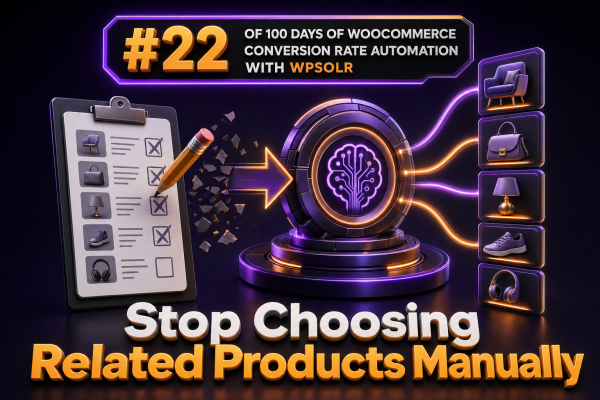
WooCommerce product relationships are often maintained one product at a time: an administrator opens a product, selects upsells or cross-sells, saves the product, and repeats the process for the rest of the catalog. That approach becomes expensive to maintain and usually produces uneven results as inventory, pricing, and merchandising priorities change.
A better approach is to let the product index identify relevant items dynamically. With WPSOLR acting as the retrieval layer, agencies can build related-product recommendations from searchable product data instead of relying exclusively on manually curated relationships.
Why manual product relationships do not scale
Manual recommendations can be useful for a small, tightly curated catalog. They become a maintenance problem when a store has hundreds or thousands of products.
- New products are not automatically connected to existing products.
- Discontinued or out-of-stock products can remain attached to product pages.
- Changes to categories, attributes, brands, or product copy do not update recommendations.
- Merchandisers may apply inconsistent rules across product families.
- Large catalogs require a significant amount of administrative work before relationships are complete.
Manual selections also tend to reflect what a merchandiser remembers rather than the complete set of searchable relationships in the catalog. A product index can evaluate those relationships consistently on every request.
Use indexed product data to find related items
WPSOLR can index the fields that matter for product discovery, including product titles, descriptions, categories, tags, attributes, brands, SKUs, and other configured metadata. Those fields can be used to retrieve products that share meaningful characteristics with the product currently being viewed.
For example, a product page for a waterproof hiking jacket could retrieve other products using a combination of:
- Shared category or product-type terms.
- Matching attributes such as waterproofing, insulation, gender, or activity.
- Shared brand or collection metadata.
- Important phrases from the product title and description.
- Compatible accessories represented by explicit taxonomy or metadata.
The objective is not to return products that merely contain one common word. The query should prioritize structured product relationships and use text relevance as a supporting signal.
Separate related products from upsells and cross-sells
These merchandising concepts should not be treated as interchangeable:
- Related products are dynamically selected items with similar or complementary characteristics.
- Upsells are usually higher-value alternatives that replace the current product.
- Cross-sells are complementary products that can be purchased alongside the current product.
WPSOLR-driven retrieval is particularly useful for dynamic related-product and complementary-product blocks. Keep deliberate commercial decisions, such as promoting a premium replacement or a required accessory bundle, available as explicit rules or overrides.
Define a reliable recommendation query
A practical implementation starts with the current product and builds a constrained query against the WPSOLR product index. The query should include relevance signals and business safeguards.
- Read the current product ID and its indexed taxonomy and attribute values.
- Build a query from the strongest structured fields first, such as product type, brand, collection, and compatible attributes.
- Use product title and description terms as secondary relevance signals.
- Exclude the current product and unsuitable product types.
- Filter out products that cannot be purchased, unless the block is intentionally editorial.
- Apply stock, visibility, catalog, price, and regional rules appropriate to the store.
- Limit the number of results returned to the number needed by the theme or block.
A simplified query strategy can be represented as follows:
current_product = get_product_context(product_id)

query = {
    "must": [
        matching_product_type(current_product.type)
    ],
    "should": [
        matching_taxonomy("product_cat", current_product.categories, boost=5),
        matching_taxonomy("brand", current_product.brands, boost=4),
        matching_attributes(current_product.attributes, boost=3),
        matching_text(current_product.title, current_product.description, boost=1)
    ],
    "must_not": [
        product_id(current_product.id)
    ],
    "filters": [
        "visible_in_catalog",
        "purchasable_or_allowed_by_business_rule"
    ]
}
The exact WPSOLR configuration and query implementation depend on the store’s indexed fields, search engine, and integration architecture. The important design choice is to make the product relationship data-driven rather than hard-coded in every product record.
Improve result quality with structured metadata
Dynamic recommendations are only as good as the product data available to the index. Before changing the recommendation logic, audit whether the catalog consistently records the information needed to establish relationships.
Use taxonomies for durable relationships
Categories, brands, collections, compatibility groups, and use cases are usually stronger signals than arbitrary words in a description. Establish a controlled vocabulary and apply it consistently. For example, use one attribute value such as USB-C rather than allowing variations such as USB C, USB Type C, and Type-C to represent the same relationship without normalization.
Index variation and parent-product data carefully
Variable products require special handling. Showing every variation as a separate recommendation can create duplicate cards and confusing results. In many stores, the recommendation layer should return parent products while using variation attributes for matching and availability checks. Test this behavior with products that have different sizes, colors, or stock states.
Keep compatibility explicit
For products such as phone cases, printer cartridges, filters, and replacement parts, general text relevance is not enough. Add explicit compatibility fields or taxonomies and give them a higher ranking weight. A visually similar product that does not fit the customer’s device is a poor recommendation.
Keep commercial controls without maintaining every relationship
Automation does not require removing all merchandising control. A useful agency implementation normally supports a small set of overrides:
- Always include a designated strategic product for a specific category or collection.
- Exclude products that compete with a private-label or campaign priority.
- Pin a complementary accessory when compatibility is certain.
- Prevent recommendations above or below a configured price range.
- Allow a product-level switch to disable dynamic recommendations for exceptional products.
These controls should be expressed as rules, metadata, or configuration rather than requiring an administrator to populate related-product fields across the entire catalog. This keeps exceptions manageable while allowing the majority of relationships to update automatically.
Render recommendations efficiently in WooCommerce
Do not run an unbounded recommendation query during every page request. Return only the number of products required by the component, apply filters before rendering, and cache the result where appropriate.
For high-traffic stores, consider caching recommendations by product ID, language, customer segment, currency, and other dimensions that change the result. Invalidate or refresh the cache when a product’s relevant taxonomy, attributes, visibility, or stock status changes. If recommendations are loaded asynchronously, make sure the initial product page remains usable and that the endpoint enforces the same catalog visibility and permission rules as the main store.
When integrating with a custom theme or block, pass product IDs or a compact product data structure to the presentation layer. Let WooCommerce handle prices, purchase URLs, images, and sale state through its normal product APIs rather than duplicating those values in a long-lived cache.
Measure whether automation improves conversion
Track recommendation performance separately from general product-page performance. Useful events include:
- Recommendation block impressions.
- Clicks on recommended products.
- Add-to-cart events originating from the block.
- Assisted revenue and order-level attachment rate.
- Fallback rate when no suitable products are found.
- Clicks and conversions by recommendation rule or product category.
Compare a dynamically generated block with the existing manually curated block using a controlled experiment where possible. Evaluate more than click-through rate: a block that receives clicks but produces low-quality visits or no additional orders may need stricter compatibility and availability rules.
Use a fallback for sparse or imperfect catalogs
Some products will not have enough metadata to produce strong matches. The component should detect an empty or low-confidence result set and use a defined fallback, such as category-based products, a curated collection, or a store-wide best-seller list filtered by availability.
Do not display an empty recommendation heading or unrelated products simply to fill a layout slot. A smaller set of relevant products is better than a full row of weak recommendations. Log fallback usage so the agency can identify categories and products that need better taxonomy or attribute data.
Implementation checklist for agencies
- List the product fields currently indexed by WPSOLR and verify that they contain normalized values.
- Choose which fields represent similarity, compatibility, and commercial priority.
- Define exclusion rules for the current product, hidden products, unavailable products, and duplicate variations.
- Set ranking weights and test them against representative product families.
- Add limited overrides for strategic products and exceptional catalog cases.
- Cache results with an invalidation strategy tied to relevant product changes.
- Record impressions, clicks, add-to-cart events, and fallback usage.
- Review low-performing recommendations and improve the underlying product data or ranking rules.
Replacing manual relationships with indexed retrieval gives WooCommerce stores a recommendation layer that adapts as the catalog changes. WPSOLR supplies the search-oriented foundation; the agency’s job is to define strong product data, safe filters, ranking priorities, and measurable business rules.