

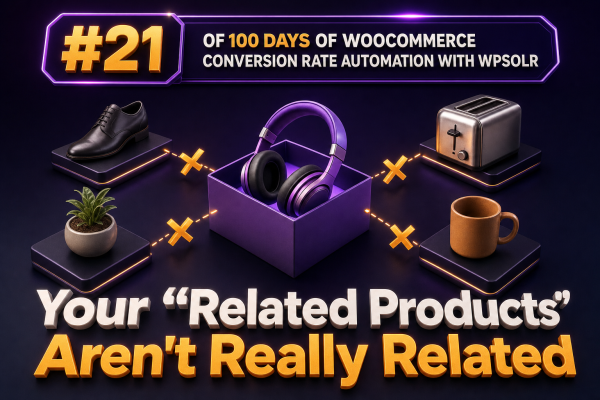
WooCommerce’s Related Products block often answers a taxonomy question rather than a customer question. A product may be placed beside another item because both share a category or tag, even when the products differ in use case, price, compatibility, or buying stage.
That creates a familiar failure pattern: a customer views a laptop sleeve and sees unrelated accessories, a replacement part is paired with a different model, or a premium product is surrounded by low-value items. The store technically displays recommendations, but the recommendations do not reduce decision friction.
Why the default relationship is often weak
WooCommerce can select related products using product taxonomies and catalog rules. Those relationships are useful for broad merchandising, but they are usually too coarse for stores with large catalogs, variable products, technical specifications, or overlapping categories.
- Shared category does not mean shared intent. “Running Shoes” can contain products for beginners, racing, trail running, and winter conditions.
- Shared tags can become noisy. Tags are often added inconsistently by different people, imports, or supplier feeds.
- Product titles may contain the strongest relationship signal. Model numbers, compatibility codes, sizes, materials, and use cases are frequently more informative than the category.
- Manual links become stale. A product may be discontinued, out of stock, or replaced while its related-product assignments remain unchanged.
Use search relevance to create a better relationship
WPSOLR can use the indexed product data and search-engine relevance features to identify products that are genuinely similar to the product being viewed. In a typical implementation, the current product is used as the source document and the related-product query finds other documents with comparable terms and attributes.
This is different from simply retrieving products from the same category. A relevance-based relationship can use signals such as:
- Product title and long description
- Short description and selected custom fields
- Categories, brands, attributes, and product taxonomies
- Model numbers, compatibility references, and technical specifications
- Synonyms and normalized terms configured for the store’s search experience
The exact fields and controls depend on the WPSOLR configuration and search backend used by the agency. Treat the index mapping and field selection as part of the merchandising design, not as an implementation detail.
Define what “related” means for each catalog
Before changing the widget, agree with the merchant on the relationship it should represent. Common definitions include:
- Substitutes: products that solve the same problem at a different price or specification.
- Compatible products: products that work with the item being viewed, such as a case for a device or a filter for a machine.
- Complementary products: products that are normally used together, such as mounting hardware for a display.
- Next-step products: products suitable for a customer who has completed the current purchase or use case.
One algorithm rarely handles all four definitions equally well. A technical store may need compatibility rules for replacement parts, while a fashion store may benefit from visual merchandising and collection-level curation. WPSOLR relevance is most useful when the fields being indexed reflect the relationship the store actually wants to expose.
Prepare the indexed data
Relevance cannot repair missing or contradictory product data. Before tuning related products, audit the source fields that WPSOLR indexes.
- Use consistent attribute names and values across products.
- Store compatibility identifiers in a dedicated field or taxonomy instead of hiding them only in unstructured descriptions.
- Remove supplier boilerplate that appears on thousands of products and creates false similarity.
- Normalize model numbers, dimensions, and units where practical.
- Make sure product visibility, stock status, language, and catalog restrictions are represented correctly in the index.
- Reindex after changing field mappings, analyzers, product attributes, or synchronization rules.
For example, “Fits ACME 4000” and “Compatible with ACME-4000” should not be treated as unrelated merely because the supplier used different punctuation. Conversely, a generic phrase such as “high quality stainless steel” should not dominate the relationship between otherwise unrelated products.
Keep incompatible products out of the result
Similarity should not be the only rule. A result can be textually similar and still be commercially or technically wrong. Apply hard constraints before displaying the recommendations.
- Exclude the current product.
- Exclude products that are hidden from the catalog or unavailable for purchase, unless an intentional back-in-stock experience is being built.
- Respect language, market, customer-group, and catalog-visibility restrictions.
- Exclude incompatible models when the store has a reliable compatibility field.
- Remove duplicate variations or decide explicitly whether a parent product or a purchasable variation should appear.
- Apply category or brand restrictions where cross-category similarity would create misleading results.
In WooCommerce, the woocommerce_related_products_args filter can adjust the arguments used by the native related-products query, but changing those arguments does not automatically create search-engine relevance. If WPSOLR is responsible for the recommendation query, configure the WPSOLR integration and its index filters rather than assuming a native WooCommerce filter will alter every WPSOLR result.
Example automation workflow
A practical agency workflow can make the relationship data repeatable:
- When a product is created or materially updated, send the product to the WPSOLR index.
- Normalize title, attributes, compatibility values, brand, and product-type fields before indexing.
- Run the related-product query with the current product as the reference document.
- Apply hard filters for visibility, stock, language, market, and compatibility.
- Apply business rules such as excluding low-margin items or prioritizing products with adequate inventory.
- Cache the resulting product IDs for a short period, and invalidate the cache when the source product or candidate products change.
- Log the source product, returned IDs, query version, and filtering decisions for troubleshooting.
The final step matters. Without an audit trail, a merchant may report that recommendations changed while the agency has no way to determine whether the cause was an index update, a mapping change, stock filtering, or a merchandising rule.
Use explicit product relationships where similarity is unsafe
There are catalogs where an automated similarity score should never be the sole decision-maker. Replacement parts, medical products, safety equipment, regulated goods, and products with strict compatibility requirements need explicit relationships or validated compatibility data.
A useful pattern is to combine both approaches:
- Use explicit compatibility or accessory links as the first recommendation group.
- Use WPSOLR similarity for a second group such as “Similar products.”
- Use manual overrides for strategic products, launches, bundles, and seasonal campaigns.
This gives merchants control where an incorrect recommendation could cause a return or safety issue, while still allowing automated discovery across the broader catalog.
Measure recommendation quality instead of widget presence
Do not treat the existence of a related-products block as a conversion metric. Track the block’s impressions, product clicks, add-to-cart events, assisted revenue, and downstream conversion rate. Segment the results by product type, device, traffic source, and stock state.
Also review qualitative samples. Create a test set of important products and record whether each result is:
- Relevant to the same customer intent
- Compatible with the source product
- Available in the customer’s market
- Distinct enough to help comparison
- Commercially appropriate for the placement
Compare the current method with the WPSOLR-powered method using an experiment or a controlled rollout. A higher click-through rate is not sufficient if the recommendation produces low-quality add-to-cart events, high returns, or lower margin. For technical catalogs, a smaller set of highly accurate results is often more valuable than a full row of loosely related products.
Agency implementation checklist
- Document the intended meaning of “related” for each product family.
- Identify which indexed fields should drive similarity and which should be used only as filters.
- Remove boilerplate and normalize compatibility data before reindexing.
- Configure exclusions for the current product, unavailable products, restricted products, and invalid variations.
- Keep manual or rule-based relationships for safety-critical and compatibility-sensitive products.
- Test results after imports, bulk edits, taxonomy changes, and WPSOLR reindexing.
- Measure clicks, add-to-cart events, revenue, returns, and margin by recommendation strategy.
Related products should be treated as a relevance and merchandising system, not as a decorative WooCommerce component. When WPSOLR’s indexed data is paired with explicit constraints and measurable business rules, the recommendation row can reflect customer intent instead of merely repeating the store’s broadest taxonomy.