

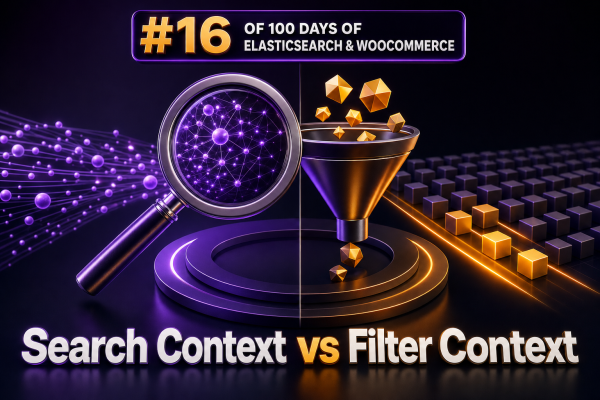
Elasticsearch evaluates clauses in two different ways: query context determines how well a document matches, while filter context determines whether a document matches at all. Choosing the right context is important for WooCommerce product search because product text needs relevance scoring, whereas attributes such as stock status, price range, brand, category, and visibility usually represent strict constraints.
Query context: matching by relevance
A clause runs in query context when Elasticsearch calculates a relevance score for each matching document. The score helps order results from the strongest match to the weakest match.
Query context is appropriate for searchable product content, including a product name, SKU, description, short description, and carefully selected custom fields. For example, a customer searching for waterproof hiking boots expects products matching both terms strongly, with especially relevant matches appearing first.
{ "multi_match": { "query": "waterproof hiking boots", "fields": [ "name^3", "short_description", "description", "sku" ] } }The ^3 boost gives the product name more influence than the other fields. This is a relevance decision, so it belongs in query context.
Filter context: matching by condition
A clause runs in filter context when Elasticsearch only needs a yes-or-no answer. Matching documents are included, and non-matching documents are excluded, without changing their relevance score.
Filters are a good fit for WooCommerce constraints such as:
- Product category or product category path
- Brand, color, size, or other faceted attributes
- Price ranges
- Stock status and purchasability
- Product visibility
- Taxonomy IDs and exact metadata values
- Date ranges for promotions or product availability
Because filters do not calculate relevance, they are generally less expensive than scoring queries. Elasticsearch can also reuse results for suitable filter clauses through its caching mechanisms, although caching is an implementation detail and should not be treated as a guarantee.
Combining both contexts with bool
Most WooCommerce product searches need both contexts. Put the customer’s text search in must or should, and put catalog constraints in filter or must_not.
{ "query": { "bool": { "must": [ { "multi_match": { "query": "waterproof hiking boots", "fields": [ "name^3", "short_description", "description" ] } } ], "filter": [ { "term": { "stock_status": "instock" } }, { "terms": { "brand_id": [ 12, 18 ] } }, { "range": { "price": { "gte": 75, "lte": 220 } } } ], "must_not": [ { "term": { "catalog_visibility": "hidden" } } ] } } }In this example, the text query determines the order of matching products. The stock, brand, price, and visibility clauses restrict the result set but do not give one product a higher score than another.
must versus filter
A must clause participates in scoring when it contains a scoring query. A filter clause does not. Moving a condition from must to filter is therefore more than a stylistic change: it tells Elasticsearch that the condition is a hard requirement rather than evidence of relevance.
For example, a product matching the exact requested brand should not automatically rank higher simply because it has the brand selected in a storefront filter. The brand should normally be placed in filter. Conversely, a product whose title contains the customer’s search terms should receive a relevance contribution, so the text clause belongs in query context.
Exact values require appropriate field types
WooCommerce filters commonly use exact values. Use a keyword field for values such as slugs, status values, normalized SKUs, and IDs represented as strings. Use numeric fields for prices, quantities, and numeric identifiers when range or numeric operations are required. Do not run a term query against an analyzed text field when the intention is to match an entire value.
{ "query": { "bool": { "filter": [ { "term": { "attributes.color.keyword": "navy" } }, { "range": { "price": { "gte": 50 } } } ] } } }The exact field name depends on the index mapping. Agencies should agree on a stable mapping for WooCommerce attributes instead of assuming that every product metadata field can be queried in the same way.
Using constant_score for filter-only logic
When a request has no meaningful relevance requirement, a constant_score query makes the intent explicit. Every matching document receives the same score.
{ "query": { "constant_score": { "filter": { "bool": { "filter": [ { "term": { "stock_status": "instock" } }, { "term": { "product_type": "simple" } } ] } } } }This is useful for administrative exports, synchronization checks, or storefront requests where ordering is supplied separately by a field such as price, popularity, or a WooCommerce sales metric. If sorting by a field, define the sort explicitly rather than relying on the relevance score.
Nested product attributes need nested queries
If a product stores attribute name and value pairs as separate objects in a nested field, use a nested query so Elasticsearch requires the name and value to belong to the same attribute object. Otherwise, a product could incorrectly match the name from one object and the value from another.
{ "query": { "bool": { "filter": [ { "nested": { "path": "attributes", "query": { "bool": { "filter": [ { "term": { "attributes.name": "color" } }, { "term": { "attributes.value.keyword": "navy" } } ] } } } ] } } }Practical guidance for WooCommerce agencies
- Use query context for customer-entered text and other signals that should affect ranking.
- Use filter context for facets, permissions, visibility, stock, taxonomy restrictions, and numeric ranges.
- Keep high-cardinality or frequently changing catalog constraints out of scoring queries when they are only inclusion rules.
- Use
post_filterwhen aggregations should describe the broader query result while the displayed hits receive an additional storefront filter. - Inspect mappings before implementing filters, especially for
keyword, numeric, date, and nested fields. - Test relevance and filtering separately: verify that excluded products never appear, then verify that the remaining products are ordered as shoppers expect.
A clean separation between relevance queries and deterministic filters makes WooCommerce search requests easier to maintain, reduces unnecessary scoring work, and gives merchandising teams more predictable control over result ordering.