

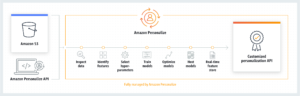
Amazon Personalize guides for WordPress & WooCommerce

Amazon Personalize Recommendation AI

Did you know that you can “officially” rerank Opensearch search (AWS or locally hosted) with Amazon Personalize?

Steps: 1. Install the “opensearch-search-processor” plugin into Opensearch 2. Create an Opensearch reranking pipeline targeting an Amazon Personalize campaign 3. Configure Opensearch queries to use the reranking pipeline 4. Pass meta informations to queries like the user-id And now the good news for WordPress lovers: both OpenSearch search (AWS and open source)  and Amazon Personalize are integrated into WPSolr Enterprise.

Woocommerce recommendation engines

How to add a recommendation engine to your Woocommerce ?

One of the best technologies to boost sales for e-commerce today are recommendation systems. But how could you add a recommendation engine to your woocommerce website?  You’re at the right place. First we will define what recommendation engines are, then we can establish strategies and solutions to add recommendation engines to Woocommerce.   What is a recommendation engine?   A recommendation engine, also called a recommender system, will suggest (or recommend) items that it predicts users will be inclined to view or buy. These predictions are based on patterns of users’ past behaviors and preferences.   This technology is based on personalization and is closely related to personalized search.   What are the benefits of a recommendation engine for Woocommerce?   Recommendations greatly boosts sales